

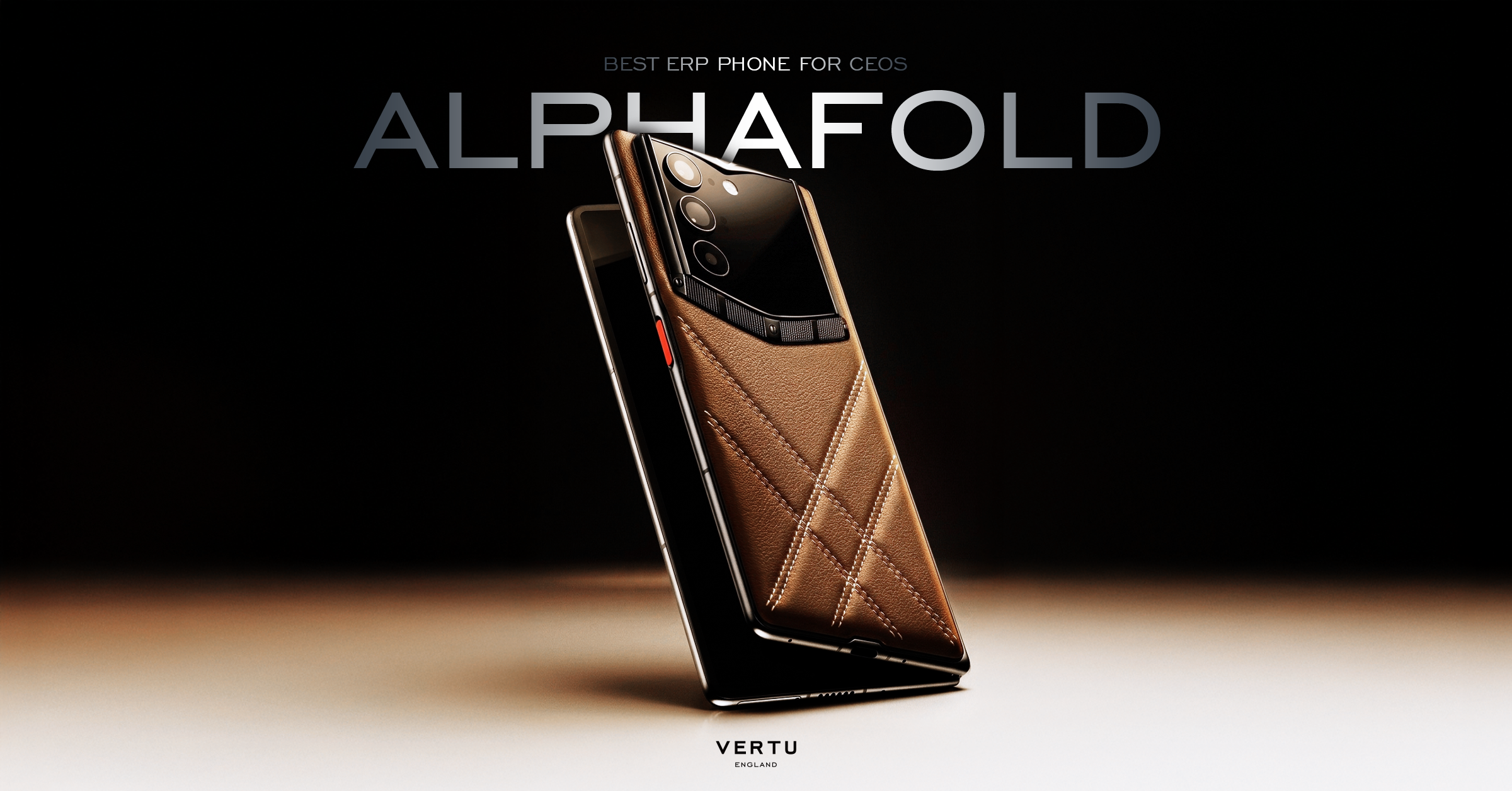
Tri-fold phones are having a moment. They look like the endgame: a phone that unfolds into a near-tablet.
But if you’re buying this for real work, there’s a better question than “How big is the screen?”
It’s this: does the device turn that screen into a controlled workspace—a place where your calendar, messages, files, and decisions can live without friction or leakage?
This comparison looks at the Huawei tri-fold (including the Huawei Mate XT) versus AlphaFold (book-style) through that lens: screen shape, business efficiency, AI agent behavior, and high-end positioning.
Key takeaway: A bigger foldable display can be impressive. A smarter workspace is what makes it useful.
Huawei Mate XT (tri-fold) vs AlphaFold (book-style): quick comparison
Decision factor | Huawei Mate XT / tri-fold phone | AlphaFold (book-style foldable) |
|---|---|---|
Screen ambition | Three display states up to a tablet-like canvas | Large inner display designed as a consistent “open-and-work” surface |
Multitasking feel | Great potential for multi-pane layouts, reading, and document viewing | Strong two-app workflows; easier to treat as a stable “work notebook” |
Daily carry | More hinge complexity; tends to be bulkier by nature | Simpler hinge system; typically easier ergonomics day to day |
Productivity limit | App optimization and ergonomics become the bottleneck, not pixels | Workflow design becomes the differentiator: how work is organized and executed |
AI layer | Depends on the broader software stack and how you use it | Positioned around an agent-driven private workspace (Hermes Agent framing) |
Luxury positioning | Hardware spectacle + premium positioning | Luxury AI foldable: concierge-like workflow, privacy-first framing |
Tri-fold phone vs book-style foldable: what changes (and what doesn’t)
A tri-fold adds a second hinge and a third panel. In theory, that gives you a more tablet-like canvas. In practice, you get a new set of trade-offs.
What changes
You can move between multiple “sizes” depending on how far you unfold.
Layouts can feel more like a compact tablet, especially for reading and side-by-side windows.
What doesn’t change
Productivity still depends on software: app scaling, multi-window behavior, and how reliably your work state survives folding.
The daily reality is still ergonomics: weight, thickness, grip, and how confident you feel opening it 30 times a day.
If you’ve ever used a foldable and thought “This is the future,” then stopped carrying it because it felt fussy, you already understand the point.
Is a bigger foldable screen always better?
Only if you consistently do tasks where space is the constraint.
A larger canvas helps when you:
review long documents without constant zooming
annotate, highlight, or sign
keep two windows visible while you write (email + brief, deck + notes)
But on executive days, the bottleneck is often coordination, not space.
What’s the next decision?
What’s waiting on approval?
What changed in the travel plan?
What’s the one message you cannot miss?
That’s why “bigger screen” can still feel like a miss. It’s screen area without a system.
Huawei tri-fold for productivity: strengths (and limits)
Strength: a real tablet-like canvas, in three states
Huawei describes the Mate XT Ultimate Design as operating in three display states—about 6.4-inch, 7.9-inch, and 10.2-inch depending on fold state—positioned for single, dual, and multi-window use. See Huawei’s own page for the product framing and design explanation: HUAWEI Mate XT Ultimate Design.
That’s the tri-fold’s core appeal: when fully open, it behaves less like a large phone and more like a compact tablet.
If you’re comparing a Huawei foldable phone for work, the headline benefit is obvious. You get more canvas. The question is whether your apps and habits turn that canvas into finished decisions.
Strength: the form factor makes multi-pane work feel natural
With more horizontal and vertical room, it’s easier to imagine three-pane workflows:
inbox + calendar + notes
a contract + a thread + a checklist
a dashboard + a memo + a call window
When the software cooperates, tri-folds can feel like a mobile workstation.
Limit: hinge complexity and daily ergonomics
Tri-folds add a second hinge and more mechanical complexity. Huawei’s worldwide launch release describes an “Advanced Precision Hinge System” with inward and outward folding around a dual-track link: Huawei’s Mate XT launch release.
That engineering is the point—and it’s also the trade-off. More complexity typically means you care more about:
long-term durability confidence
thickness and pocket comfort
how the device feels in one hand
For some buyers, that’s fine. For others, it becomes the reason the “wow” phone stays on the desk.
Limit: app optimization becomes the productivity ceiling
A tri-fold can open into a less common aspect ratio and multiple intermediate shapes. If the apps you rely on aren’t optimized for that, you end up with a screen that’s large but underused.
Book-style foldables already reveal this problem; tri-folds amplify it. That’s why some buyers end up using a tri-fold phone like a normal phone most days, even when they bought it for the big screen.
And if you’re searching for a Huawei tri fold phone because you want “tablet productivity in your pocket,” this is the section to take seriously.
Pro tip: Before you commit to a tri-fold, list your five non-negotiable apps, then confirm they behave well in split-screen and in each fold state you’ll actually use.
Bigger screen vs smarter workspace: the decision criteria that matter
If you want a practical way to choose, use these criteria. They map to the real productivity drivers on foldables.
1) Screen shape and ergonomics
Choose Huawei tri-fold (Mate XT) if you want the closest thing to a pocketable tablet and you’re comfortable with the added fold complexity.
Choose a book-style foldable like AlphaFold if you want a consistent “open like a notebook” behavior that stays comfortable in daily carry.
2) Business efficiency: multitasking vs task completion
Multi-window is the visible productivity upgrade. Task completion is the quiet one.
A bigger canvas helps you see more.
A good workspace design helps you finish more:
fewer context switches
fewer “where was that?” searches
fewer missed approvals
cleaner handoffs to assistants and teams
That’s where an agent layer becomes relevant.
3) AI agent behavior: answers vs controlled execution
Most phone AI features are still optimized for responses: summarize, rewrite, generate.
A decision-stage buyer should ask a harder question: can the system carry multi-step work with boundaries you trust?
VERTU’s own explanation of agentic systems and Hermes positioning makes this distinction explicit: agentic AI explained.
In other words: it’s not about “AI on a big screen.” It’s about a private operator that turns intent into controlled execution.
4) Privacy boundaries and compartmentalization
For UHNW buyers, privacy isn’t a feature you toggle on. It’s the default expectation.
A device becomes a real work machine when it can keep worlds separated: business, personal, and the things you do not want co-mingled.
If you want VERTU’s specific framing for business use, including its privacy/security emphasis for a foldable workspace, start here: best Android foldable phone for business.
Where AlphaFold fits: turning a big screen into a private workspace
A tri-fold is a bet on hardware canvas.
AlphaFold’s differentiation is the claim that the foldable isn’t just bigger—it’s organized. It’s meant to behave like a private workspace, where a large display becomes the surface for:
briefs and meeting context
approvals and decision prep
travel disruption handling
high-sensitivity communications
If you want the simplest “do I even want this form factor?” checkpoint, VERTU’s guide on the upgrade decision is a good baseline: foldable vs normal phone: is the upgrade worth it?.
And if you want a more direct explanation of what an executive-oriented book-style device is trying to be, see: what a book-style phone is (and who it’s for).
The practical difference (in one scenario)
Imagine your flight slips by 90 minutes. Your day collapses.
A large screen helps you reschedule.
A smarter workspace helps you protect the day:
identify what can move without consequence
prep the critical meeting with a short brief
draft the messages that need to go out
stop at the boundary where you must approve
That’s the promise of an agent-driven private workspace: less manual coordination, more controlled execution.
<div data-type="node-video" data-provider="youtube" data-url="https://www.youtube.com/watch?v=6ye8uyIeLlk" data-embed-url="https://www.youtube.com/embed/6ye8uyIeLlk"></div>
Verdict: who should choose which?
Choose Huawei tri-fold / Huawei Mate XT if…
you want the largest unfolded canvas you can reasonably carry
your work is visually space-constrained (documents, reading, multi-pane reference)
you’re comfortable being early to a more complex form factor
Choose AlphaFold if…
you want a foldable that behaves like a stable work notebook
you care as much about workflow control as screen size
privacy boundaries, support, and discreet high-end positioning are part of the decision
FAQ
Is the Huawei tri-fold phone “better for productivity” than a book-style foldable?
It can be—when the workflow is genuinely limited by space and when your core apps scale well. If your productivity bottleneck is coordination (approvals, briefs, travel change management), the device’s workspace design and AI layer will matter more than raw screen area.
This is why people comparing a Huawei Mate XT foldable phone to a book-style foldable often end up debating software maturity and workflow habits, not just hardware.
What is Huawei Mate XT?
Huawei’s Mate XT Ultimate Design is a tri-fold foldable positioned around a multi-state display (phone to tablet-like) and multi-window use. If you want Huawei’s own framing, use the official Mate XT page referenced earlier in this article.
What makes a “smarter workspace” on a foldable?
A combination of stable multi-window behavior, app continuity across fold states, and a trustworthy AI layer that helps execute workflows with privacy boundaries.
Next steps
If you’re deciding between these two categories, don’t start with the hinge.
Start with a week of your own work. Track where time actually goes: reading, writing, approvals, travel changes, briefings, and sensitive communications. Then choose the device whose form factor and software model supports that reality.
If you want a discreet consultation on AlphaFold availability and how the Hermes Agent-driven workspace model is intended to work, start here: VERTU AlphaFold.
Disclosure: This article references VERTU pages. Editorial judgment remains the priority.


