If you are deciding how to store a phone long term, prepare both the handset and your access to it: check the maker's battery instructions, verify a separate copy of important data, power it down and choose an appropriate storage place. Record when it should next be checked. A phone kept for occasional use needs a return-to-service plan as well as a place in a drawer.
Key Takeaways
- Use battery and storage instructions for the exact handset, rather than transferring a charging rule from another brand.
- Check that important files and account recovery methods remain accessible without the stored phone.
- Keep the phone powered down, identified and protected from unsuitable environmental conditions.
- Before relying on it again, check its condition, charging, software and the services you actually need.
Why are you storing a phone you rarely use?
Choose between three jobs: an emergency spare, a handset used occasionally, or an object retained for personal significance. The preparation overlaps, but the return check differs. A spare must be ready for calls and necessary accounts. An occasional-use handset needs a realistic inspection date. A keepsake still needs an appropriate battery and storage arrangement.
Write down the intended job before removing the phone from everyday use. If its only purpose is preserving photographs, do not let the handset become the sole archive. If it must replace your main phone at short notice, identify which services would need to work immediately and which could wait.
This is an ownership guide based on published manufacturer advice and practical preparation. It does not establish a storage life, guarantee that an ageing phone will restart, or replace instructions for a particular battery or exterior finish.
Back up important material and check what the backup contains
Create the appropriate backup while you can still unlock and operate the phone. Then check the result from another device or the relevant account. The useful question is whether you can recover the material you care about, rather than whether you have pressed a button labelled backup.
Google's Android backup guidance explains that supported content, data and settings can be backed up to a Google Account, while coverage and restoration have limitations. Follow the instructions applicable to your device and check important applications separately. Do not assume that every file or app state is included in one system backup.
For photographs and documents, open a few important items in the destination you intend to keep. For an application with its own export or recovery process, consult that provider's current instructions. Keep a note of what has been checked and what has not; an untested archive should not silently become your recovery plan.
Decide separately whether you are keeping the phone's existing data or preparing it for another owner. Storage for your own future use does not automatically require erasing it. If ownership will change, use the maker's transfer and erasure procedure rather than improvising from a storage checklist.
Keep account access independent of the stored handset
Check whether an important sign-in process depends on receiving a message, approving a notification or opening an application on this phone. Make sure you understand the account provider's recovery options before putting the handset away. Store recovery information using an appropriate method; do not leave passwords on a loose label with the device.
Review the telephone number and service you plan to retain. Ask the network provider about the current terms for an inactive number or plan. Do not assume that a SIM kept inside an unused handset preserves service indefinitely, or that restarting the phone will restore an expired arrangement.
For a work handset, follow the organisation's device and account rules. Ask the administrator what should happen before storage and before reuse. A personal backup process should not be treated as permission to copy employer information or alter a managed device.
What battery level should a stored phone have?
Find the storage advice for the exact phone or obtain it from the manufacturer's support team. Ask about the recommended charge state, temperature conditions and inspection or recharge interval. If the battery is removable, follow the documented procedure; do not open a sealed handset to create a removable-battery arrangement.
As a clearly limited example, Apple's battery guidance recommends storing its devices around half charged, powered down, in a cool, moisture-free environment below 32°C. For storage beyond six months, it recommends restoring the charge to 50% every six months. Those are Apple's instructions, not a confirmed schedule for every VERTU or Android handset.
The practical lesson is to record the applicable guidance rather than choosing between an empty and a fully charged battery by habit. Keep the instruction source beside your storage note. If you cannot establish a model-specific interval, ask support rather than presenting a generic internet recommendation as an approved procedure.
Do not treat ordinary charging optimisation settings as a long-term storage plan. Check whether the maker's advice calls for powering the device down, then use its normal shutdown procedure. Leaving it switched on in a drawer is a different arrangement and should be assessed as such.
Where should you store a phone long term?
Use the environmental limits in the phone's instructions to choose the storage place. A convenient location is only useful if it remains suitable when you are away. Consider ordinary seasonal conditions, nearby heat sources and any possibility that the container could become wet.
Keep the handset apart from loose objects that could press against its controls, screen or finish. Choose clean packaging suitable for the complete phone, including any documented requirements for leather or other exterior materials. Do not add oils, leather treatments or cleaning chemicals simply because the handset will be stored.
Keep the matching charging equipment identifiable and accessible without forcing it against the device. Label the outside of the container with the model and storage date, rather than attaching adhesive to the handset's finish. Leave sensitive account details out of that label.
A retail presentation box can help identify the phone and its accessories, but packaging alone is not proof of suitable battery or environmental conditions. Check the arrangement you will actually use, including where the box will sit.
What should VERTU owners confirm?
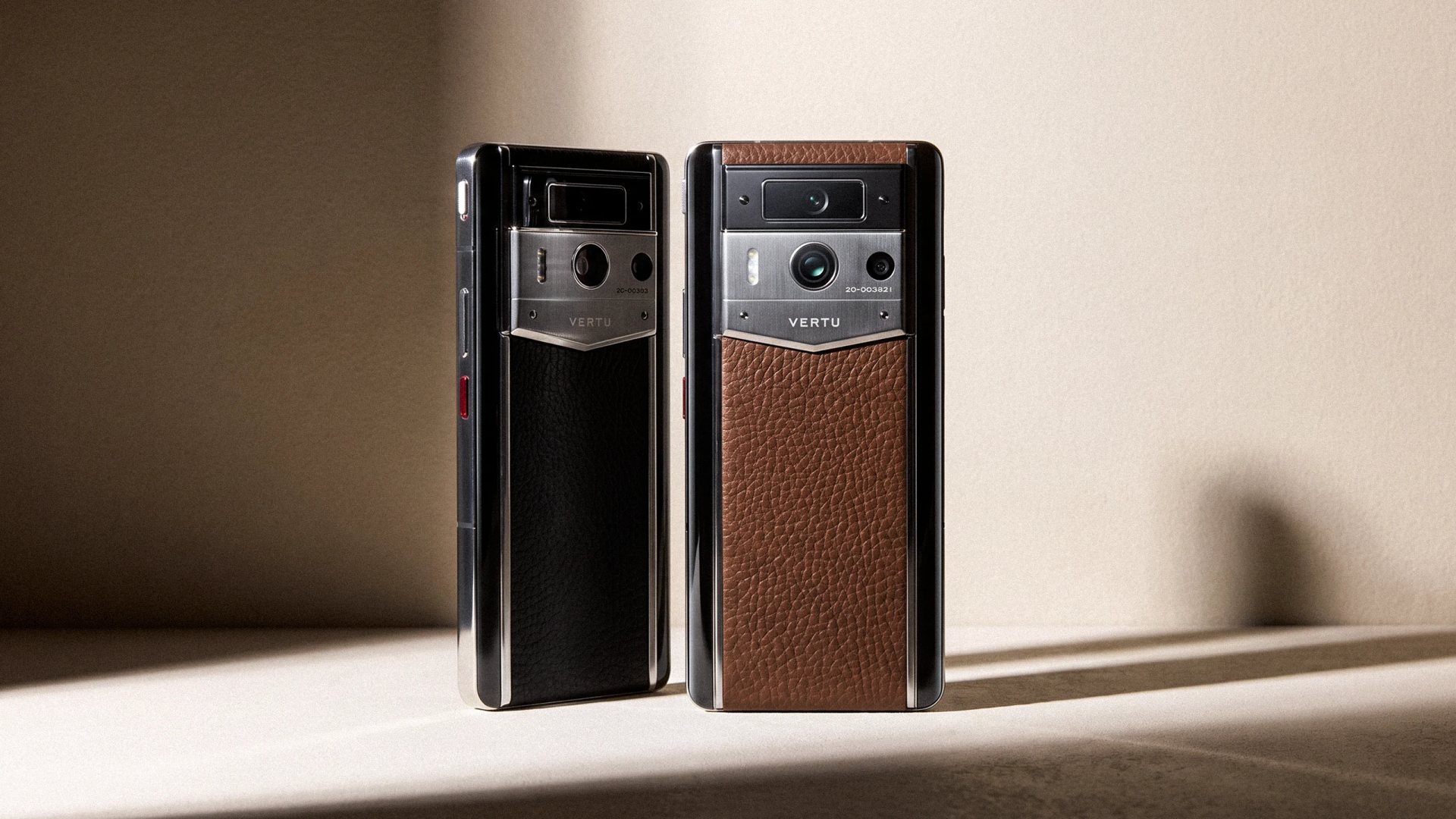
Identify the precise model before requesting care advice. The VERTU Signature collection and the METAVERTU MAX Carbon Fiber listing provide separate starting points for identifying a handset. A collection name should not stand in for the model, selected finish or applicable instructions.
For a Signature handset, ask for storage and charging guidance linked to its exact reference. For a METAVERTU MAX, ask the same questions for that model and its installed software. Do not assume that accessories, battery arrangements or cleaning methods are interchangeable because both phones carry the VERTU name.
Photograph or note the identifying reference and keep the purchase or service record somewhere accessible. If the phone has an issue before storage, describe it to support first. Putting a problem out of sight does not establish that it will be safe or straightforward to resolve later.
Leave a useful storage note
Keep a short record that tells your future self what was done. The following is a suggested personal checklist, not an official VERTU inspection form:
- Exact handset and selected finish; intended future use.
- Storage date, observed charge and applicable battery instructions.
- Location of the verified backup and account recovery information.
- Location of the matching charger and any relevant service record.
- Next check date based on the manufacturer's guidance.
If another person may need the spare, explain where the non-sensitive instructions are kept. Keep permission to access accounts separate from knowledge of the phone's location. A well-labelled container should help someone find the device without exposing private information.
Check the handset before relying on it again
Inspect its external condition before connecting the charger. If you notice damage, swelling or another unexpected physical change, stop and seek the manufacturer's advice rather than attempting a repair or forcing the casing closed. Follow the documented charging and restart procedure for an undamaged handset.
Once it starts, check the tasks it is meant to perform: the required network service, necessary accounts, important applications and current update options. Make a normal test call if calling is its intended role. Allow time to resolve access or service problems before it becomes your only phone for a journey.
What temperature and recharge interval are documented?
Apple’s battery guidance advises powering down a device at about 50% charge, keeping it in a cool, moisture-free place below 32°C (90°F), and returning it to about 50% every six months if storage lasts longer than six months. Those figures apply to Apple’s devices and guidance, not automatically to every Android or VERTU model. Follow the exact maker’s limits when available; record the date and charge level at each check rather than guessing an interval.
Conclusion
The answer to how to store a phone long term is a small, model-specific routine: verify the data you need, follow applicable battery advice, shut the phone down and keep a dated record in a suitable place. Check its condition and required services before reuse. Good preparation makes the stored handset easier to assess without promising that time has left it unchanged.