Choose a Black Friday work-life separation phone by checking how it supports the boundaries you actually need: distinct accounts, controllable interruptions and a clear way to finish work without losing essential personal contact. A triple-system description is a reason to investigate a particular configuration, not proof that a handset will organise your working life or prevent every movement of information.
This Black Friday buying guide focuses on separating work and personal routines. It draws on published information rather than a hands-on phone test. It does not rank phones by wellbeing outcomes or assume that a promotional offer applies to every model, market or configuration.
Key Takeaways
- Write the boundary you need before choosing the feature that might support it.
- Distinguish quieter notifications, separated app environments and employer-managed access.
- Assess METAVERTU MAX’s documented triple-system positioning with a model-specific demonstration.
- Check the channels that must remain available when you finish work.
- Compare the complete current offer only after the phone meets your practical requirements.
How can a work-life balance phone change after-hours access?
Describe the transition in concrete terms. You might want work messages to stop interrupting dinner, business files to remain apart from personal photographs, or colleagues to use a designated channel for genuinely urgent contact. These are different requirements. Giving them separate names makes the buying discussion more useful.
The European Labour Authority’s guidance on work and personal time, published in April 2024, recommends clear boundaries and discussing demands with people at work. Its advice concerns habits and working arrangements, rather than a claim that a particular device creates balance.
Before comparing handsets, identify which part you can change yourself and which needs an agreement. A phone setting cannot decide whether you are expected to answer after hours. Agree that expectation with the relevant people, then choose controls that help you follow it.
Which work-life balance phone features fit your routine?
Ask whether you need fewer interruptions, separate information or managed work access. A single feature name should not be accepted as the answer to all three. Use the following distinctions to prepare a demonstration request; they are buying questions, not claims that every phone supports each behaviour.
| Requirement | What to ask to see | What still needs agreement |
|---|---|---|
| Fewer work interruptions | How selected work alerts behave outside the chosen working period | Which people and situations may interrupt |
| Distinct work and personal information | Where each account’s apps, files and sharing choices appear | Which information may move between contexts |
| Employer-authorised access | The proposed enrolment and management arrangement for the exact device | Employer approval, permitted applications and support ownership |
Test the boundary in the direction that matters. Keeping a business document out of a personal gallery is different from allowing a personal caller to reach you while a work environment is paused. A useful demonstration explains both the intended separation and the deliberate exceptions.
What does METAVERTU MAX’s triple-system description establish?
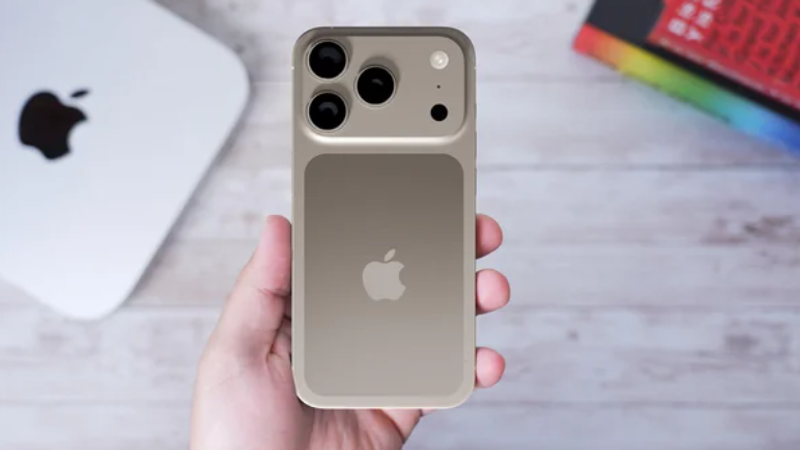
The current METAVERTU MAX Carbon Fiber product page describes three systems in one phone and a dedicated security chip. These are the brand’s published product descriptions; this guide has not independently tested the separation or its resistance to attack.
For a buyer, the useful next question is how that architecture behaves in the exact model and software being offered. Ask the adviser to explain which apps and accounts belong in each environment, what appears when you switch, and which sharing actions are possible. Request current operating instructions rather than inferring a procedure from a marketing heading.
Do not assume three systems mean three interchangeable employer-managed profiles, three telephone numbers or complete separation of every service you use. Those are separate requirements to verify. If your employer must approve the device, bring its actual requirements into the conversation before purchasing.
Keep Android Work Profile separate from a product architecture
Google’s Android Work Profile documentation describes separating work apps and data from personal apps and data. It says an organisation that supports enrolment should provide instructions through its IT administrator. That describes the Android enterprise feature and its conditions; it does not establish that a particular VERTU configuration is enrolled, supported or equivalent to the MAX triple-system description.
Ask your IT team what it needs to manage and which devices and software versions it supports. Confirm the proposed model against those requirements. If the organisation does not approve it for business access, do not work around that decision by moving work documents into a personal account.
Also clarify who supports each part of the arrangement. A device adviser may explain the product, while your organisation controls its account policies. Knowing which team can resolve an enrolment or access problem is more useful than assuming that one support channel can change every setting.
How do you test a work-life separation phone before Black Friday?
Use a demonstration device and non-sensitive sample accounts where available. Ask the adviser to show the proposed way of leaving the work context, then check what remains visible. Include app alerts, notification previews and the route back to work. Record the demonstrated behaviour rather than accepting “private” or “separate” as a complete explanation.
Next, check the personal tasks you still need: receiving an agreed call, finding a family appointment and opening a personal photograph. The point is not to prove a security guarantee. It is to understand whether the proposed arrangement makes the intended transition clear without creating a new source of confusion.
Finally, ask what happens after a restart or a software update and where the relevant instructions are maintained. Do not assume a demonstration of one software build establishes the behaviour of every future release. Confirm any essential requirement in the documentation or purchasing discussion for the configuration you choose.
Choose the exceptions deliberately
Write down the contact that must remain possible outside work and the channel that will carry it. An illustrative arrangement might keep a family call available while routine work messages wait. A different role may require an agreed on-call channel. Choose the arrangement that fits the real responsibility rather than copying someone else’s settings.
Consider accessories and linked devices in the discussion. Ask whether the proposed watch, computer or messaging setup can still show a work alert after you have changed the phone’s state. Do not treat a quiet phone demonstration as proof that every other signed-in screen behaves the same way.
Agree how to reopen work intentionally. A planned check during an on-call period differs from reopening every app because one notification was unclear. The device should make your chosen routine understandable; the routine itself remains a decision for you and the relevant people.
Read the Black Friday offer after checking the fit
Compare the exact configuration you intend to buy, not a headline attached to a different variant. Check the current displayed price, currency, selected storage and finish, applicable offer conditions and the total shown for your destination. Confirm delivery, returns and warranty terms for that purchase before committing.
Keep a clear record of any model-specific explanation that matters to the decision. If the adviser demonstrated a boundary feature, confirm that the handset and software being supplied correspond to that demonstration. A lower price does not resolve an unanswered compatibility or employer-approval question.
Consider whether your current phone can support the routine you want before replacing it. If the difficulty is an unagreed response expectation, discuss that first. If the limitation is a verified device or software requirement, use it to compare the available options. This separates a considered purchase from buying a feature name without a defined purpose.
What does a Black Friday work-life separation phone actually need?
Define which work account, notifications and contacts should remain available after hours, and which should pause. Test the exact phone’s profiles and notification controls with a realistic evening, including an urgent exception. The Android Work Profile guidance describes one Android approach; a VERTU product architecture should be checked separately on its own page and software version. A discount does not establish that the boundaries work.
Frequently Asked Questions
Will a separate system automatically stop work notifications?
Do not assume it. Ask for the actual notification behaviour of the offered model and configuration, including linked devices. Information separation and interruption control are different requirements, and the demonstration should address both where they matter.
Should I move employer data into a personal space?
Follow your organisation’s authorised arrangement. Ask its IT team which device, accounts and applications are permitted, then confirm the proposed setup before transferring work material. Product marketing does not grant permission to bypass an employer’s requirements.
Conclusion
A phone can be part of a considered work life balance routine when its demonstrated controls match the boundary you have agreed. Define the transition, check accounts and interruptions, and verify the exact configuration rather than relying on a triple-system label alone. Make the Black Friday decision around that practical fit and the current purchase terms.