Before buying a used VERTU phone, establish the exact model and configuration, check its history through appropriate official channels, inspect its working condition and confirm that the previous owner can release their accounts and data. Treat these as separate checks. An attractive exterior or a successful identity enquiry cannot answer every question about the device you will receive.
A useful purchase file combines the listing, photographs of the actual handset, the seller’s written description and the agreed terms. Work through that file before payment, with particular attention to older Signature generations and newer Android-based models.
Key Takeaways
- Identify the precise generation, material and configuration rather than buying by family name.
- Separate official product verification from condition, network and ownership checks.
- Test the actual handset’s everyday functions, including charging and calls.
- Have the legitimate owner complete the applicable account-removal and reset process.
- Confirm any remaining service eligibility directly; do not infer it from the original price.
What exactly is being offered?
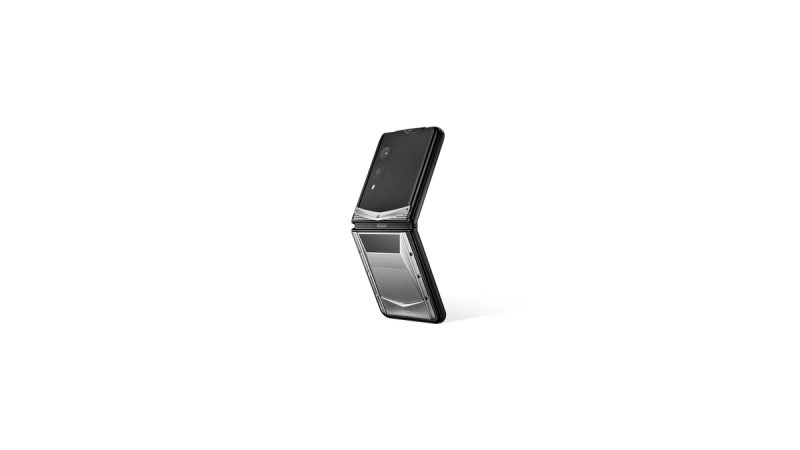
Ask for the model name as shown on the handset and its original documentation, where available. Record the seller’s claimed storage, material, colour and included accessories. Request clear pictures of the actual item, including its ports and any wear, rather than relying entirely on promotional images.
The distinction matters within VERTU’s range. The current Signature collection and METAVERTU MAX introduction are separate product references. They are useful starting points for identifying the relevant family, not evidence that every older handset shares the current collection’s specifications or software.
For a Signature listing, establish the particular generation before discussing network support, apps or replacement parts. For an Android-based MAX listing, establish its actual configuration and software state. A seller’s broad description such as “latest VERTU” does not resolve either question.
Keep the information consistent across the listing, invoice and handset. If there is a discrepancy, ask for an explanation in writing and pause the purchase until it is resolved. A different colour name may be an innocent shorthand; a different model requires a new assessment.
How should you check provenance and identity?
Begin with the seller’s account of where and when the device was acquired. Ask what purchase documents remain and whether the handset has been repaired, modified or supplied as a replacement. These questions establish the history you need to evaluate; they do not themselves certify that history.
Use VERTU’s official product authenticity entry point and follow its current requirements. Enter sensitive identifiers only through the appropriate official process. The existence of that entry point does not mean a device has passed it, and a screenshot supplied by a seller should not substitute for the enquiry you need.
If the information is unclear, use the official contact page to ask which verification route applies to that model. State that it is a pre-owned purchase under consideration. Do not confuse product verification with the separate service for checking a person claiming to be a VERTU butler.
Keep the conclusion narrow. Even when product identity is established, scratches, damaged components, battery condition, account restrictions and a seller’s ability to transfer the phone remain separate matters. Equally, a low price or a photograph alone is insufficient grounds for a definitive authenticity verdict.
What should you inspect on the actual handset?
Arrange a demonstration that matches how you intend to use it. If buying remotely, request a continuous video showing the actual handset and the agreed checks, then make sure the purchase terms address any difference between that demonstration and the delivered item. This is practical due diligence, not a substitute for a qualified inspection.
| Area | Useful check | What to record |
|---|---|---|
| Body and controls | Inspect corners, seams, keys and moving parts appropriate to the model. | Existing wear, looseness and visible damage. |
| Display and sound | Read a page, change brightness, play audio and make a test call. | Any line, touch, speaker or microphone problem. |
| Power | Connect the specified charging equipment and observe normal operation. | Included equipment and any charging interruption. |
| Connectivity | Check the connections you will actually use. | Carrier and accessory compatibility still awaiting confirmation. |
A brief demonstration cannot measure remaining battery life accurately. Ask about charging behaviour, unexpected shutdowns and any battery replacement, including who carried it out. Do not accept an invented health percentage for a model that does not provide that measurement.
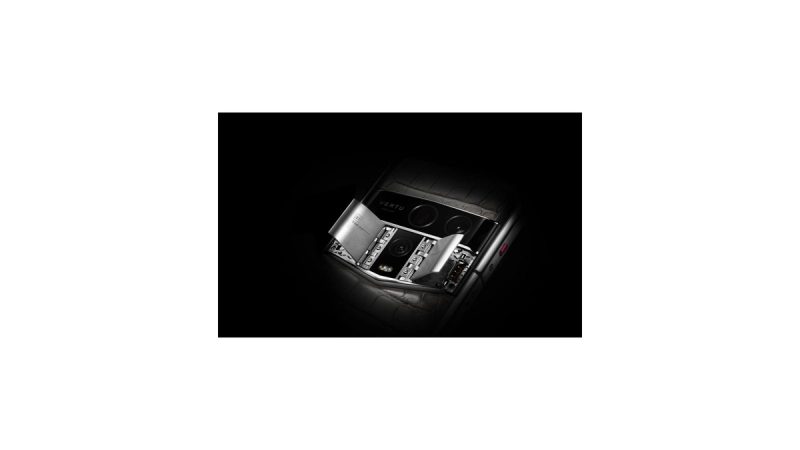
Inspect decorative finishes as carefully as the screen. Request close views of areas normally hidden by a case. Decide which marks you can accept before discussing price, so the condition standard does not change during the transaction.
Will it work with your US carrier?
Check the exact device with the intended carrier before committing. A familiar brand name, an unlocked claim or a matching SIM size does not settle the entire compatibility question. Ask the carrier what information it needs for that particular handset and service.
For example, T-Mobile’s bring-your-own-phone guidance provides a device compatibility route and discusses unlocking. That is a carrier-specific check, not a promise of operation on every US network. If you intend to use another carrier, obtain its own answer instead.
Record any outstanding finance, activation or network-lock question in the purchase agreement. Ask the seller to resolve restrictions through the legitimate provider. A promise that somebody can bypass them later is a poor basis for a purchase.
How should the previous owner prepare it?
Separate your inspection from the final transfer. The seller may need the phone in its current state to demonstrate functions, but their personal accounts and information should not become part of your purchase. Agree the sequence before the meeting or dispatch.
For an applicable Android device, Google’s factory-reset guidance explains that resetting removes data from the phone and directs owners to back up first. Google’s device-protection guidance also explains the role of Google accounts and ownership verification. Have the legitimate owner follow the procedure for the exact device.
Do not ask for their password, one-time code or a copy of their personal files. Ask them to complete the necessary steps themselves, then demonstrate the agreed handover state. For VERTU-specific private spaces or older non-Android models, request the applicable official instructions rather than assuming one Android reset covers every environment.
Before accepting the handset, confirm that you can proceed with your own normal setup without an unresolved request for the previous owner’s credentials. If that cannot be demonstrated, stop and seek official guidance. Repeated improvised reset attempts will not establish legitimate ownership.
What should the written agreement cover?
List the actual handset, its disclosed condition, the accessories supplied and the seller’s statements about repairs and restrictions. Include the agreed inspection and return arrangements. Save the listing and correspondence with the receipt, so you have a clear record of what was represented.
Ask VERTU about service eligibility using the particular model, serial details, purchase evidence and country involved. The current warranty policy sets out validation requirements and conditions. Neither a second-hand sale nor an old receipt automatically establishes that a specific claim will be accepted.
Budget for the ownership arrangement you have actually confirmed. If an accessory, repair quotation or service answer remains outstanding, treat it as an unresolved cost rather than a benefit included in the seller’s price.
Frequently Asked Questions
Does the original box prove a phone is genuine?
No. Assess the handset and its documentation through the appropriate verification route. Packaging is one part of the purchase record.
Should I reset it before inspecting it?
Agree the sequence with the owner. Inspect the working functions, then have the owner complete the applicable preparation for transfer.
Does a pre-owned VERTU include every original service?
Do not assume that it does. Confirm the particular device’s service eligibility and applicable terms directly.
Conclusion
A used VERTU phone deserves a purchase process as specific as the handset: establish its identity, inspect its condition, confirm your network and complete an authorised account handover. Pay against the written agreement and the evidence you have obtained, with any unresolved service or repair question settled before you rely on it.