

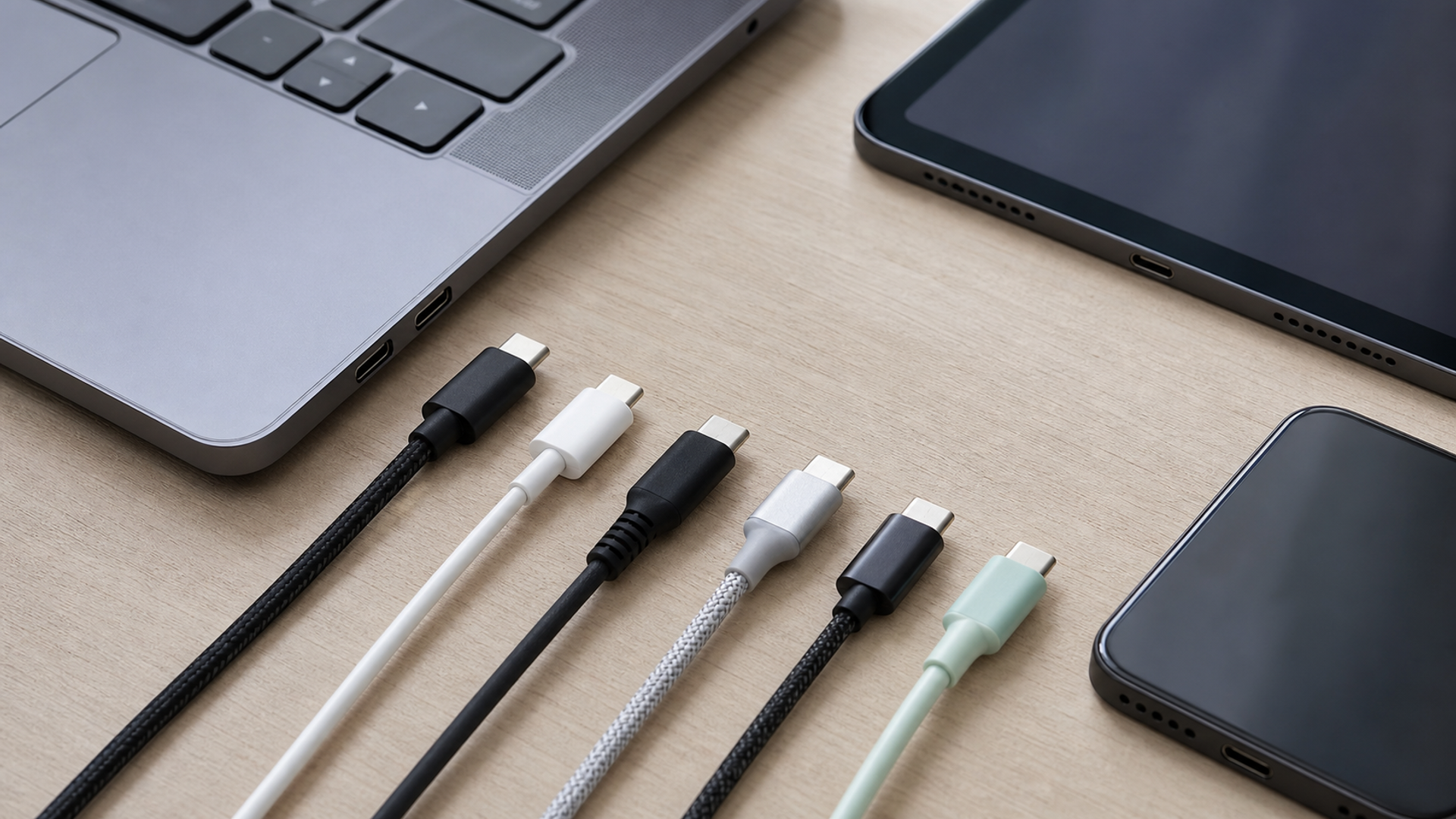
USB-C describes the connector, not the cable’s full capability. Two cables can have identical reversible plugs while supporting very different charging power, data speed, display output and device roles. For a phone-only charging cable, a certified 60W cable is usually ample. For one cable shared with a high-power laptop, 240W may be useful. For backups and photo transfer, data rate matters. For a dock or external display, you need the exact video and protocol support of the devices at both ends.
The practical buying rule is simple: match four things—connector, power, data and use case—then verify certification and markings. Do not pay for 80Gbps if you only charge a phone, and do not assume a thick “fast” cable can move files quickly.
The capability decoder
| Label or claim | What it concerns | Good fit | What it does not guarantee |
|---|---|---|---|
| USB-C | Connector shape | Modern phones, tablets and laptops | Charging wattage, data speed or video |
| 60W | Power capability | Phones, tablets, many thin laptops | That the charger or device will draw 60W |
| 240W | Extended power capability | High-power laptop and multi-device travel kits | Faster charging for a phone capped below that level |
| USB 2.0 / Hi-Speed | Basic data, typically suitable for syncing | Charging and ordinary phone backup | Fast movement of very large media libraries |
| 10/20/40/80Gbps | Maximum supported signalling tier | High-speed storage, docks, production workflows | Real-world speed when devices or storage are slower |
| USB-IF certified mark | Product passed the relevant compliance path | Buyers who want a verifiable specification | Compatibility with every proprietary feature |
The USB Implementers Forum states that all cables do not have the same capabilities and requires certified USB-C-to-USB-C cables to carry power markings of 60W or 240W. Except for basic USB 2.0 cables, certified cables also carry the appropriate data-rate marking. Those visible numbers are far more useful than adjectives such as “pro”, “turbo” or “premium”.
First decision: what will the cable charge?
List the largest device that must use the cable, not the smallest. A phone may accept far less than 60W, but a travel cable might also charge a tablet or notebook. The source, cable and device negotiate the usable level; the weakest or least capable part sets the result.
For a phone-only cable:
Choose the correct connectors at both ends.
Confirm the cable supports at least the phone’s required charging standard.
Prefer a certified product from a traceable maker.
Choose length for the real environment; excessive length adds bulk and can affect performance in poorly designed products.
For a phone-and-laptop cable, check the laptop’s required wattage and whether the charger can supply it. A 240W-labelled cable does not turn a 30W charger into a 240W one. It merely indicates the cable is designed for the higher Extended Power Range when the complete system supports it.
Second decision: what data must move?
Many people discover the limitation only when copying video or connecting a dock. A charging cable can work perfectly while offering basic USB 2.0 data. That may be acceptable for occasional documents and backups but slow for hundreds of gigabytes of images or 4K footage.
Use this fit guide:
| Task | Sensible minimum to investigate |
|---|---|
| Overnight charging only | Certified power capability; basic data is acceptable |
| Routine phone backup | Confirm data support, not charge-only construction |
| Large photo/video transfer | 10Gbps or higher, if both phone and computer support it |
| External SSD workflow | Match cable, phone, drive and host protocol |
| Dock or display | Confirm display/video mode plus the dock’s requirements |
| One-cable laptop desk | Match power, data and display simultaneously |
Buying an 80Gbps cable does not make an older phone transfer at 80Gbps. Real throughput depends on the phone port, host controller, storage and protocol overhead. Buy headroom for a clear future use, not an impressive number in isolation.
Third decision: look for the marks
The USB-IF’s product database allows buyers and integrators to inspect certified products. On certified USB-C cables, look for the power icon and, when applicable, a data-rate logo. Packaging should identify the maker and model so the claim can be traced.
Red flags include:
no stated wattage or data capability;
a product that says only “fast cable”;
implausibly high claims with no manufacturer identity;
a detachable connector or adaptor arrangement not documented for the intended power;
damage, looseness, discolouration or unusual heating in use;
a cable that produces repeated connect/disconnect events.
Stop using a cable or connector that becomes abnormally hot, sparks, smells burnt or shows exposed conductors. Replace it; do not wrap a high-power cable in tape and return it to a travel bag.
What changed in Europe
The EU common-charger framework makes USB-C more consistent across categories but does not erase the differences among cables. The European Commission’s common-charger information explains the wider device requirements, and laptops joined the covered radio-equipment categories from 28 April 2026. Separately, the Commission’s newer external-power-supply rules set future ecodesign and marking requirements for power supplies and USB-C cables.
The consumer implication is not “every cable is now the same”. It is that the ecosystem increasingly provides standardised connectors and clearer power information. You still need to match the cable to the job.
Build a three-cable travel kit
1. Daily short cable
Use a robust, certified cable for a power bank or seat-side charger. Choose a length that does not trail across the aisle. If this cable never moves data, basic data capability is acceptable.
2. Full-capability work cable
This is the cable for laptop charging, backup, external storage or a dock. Mark it physically so it is not confused with a charge-only lead. Store its capability in a note: wattage, data tier and video support.
3. Sealed spare
Keep one known-good cable separate from daily wear. The spare should support essential phone charging and account recovery, not every desk feature. Test it before the trip.
Pair the kit with a rule-compliant battery pack using the flight-safe charging guide. If you are carrying several devices, label the charger and cable as a system rather than mixing anonymous components in a pouch.
Five questions at checkout
What exact devices will use this cable?
What is the highest required charging power?
Do I need basic sync, high-speed storage or display output?
Are the capability marks and manufacturer traceable?
Will the chosen length, connector shape and jacket survive my actual use?
Test the cable before it becomes critical
Run a practical acceptance test with the exact charger and devices. Confirm that charging remains stable for 20 minutes, the connector does not become abnormally hot, and the phone reports the expected charging state. Transfer one large known file in each direction if data matters, then connect the dock or display if that is part of the purchase. Label the cable only after the test passes.
Repeat the check after heavy travel or when connection becomes intermittent. Dust in the device port, a worn plug and a damaged cable can produce similar symptoms; swap one known-good component at a time. This evidence-first method avoids replacing an expensive charger because one lead has failed.
Answer those questions and USB-C stops being mysterious. The connector gives you convenience; the marks tell you what the cable can do; the complete system determines what it will do.
![How to Scan Receipts and Documents with Your Phone [Full Guide]](https://cdn.sanity.io/images/e0gp1l2g/production/0db13feec1d5e72b8a8a5f976d1f3e86619c9228-3840x1860.webp?w=180&h=180&q=78&auto=format&fit=crop)
![How to Scan Receipts and Documents with Your Phone [Full Guide]](https://cdn.sanity.io/images/e0gp1l2g/production/0db13feec1d5e72b8a8a5f976d1f3e86619c9228-3840x1860.webp?w=800&h=450&q=82&auto=format&fit=crop)
![Top 10 Two-Tone Carbon-Fibre Watches for Men [2026 List]](https://cdn.sanity.io/images/e0gp1l2g/production/18870799ba33fab0e038968359cd5772d7d7db30-1024x576.webp?w=800&h=450&q=82&auto=format&fit=crop)
![Top 10 Luxury Watches with Digital Complication Displays for Men [Latest]](https://cdn.sanity.io/images/e0gp1l2g/production/c4f6bf8c080f291c39f7cc85c7344ecff2fd3799-1024x553.webp?w=800&h=450&q=82&auto=format&fit=crop)