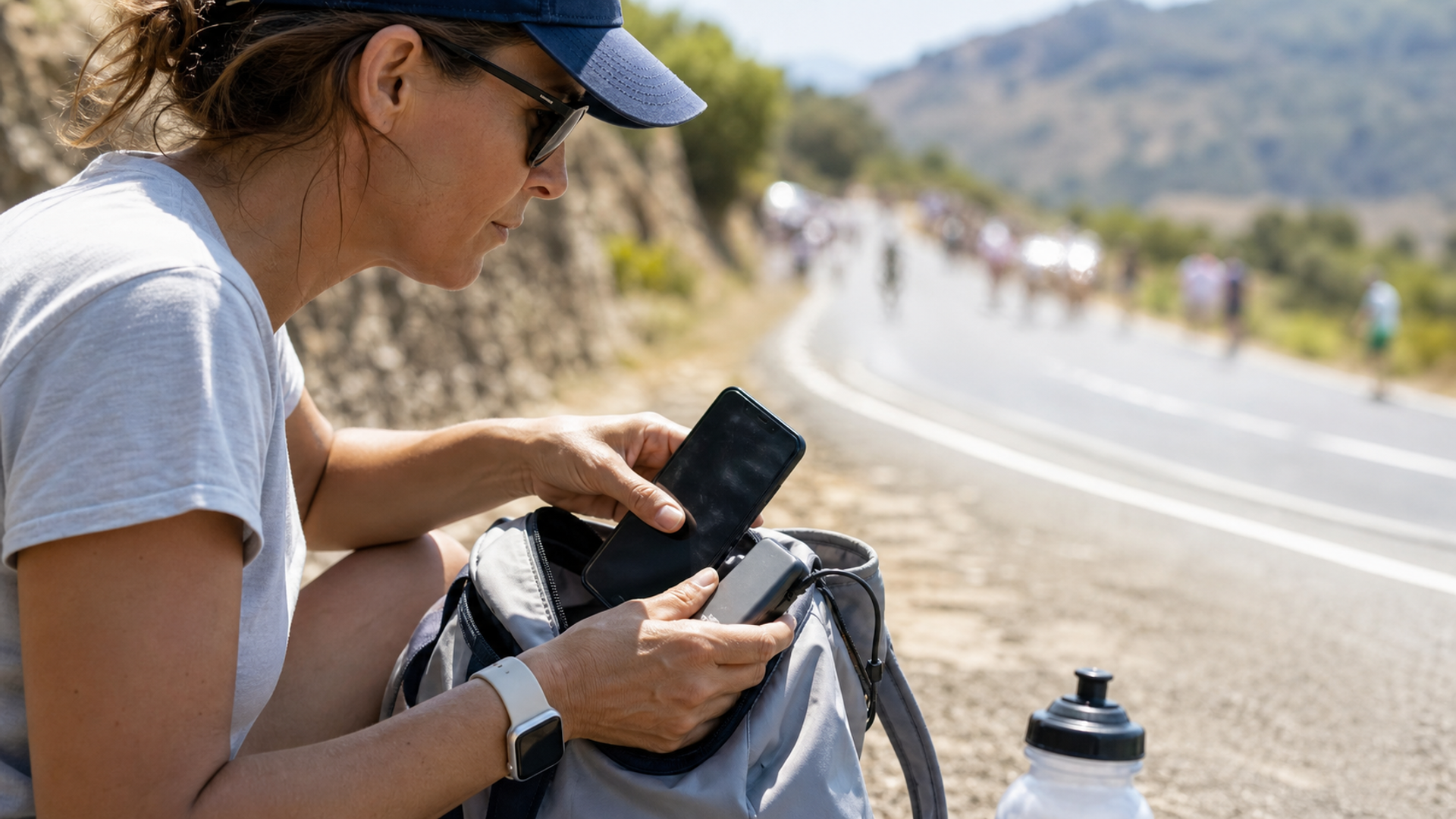
On 12 July 2026, the Tour de France shortened Stage 9 by 30 kilometres after Météo-France placed Corrèze under a red heatwave alert. The organisers reduced the route from 185.5 km to 155.5 km. That decision is a useful reminder for spectators and summer travellers: when conditions exceed the operating envelope, the intelligent response is to reduce exposure, not force the original plan.
Phones and wearables have their own thermal limits. A hot device may dim its display, reduce performance, weaken radio activity or stop charging. A power bank can become a safety concern if it is damaged, swollen or unusually hot. The right response has a sequence: stop adding heat, preserve essential access, move to shade, allow gradual cooling and inspect before charging again.
What changed at the Tour de France
The official Tour de France notice said the route adjustment was necessary to keep the race compatible with the red alert. It moved the start plan and removed 30 km rather than pretending hydration alone could preserve the original exposure.
Technology users often make the opposite decision. They see a dim screen or paused charge and try to override it: maximum brightness, navigation, video, a battery case and wireless charging all at once. Those actions add workload and heat when the device is already protecting itself.
The heat-response timeline
| Moment | Phone | Smartwatch or ring | Power bank |
|---|---|---|---|
| Before going outside | Download maps and tickets; reduce non-essential background work | Sync data and confirm fit | Check for damage and readable Wh label |
| First warning | Stop gaming/video; lower brightness; leave direct sun | Loosen or remove if uncomfortable | Disconnect if unusually warm |
| Charging slows or stops | Unplug and move to shade | Do not charge while hot | Stop use and keep accessible |
| Device feels very hot | Power down if safe; remove insulating case | Remove and cool naturally | Isolate from pressure and combustible clutter |
| Cooling period | Leave in ventilated shade | Dry before wearing again | Do not use ice or water |
| Before reuse | Inspect, then restart essential functions first | Inspect skin and device | Do not reuse a swollen, damaged or recalled pack |
This is general consumer guidance. Follow the manufacturer and local safety authorities for the exact product and conditions.
Phones: the warning is a control, not an inconvenience
Apple specifies an ambient operating range of 0°C to 35°C for iPhone and iPad and a storage range of -20°C to 45°C. It warns that very hot conditions can permanently shorten battery life. When the internal temperature rises, charging may slow or stop, the display can dim, performance can reduce and some radios or camera features may be limited.
Those figures apply to Apple's devices. Other manufacturers publish their own ranges, and the temperature inside a sunlit car or enclosed bag can exceed the surrounding air. Do not transfer one brand's range to every phone.
Five actions reduce the thermal load:
Move the phone out of direct sun and off a car dashboard.
Stop charging, especially wireless charging, while it is hot.
Pause camera, navigation, hotspot and high-performance apps that are not essential.
Remove a thick case if the maker's guidance permits and the phone is in a safe, shaded place.
Let the device cool naturally before reconnecting power.
Do not place a hot phone in a refrigerator, against ice or under cold water. Rapid cooling can create condensation and thermal stress. Shade, airflow and time are the appropriate tools.
Preserve the journey before the phone protects itself
A temperature warning becomes a travel problem when one screen contains every dependency: boarding pass, hotel address, payment credential, identity copy, driver contact and authentication app. Build graceful degradation before leaving air conditioning.
Save tickets and essential addresses for offline use.
Carry a physical or separately stored backup for critical travel documents.
Tell a companion the meeting point before entering a crowded event.
Use a low-power mode early, not at one per cent battery.
Avoid using the phone as both a hotspot and navigation screen in direct sun.
Storage and connectivity choices influence that plan. The phone-storage decision guide explains when offline files justify more capacity. The eSIM, physical SIM and hotspot comparison helps avoid concentrating every network task on one overheating device.
Smartwatches and smart rings: skin contact changes the risk
A wearable may be small, but it combines battery, electronics and direct skin contact. If a ring becomes uncomfortably warm or tight, remove it. Samsung advises users to let a warm Galaxy Ring cool naturally, avoid extreme temperature changes and stop wearing it if irritation occurs.
Heat can also change finger size. A ring that fitted in a cool room can tighten after walking, dehydration or prolonged exposure. Use the 24-hour smart-ring fit test before relying on a new size during summer travel, and compare devices with the current smart-ring accuracy guide.
For watches, protect the entire object rather than only the movement. Leather straps absorb sweat; seals and lubricants face model-specific limits; a dark case can become uncomfortable in direct sun. Extreme temperature change is also among the conditions Patek Philippe advises owners to avoid for long-term watch performance.
Power banks: heat is a stop signal
Power banks should remain accessible during flight and travel, not buried under luggage. IATA tells passengers to alert crew if a battery-powered device is hot, smoking or damaged. Its current guidance also says power banks belong in hand baggage and should be protected from short circuits.
If a pack becomes unusually hot:
disconnect it from the phone and charger;
stop using it;
keep it away from pressure, sharp objects and direct sun;
do not puncture, squeeze or attempt to cool it with liquid;
follow the manufacturer's disposal or service route.
A swollen, damaged or recalled battery is not a travel backup. It is an item that should not enter the journey. Before flying, check the IATA battery guidance for passengers and the operating airline's current restrictions.
A five-minute pre-heat checklist
Download the route, ticket and emergency contacts.
Charge devices indoors, then disconnect them before entering direct heat.
Put the phone in a shaded, ventilated pocket or bag compartment.
Carry water for yourself; device cooling does not replace personal heat precautions.
Set a lower brightness and enable low-power mode.
Check a ring is comfortable and removable.
Inspect the power bank for swelling, damage or a missing label.
Decide which functions can be turned off first.
The practical verdict
The Tour de France did not defeat extreme heat by pushing harder; it changed the plan. Do the same with technology. When a phone pauses charging or dims, remove workload and heat. When a wearable feels tight or hot, remove it. When a power bank behaves abnormally, stop using it.
The most resilient summer setup is not the one with the largest battery. It is the one that preserves essential information, avoids concentrated dependencies and gives every device a safe way to stop.