A screen protector lifting at edges calls for a fit check before another attempt to press it down. Inspect the exact phone and protector model, look for contact with the case, and note whether the edge lifted during installation or later. If the protector is cracked, chipped or no longer sits properly, choose replacement or fitting assistance instead of forcing it back.
The aim is to identify the next sensible action. A lifted corner does not, by itself, tell you whether the problem is alignment, contamination, the case or the accessory selected. Work through those possibilities in order, keeping any removal or reapplication within the protector manufacturer's instructions.
Key Takeaways
- Photograph the lifting before changing anything and record when it started.
- Check the phone, protector variant and case as three separate items.
- Inspect whether the case contacts the affected edge; do not force the case back on.
- Use the supplied installation method rather than a universal repair recipe.
- Stop trying to reseat a damaged or persistently misfitting protector.
First decide whether this is an inspection or a replacement
Place the phone on a clear, stable surface and look at the protector in good light. Avoid running a finger along a visibly broken edge. If you see chips, cracks or a section that has folded or lost its shape, make replacement your next step rather than experimenting with pressure.
Also separate accessory trouble from possible phone trouble. If you cannot tell whether a mark or crack belongs to the protector or the display, ask for inspection. Do the same if touch operation has changed or the display itself appears to be separating. Do not treat pressing down a protector as a repair for the handset.
For an intact protector, continue with observation. Keep its packaging, model label and installation instructions nearby. If it was fitted by a retailer, contact that retailer before removing it; describe the symptom and ask what they need to assess the installation.
Record the pattern rather than naming a cause too soon
Take a picture straight on, then one from the side if the gap is visible. Note which corner or side is affected, whether the lifted area is growing, and what happened immediately before you noticed it. “Upper right corner after putting the case back on” is more useful than “the adhesive is bad”.
Use a simple timeline. Was it present as soon as the protector was applied? Did it appear after a case change? Was there an impact, or have you already lifted and reseated that part? Record these as observations, without deciding that any one event proves the cause.
Look for a visible particle or a border that appears uneven. In its own Screen Skinz Custom instructions, Belkin distinguishes a clear bubble from one with a dust dot. That is a useful reason to inspect carefully, rather than treating every pale patch as identical. It does not establish what is under your particular protector. Belkin's Screen Skinz Custom troubleshooting guide.
Check the case without creating another fitting problem
Belkin's guidance for a persistently lifting Screen Skinz edge includes removing the phone case and checking whether it is pushing on the protector. Its instructions concern that product, but the contact point is worth inspecting when discussing an installation problem with your own accessory supplier. Belkin's edge-lifting check.
If your case can be removed in accordance with its instructions, set it aside and look at the affected border again. You are checking whether the case touches or displaces that area. Do not repeatedly refit a tight case to make the symptom happen for a photograph, and do not bend the protector away from the phone.
If contact is visible, pause and ask the case or protector supplier to confirm the combination. If the lift remains with the case removed, move on to model and alignment checks. Neither observation proves that the other accessory is universally incompatible; keep the conclusion specific to the pair in front of you.
Verify the exact model and the installed position
Compare the phone's full model designation with the protector's order confirmation and packaging. Do not stop at the brand or a shared family name. Check the selected variant as well as the product-page heading, especially where one listing offers several phones as options.
Next, inspect the installed position without moving the protector. Do its openings and borders line up with the areas shown in its instructions? Is there an obvious overhang on one side? Take a photograph that makes any asymmetry clear and send it with the model information.
If the order was for another model, stop trying to improve its adhesion and arrange the correct accessory. If the labels match but the fit looks wrong, request fitting guidance. Cutting the edge, trimming an opening or altering the case is not a sensible substitute for resolving an uncertain match.
Keep installation remedies specific to the protector
Find the instructions for the item you actually have before lifting any corner. Check whether they permit a correction after application, identify the supplied cleaning materials and look for any settling period stated by that manufacturer. Do not borrow a wait time or a pressing routine from an unrelated protector.
Belkin's Screen Skinz guide warns against adding water or soap underneath, repeatedly peeling and reapplying, or pressing hard with a card or tool. Follow the instructions for your own product, and avoid improvised glue, heat or cleaning mixtures as a troubleshooting experiment. Belkin's installation cautions.
If your instructions allow a small correction, use only that method and its stated limits. If they are absent, unclear or describe a different kit, ask the supplier before proceeding. An edge that repeatedly rises after an approved correction is a reason to stop and discuss replacement, rather than increase the force.
Use VERTU accessory names as precise identifiers
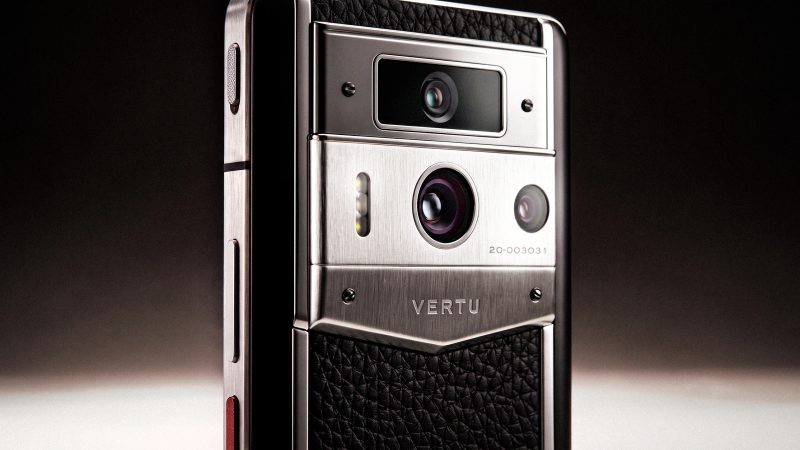
The official iVertu & Metavertu Screen Protector 3pcs listing presents Metavertu I, Metavertu II and iVertu options. Confirm the selected option against your handset. The shared listing title is not permission to substitute one variant for another.
The Agent Q Slip Calf Leather Phone Case is a separate product: VERTU describes a slip-in design for the Agent Q series. That does not establish compatibility between this case and the iVertu or Metavertu protector options. Do not combine their names into an assumed matching set.
If either accessory is involved in an edge-lifting query, provide its own product link and the exact phone model. Ask VERTU to confirm the proposed combination and fitting method. Keep any purchase decision conditional on that answer instead of relying on a photograph or a similar-sounding model name.
Make the support request easy to assess
Send one concise message containing the phone model, protector variant, case name, installation date and when lifting appeared. Add the photographs and say whether you have already attempted a correction. If the case was removed for inspection, describe what you observed without claiming that you have proved the cause.
Ask a specific question: should this installation be assessed, corrected using an approved method, or replaced? If replacement is recommended, confirm the exact model option and the case combination before ordering. Keep the response with your accessory details so that the same uncertainty does not follow the next installation.
Frequently Asked Questions
Should I keep pressing a lifted corner down?
First inspect for damage, case contact and model mismatch. Use pressure only as directed for that protector. If an approved correction does not hold, stop repeating it and ask about replacement or fitting assistance.
Will every edge bubble disappear if I wait?
Do not assume so. Check the manufacturer's stated settling guidance and distinguish an intact installation from damage or an obvious fit problem. A wait time from another product is not an instruction for yours.
Does removing the case prove it caused the lifting?
It helps you inspect contact, but it is not a complete diagnosis. Record what changes and what remains, then ask the supplier about the exact phone, case and protector combination.
Conclusion
Handle a screen protector lifting at edges by checking damage, recording the pattern and verifying the exact accessory combination before attempting a correction. Follow the product's own fitting instructions, and choose replacement or assistance when the fit remains uncertain. A careful description is more useful than repeated pressure or an improvised repair.