When buying wireless earbuds with low latency, look for evidence that sound follows the action promptly on the device and app you actually use. Latency means delay; a low-latency label is useful only when you know the connection, operating mode and test conditions behind it. Start with your main task, then ask for a demonstration of that complete setup.
A film, a video call and a game deserve separate checks. Do not let an attractive design or a long specification sheet answer a timing question on its own. This guide gives you a practical way to compare claims without inventing a universal pass mark.
Key Takeaways
- Write down your source device, app and connection before comparing earbuds.
- Ask what a quoted delay measures and which equipment produced it.
- Check recorded video, interactive audio and microphone use separately.
- Do not infer a measured latency result from an open-ear shape or Bluetooth version.
- Choose against a repeatable demonstration and your intended use, rather than the smallest unexplained number.
Start with the moment that bothers you
Describe the problem in ordinary terms. Is dialogue visibly behind a speaker's mouth? Does a sound arrive after you tap a piano key in an app? Is the frustration a pause in a conversation? These are different observations. Calling all three “lag” makes it harder to decide what to demonstrate or report.
For recorded video, choose a familiar clip with a clear speaking face. For a game, choose a repeatable action with a distinctive sound. For a call, ask a willing participant to help you assess conversation and microphone clarity. Make each exercise short enough to repeat with another pair under the same conditions.
Keep timing separate from other complaints. A missing word, a connection that drops and a consistent delay should go in different notes. You do not need laboratory equipment to describe what disappointed you, but a subjective impression should remain an impression rather than becoming a millisecond measurement.
Ask which connection the claim describes
Read beyond “wireless”. For example, JBL's official Quantum TWS Air specification sheet attributes its low-latency connection to the included USB-C dongle using 2.4GHz with compatible devices. The same sheet also describes Bluetooth connectivity. That is a model-specific distinction between connection paths, not evidence about every pair of wireless earbuds. JBL's Quantum TWS Air specification sheet.
Ask the seller to show the connection used for the advertised demonstration. If an accessory is involved, establish whether it is included, whether your device supports it and whether you can use it in your normal arrangement. A useful sales answer names the actual components instead of repeating a badge.
Apply the same discipline to a gaming mode or codec name. Request the exact supporting instructions for your earbud edition and source device. Find out how to tell that the intended mode is active. Treat an unverified feature as an open question when deciding whether to buy.
Make a latency number answerable
If a listing quotes milliseconds, ask where the measurement begins and ends. Does the figure describe one processing stage, or the delay between an action on the source device and the resulting sound? Ask for the phone or computer, software version, connection and enabled settings used to produce it.
Write “conditions not supplied” beside a number when the explanation is missing. Do not place it in a comparison column as though it were directly comparable with a documented result. Two impressive-looking values are not a fair contest until their methods and conditions are clear.
Also ask whether the result was obtained during listening alone or while the microphone was in use. You need not predict a technical outcome to request both demonstrations. If speaking to teammates is part of your routine, a playback-only presentation leaves part of your purchase decision unanswered.
Use a short, repeatable buying demonstration
- Record the setup. Note the device, app, earbud model, connection and selected audio mode. Use a comfortable listening level.
- Check one recorded clip. Watch the same speaking passage and describe whether the apparent alignment is acceptable to you.
- Check an interactive action. Repeat a familiar game action or instrument-app input. Record what you notice without assigning an estimated numerical delay.
- Add microphone use. If permitted in the demonstration, repeat your relevant task while using voice chat. Ask the other person about intelligibility separately from timing.
- Repeat after reconnecting. Confirm the intended connection and mode again, then revisit the same examples before drawing a conclusion.
Change one thing at a time. If you replace the phone, game and connection together, you cannot use the result to isolate which change mattered. For a shortlist, prepare one small note for each product with the same headings: setup, observation, unanswered question and decision.
This exercise is a purchase check, not a certified measurement. A successful demonstration supports that particular experience; it does not establish performance for every app, device or room. Ask about the applicable return conditions before relying on a later home trial.
Investigate an unexpected delay before blaming one component
Samsung's troubleshooting guidance says Bluetooth audio can lag and recommends limiting interference and keeping the connected devices closer. For games it also suggests restarting the app and checking updates. Its Gaming mode instructions apply to supported Galaxy Buds, and should not be transferred to another brand. Samsung's sound-lag guidance.
Use that as a reason to keep your comparison orderly. First verify the selected audio output and connection. Repeat the original example with the source device nearby. Then follow the relevant manufacturer's current instructions for updates or supported settings. Write down any improvement alongside the change you made.
If the issue remains, send support the exact configuration and a plain description: which app, which action, whether microphone use was involved, and whether it happens every time. That is more actionable than saying the earbuds are “slow”. Avoid undocumented reset combinations that introduce another unknown.
Where VERTU Phantom and CRUSH fit into the decision
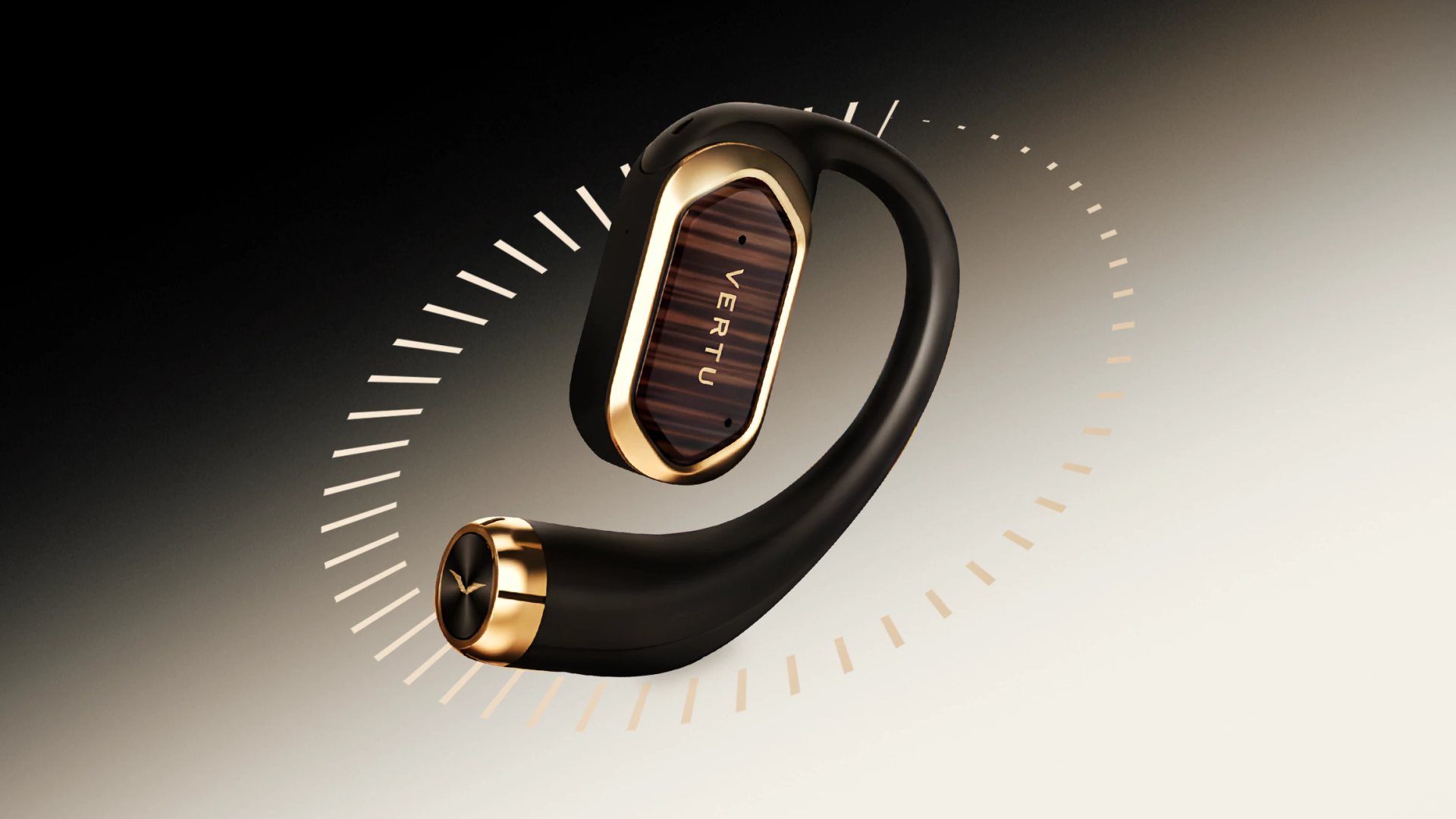
The official Phantom Series OWS AI Earbuds page identifies an open-ear listening design and lists OWS Bluetooth earphones. VERTU also lists CRUSH Series OWS AI Earbuds. These establish the product identities; they do not establish a measured low-latency result for your game or editing application.
If either interests you, ask for confirmation of the exact edition and the connection available with your device. Request documented timing information if latency is essential to the purchase. Keep fit and appearance on your checklist, while leaving the timing box unanswered until there is relevant evidence.
For a timing-critical task, make the unanswered point a buying condition: “I need to try this particular app and connection before choosing.” For general listening, give your own priorities their proper weight. You can appreciate a product's design without claiming a gaming capability that has not been demonstrated.
Frequently Asked Questions
Does a newer Bluetooth version prove lower delay?
A version number alone is insufficient purchase evidence. Ask for the supported mode, source-device requirements and a result obtained under stated conditions. Keep an unexplained version badge separate from a latency measurement.
Is a good film demonstration enough for gaming?
Use it only as evidence about that film setup. Add a repeatable action in the game you intend to play, including voice chat if you need it. Do not turn one successful example into a universal verdict.
Should I buy the pair with the smallest advertised number?
Only compare numbers when their meaning and conditions are supplied. Then consider your actual demonstration, fit, controls and applicable purchase terms. An unsupported numerical advantage is a question for the seller, rather than a settled buying reason.
Conclusion
The useful question about wireless earbuds with low latency is whether their documented connection and demonstrated behaviour suit your task. Choose with a named device, a familiar app and a repeatable check. Keep product identity, manufacturer claims and your own observations distinct, and resolve the timing questions that matter before committing.