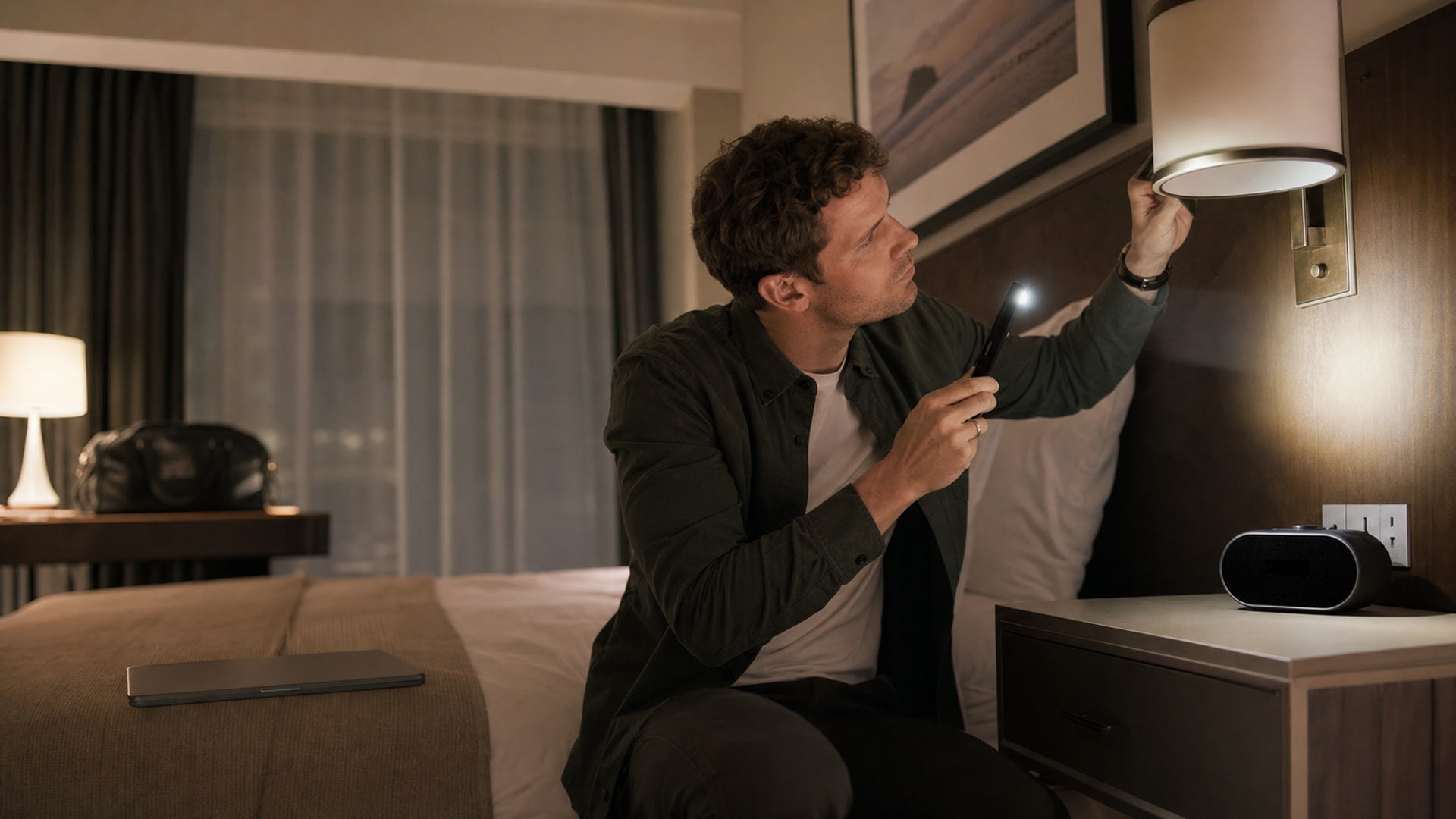
A ten-minute room sweep can reveal an obviously misplaced camera, a suspicious line of sight or a device that deserves investigation. It cannot prove that a room contains no hidden camera. That distinction matters: the useful goal is to reduce risk, recognise warning signs and know what to do next—not to leave a traveller with false certainty.
The policy position is clearer than the technology. Airbnb says hosts must not use cameras or recording devices to monitor indoor spaces in homes, even when a device is switched off. Its detailed policy notes a narrow exception for certain licensed homes in Japan, where applicable law may require a disclosed, audio-free camera covering the interior entryway only. Its specific recording-device policy also sets disclosure rules for permitted exterior devices. Hotels, serviced apartments and private rentals can be governed by different property rules and local laws, so a platform policy should never be treated as a universal legal standard.
The technology is less reassuring. A large USENIX Security study surveyed 2,228 spy devices, 1,313 detection devices and 51 detection apps, then evaluated a representative sample. The researchers found that commercial detection products and apps were often seriously unreliable. Their work is a strong reason to treat a scan as one input, not a certificate of safety. Read the USENIX research.
Start with the room, not an app
Hidden-camera advice often begins with downloading a detector. Begin instead with a simple question: what private activity could be observed from this position?
A camera needs a useful view. In a hotel room, that makes the bed, bathroom entrance, dressing area and work desk more relevant than a decorative object facing a blank wall. It also means that an ordinary-looking device is not automatically suspicious. Smoke alarms, televisions, occupancy sensors, clocks and smart-home controls may all be legitimate. The concern is an unexplained aperture, unusual placement, unexpected power or a line of sight that does not fit the object's stated purpose.
Do not dismantle fixtures, open electrical devices or climb on furniture. Apart from safety and property-damage risks, doing so can disturb evidence. The first sweep should be visual, non-destructive and easy to document.
The 10-minute room-zone sweep
This value object combines a physical check, limited technical checks and an evidence-preserving response. Times are approximate; leave immediately if anything creates an urgent safety concern.
| Time and zone | What to inspect | What the check may reveal | What it cannot establish | If something looks wrong |
|---|---|---|---|---|
| 0–2 min: entry and room overview | Photograph the room as found. Identify the bed, bathroom or dressing sightlines, desk and any connected-room door. | A baseline record and the positions from which private activity could be viewed. | Whether any device is recording or transmitting. | Keep the original photographs; do not rearrange the object. |
| 2–4 min: bed and seating sightlines | Look at clocks, chargers, speakers, lamps, smoke alarms, air vents and decorative objects facing the bed or seating area. | Unexplained pinholes, duplicate devices, odd orientation, fresh adhesive or unusual cabling. | Whether a small hole is a lens; many legitimate sensors have apertures. | Photograph the object in context and from a safe distance. |
| 4–6 min: bathroom and dressing approach | Check objects with a direct view into a private area, including hooks, mirrors, power adaptors and ceiling fixtures. Do not touch mains wiring or remove covers. | Placement that conflicts with the object's apparent function. | What is behind a mirror or inside a sealed fixture. | Leave the private area; use another safe space while escalating. |
| 6–7 min: controlled reflection check | Dim the room and move a torch slowly across suspicious apertures from several angles. | A lens-like reflection in some exposed optical systems. | Cameras behind dark material, off-axis lenses, non-reflective covers or devices without a visible lens. | Record the reflection on video without moving the object. |
| 7–9 min: limited digital checks | Review devices visible on a guest network only if you can do so lawfully and without probing them. Note unexpected Wi-Fi names or connected smart devices. | A poorly configured camera on the same accessible network. | Wired cameras, isolated networks, local storage, cellular transmitters or devices hidden by router settings. | Take screenshots of what your own device can lawfully see; do not attempt access. |
| 9–10 min: decide and preserve | Compare what you found with the property listing, hotel information and disclosed-device policy. | A reasoned decision to stay, ask for clarification, change room or leave. | A guarantee that the room is camera-free. | If suspicion remains, stop investigating and follow the response steps below. |
The order matters. It moves from context to closer inspection, then to limited technical signals. Starting with an app can invert that logic: a green screen may encourage a traveller to ignore an object that plainly has the wrong line of sight.
What common detector methods can—and cannot—do
No consumer method covers every camera design. A device may record locally, transmit over a separate network, remain dormant, use a concealed lens or be integrated into an object that looks normal. The practical question is not “Which app guarantees detection?” but “Which narrow class of signal could this method reveal?”
| Method | Potentially useful for | Common limitation | Sensible interpretation |
|---|---|---|---|
| Visual inspection and torch reflection | Exposed lenses, odd apertures, implausible placement and direct sightlines. | Depends on angle, access and visibility; ordinary sensors can resemble cameras. | Best first pass because it uses room context, but not proof of absence. |
| Guest-network device list or local network scan | Devices on the same visible network that identify themselves or expose a recognisable service. | Misses local storage, wired links, isolated Wi-Fi, cellular links and well-configured devices. | A suspicious result merits documentation; a clean result proves very little. |
| Radio-frequency detector | An actively transmitting device within the detector's supported range. | Phones, routers, Bluetooth devices and hotel systems create noise; a camera may not be transmitting. | Useful only with careful interpretation and a controlled baseline. |
| Infrared or camera-based app | Some active infrared emitters may be visible to a compatible phone camera. | Phone-camera response varies; many cameras use no infrared; reflections can be misleading. | Treat any result as a lead for non-destructive inspection, never as confirmation. |
| Magnetometer or “radiation” app | Strong local magnetic changes near certain electronics. | Phones are not calibrated hidden-camera detectors; wiring, speakers and metal create ambiguous readings. | Do not use a quiet reading as reassurance or a spike as proof. |
The USENIX findings on covert-device detectors support this conservative interpretation. Detector products can be marketed with much greater confidence than their measured performance deserves.
Mirrors, smart devices and legitimate sensors
A mirror trick seen online should not be treated as a forensic result. If a mirror or nearby fixture appears suspicious, document the context without dismantling it and ask the property operator or local authorities for an appropriate inspection.
Smart rooms add another complication. Occupancy sensors, automated lighting, voice assistants, televisions and air-conditioning controls may all contain microphones, cameras or network radios for legitimate purposes. The correct questions are:
Is the device disclosed by the property?
Does its placement match its function?
Is it directed at a private area?
Can the hotel or host identify it promptly and in writing?
Does the applicable platform policy permit it?
Official CCTV guidance is jurisdiction-specific, but it illustrates the broader privacy principle: recording systems include the camera, storage and associated equipment, and operators have responsibilities for how surveillance is used. The UK government's domestic CCTV guidance was updated in May 2026, while the Information Commissioner's Office explains that home CCTV can fall under data-protection obligations when it captures beyond a person's property. Neither source decides the law for a hotel room in another country; both show why “the device is on private property” is not a complete privacy answer.
If you find a suspicious device: preserve, leave, escalate
The aim is personal safety and useful documentation, not confrontation. These are general safety and documentation steps, not legal or forensic advice. Follow instructions from the platform, property operator and local authorities, and avoid handling an object unless an authorised responder tells you to do so.
Do not dismantle or destroy it. Avoid changing its angle, unplugging it or accessing its storage unless emergency services instruct you otherwise. A device connected to mains power can also be dangerous.
Document the context. Take wide photographs showing the object's position and line of sight, then closer images if they can be captured safely. Preserve original files and their metadata.
Move to a safe place. Leave the room if you feel exposed or threatened. Do not conduct a lengthy technical investigation while remaining in a potentially compromised private space.
Contact the right operator. For a rental platform, use the in-app safety and support channel so the report is logged. For a hotel, ask for the duty manager and a different room; record names and times.
Consider local authorities. If the object appears to be a concealed recording device, or if there is immediate danger, contact local police or emergency services. Laws and evidence procedures vary by jurisdiction.
Protect downstream privacy. Note what activities occurred in the room and whether sensitive documents, conversations or screens may have been exposed. Change credentials only where there is a plausible account-security risk; avoid wiping useful evidence from your phone.
For the device-security side of the same trip, VERTU Signals' guide to hotel Wi-Fi, phone hotspots and travel routers explains the network layer, while screen privacy for AI phones covers visual exposure in shared spaces. A broader mobile privacy protection checklist can help before departure.
The privacy standard is layered, not absolute
A careful room sweep is worthwhile because it can catch obvious problems and improve the quality of a report. Its limit is equally important: consumer tools cannot establish that every possible recording device is absent.
For a globally mobile executive, the strongest practice is layered. Choose properties with clear privacy policies, inspect the room without damaging it, keep sensitive work off exposed screens and unsecured networks, and know the evidence-preserving exit path before a concern arises. The result is not perfect assurance. It is a calmer, faster and more defensible response when something does not look right.