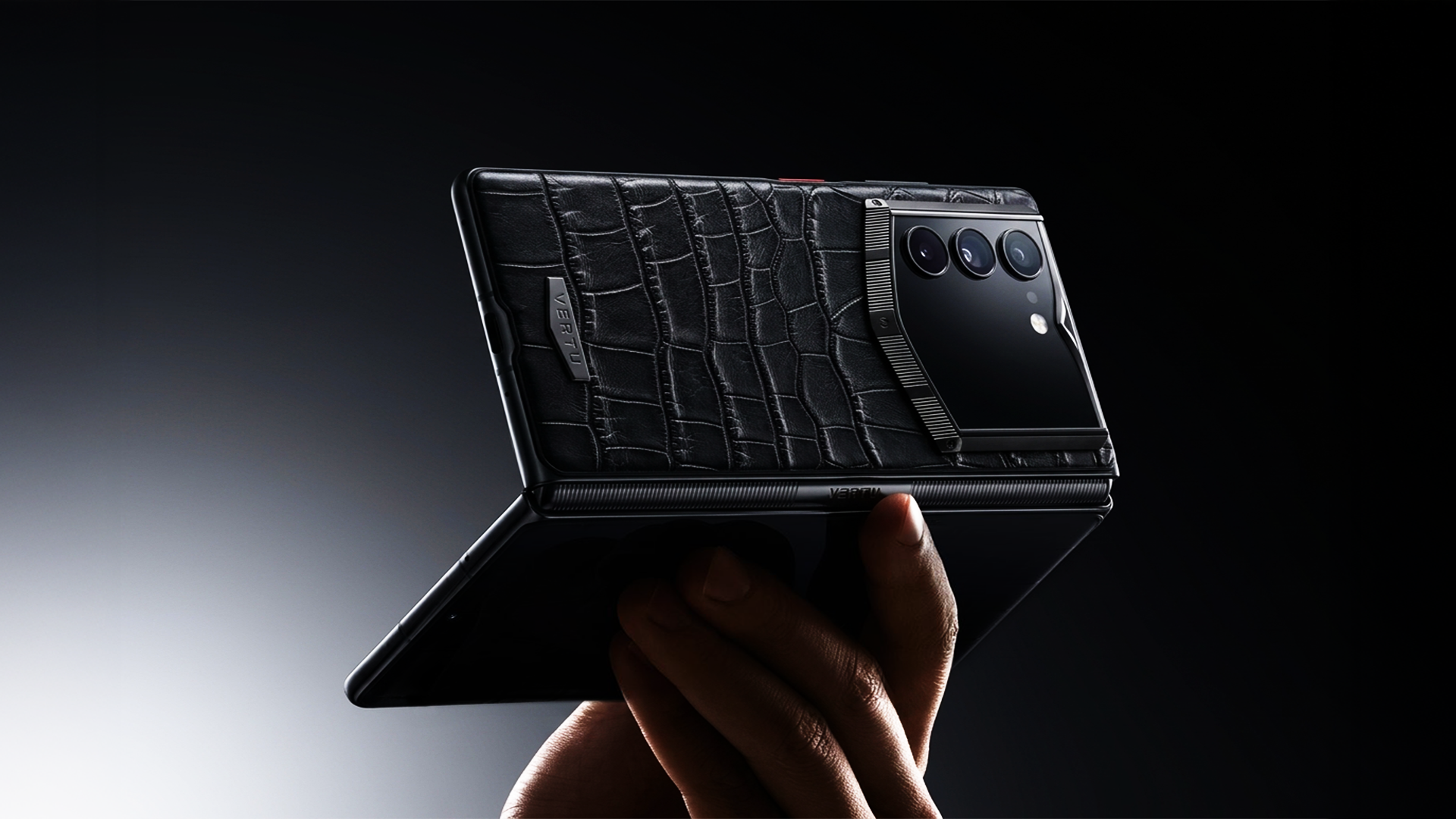
A foldable gives you more surface area for thinking: two apps side by side, a document and a call, a dashboard and an approval queue. Add AI, and the phone starts handling work that used to require a laptop.
But “private AI” is not a feature you admire on a spec sheet. It’s something you verify.
This guide is built for the consideration stage: you already want a foldable, you already want AI, and you’re trying to decide what actually matters.
Key Takeaway“Private AI” usually means more processing happens on your device (not the cloud). Your job is to confirm what leaves the phone, when, and under what controls.
Key takeaways
Private AI is a spectrum: on-device first, cloud only when necessary, with clear controls.
The best privacy feature is permission discipline: narrow access, revocable access, and auditability.
For foldables, the real decision is durability + workflow: hinge quality, inner-screen productivity, and battery under heavy use.
If a vendor can’t explain retention and training policies in plain language, assume you’re the product.
Step 1: Decide what you’re protecting (and from whom)
Before you compare phones, be honest about your threat model. Not because you’re paranoid—because you’re efficient.
Ask yourself:
Are you protecting business information (term sheets, cap tables, contracts)?
Are you protecting personal information (family logistics, medical notes, location patterns)?
Are you protecting relationships (who you talk to, when, and from where)?
The right “private AI” setup depends on whether you need:
on-device processing for sensitive summaries
offline capability when travelling
strict separation between work and personal contexts
Step 2: What “private AI” should mean on a phone
The private-AI checklist for a foldable phone with private AI (what to verify)
A practical definition: on-device AI refers to AI executed directly on end devices such as smartphones, which can reduce how much personal data needs to be transmitted for processing. The European Data Protection Supervisor summarises the concept in its TechSonar entry on on-device artificial intelligence (2024).
In the real world, many systems are device-cloud hybrids: some tasks run locally, some are offloaded. MediaTek notes that hybrid deployment is likely to remain common in its Generative AI Phone Industry Whitepaper (2024).
So the question isn’t “does it ever use the cloud?” The question is:
When does it use the cloud?
What data leaves your phone?
How long is it retained?
Can you disable cloud processing?
The 7-point private AI checklist (use this when comparing devices)
1) On-device by default
Prefer AI features that can run locally for everyday tasks.
Look for clear explanations of on-device inference and dedicated AI hardware (NPUs). Qualcomm outlines why on-device AI is expanding in Assessing the On-Device AI Opportunity (2024).
2) Cloud fallback is explicit (not hidden)
If a phone uses cloud AI for complex requests, it should be obvious.
Pro TipA “private AI” claim without a simple toggle for cloud processing is usually marketing, not architecture.
3) Retention is defined, not implied
You should be able to find answers to:
Is your prompt stored?
Is output stored?
Are voice snippets or screenshots stored?
For how long?
If these answers don’t exist, you can’t measure risk.
4) Training policy is clear
Strong privacy posture means your personal inputs are not used for training by default (or you can opt out clearly).
5) Permissions are narrow and revocable
If the AI assistant wants access to everything—contacts, photos, mic, notifications, screen content—treat that as a red flag unless you can grant access per task and revoke it later.
6) Sensitive actions require confirmation
For approvals, payments, document sharing, or account changes, you want an explicit confirmation step.
7) Offline mode exists for core workflows
Offline capability is a quiet signal of on-device processing and reduces forced data exposure during travel.
Step 3: What a foldable adds (and what it costs you)
A foldable isn’t “better.” It’s a different tool.
The real benefits
- Multitasking that’s actually usabletwo apps side by side without feeling like you’re looking through a keyhole.
- A pocketable reading and review surfacecontracts, decks, spreadsheets, long emails.
- A new posture for calls and notesthe hinge lets you prop it up, split tasks, and reduce friction.
The real trade-offs
Foldables have improved, but they’re still mechanically more complex than slab phones. Engadget’s guide to current foldables notes that foldable phones are generally less durable than non-folding phones because flexible displays and hinges introduce additional wear points (Engadget, best foldable phones).
You should also assume:
inner-screen use can change battery expectations
some apps will still feel “adapted,” not native
The foldable buyer checklist
- Hinge and crease tolerancedo you notice it, and does it bother you?
- Inner-screen workflowdoes split-screen feel natural with your apps?
- One-hand realitycan you use the cover screen comfortably when you’re not unfolding?
- Battery under heavy inner-screen useyour real day, not a lab test.
- After-sales supporta foldable is not the category where you want friction.
Step 4: A 10-minute verification routine (before you commit)
Do this in-store or during a return window.
1) Map where processing happens
Trigger an AI feature with airplane mode on.
See what still works.
If everything stops working, “private AI” is likely minimal.
2) Audit permissions like an operator
Go to system settings and inspect permissions for:
microphone
camera
photos
contacts
notifications
accessibility/screen-reading permissions
Then ask: are these always on, or scoped to moments you choose?
3) Check whether you can clear or isolate data
Look for:
separate work/personal spaces
clear-history options
temporary session modes
⚠️ WarningIf an assistant can read your screen across apps without clear consent and logs, you’ve created a surveillance layer—on your own device.
Step 5: When a foldable with private AI is worth it
You’re the right buyer for this category if:
you regularly review documents, approvals, or dashboards on the move
you travel enough to care about offline capability and predictable privacy
you want AI help that reduces cognitive load without becoming a data liability
You’re probably not the buyer if:
your day is mostly messaging and social apps
you rarely unfold a phone in practice
you’re only buying for novelty
Step 6: A product-category example: private AI that’s designed to act (with controls)
In the premium end of this category, the differentiator is not “more AI.” It’s AI that can act across workflows without turning your phone into an uncontrolled permissions sprawl.
One example in the luxury foldable category is VERTU AlphaFold, positioned as a foldable built around privacy, intelligent assistance, and private service.
Here are verifiable claims you can check directly:
Screen configuration: VERTU describes a 6.53-inch outer display and 8.05-inch inner screen on its AlphaFold product page (AlphaFold Stitched Calfskin).
Cross-app agent concept: VERTU describes Hermes Agent as connecting 70+ apps and turning voice commands into actions, learning preferences over time (same product page).
Separation and privacy posture: VERTU describes “three distinct operating environments for work, life, and privacy” and an emergency wipe gesture in its How to Run AlphaFold user guide.
If you’re evaluating this kind of device, treat those points as a checklist:
Does the assistant require explicit approval for high-risk actions?
Can you isolate contexts (work vs personal) cleanly?
Is there a credible approach to retention and data clearing?
For an executive framing of what a private AI agent should do (briefs, summaries, approvals, travel) and the controls that matter, VERTU’s guide on AI executive assistants and private AI agents is a useful reference.
FAQ
Is “private AI” the same as “on-device AI”?
Not always. “Private AI” is often used to imply on-device processing, but many systems use a hybrid approach. The key is whether the vendor clearly discloses what runs locally versus what is sent to servers and under which controls (see the EDPS definition above).
Do foldables make AI more useful?
They can. The larger inner screen makes it easier to work side by side—notes and a call, a deck and email, a dashboard and approvals—so AI outputs are more immediately actionable. But the form factor doesn’t guarantee privacy; the processing model and permission discipline do.
What’s the biggest red flag when shopping this category?
Vague privacy language with no retention policy, no permission controls, and no way to disable cloud processing.
Should I avoid cloud AI completely?
Not necessarily. Cloud AI can be powerful. The goal is controlled use: sensitive tasks on-device when possible, clear disclosure when offloading occurs, and strict policies on retention and training.
Next steps
If you’re narrowing down options, take this guide with you and score each device against the 7-point checklist.
If you want to explore the luxury end of the category—where privacy posture and service model matter as much as hardware—start with the VERTU AlphaFold collection and the supporting guides on how it’s designed to be used.
Disclosure: This article references VERTU pages. Editorial judgment remains the priority.


![Top 10 Tourbillon Watches for Men [2026 Latest]](https://cdn.sanity.io/images/e0gp1l2g/production/8cb6bc45133cf9453382fc7d074465af588bb610-1800x1080.webp?w=800&h=450&q=82&auto=format&fit=crop)