Choose a wireless charger for nightstand use by checking the whole charging arrangement: the exact phone, charging pad, case, power adapter and cable. Then consider how easily you can place the phone, whether the indicator suits the room and how much usable table space remains. Appearance matters, but confirmed compatibility comes first.
A useful bedside setup should fit your ordinary evening routine. Assess one complete configuration rather than buying a pad and hoping the accessories already in your drawer will produce the intended result.
Key Takeaways
- Confirm wireless charging support for the exact phone and case.
- Check the charger’s required power input and what the box includes.
- Distinguish a Qi compatibility description from independently checked Qi certification.
- Assess alignment, cable routing and available space on the actual table.
- Ask about indicator behaviour and use the manufacturer’s placement instructions.
Which devices are you actually charging?
Start with the phone’s full model name. Check its official charging instructions for supported wireless arrangements, then compare those with the proposed charger. A product family name alone is not enough when its different generations or editions may have different requirements.
Add the case you normally leave on the phone. Ask whether that exact case is suitable for the intended arrangement, including any attached wallet, ring or stand. Do not let “wireless charging compatible” on one product stand in for confirmation of the whole combination.
If you also want to charge earbuds or a watch, identify those devices separately. A multi-device stand should be assessed station by station. Being able to place an object on a charging surface does not establish that it can receive power there.
Write a short equipment list before comparing designs: phone, case, other device, adapter and available outlet. This makes a product enquiry much more precise than asking whether a charger works with “all my accessories”.
What does Qi wording tell you?
Read the wording carefully. A manufacturer’s statement of Qi compatibility is a product claim. If you want to establish that the exact product is Qi Certified, use the Wireless Power Consortium’s certification guidance, which directs consumers to its certified-products database.
Match the product identifier rather than relying on a similar brand name or appearance. If you cannot establish the relevant listing, ask the supplier for the exact identifier and certification information. Do not turn an unsuccessful search into a definitive verdict either way.
Certification is also a different question from your practical setup. You still need the correct input equipment, supported phone and suitable case. Keep the answers together so that one reassuring label does not obscure an unresolved detail.
Which adapter and cable are required?
Ask for the charger’s input requirements and the recommended adapter specification. Check whether the adapter and cable are included with the edition you are purchasing. A USB-C socket describes the connection point; on its own, it does not specify every electrical requirement or the contents of the box.
A useful quotation lists the complete working arrangement. If an adapter is sold separately, identify the appropriate one before ordering. If you plan to reuse an existing adapter, compare its labelled output with the charger’s documented requirements or ask the manufacturer to confirm the combination.
Consider cable length only after identifying a suitable cable. Measure the route from the outlet to the intended position, including any furniture edge or gap. Leave enough usable length to place the charger normally without pulling it towards the back of the nightstand.
For travel between rooms, decide whether you will move the full arrangement or keep a separate one elsewhere. This is a convenience choice, but it affects the accessories you need and the total purchase cost.
How should you assess the METAVERTU charger?
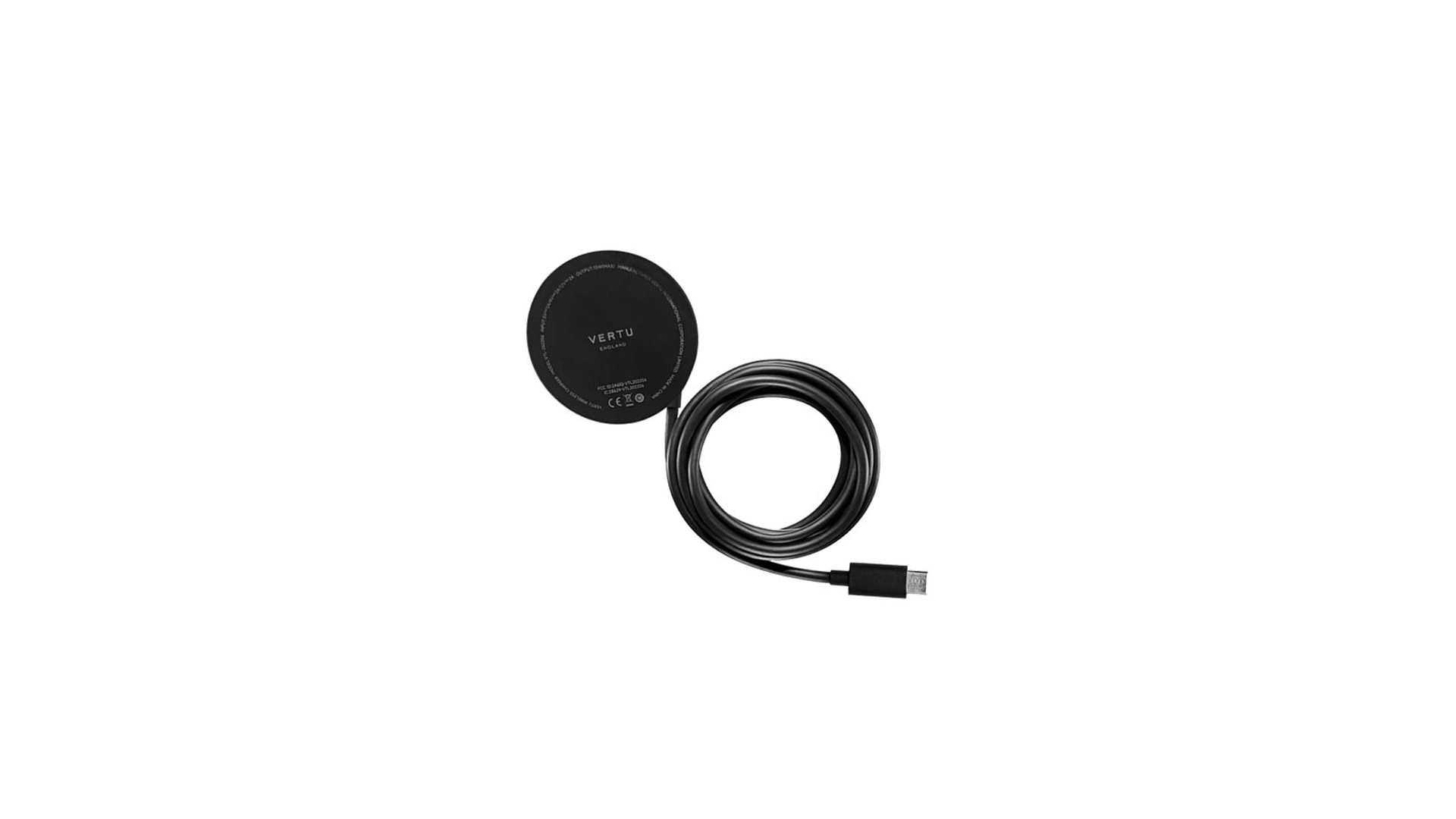
The current Metavertu Wireless Charger product page describes a black finish, a non-slip surface and USB-C input. It also describes Qi compatibility. Those are useful starting points for a restrained bedside accessory.
The description does not provide a wattage, a Qi certification identifier or confirmation of the complete phone, case and adapter combination. Ask for those details where they matter to your purchase. Do not infer them from the METAVERTU name or from general charging language.
Assess its non-slip surface as one design feature rather than a guarantee that any handset will stay aligned in every situation. Request the placement instructions and dimensions, then compare them with the space and phone you will use.
For an enquiry, give VERTU the exact handset and case names and ask which adapter and cable are required. Also ask what is supplied and how charging status is indicated. That gives you a practical decision record without assuming capabilities the description has not established.
Pad or stand: what fits the table?
Choose according to the routine you want. If you normally put the phone down flat, ask to see the intended position on a pad. If you prefer the screen upright, check the stand’s supported orientation and how the phone rests in it.
Demonstrate the placement with your normal case where a retailer permits it. Approach from your usual side and check whether you can recognise the correct position without rearranging several objects. This is a proposed trial, not a claim that one design is universally easier.
| Nightstand question | What to assess |
|---|---|
| Can I reach it comfortably? | Try the intended position from your usual side of the bed. |
| Can I recognise charging? | Check the phone’s status and the charger’s documented indicator. |
| Does the cable fit? | Measure the route to the outlet with the furniture in place. |
| What else needs space? | Allow room for the lamp, glasses and anything you use regularly. |
| Will I use a case? | Confirm and test the specified combination rather than a bare demonstration phone. |
Follow the charger maker’s surface and clearance requirements. Leave its intended position clear rather than allowing bedding or other objects to become part of the arrangement. If your furniture does not suit the documented placement, choose a different location or charging method.
What about light, sound and interruptions?
Ask how the indicator behaves while waiting, charging and reporting an error. Find out whether brightness can be changed, whether an indicator can be disabled and how status remains visible if it is. Treat these as model-specific questions, not features common to every charger.
Where possible, inspect the relevant indicator in lighting similar to your room. Daytime product photography cannot tell you whether you will like its appearance at night. If you cannot see a demonstration, request clear information and check the applicable purchase terms before relying on an assumption.
Likewise, ask whether the unit includes a fan or makes any documented operating sound. Do not assume silence from a small enclosure. Select according to your own preferences rather than expecting a charger to improve sleep.
Apple’s iPhone wireless-charging guidance provides a useful device-specific example: it discusses positioning, certain cases and objects between the phone and charger, and movement caused by vibration. Use the guidance for your own phone; an iPhone example does not establish another model’s requirements.
How do you check the arrangement before relying on it?
Set it up with the confirmed equipment and your ordinary case. Follow the placement instructions, look for the normal charging indication and check again after your usual evening actions. Try removing and replacing the phone so you understand the positioning.
If charging is inconsistent, record the combination and symptom before changing components. Follow the relevant manufacturer’s checks, one change at a time. A known working wired option can remain a practical alternative while a compatibility question is resolved.
Frequently Asked Questions
Does USB-C input mean any USB-C adapter will work?
No. Confirm the charger’s documented input requirements and the proposed adapter, rather than relying on connector shape alone.
Must I remove the case?
That depends on the exact phone, case and charger. Follow their applicable instructions and confirm the combination before buying.
Does Qi compatibility wording prove certification?
Check the exact product through the WPC certification route when certification is part of your decision.
Conclusion
The right wireless charger for nightstand use is a confirmed system that fits the room: compatible phone and case, suitable power equipment, clear positioning and acceptable indicator behaviour. Settle those details first, then choose the finish and form you will enjoy using each evening.