Key Takeaways
- Peak brightness is a maximum specification under stated conditions, not a guarantee of continuous sunlight readability.
- APL and test-window size affect how display brightness is measured; HBM is a model-specific bright-light mode, not a universal sustained-brightness rating.
- Reflections, anti-reflective treatments, viewing angle, polarized sunglasses, adaptive brightness and heat management all affect outdoor legibility.
- VERTU ALPHAFOLD’s official page lists up to 5,000 nits peak brightness; that figure is not an independent measurement of sustained outdoor performance.
The best phone for sunlight readability is the one that remains legible in your usual outdoor conditions—not simply the one with the highest peak-nit figure on a spec sheet. Compare screen behavior, reflections, contrast, automatic brightness and heat management together. If a larger display is also on your shortlist, our guide to large-screen foldable phones for productivity covers workspace benefits; screen size and sunlight readability are separate buying tests.
What does a phone’s peak brightness figure actually tell you?
Peak brightness is the highest luminance a display is specified to reach under particular conditions; it does not tell you how bright the entire screen will remain during everyday outdoor use. Display brightness is commonly expressed in nits, equivalent to candelas per square metre (cd/m²), the SI unit for luminance described in NIST’s photometric reference.
Two terms help explain why a peak figure can be difficult to compare across phones:
- APL (Average Picture Level) describes the average level of the image or test pattern being shown. A bright object against a mostly dark image and a mostly white screen place different demands on a display.
- Test-window size describes how much of the display is showing the measured bright area. A small bright window and a full-screen white image are different test patterns and may produce different readings.
Some tests therefore report brightness at different APL levels or window sizes. There is no basis for assuming that every phone’s advertised peak was measured at a 1%–10% window, or that a full-screen white result will always fall within one fixed range. For a meaningful comparison, look for the test pattern and measurement conditions—not just the number.
HBM (High Brightness Mode) is a bright-light operating mode used on some phones to raise screen output beyond the standard setting. How it activates, how long it remains available and what brightness it reaches depend on the model. HBM is not another name for sustained full-screen brightness, and a peak HDR figure should not be treated as an HBM result.
Why can a bright phone still be hard to read outdoors?
A bright screen can still be difficult to read if ambient light reflects off its surface and reduces the contrast between text and background. Sunlight readability depends both on the light produced by the display and on reflected light reaching the viewer.
When comparing screens, ask whether a claimed anti-reflective (AR) coating applies to the display’s cover glass and whether the manufacturer provides a reflectance measurement. AR treatment is intended to reduce surface reflections; it is different from an oleophobic coating, which is primarily intended to make fingerprints easier to remove. An anti-glare finish may diffuse reflections, but its effect on perceived texture and image sharpness should also be checked in person.
Smudges and dust can make reflections more distracting, while small or thin text may remain difficult to read even when the screen is bright. Test the interface you actually use rather than relying on a colourful promotional video.
Polarized sunglasses are another useful test. Depending on the display and viewing angle, polarized lenses can reduce screen visibility. Check the phone while wearing your own sunglasses, and rotate it between portrait and landscape; do not assume that every screen behaves the same way.
Which screen factors should you compare before buying?
Compare screen output, reflected light and software behavior together. This checklist distinguishes what each factor can tell you from what still needs a practical test.
| Factor | Why it matters outdoors | What to check |
|---|---|---|
| Peak brightness | Shows a stated maximum under particular conditions. | Check whether the figure refers to HDR peak, outdoor peak or another mode, and whether the test conditions are explained. |
| APL and test-window size | Brightness readings can change with the test pattern and the area being measured. | Look for the displayed pattern, APL or window size in independent test reports. |
| HBM and sustained behavior | A high-brightness mode may be different from the brightness maintained during longer use. | Check how the mode is activated and compare the screen after ordinary use, not just a brief demonstration. |
| Reflections and AR treatment | Reflected surroundings can obscure text and reduce apparent contrast. | Inspect the front surface outdoors and look for model-specific AR claims or measured reflectance data. |
| Adaptive brightness | The phone may change brightness in response to ambient light and software settings. | Test automatic brightness in both shade and bright conditions; check how quickly and consistently it responds. |
| Polarized-sunglasses visibility | Screen visibility can vary with the phone’s display and viewing orientation. | Check the screen with your own polarized lenses in portrait and landscape. |
| Heat management | Some phones may reduce brightness or other functions when the device becomes too warm. | Repeat the readability check after normal use in warm conditions; do not deliberately overheat the device. |
How should you test a phone’s sunlight readability before buying?
Use the same short test on each shortlisted phone: keep the content consistent, move between shade and bright surroundings, and check whether the screen remains comfortable to read after normal use.
- Start with your normal settings. Turn on automatic brightness if that is how you expect to use the phone. Test manual maximum separately only if you routinely adjust brightness yourself.
- Open familiar content. Check a message, a map or timetable, and a webpage with small text. A bright video or static demo screen is not a substitute for everyday reading.
- Move between shade and bright light. Give automatic brightness time to respond, then check whether text stays distinct from its background.
- Look for reflections. Tilt the phone and change your position. Check whether the sky, a window or nearby objects obscure the content.
- Test with your sunglasses. If you wear polarized lenses, check the display in both portrait and landscape and at your usual viewing angle.
- Repeat after ordinary use. Use the phone as you normally would, then check the same content again. This can reveal changes that a quick shop-floor demonstration may not show.
- Record the conditions. Note the brightness mode, content, orientation and lighting. These details make a side-by-side comparison more useful than comparing slider positions alone.
Do not leave a phone in a parked car or expose it to excessive heat to simulate an outdoor test. Assess it in normal use and follow the manufacturer’s operating guidance.
Does adaptive brightness improve outdoor readability?
Adaptive brightness can help a phone respond to changing ambient light, but its behavior depends on the model, sensor, software and settings. Google’s documentation, for example, says supported Pixel phones can temporarily brighten the screen above its normal maximum in very bright conditions; that behavior should not be assumed for every Android phone. See Google’s Pixel display settings guidance.
During a purchase test, check whether automatic brightness responds promptly when you move from indoors to outdoors. Then test your usual text size and display settings: a stronger brightness response cannot compensate for an interface you find difficult to read.
Can heat reduce a phone’s screen brightness?
Yes, some phones may dim their displays or limit other functions when internal temperatures rise, but the exact response is model-specific. Apple states that an iPhone or iPad display may dim or go black when the device exceeds its normal operating temperature range. This is a documented example, not a claim that all phones use the same thresholds. See Apple’s temperature guidance.
Direct sunlight and intensive use can contribute to heat in some situations. For a buying decision, assess whether the phone remains comfortable to use under conditions you actually expect; do not assume a peak-brightness figure means the screen will hold that output indefinitely.
What does VERTU ALPHAFOLD’s peak brightness claim mean?
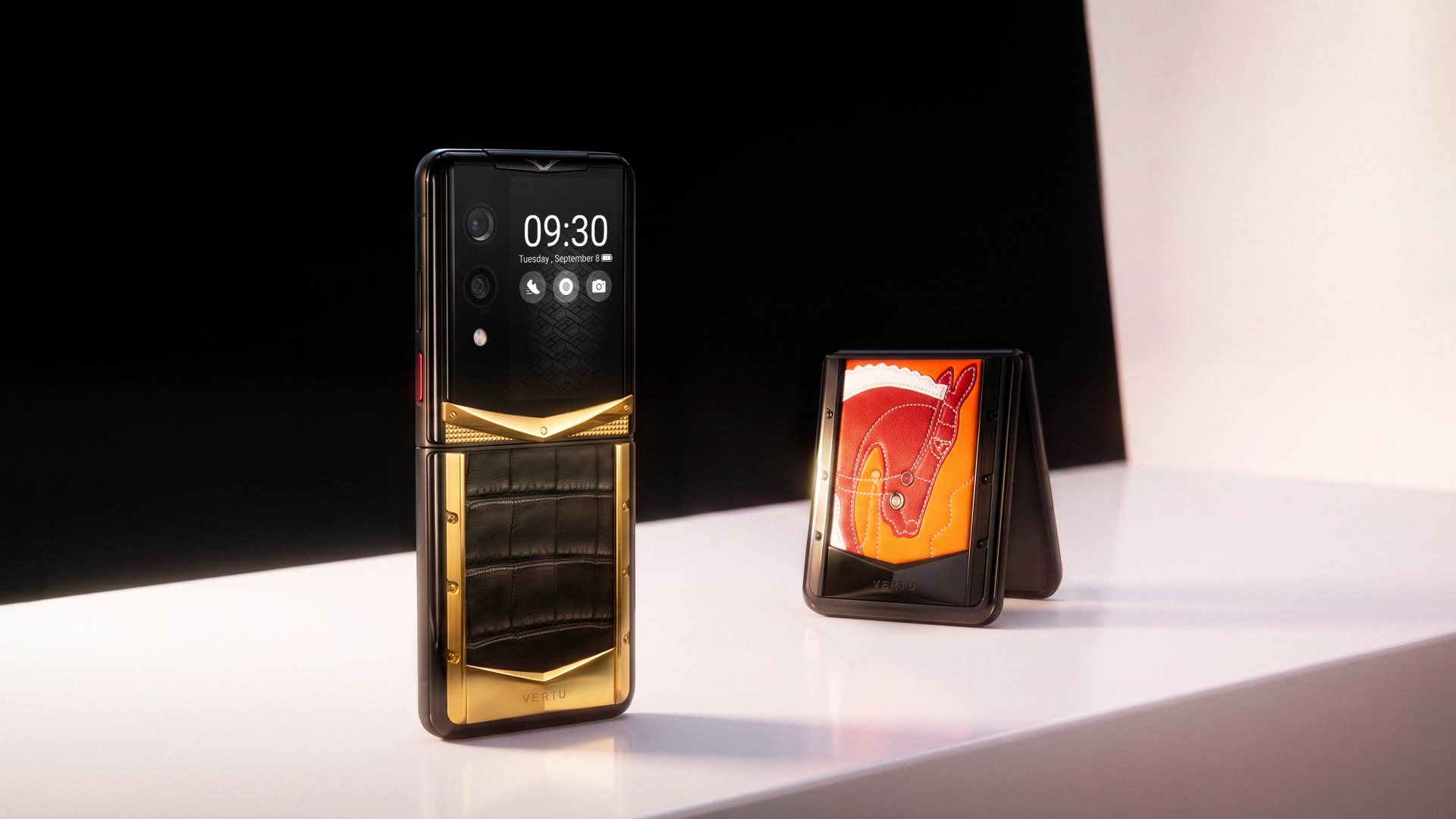
VERTU’s official ALPHAFOLD page lists up to 5,000 nits peak brightness and an 8.05-inch inner display. These are useful specifications to consider, but the peak-brightness figure alone does not establish sustained full-screen output, anti-reflective treatment or performance in an independent outdoor test.
The larger inner display provides more physical space for content; screen area and sunlight legibility remain separate questions. Buyers comparing the device should apply the same checks used for any phone: read familiar text in bright surroundings, inspect reflections and assess the display after normal use. See the official VERTU ALPHAFOLD specifications for the listed product details.
FAQs
Is a phone with a higher peak-nit rating always easier to read in sunlight?
No. Peak brightness alone does not account for reflections, contrast, APL, viewing angle, adaptive brightness or how the display behaves during longer use.
How many nits do you need for a phone to be readable outdoors?
There is no universal nit threshold that guarantees comfortable outdoor readability on every phone. The result depends on the brightness mode and test conditions as well as reflections, contrast, viewing angle and the ambient light.
Can polarized sunglasses make a phone screen hard to see?
Yes, they can reduce visibility on some displays at certain angles. Test the exact phone with your own polarized sunglasses in portrait and landscape before buying.
Can a phone dim even when the brightness slider is at maximum?
Yes. A phone may use a separate bright-light mode or reduce screen output as part of model-specific thermal management, even when the manual slider appears to be at maximum.
Conclusion
Choosing a phone for sunlight readability means evaluating the complete viewing experience: brightness mode, APL and test conditions, reflections, anti-reflective treatment, sunglasses compatibility, adaptive controls and heat behavior. Peak nits are one useful data point, not a complete buying verdict.
Use a consistent outdoor test and keep the screen clean so smudges do not distort your impression. For practical display care, see VERTU’s guide to maintaining a VERTU smartphone screen.