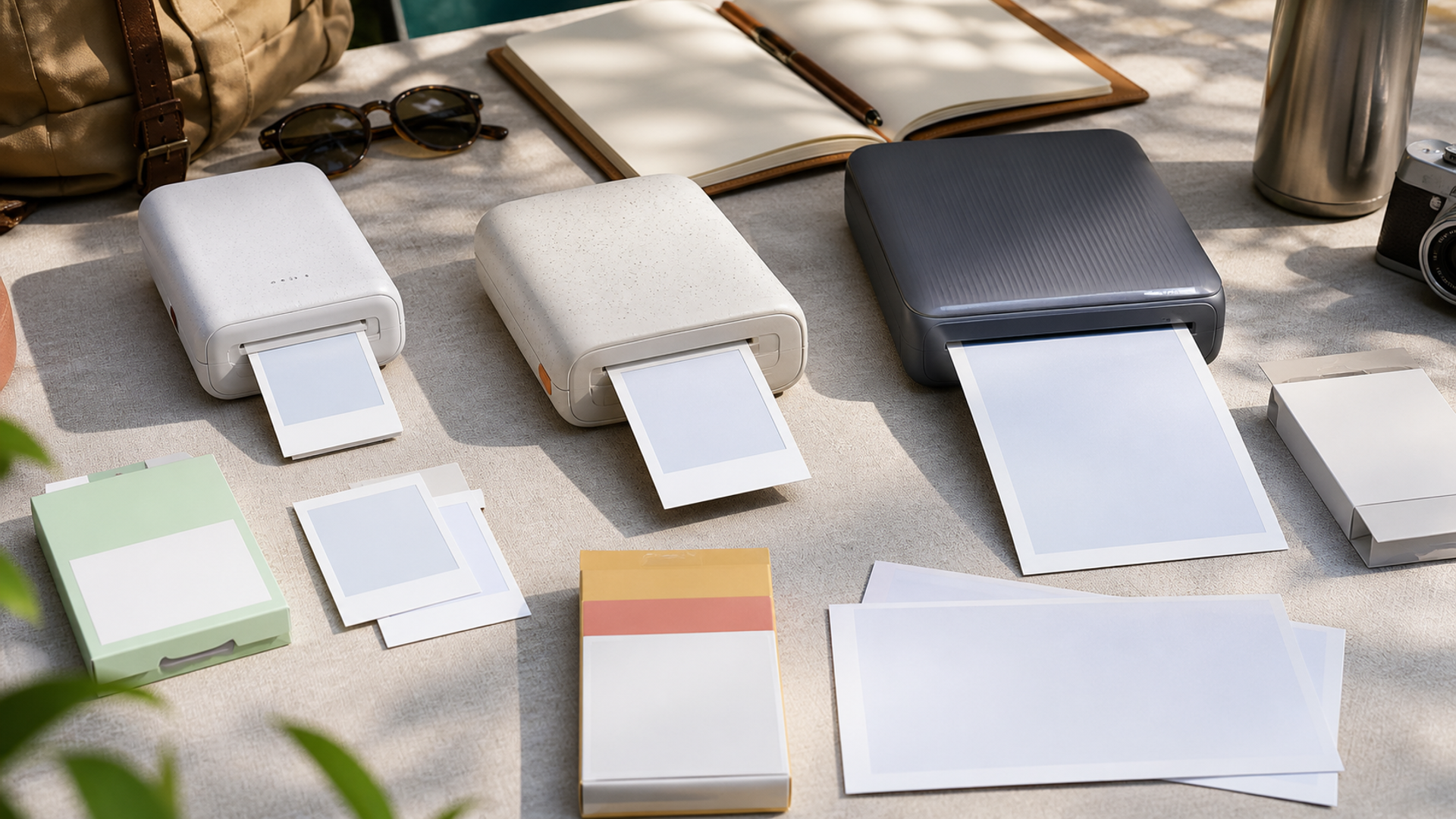
Portable photo printers are often compared as if they make the same object. They do not. A pocket Zink print, an instant-film image and a 4-by-6 dye-sublimation print differ in size, surface, colour behaviour, consumable packaging and the social ritual around them. The best printer starts with the physical print that the owner will actually keep or give away.
Choose the print before the printer
Choose Zink for the smallest sticker-friendly kit, instant film for a camera-like social object, or dye sublimation when larger and more consistent photo output justifies more space and consumables. Price a real trip or event, including media, ribbon, charging and failed prints, before ranking the hardware.
| Decision factor | Pocket Zink printer | Instant-film printer | Portable dye-sub printer |
|---|---|---|---|
| Print object | Small adhesive-backed prints suit journals | The instant-film border and feel are the point | A larger conventional photo is required |
| Quality | Convenience outranks subtle colour and detail | Character and social immediacy outrank precision | Consistent colour and protective overcoat matter |
| Consumables | Paper packs contain the imaging chemistry | Film packs define format and cost | Matched paper and ribbon sets are carried |
| Power | An internal battery supports a pocket workflow | The battery supports a limited social session | Mains or a larger battery plan is acceptable |
| App | Quick phone editing and stickers are useful | A simple selection-and-print flow is enough | Colour, crop and layout controls are checked |
| Volume | A few prints per day are expected | A small shared set is the objective | Dozens of event or travel prints justify the kit |
This best portable photo printer matrix is the article's working value object. Read the best portable photo printer rows together: the decisive failure mode depends on this topic's evidence, operating context and reader objective.
What the three print systems deliver
Evidence 1. Portable printers use different consumable technologies, so resolution figures cannot be compared without considering print size, surface and process.
Evidence 2. Dye-sublimation systems typically use matched paper and ribbon capacity, making the consumables set a direct basis for per-print calculation.
Evidence 3. Zink systems place colour-forming material in the paper, which enables a small device but produces a different output from dye sublimation.
Evidence 4. Current 2026 comparisons separate pocket printers from larger portable photo printers because portability, battery use and print size pull in opposite directions.
Reader-visible sources checked for this article:
usa.canon.com — reader-visible current or official evidence
instax.com — reader-visible current or official evidence
polaroid.com — reader-visible current or official evidence
digitalcameraworld.com — reader-visible current or official evidence
For best portable photo printer, these sources establish only the claims inside their documented scope. Recheck every changeable specification, availability condition, price, policy or service term in the relevant market before acting.
Calculate a trip's consumables
The print object row exposes a practical boundary. Route one assumes small adhesive-backed prints suit journals, while route two is defensible only when the instant-film border and feel are the point. Route three depends on a larger conventional photo is required. If that evidence is absent, keep the more reversible option.
Read quality as a stop/go test: convenience outranks subtle colour and detail supports the first option; character and social immediacy outrank precision supports the second; and consistent colour and protective overcoat matter supports the third. Record which source proves the condition and when it was checked.
A buyer can resolve consumables without starting from a brand preference. Ask whether paper packs contain the imaging chemistry; compare that with whether film packs define format and cost; then use matched paper and ribbon sets are carried as the third route's safeguard. An unknown condition stays unknown.
On power, popularity is not enough. The evidence for option one is that an internal battery supports a pocket workflow. Option two means the battery supports a limited social session. Option three is rational where mains or a larger battery plan is acceptable. Recheck any changeable term immediately before commitment.
The decision changes at app. Choose the first path only if quick phone editing and stickers are useful; move to the second when a simple selection-and-print flow is enough; use the third when colour, crop and layout controls are checked. Save the downside that would make this row fail.
For volume, the first route works when a few prints per day are expected; the second requires a small shared set is the objective. The control for the third is dozens of event or travel prints justify the kit. Verify this row against the exact product, property, account or environment before it can reverse the decision.
Facts that would reverse the current choice
Reversal control 1 — Print object. Before choosing Pocket Zink printer, write down how the decision changes if “Small adhesive-backed prints suit journals” proves false. Do the same for Instant-film printer and “The instant-film border and feel are the point”. Keep the Portable dye-sub printer route available until “A larger conventional photo is required” is verified. This control belongs to best portable photo printer; update it from the cited source or exact supplier rather than copying a generic checklist.
Reversal control 2 — Quality. Before choosing Pocket Zink printer, write down how the decision changes if “Convenience outranks subtle colour and detail” proves false. Do the same for Instant-film printer and “Character and social immediacy outrank precision”. Keep the Portable dye-sub printer route available until “Consistent colour and protective overcoat matter” is verified. This control belongs to best portable photo printer; update it from the cited source or exact supplier rather than copying a generic checklist.
Reversal control 3 — Consumables. Before choosing Pocket Zink printer, write down how the decision changes if “Paper packs contain the imaging chemistry” proves false. Do the same for Instant-film printer and “Film packs define format and cost”. Keep the Portable dye-sub printer route available until “Matched paper and ribbon sets are carried” is verified. This control belongs to best portable photo printer; update it from the cited source or exact supplier rather than copying a generic checklist.
Reversal control 4 — Power. Before choosing Pocket Zink printer, write down how the decision changes if “An internal battery supports a pocket workflow” proves false. Do the same for Instant-film printer and “The battery supports a limited social session”. Keep the Portable dye-sub printer route available until “Mains or a larger battery plan is acceptable” is verified. This control belongs to best portable photo printer; update it from the cited source or exact supplier rather than copying a generic checklist.
Reversal control 5 — App. Before choosing Pocket Zink printer, write down how the decision changes if “Quick phone editing and stickers are useful” proves false. Do the same for Instant-film printer and “A simple selection-and-print flow is enough”. Keep the Portable dye-sub printer route available until “Colour, crop and layout controls are checked” is verified. This control belongs to best portable photo printer; update it from the cited source or exact supplier rather than copying a generic checklist.
Reversal control 6 — Volume. Before choosing Pocket Zink printer, write down how the decision changes if “A few prints per day are expected” proves false. Do the same for Instant-film printer and “A small shared set is the objective”. Keep the Portable dye-sub printer route available until “Dozens of event or travel prints justify the kit” is verified. This control belongs to best portable photo printer; update it from the cited source or exact supplier rather than copying a generic checklist.
Handle sample prints in the intended size
Ask for or make the same photograph on each candidate system. View skin tones, dark gradients, fine detail and the surface under normal light. Then place the print in the journal, wallet, album or gift format it is meant to serve. A technically stronger image can still fail if the physical size is too small or the border conflicts with the use.
Calculate the full event pack
Multiply planned prints by current local consumable cost, then add a failure and sharing allowance. Include ribbon capacity, charging, cable and protective storage. For travel, count the volume and temperature sensitivity of media. The hardware discount matters little when the event requires several expensive packs.
Test the app before ownership
Install the current app, check account requirements, permissions, supported operating systems, crop controls and offline behaviour. Print a high-resolution image and a messaging-app image. A good printer can feel unreliable when the app aggressively crops, compresses or depends on an account that cannot be recovered.
Choose for repeatability
A printer used twice a year should survive storage without mystery supplies or a dead proprietary battery. Check how the device is charged, whether firmware and app support remain current, and whether media is widely stocked. Record a simple setup card so another person can connect and print at an event.
Three portable-print workflows
Pocket travel journal
Zink fits when adhesive small prints and minimum kit size are the objective. Define the fact that would reverse this recommendation before committing.
Dinner or party exchange
Instant-film printing fits when the border, reveal and shared object matter more than precision. Define the fact that would reverse this recommendation before committing.
Family event or client proofing
Portable dye-sub fits when larger consistent prints justify power and consumable volume. Define the fact that would reverse this recommendation before committing.
Action checklist
Choose the physical print size.
Handle sample output.
Calculate cost for the full trip.
Check consumable availability.
Test the current app.
Review crop and colour controls.
Measure battery or mains needs.
Pack media safely.
Confirm operating-system support.
Create a repeatable connection guide.
Continue the decision
The linked VERTU articles expand adjacent parts of the best portable photo printer decision. They do not substitute for the external evidence above.
The portable photo-printer verdict
Choose Zink for the smallest sticker-friendly kit, instant film for a camera-like social object, or dye sublimation when larger and more consistent photo output justifies more space and consumables. Price a real trip or event, including media, ribbon, charging and failed prints, before ranking the hardware.
Keep the best portable photo printer decision reversible until its material cost, safety, access, privacy and compatibility facts are verified. Unknown evidence stays unknown; it is never silently scored as favourable.