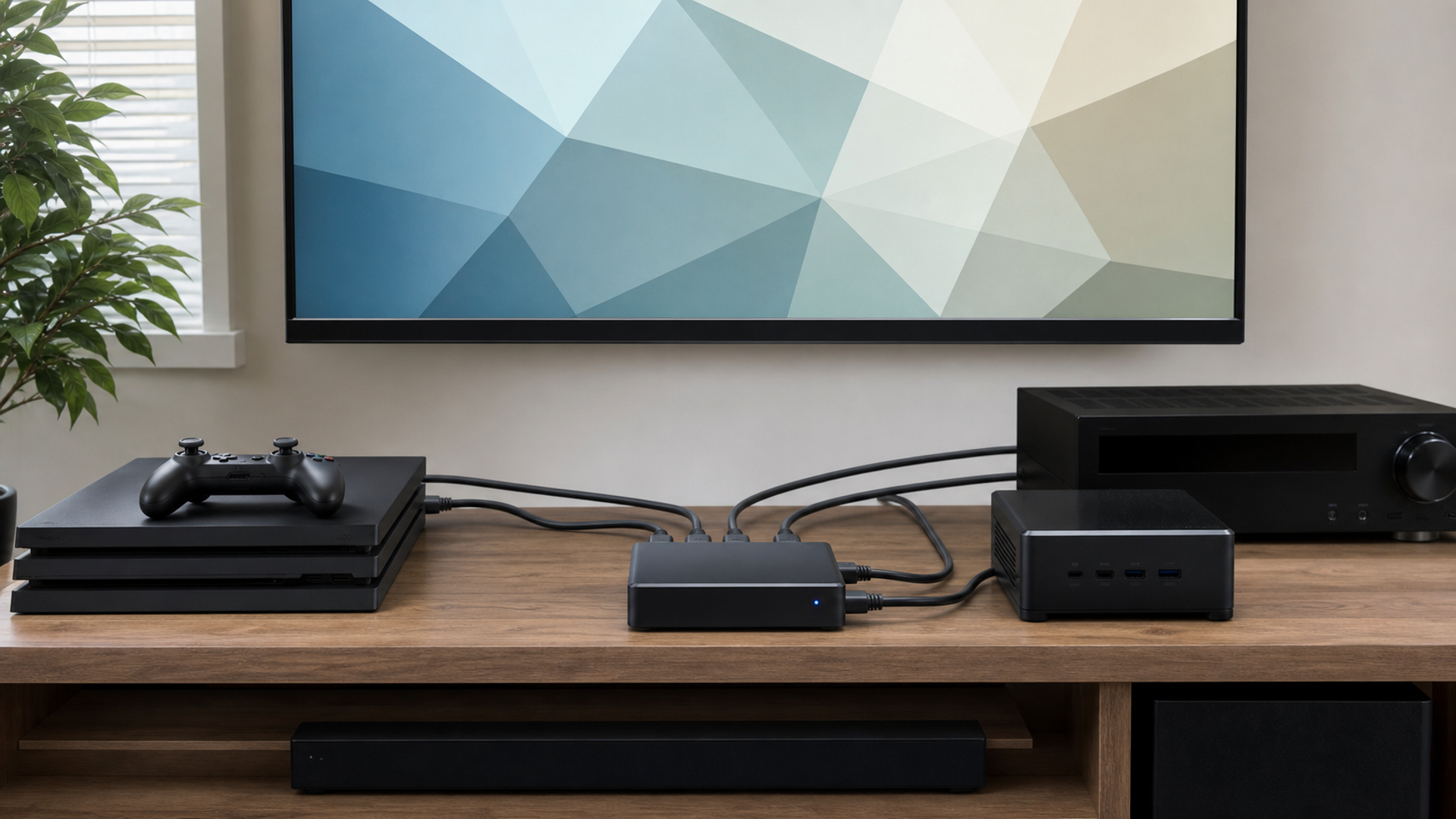
An HDMI switch is only as reliable as the complete path from source through switch and cables to display and audio system. The phrase HDMI 2.1 does not guarantee every optional feature or bandwidth level. The best switch is the one that passes the exact resolution, refresh rate, HDR, VRR, audio and control signals required by the system.
Draw the signal chain before buying
Choose a simple manual switch for two stable sources, a powered gaming switch for high-bandwidth consoles and PCs, or an AV receiver or matrix when audio, multiple displays and control justify a system component. Verify every required feature and test with certified cables before installation becomes permanent.
| Decision factor | Simple two-source switch | Powered high-bandwidth switch | AV receiver or matrix |
|---|---|---|---|
| Sources | Two devices share one display | Several consoles or a PC need full modes | Several zones or audio paths are involved |
| Video | 4K60 is the proven ceiling | 4K120, HDR and VRR are required | Format conversion or distribution is planned |
| EDID | Automatic negotiation remains stable | Copy and fixed modes can solve conflicts | Managed profiles are needed across zones |
| Audio | Display audio is sufficient | eARC path is separately verified | Receiver handles formats and switching |
| Control | A physical button is reliable | Remote and auto-switch can be disabled | Automation and system control are engineered |
| Cabling | Short certified cables complete the path | Every segment is tested at full mode | Active or fibre runs are designed as a system |
This best HDMI 2.1 switch matrix is the article's working value object. Read the best HDMI 2.1 switch rows together: the decisive failure mode depends on this topic's evidence, operating context and reader objective.
What HDMI 2.1 claims establish
Evidence 1. HDMI Licensing lists distinct feature names, bandwidths and certification programmes, so products should state the exact capabilities they support rather than relying on a version number.
Evidence 2. The current HDMI specification page lists newer specification generations while preserving the need to verify individual product feature implementation.
Evidence 3. HDMI's adopter guidance states that marketing should identify supported HDMI features, which is directly relevant when a switch advertises 2.1 without naming bandwidth, VRR, eARC or resolutions.
Evidence 4. The Ultra High Speed HDMI Cable certification programme applies to cables, not automatically to the switch or the entire assembled signal path.
Reader-visible sources checked for this article:
hdmi.org — reader-visible current or official evidence
hdmi.org — reader-visible current or official evidence
hdmi.org — reader-visible current or official evidence
hdmi.org — reader-visible current or official evidence
For best HDMI 2.1 switch, these sources establish only the claims inside their documented scope. Recheck every changeable specification, availability condition, price, policy or service term in the relevant market before acting.
Debug compatibility in a fixed order
The decision changes at sources. Choose the first path only if two devices share one display; move to the second when several consoles or a PC need full modes; use the third when several zones or audio paths are involved. Save the downside that would make this row fail.
For video, the first route works when 4K60 is the proven ceiling; the second requires 4K120, HDR and VRR are required. The control for the third is format conversion or distribution is planned. Verify this row against the exact product, property, account or environment before it can reverse the decision.
The edid row exposes a practical boundary. Route one assumes automatic negotiation remains stable, while route two is defensible only when copy and fixed modes can solve conflicts. Route three depends on managed profiles are needed across zones. If that evidence is absent, keep the more reversible option.
Read audio as a stop/go test: display audio is sufficient supports the first option; eARC path is separately verified supports the second; and receiver handles formats and switching supports the third. Record which source proves the condition and when it was checked.
A buyer can resolve control without starting from a brand preference. Ask whether a physical button is reliable; compare that with whether remote and auto-switch can be disabled; then use automation and system control are engineered as the third route's safeguard. An unknown condition stays unknown.
On cabling, popularity is not enough. The evidence for option one is that short certified cables complete the path. Option two means every segment is tested at full mode. Option three is rational where active or fibre runs are designed as a system. Recheck any changeable term immediately before commitment.
Facts that would reverse the current choice
Reversal control 1 — Sources. Before choosing Simple two-source switch, write down how the decision changes if “Two devices share one display” proves false. Do the same for Powered high-bandwidth switch and “Several consoles or a PC need full modes”. Keep the AV receiver or matrix route available until “Several zones or audio paths are involved” is verified. This control belongs to best HDMI 2.1 switch; update it from the cited source or exact supplier rather than copying a generic checklist.
Reversal control 2 — Video. Before choosing Simple two-source switch, write down how the decision changes if “4K60 is the proven ceiling” proves false. Do the same for Powered high-bandwidth switch and “4K120, HDR and VRR are required”. Keep the AV receiver or matrix route available until “Format conversion or distribution is planned” is verified. This control belongs to best HDMI 2.1 switch; update it from the cited source or exact supplier rather than copying a generic checklist.
Reversal control 3 — EDID. Before choosing Simple two-source switch, write down how the decision changes if “Automatic negotiation remains stable” proves false. Do the same for Powered high-bandwidth switch and “Copy and fixed modes can solve conflicts”. Keep the AV receiver or matrix route available until “Managed profiles are needed across zones” is verified. This control belongs to best HDMI 2.1 switch; update it from the cited source or exact supplier rather than copying a generic checklist.
Reversal control 4 — Audio. Before choosing Simple two-source switch, write down how the decision changes if “Display audio is sufficient” proves false. Do the same for Powered high-bandwidth switch and “eARC path is separately verified”. Keep the AV receiver or matrix route available until “Receiver handles formats and switching” is verified. This control belongs to best HDMI 2.1 switch; update it from the cited source or exact supplier rather than copying a generic checklist.
Reversal control 5 — Control. Before choosing Simple two-source switch, write down how the decision changes if “A physical button is reliable” proves false. Do the same for Powered high-bandwidth switch and “Remote and auto-switch can be disabled”. Keep the AV receiver or matrix route available until “Automation and system control are engineered” is verified. This control belongs to best HDMI 2.1 switch; update it from the cited source or exact supplier rather than copying a generic checklist.
Reversal control 6 — Cabling. Before choosing Simple two-source switch, write down how the decision changes if “Short certified cables complete the path” proves false. Do the same for Powered high-bandwidth switch and “Every segment is tested at full mode”. Keep the AV receiver or matrix route available until “Active or fibre runs are designed as a system” is verified. This control belongs to best HDMI 2.1 switch; update it from the cited source or exact supplier rather than copying a generic checklist.
Write a port-by-port requirement table
List every source, its maximum required resolution and refresh rate, HDR format, VRR, colour depth and audio route. Record which display input supports those modes. If only one source needs 4K120, a complex all-port solution may be unnecessary. If a PC needs unusual timings, assume nothing until the exact switch and display combination is tested.
Control EDID and HDCP variables
EDID tells a source what the downstream system can accept; HDCP governs protected content. A switch that sees several devices can produce slow handshakes, blank screens or lost audio when negotiation changes. Prefer a product with documented EDID behaviour, and change one variable at a time rather than repeatedly power-cycling the whole rack.
Test cables as part of the switch
Use short certified cables first, then introduce the installed lengths one segment at a time. A path has at least two cables, and each connector adds loss. Prove 4K120, HDR and VRR for long enough to expose intermittent errors. Expensive construction or a version phrase does not replace certification and a successful full-mode test.
Decide whether a switch is still the right component
An AV receiver can combine switching with audio decoding, while a matrix serves more than one display. Those routes add cost and configuration but may remove fragile workarounds. If eARC, multiple zones or automation are central, a small consumer switch may be the wrong level of system even when its video path works.
Three HDMI-switch decisions
Console pair on one television
A simple powered switch fits when both consoles pass the required modes and manual selection is acceptable. Define the fact that would reverse this recommendation before committing.
Gaming PC plus current consoles
A documented high-bandwidth switch is justified when EDID controls and full-mode testing are available. Define the fact that would reverse this recommendation before committing.
Cinema rack with projector and television
An AV receiver or matrix is safer when audio, two displays and automation must stay coherent. Define the fact that would reverse this recommendation before committing.
Action checklist
List required modes for every source.
Map display and audio ports.
Verify exact bandwidth and features.
Use certified short cables first.
Test HDCP streaming content.
Run 4K120 and VRR for an extended period.
Document EDID modes.
Check eARC separately.
Disable unwanted auto-switching.
Keep a known-good direct cable path.
Continue the decision
The linked VERTU articles expand adjacent parts of the best HDMI 2.1 switch decision. They do not substitute for the external evidence above.
The HDMI-switch verdict
Choose a simple manual switch for two stable sources, a powered gaming switch for high-bandwidth consoles and PCs, or an AV receiver or matrix when audio, multiple displays and control justify a system component. Verify every required feature and test with certified cables before installation becomes permanent.
Keep the best HDMI 2.1 switch decision reversible until its material cost, safety, access, privacy and compatibility facts are verified. Unknown evidence stays unknown; it is never silently scored as favourable.