

Key TakeawayThe “best cell phone for business” isn’t the one with the loudest specs. It’s the one you can govern (updates, policies, access), operate (fast daily workflow), and trust under pressure (travel days, sensitive calls, last-minute approvals).
When your phone is where contracts are reviewed, board decks are approved, and sensitive messages live—even briefly—choosing a device becomes less about preference and more about risk.
This guide is built for that moment.
A quick needs assessment (before you compare phones)
Answer these three questions honestly:
Will this phone ever touch regulated or deal-sensitive material? (Legal docs, M&A, investor updates, customer PII.)
Are you managing a fleet—or just your own device? (If there’s an IT team, your “best phone” is the one that can be managed.)
Is your day defined by travel and context switching? (If yes, battery, connectivity, and service matter more than you think.)
If you said “yes” to #1, treat security as the first filter, not the last.
The four standards that define the best cell phone for business
You don’t need a 40-point checklist. You need four standards that hold under pressure:
Security — what the phone prevents, what it contains, and how it recovers.
Efficiency — how quickly you move through executive work.
Cross-application automation — whether workflows stay inside policy boundaries.
Service — what happens when something breaks at the worst possible time.
Let’s go through them in the order an executive feels them.
Security: the non-negotiable for the best cell phone for business
If you’re choosing the best phone for business, security isn’t a feature. It’s an operating posture.
At decision stage, you’re not asking “Is this phone secure?” You’re asking:
Can we enforce security policies?
Can we prove device integrity?
Can we recover fast if the phone is lost, stolen, or compromised?
1) Start with governance: MDM, compliance, and remote response
If a phone can’t be managed, it can’t be trusted for serious work.
A good Mobile Device Management approach typically covers:
encryption enforcement
strong lock-screen policy
app controls (allowlists, managed stores)
compliance checks (root/jailbreak signals)
remote lock and wipe
SOTI’s 2026 guidance on mobile security emphasizes encryption and centralized management as the foundation of mobile security programs (see SOTI: cybersecurity best practices for mobile security & encryption (2026)).
How to verify: Ask your IT lead which MDM stack you’ll use (Intune, Jamf, etc.), what “non-compliant” means in your environment, and what happens automatically when a device falls out of compliance.
2) Updates are a security feature (because they close real doors)
The most elegant security architecture fails if patches don’t land.
For Android fleets, Microsoft documents the planning logic for governing updates through Intune in its admin guidance (see Microsoft Learn: admin checklist for Android software updates in Intune).
For Android Enterprise environments, it’s also possible to centrally manage system update behavior through device policy controllers (see Android Enterprise: manage system updates).
When you’re choosing a business smartphone, support timelines matter—but what matters more is whether your organization can enforce update behavior.
3) Hardware-backed keys: important, but not magic
Modern phones protect sensitive keys in hardware-backed systems.
Apple explains how keys can be protected using the Secure Enclave (see Apple Developer: protecting keys with the Secure Enclave).
Android documents hardware-backed key storage via the Keystore architecture (see AOSP: hardware-backed Keystore).
This matters for protecting cryptographic material and credentials. But don’t confuse it with “nothing can ever go wrong.” A secure element is strongest when paired with policy, integrity checks, and disciplined access.
4) The security baseline is iOS vs Android… but the real decision is your management model
For many executives, the iPhone is the default because it’s predictable.
Android can be equally serious—especially when deployed under Android Enterprise.
Google’s overview of Android Enterprise security highlights a layered approach spanning encryption, verified boot, sandboxing, and enterprise control (see Android Enterprise: mobile device security).
How to verify: If you’re considering Android, ask whether the model you’re buying is used in your organization’s Android Enterprise program, and how quickly security updates are delivered across regions.
Efficiency: choose the phone that makes executive work frictionless
Productivity doesn’t come from “more apps.” It comes from fewer decisions.
In practical terms, your business phone should make four workflows fast:
Communicate (email, messaging, calls)
Decide (review docs, approve items, sign off)
Capture (notes, voice memos, photos, quick context)
Sync (calendar + tasks + follow-up)
Reduce context switching—aggressively
A simple, underrated win: notifications and layout.
A business phone should be configured so that the first screen you see is built for work.
A practical overview of organizing apps and reducing notification noise can be found in many mobile productivity guides.
Treat notifications as a privilege. If an app doesn’t create revenue, reduce risk, or protect time, it doesn’t earn a lock-screen interruption.
Email, calendar, and tasks should behave like one system
For executives, email is rarely “communication.” It’s a task queue.
The best business workflow is one where messages become actions without you doing a second round of mental translation.
Cross-application automation: keep power inside the guardrails
Executives want automation because it reduces friction.
IT wants governance because automation can leak data.
The best business phone is the one where both can be true:
you can move across apps quickly
your organization can keep sensitive data inside approved flows
What “good” looks like: conditional access + approved apps + protection policies
If your organization uses Microsoft 365, a common pattern is:
require approved client apps
require app protection policies
gate access through conditional access
Microsoft documents a baseline configuration approach for mobile Microsoft 365 experiences in Intune (see Microsoft Learn: manage Microsoft 365 for iOS/Android with Intune).
Microsoft’s Intune community has also discussed the pattern of blocking unmanaged access and requiring app protection policies.
How to sanity-check this in your own environment: ask whether non-compliant devices are blocked automatically, and whether corporate files can be opened only inside approved apps.
The “ERP phone” concept: phone as a command center, not a terminal
For many leaders, the phone isn’t where work is created.
It’s where work is approved.
That’s the executive loop:
approve spend
sign off on a contract clause
unblock a shipment
greenlight a hiring decision
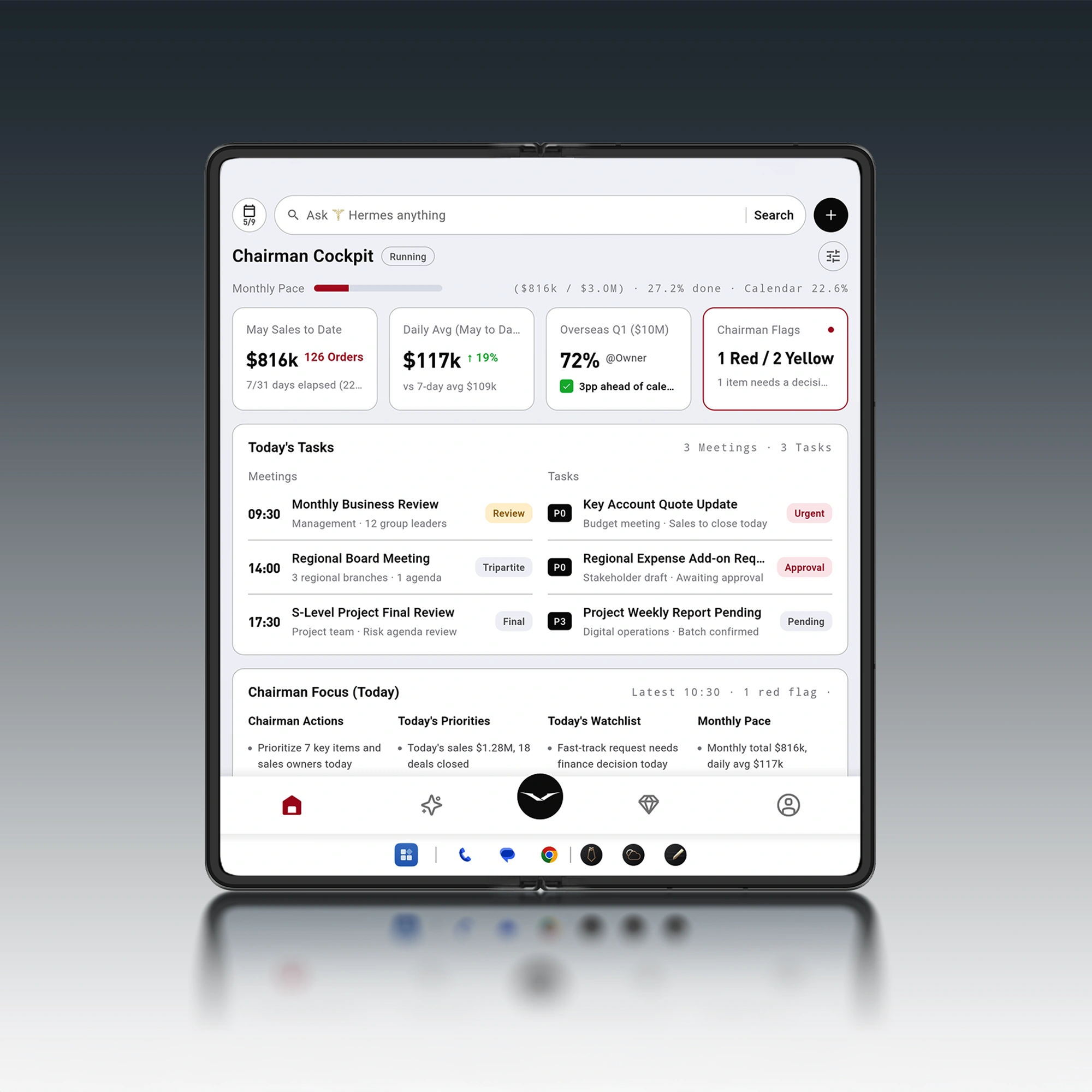
A business phone earns its place when it can surface the right context, allow a decision, and record the outcome—without turning into a security liability.
Service: the missing category in most “best business phone” lists
Most buyer’s guides talk about processors and cameras.
Executives experience something else:
a SIM issue at an airport
a locked account before a keynote
a lost device with sensitive messages
a “please approve this now” request at 2 a.m.
Service is not a luxury. It’s uptime.
What to look for
Clear escalation path when something breaks
Replacement and recovery workflow (including secure re-enrollment)
Human support that understands your context
In a premium category, this is where brands differentiate.
For example, VERTU builds an ownership model around service and access (see VERTU Concierge). When your phone is part of how you travel, meet, and move, that layer can matter as much as hardware.
If you want the long version of what concierge-style ownership can include, start with the ultimate guide to the Vertu Concierge Service and the practical overview of Vertu 24/7 concierge support.
A practical decision framework (choose by scenario)
Here’s the simplest way to choose without second-guessing.
Scenario 1: You want the most predictable managed experience
Choose the phone that your IT team already supports at scale—and insist on:
enforced updates
compliance-based access
remote lock/wipe
If your organization is standardized on one platform, resist “personal preference.” Consistency is security.
Scenario 2: You need work/personal separation on one device
Look for strong containerization (work profile / managed apps), and confirm:
work data cannot be opened by personal apps
backups are controlled
compliance policies actually block access when violated
Scenario 3: You travel constantly, and the phone is your command center
Prioritize:
battery that lasts through time zones
reliable connectivity options
a service layer that can solve problems fast
This is where a premium ecosystem can make sense—especially if you value discreet support and an ownership model built around service.
To explore that category, browse VERTU phones and, if you want a brand-created overview of their current lineup, see VERTU’s luxury phone comparison.
Red flags (deal-breakers) for any business smartphone
No clear security update story
No management support (MDM/enterprise enrollment)
Uncontrolled app installs for sensitive roles
No remote response plan for lost devices
“Security” claims that can’t be verified or explained
FAQ
What is the best cell phone for business right now?
It depends on your management model. The best business phone is the one your organization can manage (updates + compliance + remote response) and that supports your real workflows (approvals, secure comms, travel).
Is iPhone or Android better for business?
Both can be excellent. iPhone is often chosen for predictability. Android can be equally strong—especially under Android Enterprise—when device selection and update governance are done well.
What should executives prioritize: security or productivity?
Security first, then productivity. A “productive” phone that leaks data or can’t be managed creates executive risk. The right device makes productivity safe.
Next steps
If you want to tighten your choice quickly, do this:
Write down the three apps and systems you must access on the go (email, docs, ERP approvals, etc.).
Ask IT what they can enforce on that phone (updates, approved apps, compliance).
Choose the platform that keeps your workflow inside those guardrails—with the service level you’re comfortable relying on.
Disclosure: This article references VERTU pages. Editorial judgment remains the priority.



![Top 10 Luxury Smartwatches for Business Travel [2026]](https://cdn.sanity.io/images/e0gp1l2g/production/8b5e5b21db42a1c5f040e828bd041857353a8eb2-2560x1382.webp?w=800&h=450&q=82&auto=format&fit=crop)