

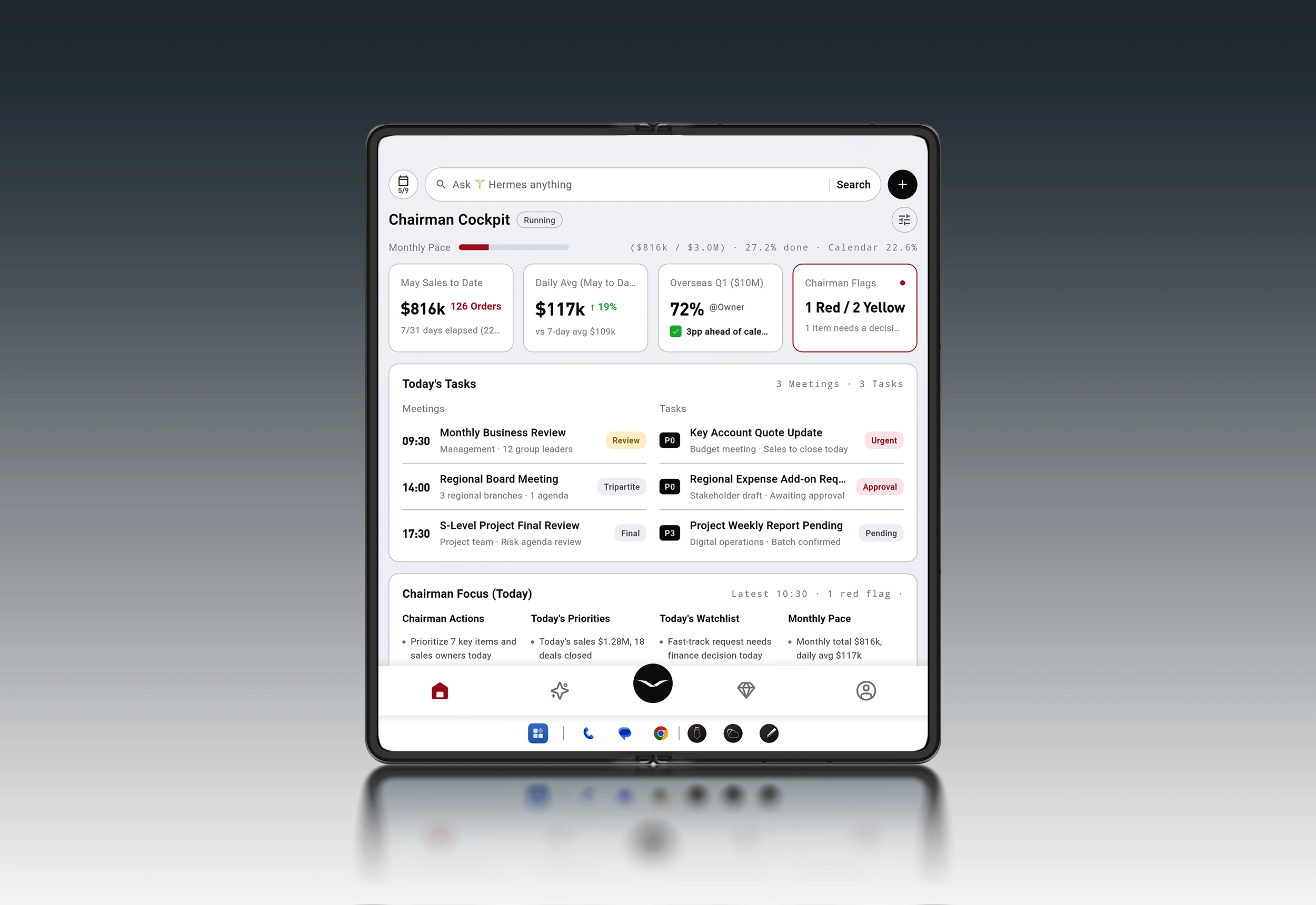
When you’re traveling, you don’t stop being accountable.
Board packets still need a read. A contract still needs a red-flag pass. An investment memo still needs a sanity check.
AI can compress the first pass. A foldable screen can make that first pass usable. But the signature—literal or implied—still sits with you.
This guide lays out a decision-stage workflow for AI document review on a foldable phone: summarize without losing nuance, spot risk without leaking data, and build an approval loop that keeps humans in the right places.
The decision-stage reality: speed matters, but the signature is still yours
AI document review is not about “reading faster.” It’s about reducing the cost of first-pass comprehension so you can spend your attention where it belongs:
What’s new, material, or unusual
What’s missing
What could go wrong—commercially, legally, reputationally
What needs confirmation before anyone acts
The mistake executives make is treating the AI summary as a substitute for review.
Treat it as a triage layer.
For a practical foldable reading pattern—especially for long PDFs—VERTU explains why the bigger inner screen changes the experience from constant pinch-and-zoom to scan-and-decide.
Why foldables make long PDFs feel less punishing
Key Takeaway: In decision-stage work, AI should accelerate attention allocation—not replace accountability.
The foldable advantage: side-by-side truth (source vs summary)
For a deeper look at the business case for a foldable as an executive workspace, VERTU also frames the broader evaluation here.foldable phone for business review work
A normal phone forces a compromise: you either read the source or you read your notes. Constant app switching is where mistakes hide.
A foldable makes side-by-side review more natural. The productivity playbook is consistent: keep reference material and your working output visible at the same time—exactly what split-screen was built for.
A foldable phone earns its keep when you use it like a portable review desk:
Left pane: the source document (PDF, deck, memo)
Right pane: your working summary, risk list, and questions
This pattern reduces “context loss”—the mental tax of repeatedly reloading what you just saw.
A second practical point: split-screen is not only about comfort—it’s about verification. When a summary line appears, you can check it immediately.
AI document summarization best practices that survive audit
If you want summaries you can trust, you need a process that makes omissions and distortions obvious.
1) Start with an explicit review objective
Don’t ask for “a summary.” Ask for a summary for a purpose.
Examples:
“Summarize this memo for a board decision: the decision requested, risks, and what could change the recommendation.”
“Extract deal-breakers and obligations: termination, assignment, liability, confidentiality, IP, and governing law.”
The objective determines what the model should privilege.
2) Summarize in layers (sections first, then whole-document)
Long documents fail when you compress everything at once.
A safer pattern:
Summarize each section (or chapter) into 5–7 bullets.
Merge those into a 10–12 bullet executive summary.
Generate a short “what to verify” list.
This makes it easier to trace each bullet back to a location in the source.
3) Require a structured output: summary, risks, open questions, and “what changed”
A strong decision-grade summary isn’t one blob of prose.
Ask for:
Executive summary (10 bullets max)
Risks and ambiguities (ranked)
Open questions (what you’d ask the author/counterparty)
What changed (if this is a revision of a prior draft)
Pro Tip: Keep your “risks” list separate from your “questions” list. Risks require mitigation. Questions require follow-up.
4) Force citations to the source (even if you do it manually)
In high-stakes work, every claim should be traceable.
If your tools support it, require “page/section references.” If they don’t, keep the document open beside the summary and verify line-by-line before you forward, approve, or decide.
5) Treat AI output as a draft that must be edited
AI will:
smooth over uncertainty,
miss the one sentence that matters,
or present a guess with confident tone.
Your job is to remove false certainty.
AI document review privacy risks (and the controls that actually help)
If you’re reviewing confidential material, the document itself becomes a security boundary.
Two risks deserve executive-level attention because they’re not “bugs”—they’re categories.
Risk 1: Prompt injection (the document is the attacker)
Prompt injection is when hidden instructions inside content manipulate the model to ignore your intent—e.g., to reveal data, follow malicious directions, or produce a misleading summary.
OpenAI describes prompt injections as a frontier security challenge for AI systems.OpenAI’s prompt injection overview
IBM’s security framing explains how these attacks can lead to data theft and other harmful outcomes.IBM’s explanation of prompt injection attacks
And CrowdStrike highlights indirect prompt injection—where the malicious instructions arrive through the data sources your AI system reads.CrowdStrike on indirect prompt injection
Practical controls:
Treat external documents, links, and attachments as untrusted input.
Don’t give your summarizer broad access to email, drives, or tools it doesn’t need.
Require confirmation before any action beyond summarization.
Risk 2: Data exposure (retention, logging, oversharing)
Most confidentiality failures aren’t dramatic. They’re procedural:
Sending entire documents when only a section is needed
Leaving sensitive identifiers intact
Allowing broad access “just for convenience”
Practical controls:
Minimize: only share what the review requires.
Redact: remove identifiers when you can.
Permission: apply least privilege; separate “read” from “send/execute.”
VERTU’s framing of Hermes Agent emphasizes permissions and confirmation. The Hermes Agent page states it can help prepare document reviews and that significant actions are designed to require user confirmation.VERTU’s Hermes Agent
AI summaries vs human review: where to draw the line
A clean boundary keeps you fast and safe.
Use AI for:
first-pass summarization,
topic clustering,
red-flag suggestion lists,
turning long email threads into decision-ready bullets.
Keep humans responsible for:
final interpretation,
negotiation positions,
approvals and sign-off,
anything that could trigger financial, legal, or reputational consequence.
A simple rule: if you would be uncomfortable defending the decision in front of your board (or counsel) using only an AI summary, then the AI summary is not the artifact. It’s just the starting point.
⚠️ Warning: The more “clean” and confident a summary sounds, the more tempted you’ll be to stop verifying. That’s exactly when errors slip through.
If you want a broader view of what makes AI agent phones different from “assistive AI inside apps,” VERTU breaks down the difference between agentic workflows and traditional smartphone behavior here.AI agent phones: key features
How to review long documents on a foldable phone: a 15-minute approval loop
This is a practical workflow you can run between meetings—designed for a foldable screen.
Step 1: Define the decision you’re supporting (60 seconds)
Write one sentence:
“I need to decide whether to approve / sign / escalate / request changes.”
Output you want:
a short summary,
a ranked risk list,
and a question list.
Step 2: Split-screen your workspace (30 seconds)
Left: source document
Right: notes / summary space
Keep both visible. Don’t rely on memory.
Step 3: Run a “risk-first” pass before the “summary” pass (4 minutes)
Ask for:
contradictions,
missing definitions,
unusual obligations,
one-way clauses,
dates that don’t line up,
and anything that looks like an approval trap.
The point is not to be exhaustive.
The point is to catch what would surprise you later.
Step 4: Generate a layered summary (5 minutes)
Section bullets
Executive bullets
“What to verify” list
Then immediately verify the top 3–5 bullets against the source.
Step 5: Convert risks into decisions (4 minutes)
For each risk, decide:
Accept
Mitigate
Escalate
Decline
Write the decision beside the risk.
Step 6: Approve with context (90 seconds)
If you approve, forward only:
the executive bullets,
the decision line,
and what you verified.
Don’t forward the entire AI transcript.
A discreet workflow example: AlphaFold + Hermes Agent for document reviews
A foldable becomes an executive tool when it supports the review posture: source on one side, judgment on the other.
VERTU positions the VERTU ALPHAFOLD as a foldable executive workspace, and its Hermes Agent capabilities are framed around turning intent into action and supporting review-oriented workflows.VERTU ALPHAFOLD
If your goal is to stay mobile without being careless, the Hermes Agent design philosophy is relevant: it’s described as being able to help prepare outputs such as document reviews, with significant actions gated by confirmation.
For additional context on the Hermes layer inside AlphaFold, VERTU explains the concept and workflow framing in its guide “Hermes Agent on AlphaFold: Private AI Concierge & War Room” (2026).Hermes Agent inside AlphaFold
And VERTU’s Hermes explainer describes the agent as handling document reading and summarisation workflows in a broader sense.how Hermes AI handles documents and summaries
The practical takeaway is not “use this phone.” It’s the pattern:
A foldable screen to keep source + summary visible
An agent that helps create a first-pass summary and risk list
An approval loop that treats privacy, permissions, and verification as first-class steps
FAQ
Is AI document review reliable enough for contracts?
It can be useful for first-pass issue spotting and summarization, but it should not be the final authority. Use it to accelerate review, then verify material clauses against the source and keep a human sign-off step.
What’s the biggest security risk when summarizing documents with AI?
In many workflows, it’s not a single “hack.” It’s over-broad access and untrusted input. Prompt injection (including indirect prompt injection) is a real risk category; treat documents and sources as untrusted and reduce the permissions an AI system has by default.
Why does a foldable screen matter for document review?
Because review work is comparison work. Split-screen keeps the source visible while you draft summaries, highlight risks, and verify claims without constant app switching.
Next steps
If you want, I can turn your existing review process into a one-page “Executive Document Review SOP” (inputs, prompts, redaction checklist, approval gates) that your team can follow consistently.
Disclosure: This article references VERTU pages. Editorial judgment remains the priority.


