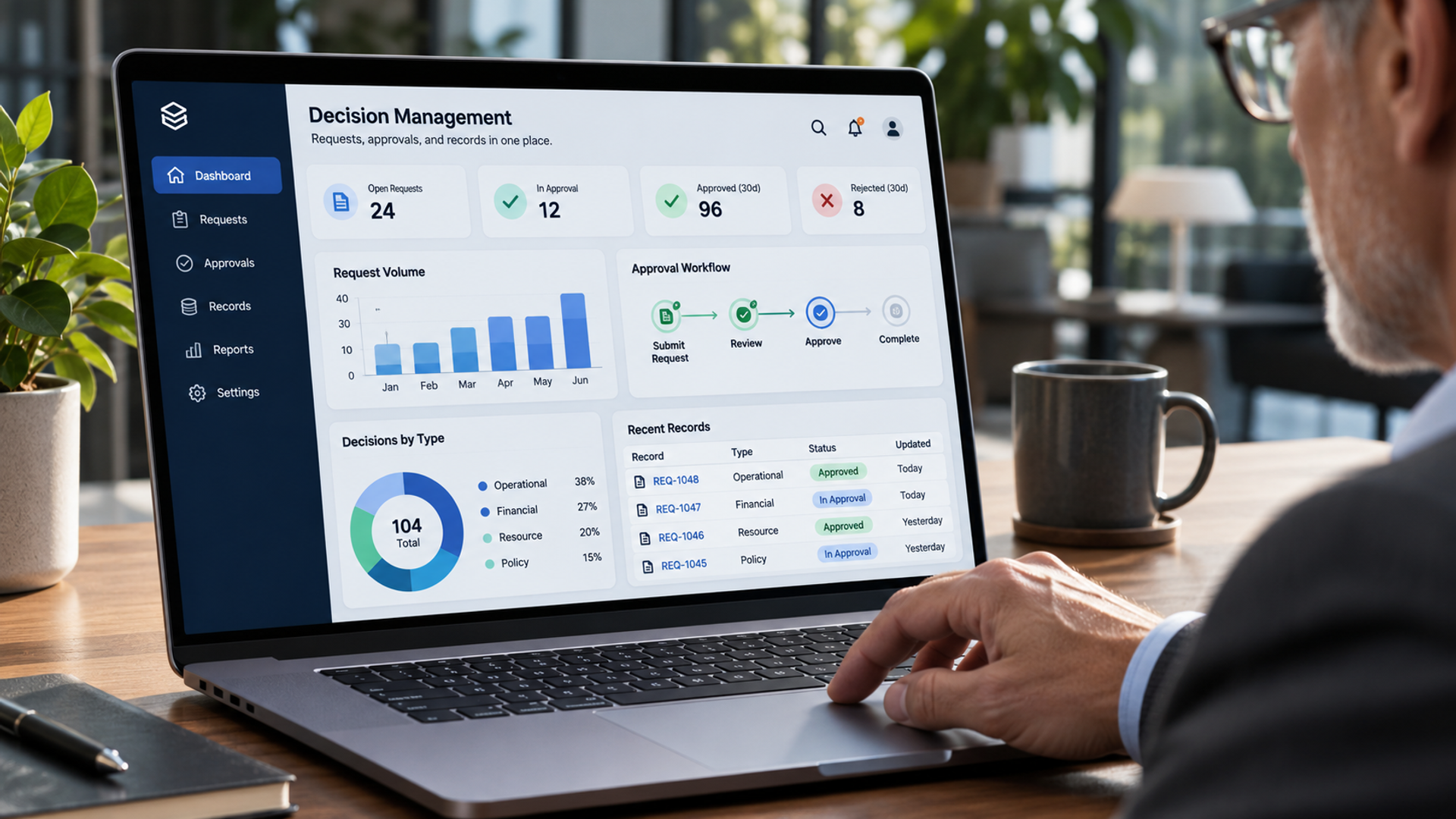
Enterprise software is the set of applications an organisation relies on to coordinate work, protect records and make repeatable decisions across teams. Choosing it well starts with an operating problem, not a vendor category. A useful evaluation tests how a record moves from its source through access, review, action and audit, then asks whether the proposed system improves that path at a manageable cost.
Key Takeaways
- Map one cross-department process before comparing enterprise platforms.
- Identify the system of record, the decision owner and the permitted actions.
- Test integration failures and access boundaries, not only a polished demonstration.
- Use a limited pilot with measurable outcomes and an exit plan.
What makes enterprise software different?
A small team may coordinate through a shared file and conversation. At enterprise scale, the same decision can involve sales, finance, operations and management, each with different records and permissions. Software then needs to support continuity: a customer request should not lose its context when it becomes a proposal, an approved order or a delivery task. It also needs to show who changed a record, what was approved and which information was current at the time.
Enterprise software can include ERP, CRM, finance, document, knowledge, communication and project systems. Those labels describe a market, not a purchase decision. An organisation might need a stronger official ledger, a better way to coordinate work around existing ledgers or a clearer view for leaders. Buying a broad suite to solve a narrow hand-off can add complexity; buying a narrow tool for a cross-team problem can create another silo.
Start with a decision path, not a feature list
Trace the source record
Choose a recent example that required two or more teams. List the records used and name the authoritative source for each one. A CRM may own customer contact details while an order system owns the confirmed quantity. Ask when each source updates and how the proposed software deals with conflicting values. A dashboard that cannot reveal provenance makes a decision easier to view but harder to trust.
Define ownership and authority
Write down who may read, prepare, approve and execute each step. The person who receives an AI-generated recommendation may not be authorised to edit the source record. Test the permission boundary with realistic roles. A useful product should make a denied action understandable and should offer a clear route to the responsible reviewer.
Follow an exception
Use a delayed delivery, disputed invoice or missing approval in the demonstration. Can users see the latest source data, the blocker, its owner and the next step? What happens when an integration is unavailable? A vendor should explain how the system shows stale information rather than silently presenting it as current.

Choose the right architecture for the problem
A core operational system is appropriate when the official record itself is unreliable or fragmented. A specialist application can be justified when a function has deep requirements that a general suite cannot meet. A connected workspace can help users review context and coordinate action across systems already in place. The choice depends on data ownership, integration effort, security policy and the cost of maintaining the result.
VERTU presents VPS as an AI-native business interface with a Business 360 view, project tasks, knowledge and connected application examples. That makes it relevant when leaders need to review authorised context across workstreams. The public page does not establish that every connection or action is available in every deployment. In procurement, request a demonstration using your actual permission model and representative source systems.
Five questions for a vendor demonstration
- Where did this answer come from? Ask the presenter to open the source behind a displayed figure and show its update time.
- Who can change it? Repeat the action as a viewer, editor and approver. Check that each sees only the right information.
- What happens when the source fails? Disconnect or delay one feed and inspect the warning and recovery path.
- How is a mistake corrected? Change a test value, trace the revision and show the approval or rollback process.
- How can we leave? Verify export, data retention and the cost of moving to another system before the contract is signed.
Run a pilot with a useful measure
Select a workflow with a named owner and enough volume to expose repeated friction. Establish a baseline: time to reach a decision, number of manual transfers, correction effort and number of unresolved exceptions. Include an easy case and a difficult case. During the pilot, let normal users operate the system rather than relying only on vendor specialists. Measure the result after the configuration and training effort is included.
A pilot should also surface adoption costs. How long does it take to define access rights, connect a source, maintain an integration and answer a user’s question? If a new layer saves executive time but creates large hidden work for operations, the business case needs revision. Document the conditions under which the product should expand, change scope or stop.

Common procurement mistakes
A feature count is not a workflow test. A beautiful dashboard is not proof of reliable source data. An AI answer is not an approval record. A broad integration catalogue is not proof that a particular connection works under your policy. Treat each as a starting point for a specific test. Keep commercial promises, service terms and security commitments in documents your procurement and technical teams can review.
Which decision should enterprise software improve first?
Name one recurring decision, the record that supports it, the owner who can approve it and the exception that needs escalation. This makes a demonstration easier to judge than a broad feature checklist. Microsoft’s 2026 Work Trend Index discusses how agents are embedded into workflows and why organisations need to redesign work around human judgement and ownership. Read the Microsoft report as research context, not as a product endorsement.
How should enterprise software permissions be tested?
Test the same workflow as an administrator, manager and individual contributor. Confirm which records each role can view, change, approve and export. Atlassian documents permission boundaries at global, space and work-item levels in its Jira permissions guide; the exact model differs by platform, so test the candidate product itself.
What should an enterprise software pilot measure?
Track a baseline and a post-pilot result for one workflow: elapsed time, hand-offs, rework, exception rate and the share of cases completed with a valid audit trail. Agree on definitions and data sources before the pilot begins. Avoid attributing every change to the software if staffing, workload or policy also changed.
FAQ
Is enterprise software only for large companies?
No. The term often refers to the complexity of shared processes, records and controls. A smaller company may need the same discipline for a high-impact workflow, while a large company may use a simple tool for a contained task.
Should one platform replace every business application?
Not automatically. First decide which records need one authoritative home and which tools can remain specialised. Test the cost of integration and the burden of keeping permissions consistent.
How does an AI interface fit?
It may help people retrieve context or prepare work across authorised systems. The official record, access boundary and human review still need explicit owners. Verify the exact capabilities offered for the intended configuration.
Conclusion
Evaluate enterprise software by following a real decision from its source record to its owner, action and audit trail. Choose the architecture that fixes the actual break in that path, test exceptions and permissions, and expand only when a pilot shows durable improvement for the people doing the work.