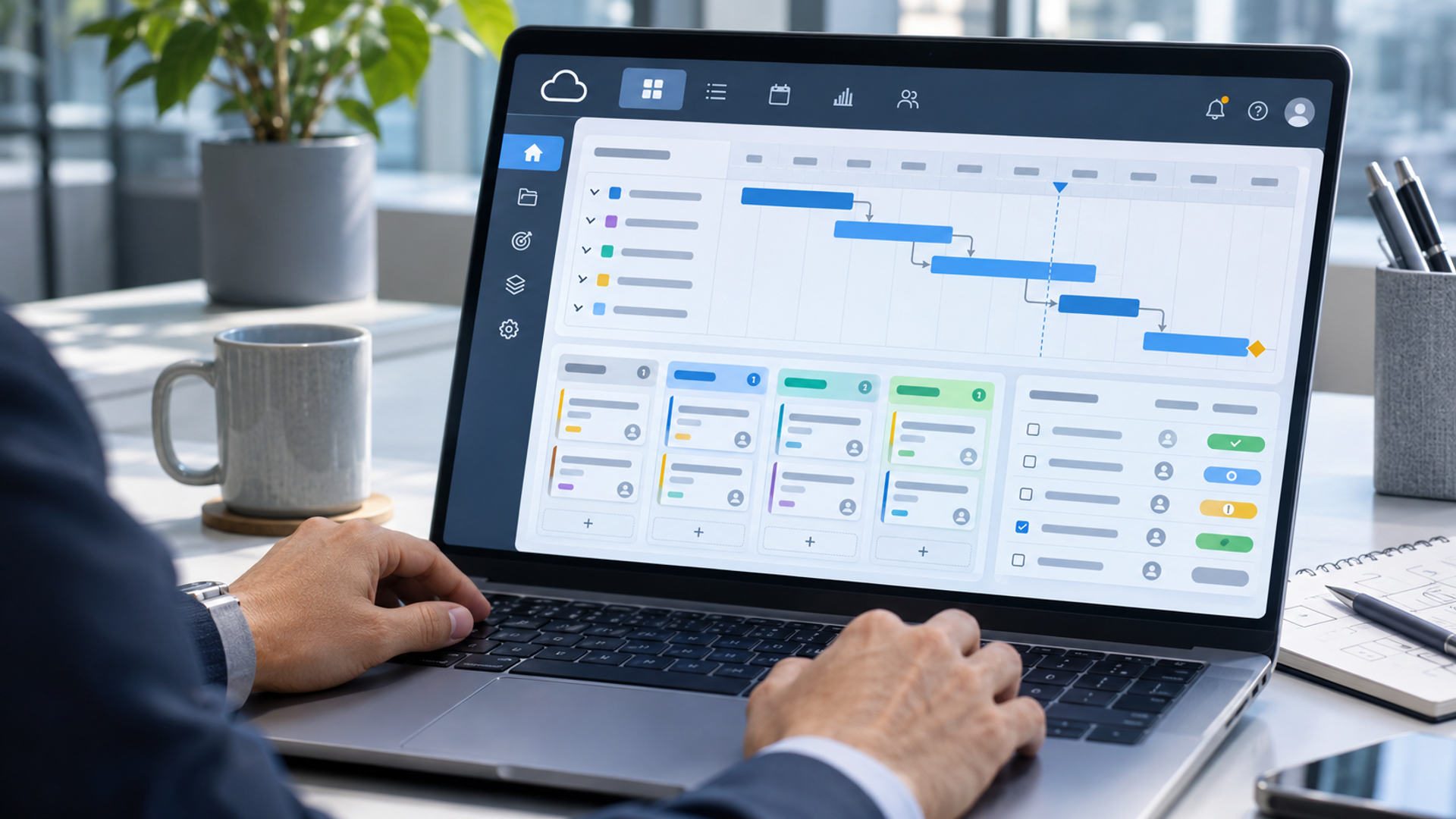
Cloud based project management software gives a team a shared place to plan work, assign responsibility and review progress across locations. Its value depends on whether people can trust the latest plan, see what is blocked and make decisions with the right context. This guide explains how to evaluate a cloud tool through a real project, including permissions, reporting and what happens when work moves beyond a task list.
Key Takeaways
- Start with a project that has dependencies and more than one decision owner.
- Test whether status, source documents and approvals remain current across teams.
- Check access, offline expectations, integrations and export before committing.
- Measure decision delay and rework, not only the number of tasks completed.
What should cloud-based project management software make visible?
A useful project workspace answers four questions quickly: what outcome is due, who owns the next step, what evidence supports the status and which decision is blocking progress? Cloud access can make the same information available to remote colleagues, but availability alone does not make it reliable. Someone must update the work, distinguish completed activity from accepted deliverables and maintain a clear record of changes.
Separate planning from execution. A plan states deliverables, milestones, dependencies and assumptions. A task record assigns a specific next action. A report shows whether the project is likely to achieve its outcome. If a product collapses all three into a colourful board, decision makers may see motion without understanding risk.
How should you test cloud-based project management software against a real project?
1. Build the plan with dependencies
Enter the outcome, acceptance criteria and main milestones. Link a task that cannot start until a predecessor is approved. Change the predecessor date and see whether affected owners can identify the consequence. The test is not whether the tool draws a timeline; it is whether the team can explain what must change and who decides.
2. Assign ownership and review rights
Give every deliverable one accountable owner, even where several colleagues contribute. Test an editor, a reviewer and a read-only stakeholder. The reviewer should see the source material and the requested decision without receiving broader editing rights. Sensitive attachments should remain inside an authorised workspace.
3. Follow a blocked item
Create an exception such as a supplier delay or disputed budget figure. Can an owner state what is blocked, why, since when and what evidence would release the work? Can a leader see which blocker needs their authority rather than reviewing every routine update? This is often more valuable than another percentage-complete indicator.
4. Check the reporting path
Compare a team view with a management summary. The summary should link back to the task or record behind a claim. Note when each source was updated. If a project status is assembled manually from multiple tools, measure the time spent and the opportunities for mistakes before judging the benefit of automation.

What should cloud-based project management software do beyond the task board?
Ask where data is stored and which administrator controls access. Confirm how invitations, external collaborators and departing employees are handled. Test the browser and mobile experience used by the team. If work may continue without a connection, ask precisely which functions are available offline and how conflicting changes reconcile later. Do not assume that “cloud based” means every device works equally well.
Review integrations by following a document, meeting note or customer request into a task. Can users reach the original record? Does an update flow back, or does the tool create a copy that may become stale? Check notifications carefully: an alert is useful when it identifies the required action, but constant alerts can make a critical exception easier to miss.
When a project tool needs an executive layer
Many organisations already have a working project tool. Replacing it may be unnecessary if the harder problem is seeing its implications alongside customer, finance or operational information. VERTU presents VPS as an AI-native business interface and shows project tasks and a Business 360 view on its public page. That makes it a candidate for executive review across authorised workstreams. The page does not prove a particular integration or approval action will be available in every deployment; verify those using your systems and permissions.
A leader-facing view should help answer which project exception changes a decision, what the underlying evidence says and who may act. It should not obscure the team’s source record. If a management summary and the project board disagree, the product should help users find the difference rather than simply choosing the more attractive number.

A practical pilot scorecard
Choose a project with several contributors and at least one dependency. Record a baseline for time spent preparing a status update, time to resolve a blocker, rework caused by outdated information and number of decisions awaiting review. After a short pilot, repeat the measures. Ask contributors whether they can find the latest plan and whether reviewers can locate evidence without requesting a separate email.
Include the cost of setting up permissions, importing existing work and training colleagues. Test export of project records before a contract is signed. A tool that appears efficient only during a vendor-led demonstration may not improve daily work once the team must maintain it.
How should cloud-based project management software show dependencies?
Choose a live project with tasks that cannot start until another task is complete. Confirm that the timeline makes the dependency and its direction visible, and that a changed date prompts a useful review. Atlassian’s Jira Cloud documentation explains how linked work items represent blockers and sequence on a timeline; availability and permissions depend on the configured product plan.
How should cloud-based project management software control access?
Test who can create tasks, change dates, assign owners, view sensitive work and edit project settings. Check whether external collaborators can be restricted to the right project or work item. Do not assume that cloud hosting automatically gives the correct access model.
What should a cloud project management pilot measure?
Use one real project and compare planned with actual completion, blocked-task age, overdue work and the time needed to assemble a status update. Review the measures with the people doing the work; a dashboard that looks complete but depends on stale manual updates will not improve decisions.
FAQ
Is cloud project management software the same as task management?
No. Tasks are one part of a project. Project management also involves outcomes, dependencies, resources, risks, decisions and accepted deliverables.
Will a cloud tool keep project status accurate automatically?
It can make updates easier to share, but accuracy still depends on clear ownership, current source information and review of exceptions. Test how a stale or missing update is displayed.
Should every stakeholder edit the project plan?
No. Give people the access needed for their role. Reviewers may need evidence and decision rights without the ability to change the underlying plan.
Conclusion
Choose cloud based project management software by testing how a real plan changes when a dependency slips, an exception appears or a decision needs approval. The right tool keeps ownership, evidence and current status visible to the people who need them, while leaving an understandable path back to the underlying work.