

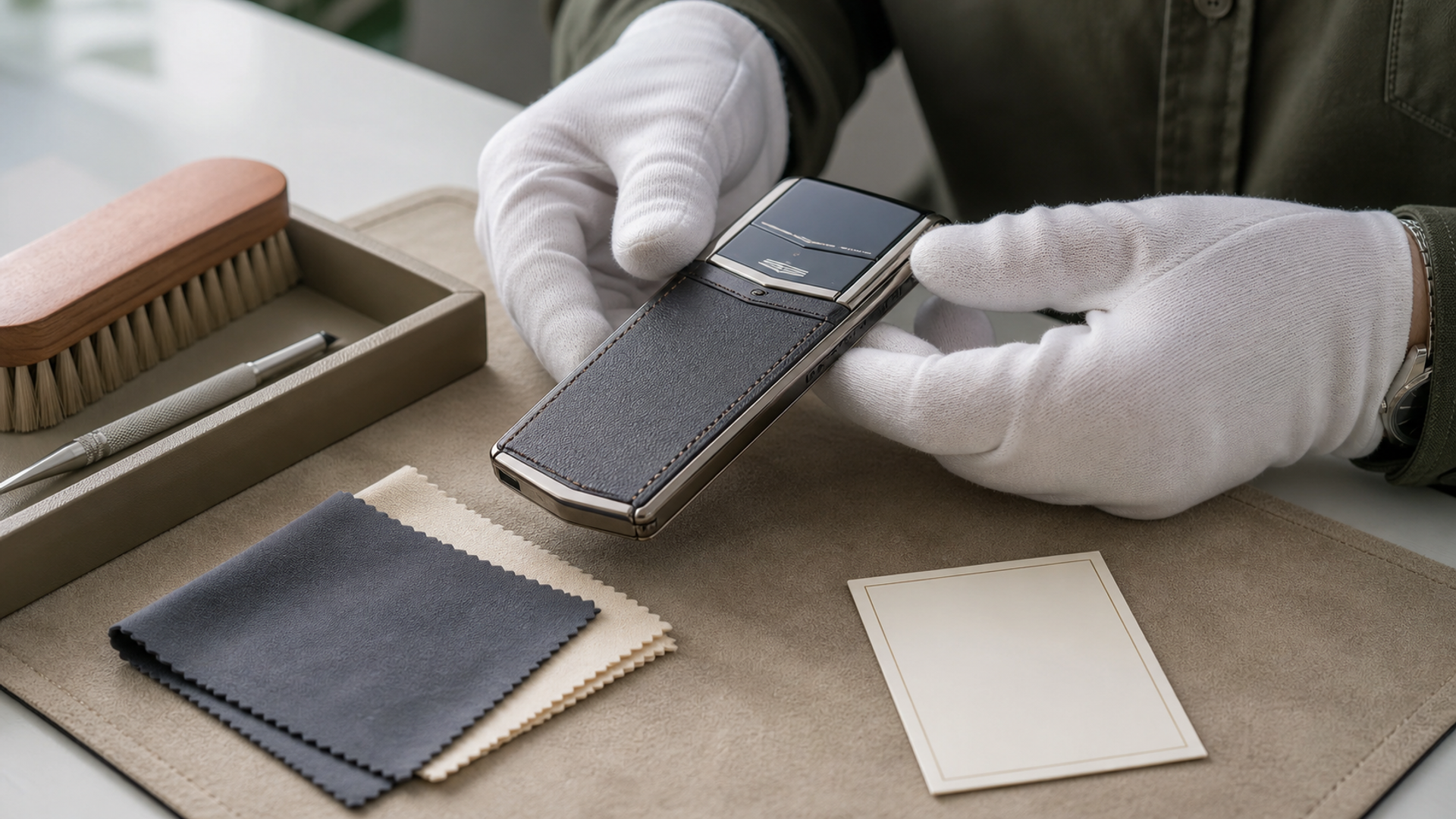
A luxury phone is not one material. Sapphire, leather, polished metal, ceramic, gemstones, coatings and adhesives can sit within millimetres of each other, and a cleaning method that is harmless to one surface can mark another. The safest routine is therefore dry, light and local: remove particles first, use minimal moisture only where the manufacturer permits it, and avoid household chemicals whose effect on finishes is unknown.
This is preservation guidance, not a restoration manual. Deep scratches, lifting leather, loose stones, damaged seals and swollen batteries belong with an authorised service team.
Material-specific care matrix
| Material or area | Routine care | Avoid | Escalate when |
|---|---|---|---|
| Sapphire display or lens | Clean microfibre cloth; remove grit before wiping | Abrasive powders, metal tools, pressure at edges | Chip, crack or lifted edge appears |
| Natural leather | Dry soft cloth; cool, ventilated storage | Alcohol, soaking, direct heat, unapproved conditioner | Colour transfer, lifting, mould or hardening develops |
| Polished or precious metal | Clean cloth with very light pressure | Jewellery dips, abrasive polish, repeated hard rubbing | Plating changes, deep scratch or loose part appears |
| Ceramic | Soft cloth and careful impact protection | Assuming scratch resistance means impact-proof | Chip or hairline crack appears |
| Gem-set details | Soft brush only if service guidance permits | Ultrasonic cleaner, snagging cloth, home tightening | Stone moves or setting catches |
| Ports, keys and hinges | Dry air path and soft exterior brush | Liquids, pins and compressed air at close range | Resistance, noise or debris persists |
VERTU’s current collection pages describe material and craft differences across Signature phones and Agent Q. The Gemological Institute of America explains that sapphire is hard but still requires sensible care in its gem care guide. Apple’s general electronics-cleaning guidance also illustrates why soft cloths, minimal moisture and no direct spray are sensible device-level defaults; it is not a substitute for VERTU’s model-specific instructions. Hardness resists scratching, but it does not make an assembled phone immune to impact or damage to surrounding materials.
Begin with dry particle removal
Sand and hard debris cause damage when trapped under a cloth. Wash and dry your hands, power the phone down and remove a detachable case only if the product instructions allow. Use a clean, dedicated microfibre cloth and lift loose particles rather than grinding them across a surface. Fold the cloth so the area that touched metal polish, skincare or another device never returns to the display.
Do not spray liquid directly onto the phone. If official care instructions allow a damp cloth, apply the smallest amount to the cloth, not the device, and keep moisture away from seams, speaker openings, keys and hinges. Water resistance varies by model, condition and age; it is not a cleaning method.
Leather needs climate discipline
Leather changes with light, oils, humidity and friction. The patina may be desirable, but uneven saturation and heat damage are not. Keep the phone away from radiators, car dashboards and prolonged direct sun. After a humid day, let it return to a stable indoor environment with air movement; do not accelerate drying with a hair dryer.
Avoid generic leather cleaners unless the manufacturer approves them for the specific finish. Products formulated for shoes or furniture may darken colour, soften adhesives or leave residue near electronics. If liquid spills, blot—do not rub—with a clean absorbent cloth and contact service if it reaches a seam.
Polished metal rewards restraint
Repeated polishing removes or alters surface material. A cloth intended to brighten jewellery may contain abrasives or chemicals that change plating, crisp edges or adjacent leather. For ordinary fingerprints, a clean dry cloth is enough. Accept micro-marks as part of use unless professional refinishing is appropriate for the model and its collector value.
Before requesting refinishing, ask what material will be removed, whether hallmarks or geometry are affected and how the work will be documented. On collectible objects, an aggressive cosmetic reset can be less desirable than honest, stable wear.
Storage is an active choice
Store the phone clean, dry and partially charged according to the device guidance. Avoid sealed damp pouches, loose contact with keys and jewellery, and pressure on camera modules or hinges. If the phone is displayed, protect it from UV exposure and dust while allowing a stable environment.
Inspect monthly: leather edges, key action, port debris, camera glass, case alignment and battery behaviour. A screen lifting from the frame, unusual heat, chemical smell or rapid swelling is not a cosmetic issue. Stop charging and seek qualified service.
Create a provenance record
Photograph the phone under neutral light when new and after authorised service. Keep invoices, model details, edition information, service records and accessory lists. Record changes honestly. This file supports insurance, future servicing and any eventual transfer without encouraging unsupported claims about condition.
For ownership choices across the current range, the VERTU phone selection guide compares model roles. Care should follow the exact materials and configuration purchased, not a generic brand assumption.
A ten-minute monthly routine
Power down and remove external particles.
Wipe sapphire and metal with separate clean cloth sections.
Inspect leather edges without adding conditioner.
Check keys, hinge and ports visually; do not probe them.
Review battery heat, charging behaviour and enclosure alignment.
Update the condition photograph if anything changed.
Prepare the phone for authorised service
Back up data, remove payment cards and follow the service team’s privacy instructions before handover. Photograph the exterior, record accessories supplied and obtain a receipt that identifies the device without placing sensitive credentials in ordinary email. Do not erase a phone until the backup has been verified elsewhere.
Ask whether service may replace cosmetically different parts, alter water-resistance status or update software. For a limited configuration, confirm how original components will be handled. A clear intake record protects both owner and technician.
When the device returns, compare the work order with the exterior photographs before restoring accounts. Test charging, cameras, microphones, keys and network access while the service window remains open. Add the final invoice and any new warranty terms to the provenance file.
Build a care kit with strict boundaries
A useful care kit is deliberately small: two clean microfibre cloths kept in separate sleeves, a soft non-shedding brush approved for exterior dust, the model-specific care instructions and a tray that prevents the phone sliding from the work surface. One cloth is for sapphire and smooth display surfaces; the other is for metal. Do not let either become a general-purpose cloth for glasses, watches or household cleaning.
The kit should not contain jewellery dip, metal polish, leather conditioner, hand sanitiser, adhesive remover, compressed-air cans or mystery cleaning wipes. The absence is intentional. A substance that works on one isolated material may migrate into seams, alter a coating or react with the adjacent finish. If official instructions specify a particular product, keep its label and application method with the kit rather than decanting it into an anonymous bottle.
Use bright, neutral light and work without rings, bracelets or loose metal tools. Place the phone flat; do not hold it over a stone bathroom floor while cleaning. Most preservation value comes from preventing a drop or cross-contamination, not from making the surface visibly brighter.
Adapt care to the ownership pattern
A phone carried daily in a trouser pocket needs frequent particle removal and inspection of edges. A phone stored in a collection needs climate, battery and documentation discipline. A travel phone needs a routine after exposure to sunscreen, humidity, aircraft seat pockets and hotel charging surfaces. The material is the same; the risk concentration changes.
For daily use, perform a brief dry wipe only when particles are visible and inspect the case fit weekly. For travel, clean hands before handling, keep cosmetics away from leather and store the phone in its own compartment. After returning, review ports, seams and charging behaviour before placing it into long-term storage.
For a collected device, follow current battery-storage guidance, power it on at a defined interval and document any change. Do not leave it permanently connected to an unknown charger. Check the storage case for trapped humidity, colour transfer and pressure points. A display object still contains an ageing battery and assembled materials that respond to the environment.
Decide when wear should remain
Not every mark is damage. Fine handling traces can form an honest ownership history, while repeated attempts to erase them may soften edges or alter plating. Before refinishing, decide whether the objective is safe function, cosmetic improvement or preservation of originality. These goals can conflict.
Request a written scope from authorised service: which parts will be cleaned, refinished or replaced; whether old parts are returned; whether the work changes water-resistance status; and how the service will be recorded. Photograph hallmarks, screws, leather seams and decorative details beforehand. If the phone has a limited or bespoke configuration, identify which components are edition-specific.
Insurance and eventual transfer benefit from this restraint. A documented, professionally stabilised device is easier to describe than one whose finish was repeatedly altered without records. Avoid assigning your own condition grade or claiming that a service made the object “as new” unless an authorised report supports that language.
A spill and impact response card
After a spill, disconnect power, move the phone away from the liquid and blot the exterior without pushing moisture into openings. Do not apply heat, bury the phone in absorbent food or repeatedly press keys to “test” it. Record the liquid, time and affected area, then follow the model-specific service advice.
After an impact, inspect more than the visible mark. Check enclosure alignment, display edges, camera glass, hinge or key movement and unusual heat. Do not continue charging a device that is separating, swelling or smelling chemical. Back up data only if the device remains safe to operate, and contact qualified service promptly.
The principle is simple: preserve before polishing, document before restoring and escalate before a material problem reaches the electronics. Luxury care is not more chemical intervention. It is better observation and less unnecessary force.


