

Introduction
This playbook is for people whose communications carry outsized consequences: founders, investors, public-facing principals, and the small circle that keeps their lives and businesses moving. If you’ve ever had to decide whether a message should go to an assistant, a family office operator, or a personal device, you already understand the core problem.
By the end, you’ll have a workable baseline: one sensitive channel you can trust, hardened devices that don’t collapse under everyday use, and a short set of procedures that reduce the two failures that keep repeating in 2024–2026. Identity confusion and account takeover.
Private communication for wealthy individuals demands stronger OpSec now because the attacks are no longer “technical” in the narrow sense. They’re operational. The weakest point is often the handoff: a last-minute travel change, a new assistant, a carrier call, a rushed approval, a voice note forwarded without context.
If you’ve ever searched for operational security for high net worth individuals, you’ve seen the same advice repeated. This guide is narrower. It focuses on the few controls that hold up when life gets busy.
Use this guide in two passes. First, take the quick wins (one channel, one device baseline, one carrier posture). Then come back and implement the durable protections: verification habits, account hardening, and a cadence for testing what you think you’ve set.
Key TakeawayThe goal isn’t perfect secrecy. It’s reducing the number of moments where a single convincing message can move money, change travel, or expose a principal’s location.
Secure Channels (private communication for wealthy individuals)
Standardize one sensitive channel
If you do only one thing, do this: standardize a single “sensitive channel” for anything that should never travel via SMS, ordinary email, or a new app installed mid-crisis.
A sensitive channel is not just “encrypted.” It has to be consistent, teachable, and auditable by your inner circle. That means you can explain it in one sentence, and you can spot when someone violates it.
Practical rule:
One channel for sensitive topics (travel, security incidents, finance approvals, legal strategy)
One backup channel for “I can’t access the primary” failures
Everything else is normal comms
This is also the fastest way to reduce tool sprawl when you’re choosing secure messaging for executives.
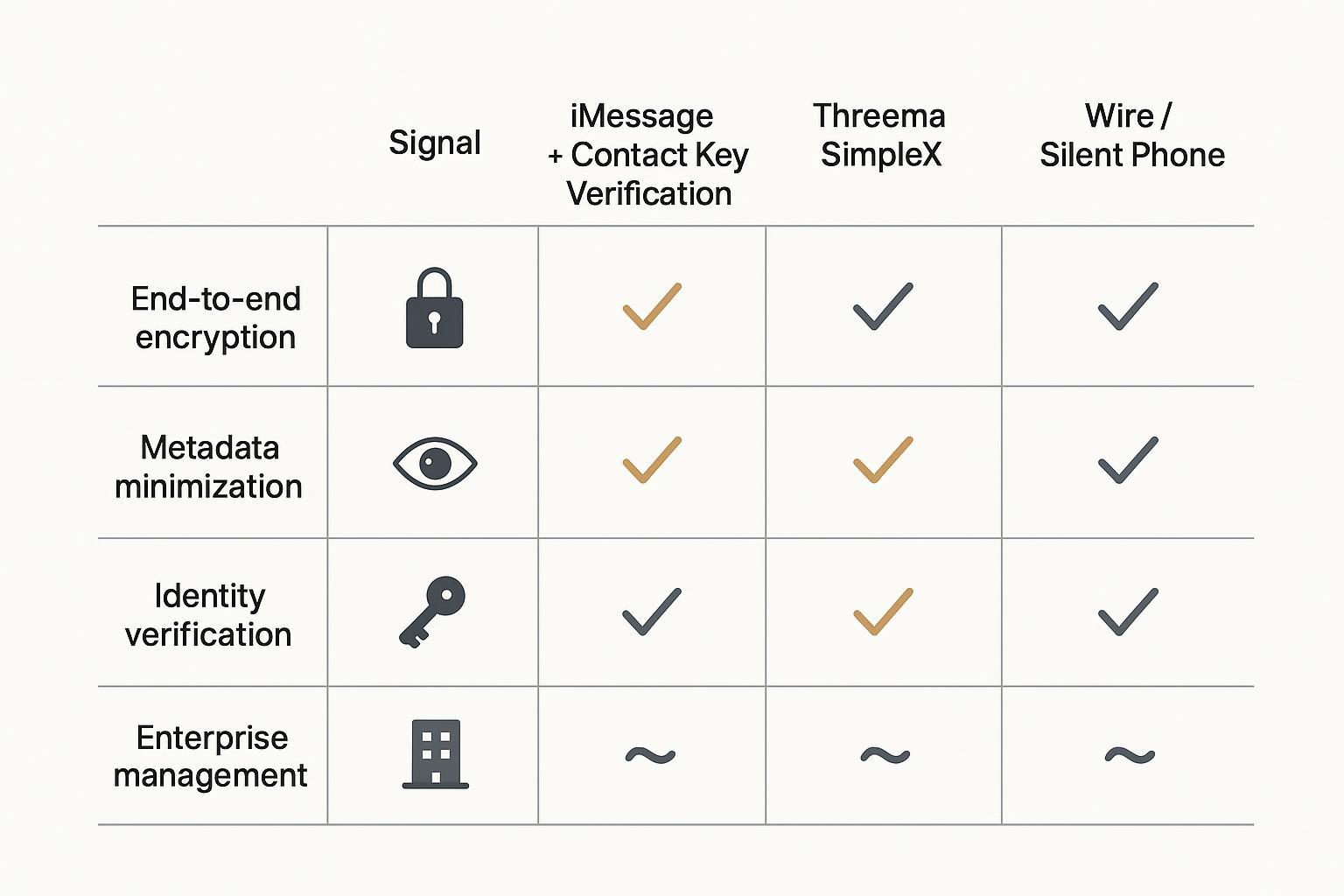
Signal: 2026 configuration checklist
Signal remains a common default for high-sensitivity messaging because it is end-to-end encrypted by design and built to minimize what the service can learn about you. Its “sealed sender” design aims to reduce exposure of sender metadata to the service provider in routine use (Signal, “Sealed sender”).
Use this as a 2026 checklist (keep it short; repeatable beats perfect):
Turn on registration lock (prevents some account takeover patterns tied to number re-registration).
Verify identity for high-risk contacts when it matters. Treat a verification change as an incident, not a nuisance.
- Harden message handlingdisable previews on lock screen; avoid cloud-synced photo attachments for the truly sensitive.
- Decide your group policywho is allowed to add members, and how you confirm membership changes.
How to verify: Pick one top-tier contact. Compare verification identifiers in person or on a separate secure call. Document when you did it.
iMessage with Contact Key Verification
iMessage is end-to-end encrypted, but high-risk users should consider adding Contact Key Verification (CKV) to reduce the chance of sophisticated account or infrastructure attacks causing you to message the wrong person.
Apple describes CKV as a feature that helps detect advanced threats and lets you verify that you’re messaging only with the people you intend (Apple Support, “About iMessage Contact Key Verification”). When both parties enable it, iMessage can surface alerts if something changes in a way that should not happen.
CKV is operationally useful when:
you’re coordinating with a small set of “always sensitive” contacts
you can do occasional high-trust verification (in person or FaceTime)
you want the convenience of iMessage without treating it as frictionless
Device Hardening
iOS baseline: Lockdown Mode and ADP
For iPhone users who face targeted threats, start by separating two ideas:
Your daily baseline (updates, strong device passcode, conservative app installs)
Your “high-risk posture,” which you enable when the situation warrants it
Apple’s iPhone Lockdown Mode is designed for a very small group of people who may be personally targeted by highly sophisticated attacks. It reduces your attack surface by limiting certain capabilities in Messages, web browsing, and device connections (Apple Support, “About Lockdown Mode”).
Advanced Data Protection (ADP) is different. It’s about what happens if your cloud account is pressured or breached. With ADP enabled, more iCloud data categories are protected with end-to-end encryption, meaning your trusted devices hold the keys rather than a provider-controlled model (Apple Support, “How to turn on Advanced Data Protection for iCloud”).
Operational advice:
Turn on ADP only after you have a recovery plan you trust.
Treat recovery keys and recovery contacts like you’d treat a spare physical key. Decide who can hold it, and how you’ll revoke it.
Android options: GrapheneOS or Samsung Knox
For Android users, the decision often comes down to two routes:
A hardened Android build with a strict security posture and minimal surface area
A mainstream flagship with a mature enterprise security stack
GrapheneOS is frequently chosen by high-risk users who want a hardened approach, but it requires discipline and compatibility checks for your real-world apps.
Samsung Knox is more common in managed environments, especially where you need administrative controls and policy enforcement across a small fleet.
Your practical criterion is not ideology. It’s whether your inner circle can keep the devices updated, locked down, and consistent.
Authentication: Passkeys and FIDO2 keys
Most high-impact compromises still start with identity and access, not cryptography. A breached email account, a tricked assistant, a carrier call, a reset link.
Passkeys and FIDO2 security keys reduce that risk because they’re designed to be phishing resistant. The FIDO Alliance describes passkeys as cryptographic credentials tied to a user’s account and device unlock, built to resist phishing by design (FIDO Alliance, passkeys overview).
From a standards perspective, NIST’s Digital Identity Guidelines explain phishing-resistant authentication expectations at higher assurance levels (NIST, SP 800-63B).
A clean operating posture for executives:
Use passkeys where supported.
Use a hardware security key for your highest-risk accounts (email, cloud identity, password manager, financial portals).
Make assistant access explicit: role accounts, delegated access, and time-bounded permissions.
Network & Carrier Controls
Always-on VPN and disabling legacy protocols
The hard truth: many “privacy VPN” decisions are about choosing who you trust, not eliminating trust.
Use a VPN when it solves a real threat in your workflow (hotel Wi‑Fi, hostile networks, travel). Avoid treating a VPN as a universal privacy talisman.
For legacy protocols, the executive version of the rule is simple: disable what you don’t use. Old Wi‑Fi security modes, unused radios, and unnecessary remote access paths are where your posture quietly weakens over time.
Carrier port-out and SIM protections
SIM swapping and port-out fraud are still a clean path to account takeover because they break the weakest form of “MFA”: SMS.
CISA’s mobile communications guidance for high-risk individuals is explicit about the direction of travel: use end-to-end encrypted communications, enable phishing-resistant authentication, migrate away from SMS-based MFA, and set a carrier/telco PIN to reduce SIM-swap risk (CISA, “Mobile Communications Best Practice Guidance” (PDF)).
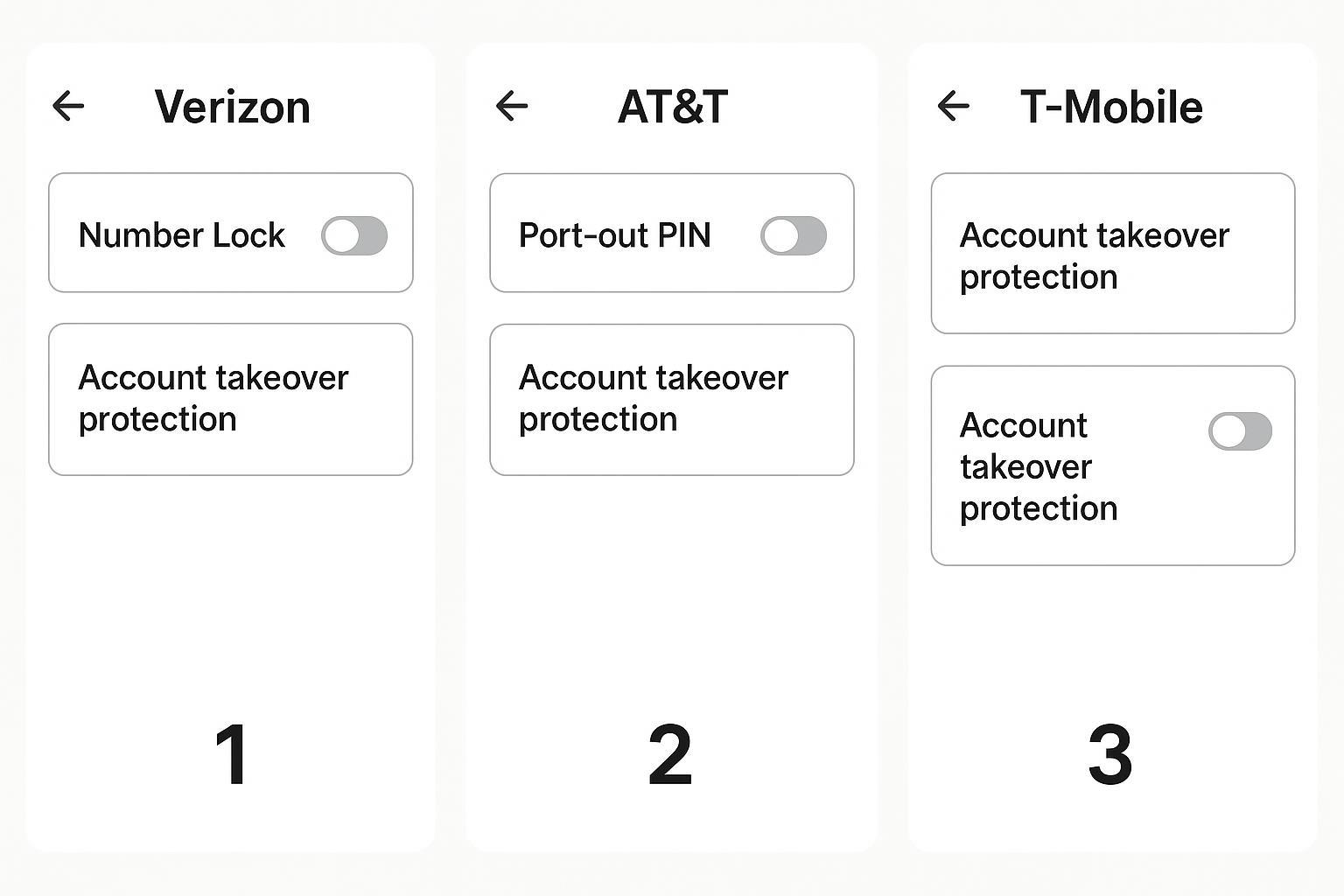
A carrier posture that holds up under pressure:
Set a port-out / account PIN that is not reused anywhere else.
Enable any available account lock features (number lock / port freeze) where your carrier supports them.
Restrict who can make changes (store-only changes, call-back verification, or in-person verification, depending on your provider).
This is where SIM swap protection becomes real. Not in a security briefing, but in carrier settings that can’t be socially engineered in five minutes.
Travel posture: eSIMs and safe Wi‑Fi
Travel is when you’re most likely to compromise your own rules.
A safe travel posture is not complicated:
Use eSIMs strategically so you can change carriers without exposing your primary number.
Treat hotel Wi‑Fi as hostile by default.
Assume someone will try to move you onto a new channel (WhatsApp, Telegram, SMS) “just for this one time.”
Threats and Procedures
2024–2026 threat landscape overview
The pattern is consistent across incidents: attackers don’t need to break encryption if they can break identity, process, or people.
Expect these classes of pressure:
account takeover attempts focused on email and cloud identity
SIM swap and carrier-port fraud to bypass SMS-based recovery
targeted phishing aimed at assistants and operators
rare but high-impact targeted exploitation against devices
The response isn’t paranoia. It’s procedure.
Verification protocols and deepfake defenses
Your baseline verification protocol should be boring.
Use a two-channel rule for high-stakes requests:
a request arriving on your sensitive channel must be verified on a second channel before money moves, travel changes, or credentials are shared
Deepfake defenses are operational:
never rely on a single voice note to authorize action
require a call-back to a known number or a pre-arranged verification phrase
prefer in-person verification when possible
How to verify: If an urgent request arrives, pause and do a call-back from your contact book. If that feels “too slow,” that’s the point.
Training, alerts, and tabletop exercises
If you have staff, you already have a security program. It’s just undocumented.
Run small tabletop exercises focused on realistic failures: “assistant receives an urgent wire request,” “principal loses phone during travel,” “SIM stops working,” “a verified contact changes verification state.”
The goal is not to simulate a nation-state. It’s to make sure your team can execute the first 15 minutes without improvising.
Implementation Roadmap
Your 30‑day execution plan
Week 1: Choose and standardize
Pick your sensitive channel and set the rule: what belongs there.
Verify your top contacts (Signal identity verification or iMessage CKV verification).
Move your most critical accounts off SMS-based MFA.
Week 2: Lock down identity
Enable passkeys wherever available.
Add hardware keys for your highest-risk accounts.
Formalize assistant access: separate accounts, clear scopes, and revocation.
Week 3: Harden the device baseline
iOS: review Lockdown Mode and decide when you would enable it.
Turn on Advanced Data Protection only if you can support recovery.
Reduce the app surface area. Less is safer.
Week 4: Make it durable
Document your procedures.
Run one tabletop exercise.
Schedule a quarterly review.
In a luxury security ecosystem, the differentiator is often not a single feature. It’s how well the posture holds up when you’re moving quickly. The practical question is whether your device, services, and support model can sustain secure habits across travel, assistants, and high-stakes days.
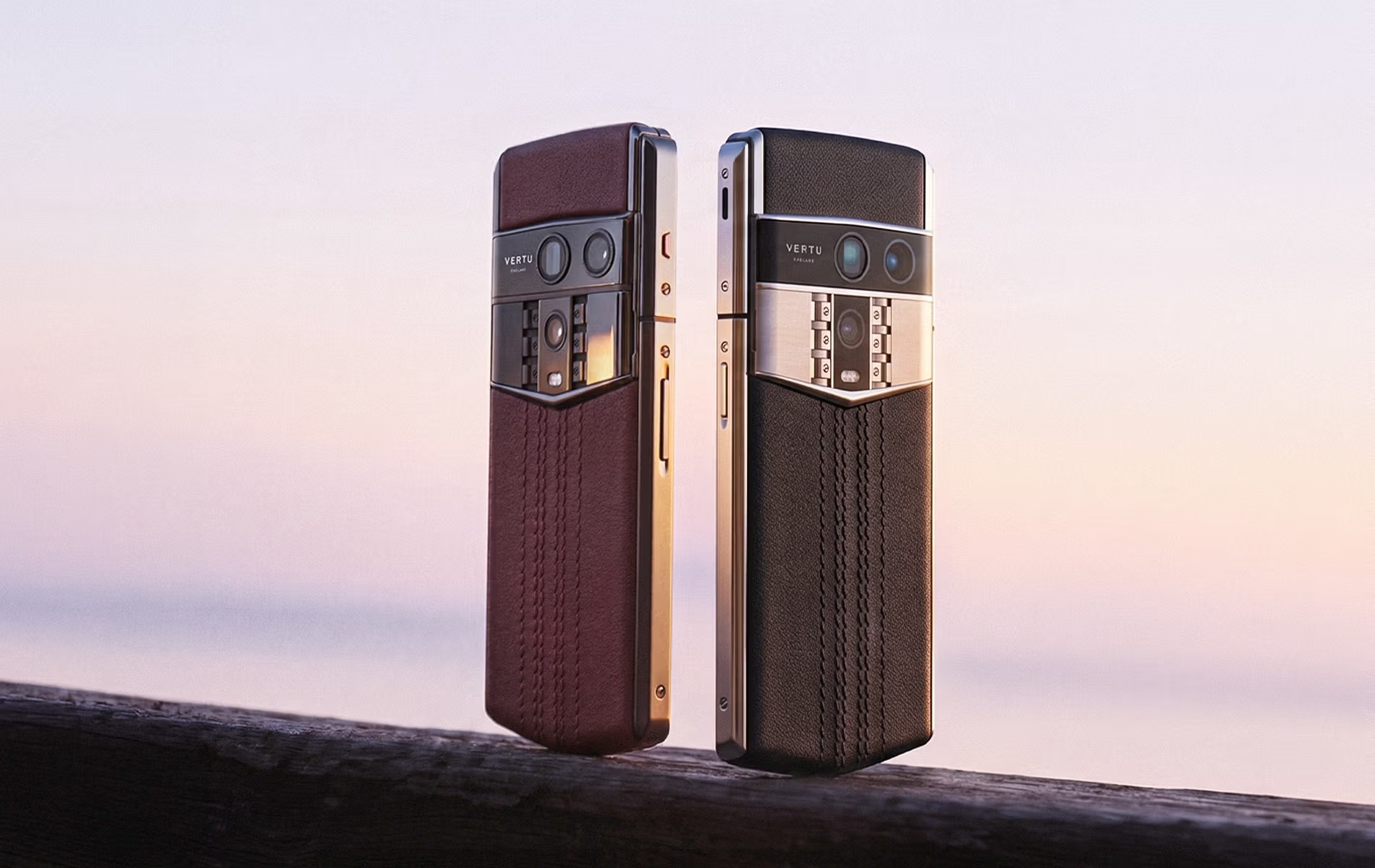
For readers who want an operational support layer, VERTU maintains resources on service-led security posture and protection workflows, including Vertu Information Security Protection Services and a broader perspective on executive privacy operations in Why the Vertu Brand Remains the Gold Standard for Executive Privacy.
Policy pack and documentation set
Keep your documentation simple:
A one-page “Sensitive channel policy” (what belongs where)
A one-page “Verification protocol” (two-channel rule + call-back rule)
An “Account recovery map” (who holds what keys, how you regain access)
Governance, audits, and review cadence
Security posture decays. People change. Assistants rotate. Phones get replaced.
Set a fixed cadence:
monthly: check for any account changes (new numbers, new devices, new assistants)
quarterly: verification refresh for top contacts, review carrier locks, review account recovery
annually: tabletop exercise plus a refresh of your travel posture
Conclusion
The minimum secure posture is simple: one sensitive channel, hardened identity, and verified procedures for high-stakes requests.
Make controls testable. If you can’t verify a setting or a habit, assume it will fail under pressure.
Review on a cadence. Security that isn’t revisited becomes a story you tell yourself.
Disclosure: This article references VERTU pages. Editorial judgment remains the priority.


