

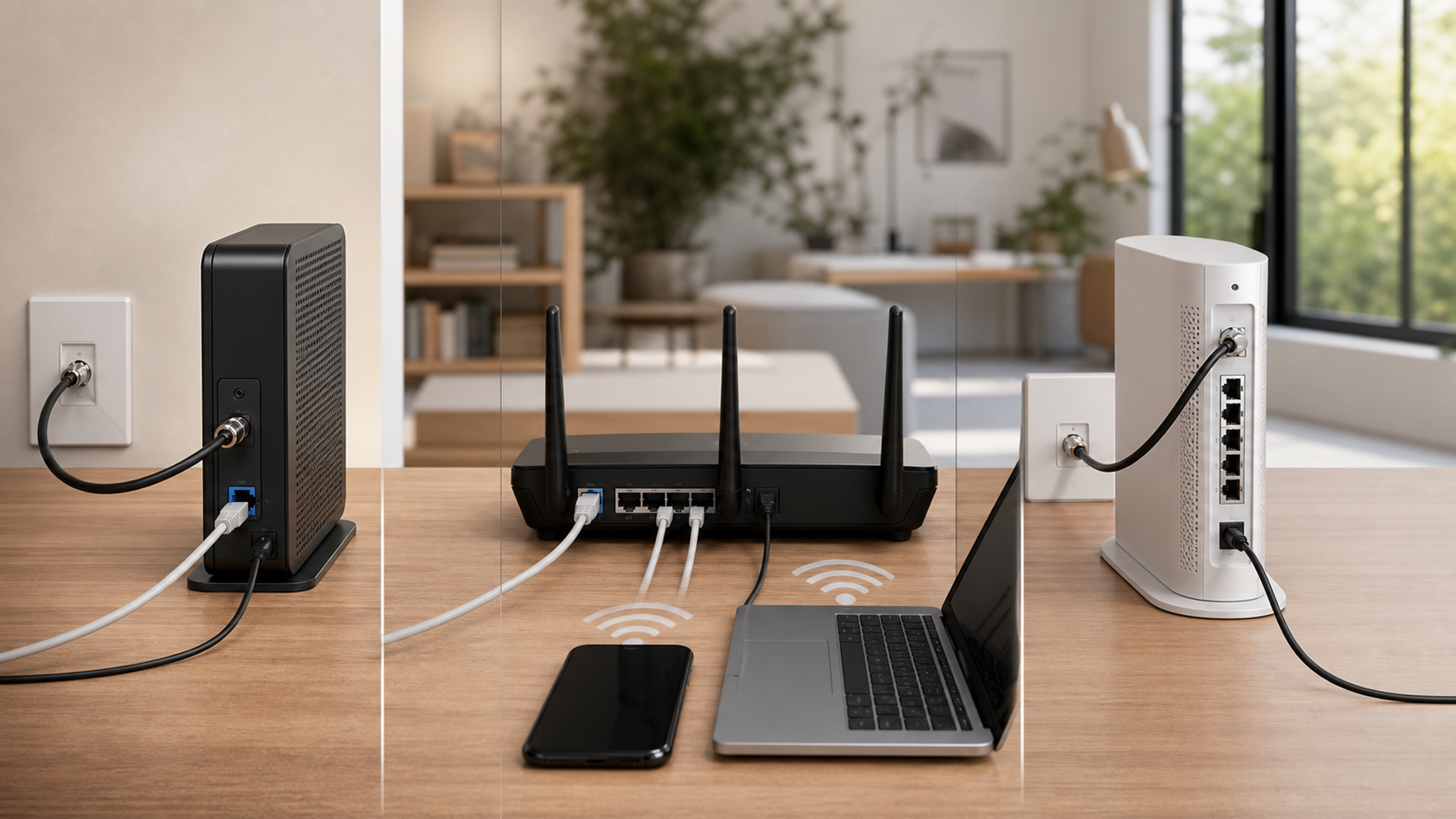
A modem and a router are not competing versions of the same device. The modem terminates the internet service supplied to the home, while the router creates and manages the local network used by phones, computers and connected devices. Some providers combine both roles in one gateway, which is why replacing the wrong box often leaves the original problem untouched.
Trace the connection before buying
Choose separate devices when control, upgrade timing and placement justify the extra hardware. Choose a combined gateway when simple provider support and one-box administration matter more. Diagnose first when weak Wi-Fi, a slow plan, damaged cabling, DNS, congestion or an unsupported client may be the real bottleneck.
| Decision factor | Separate modem and router | Combined gateway | Keep and diagnose first |
|---|---|---|---|
| Internet handoff | A compatible modem terminates the service | The provider gateway handles the handoff | Confirm the service and connector before replacing anything |
| Wi-Fi placement | The router can sit in a central open position | The gateway can be placed centrally | Use Ethernet or access points when the handoff is badly located |
| Provider support | The provider allows and provisions the modem | The provider supports the supplied gateway end to end | Check the approved-device list and account terms |
| Upgrade cycle | Routing and Wi-Fi can change without replacing the modem | One managed box is replaced as a unit | Keep current hardware while measured performance is adequate |
| Security control | Firmware, guest access and segmentation are managed directly | The provider maintains supported firmware | Retire unsupported hardware before chasing speed |
| Failure isolation | Each device can be tested independently | One support route reduces ambiguity | Run wired and wireless controls before purchase |
This router vs modem matrix is the article's working value object. Read the router vs modem rows together: the decisive failure mode depends on this topic's evidence, operating context and reader objective.
What the two devices actually do
Evidence 1. Google's home-network guidance separates the modem, which connects the home to the internet service, from the router, which distributes that connection to local devices.
Evidence 2. A modem-router gateway combines the two roles but does not remove the need to verify service compatibility, firmware support and physical placement.
Evidence 3. A faster router cannot increase an internet plan beyond the service delivered at the modem, and a faster modem cannot repair poor indoor wireless coverage.
Evidence 4. Bridge mode, double NAT and provider voice services can change the installation plan, so the current gateway configuration must be recorded before replacement.
Reader-visible sources checked for this article:
support.google.com — reader-visible current or official evidence
support.google.com — reader-visible current or official evidence
For router vs modem, these sources establish only the claims inside their documented scope. Recheck every changeable specification, availability condition, price, policy or service term in the relevant market before acting.
Test the full network path
The internet handoff row exposes a practical boundary. Route one assumes a compatible modem terminates the service, while route two is defensible only when the provider gateway handles the handoff. Route three depends on confirm the service and connector before replacing anything. If that evidence is absent, keep the more reversible option.
Read wi-fi placement as a stop/go test: the router can sit in a central open position supports the first option; the gateway can be placed centrally supports the second; and use Ethernet or access points when the handoff is badly located supports the third. Record which source proves the condition and when it was checked.
A buyer can resolve provider support without starting from a brand preference. Ask whether the provider allows and provisions the modem; compare that with whether the provider supports the supplied gateway end to end; then use check the approved-device list and account terms as the third route's safeguard. An unknown condition stays unknown.
On upgrade cycle, popularity is not enough. The evidence for option one is that routing and Wi-Fi can change without replacing the modem. Option two means one managed box is replaced as a unit. Option three is rational where keep current hardware while measured performance is adequate. Recheck any changeable term immediately before commitment.
The decision changes at security control. Choose the first path only if firmware, guest access and segmentation are managed directly; move to the second when the provider maintains supported firmware; use the third when retire unsupported hardware before chasing speed. Save the downside that would make this row fail.
For failure isolation, the first route works when each device can be tested independently; the second requires one support route reduces ambiguity. The control for the third is run wired and wireless controls before purchase. Verify this row against the exact product, property, account or environment before it can reverse the decision.
Facts that would reverse the current choice
Reversal control 1 — Internet handoff. Before choosing Separate modem and router, write down how the decision changes if “A compatible modem terminates the service” proves false. Do the same for Combined gateway and “The provider gateway handles the handoff”. Keep the Keep and diagnose first route available until “Confirm the service and connector before replacing anything” is verified. This control belongs to router vs modem; update it from the cited source or exact supplier rather than copying a generic checklist.
Reversal control 2 — Wi-Fi placement. Before choosing Separate modem and router, write down how the decision changes if “The router can sit in a central open position” proves false. Do the same for Combined gateway and “The gateway can be placed centrally”. Keep the Keep and diagnose first route available until “Use Ethernet or access points when the handoff is badly located” is verified. This control belongs to router vs modem; update it from the cited source or exact supplier rather than copying a generic checklist.
Reversal control 3 — Provider support. Before choosing Separate modem and router, write down how the decision changes if “The provider allows and provisions the modem” proves false. Do the same for Combined gateway and “The provider supports the supplied gateway end to end”. Keep the Keep and diagnose first route available until “Check the approved-device list and account terms” is verified. This control belongs to router vs modem; update it from the cited source or exact supplier rather than copying a generic checklist.
Reversal control 4 — Upgrade cycle. Before choosing Separate modem and router, write down how the decision changes if “Routing and Wi-Fi can change without replacing the modem” proves false. Do the same for Combined gateway and “One managed box is replaced as a unit”. Keep the Keep and diagnose first route available until “Keep current hardware while measured performance is adequate” is verified. This control belongs to router vs modem; update it from the cited source or exact supplier rather than copying a generic checklist.
Reversal control 5 — Security control. Before choosing Separate modem and router, write down how the decision changes if “Firmware, guest access and segmentation are managed directly” proves false. Do the same for Combined gateway and “The provider maintains supported firmware”. Keep the Keep and diagnose first route available until “Retire unsupported hardware before chasing speed” is verified. This control belongs to router vs modem; update it from the cited source or exact supplier rather than copying a generic checklist.
Reversal control 6 — Failure isolation. Before choosing Separate modem and router, write down how the decision changes if “Each device can be tested independently” proves false. Do the same for Combined gateway and “One support route reduces ambiguity”. Keep the Keep and diagnose first route available until “Run wired and wireless controls before purchase” is verified. This control belongs to router vs modem; update it from the cited source or exact supplier rather than copying a generic checklist.
Run a wired control
Connect one trusted computer by Ethernet at the provider handoff, record plan speed, latency and packet loss, then repeat through the router. This separates an upstream service problem from local routing or radio conditions.
Map radio conditions
Walk the home with the same client and record signal, throughput and latency in each working area. Note walls, floors, cabinets and competing networks rather than treating one speed test beside the router as the whole home.
Document the topology
List modem, gateway, router, switches, access points, mesh nodes and wired backhaul. Record model, firmware, port speed and who administers each device so a replacement does not introduce double routing.
Define the upgrade trigger
Replace hardware only when a measured bottleneck, end-of-support date, required security feature, faster service tier or coverage design establishes a specific benefit.
Three home-network situations
Provider gateway in a small flat
The combined gateway may be the most reliable choice when central placement and provider support are adequate. Define the fact that would reverse this recommendation before committing.
Large home with a remote service entry
A separate router or access-point system can solve placement while the compatible modem stays at the handoff. Define the fact that would reverse this recommendation before committing.
Slow video calls everywhere
A wired control should decide whether the internet service, modem path or local Wi-Fi deserves attention first. Define the fact that would reverse this recommendation before committing.
Action checklist
Identify every network box.
Record the internet plan.
Check provider compatibility.
Run a wired control.
Map weak rooms.
Check port speeds.
Review firmware support.
Look for double NAT.
Plan wired backhaul.
Save the working configuration.
Continue the decision
The linked VERTU articles expand adjacent parts of the router vs modem decision. They do not substitute for the external evidence above.
The router-modem verdict
Choose separate devices when control, upgrade timing and placement justify the extra hardware. Choose a combined gateway when simple provider support and one-box administration matter more. Diagnose first when weak Wi-Fi, a slow plan, damaged cabling, DNS, congestion or an unsupported client may be the real bottleneck.
Keep the router vs modem decision reversible until its material cost, safety, access, privacy and compatibility facts are verified. Unknown evidence stays unknown; it is never silently scored as favourable.


