Wireless earbuds for calls can work well when you wear just one, provided the chosen model connects independently and sends your voice through the bud you are wearing. The uncovered ear may help you notice nearby conversation, yet it does not guarantee awareness in traffic or other hazardous places. For music, check whether the phone combines left and right channels into mono. Test the actual device in the room where you will use it.
Can one earbud handle a phone call by itself?
Often, yes, but independent use is a model feature rather than a universal property of wireless earbuds. Put one bud in its case, close the case, and place a short call with the other. Confirm that the call stays connected, that you can hear the caller and that the caller hears you. Repeat with the opposite side. Some models have different control assignments or microphone behavior on the left and right, so do not assume the successful side proves both will work.
For a useful test, ask the other person to compare your voice while you speak at a normal level in a quiet room, then near ordinary background noise such as an office corridor. Move your phone to where you normally keep it. If the voice drops out, first check Bluetooth connection, charging contacts, microphone openings and the selected audio route. An app or firmware setting may also affect the result. Record the model and software version before seeking support.
Apple's AirPods settings guidance says each AirPod has a microphone and that the one in use becomes the microphone when only one AirPod is worn. That is a useful example of a documented implementation, not proof that every earbud behaves in the same way. Read the documentation for your own pair and verify it on a real call.
What happens to music when only one side is worn?
A stereo recording can place instruments, effects or dialogue differently in the left and right channels. If you listen through only one channel, you may miss something that is prominent on the other side. The practical fix is mono audio: the phone combines both channels into a signal you can hear through the one bud. This changes spatial presentation, but it can make speech and mixed recordings more complete.
On iPhone, Apple's audio settings guide places Mono Audio under Settings, Accessibility, Audio & Visual. It also describes a left-right balance control. Check the current device menu rather than assuming the earbud app owns this setting. Samsung's Galaxy earbuds support page says its supported earbuds switch from stereo to mono when only one is used. That behavior belongs to the listed Galaxy models; other earbuds may need a phone-level setting.
Try a familiar track and a spoken podcast with each earbud separately. If speech is clear but a familiar instrument disappears, inspect mono and balance settings. If the sound is weak or uneven even in mono, inspect fit, speaker openings and volume limits before concluding that one-bud playback is unsupported. Avoid pushing volume high to compensate for a noisy environment: move to a quieter place or choose a different listening arrangement.
Does leaving one ear open keep you aware?
It leaves that ear physically available, which can help with casual conversation and room cues. Awareness still depends on volume, concentration, surroundings and the fit of the worn earbud. A phone call can absorb attention even at modest volume. Treat the uncovered ear as a convenience for ordinary shared spaces, not a safety system for cycling, driving, crossing roads or operating equipment. Follow local rules and the safety instructions for your setting.
Open-ear earbuds and a one-earbud setup are different arrangements. An open-ear model is designed not to seal the ear canal when worn as intended; wearing only one conventional earbud leaves the opposite ear uncovered. Neither design guarantees that you will hear every warning sound. A brief controlled check is more useful: at normal listening volume, can you hear a colleague speak from a typical distance and can you identify an ordinary alert in the room?
Noise control features can also change in one-bud mode. Samsung's ambient-sound guidance describes model-dependent one-earbud settings. Some features require an extra toggle, while others are unavailable with one bud. If your product offers transparency or ambient sound, test it with the exact firmware and phone you use; do not assume a two-bud setting carries over automatically.
How should you set up a single-earbud routine?
Start by fully charging both buds and their case. Pair them normally, then place one side in the case and confirm the other remains connected. Make a call, play a spoken clip and try music with distinct left-right detail. Check volume, mono audio and control assignments. Repeat with the other side. This five-part test reveals whether independent connection, microphone, media routing, controls and fit meet your needs.
In a shared office, choose a side that leaves the more useful ear open toward nearby conversation. At a desk, keep volume low enough to hear a normal speaking voice without asking someone to repeat themselves. On a train or aircraft, background noise may tempt you to raise volume; consider pausing music when you need to hear announcements. Alternating sides during a long day may feel comfortable, but first confirm both sides work independently and that you can operate their controls.
Keep the unused bud in its case and check case charge before a long calling day. If one side repeatedly disconnects, note whether the problem follows the bud, the phone or the location.
How do open-ear models such as VERTU CRUSH fit?
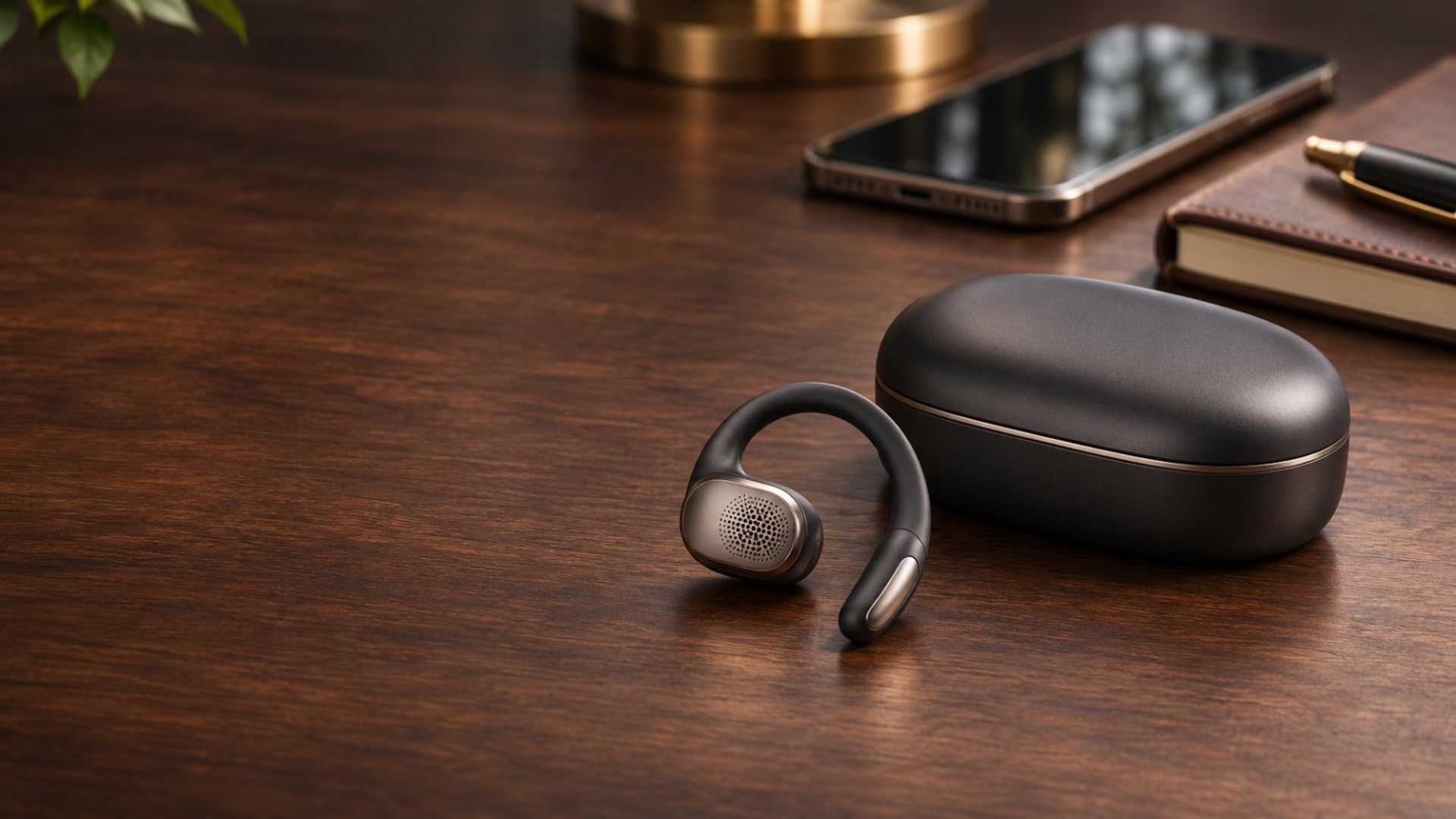
VERTU lists the CRUSH Series OWS AI Earbuds as an open-ear option. Open-ear positioning makes the model relevant to people who want audio without a sealed canal, but it does not establish its independent single-bud microphone routing, automatic mono behavior or ambient controls. Check the exact edition's current instructions and test both sides before buying for a one-earbud workflow.
If your main goal is to hear colleagues while taking calls, compare two real setups: CRUSH worn as designed and your existing earbud worn on one side. Use the same phone, location and volume. Ask a caller to rate voice clarity and check how clearly you hear a nearby voice. Include fit with glasses and a full work session. The best choice follows the task and the fit rather than an abstract claim that one design always provides better awareness.
For a broader explanation of how sound reaches the ear, read our open-ear versus bone-conduction guide. It distinguishes the acoustic categories and suggests a practical audition. If calls are your deciding factor, test your microphone in the places where you actually talk; sound quality in a quiet showroom may not predict a busy lobby.
What if a single earbud sounds poor or disconnects?
First confirm the device is meant to work with either side on its own. Then recharge the buds and case, clean only as the manufacturer directs, restart the Bluetooth connection and check the phone's audio output selector. If the sound exists but is incomplete, turn on mono audio and center the balance. If the caller cannot hear you, verify the call is routed to the earbud instead of the phone, then test the other side.
Distinguish a signal problem from a microphone problem. Audio that cuts out only when the phone is in a particular pocket or behind a barrier points toward connection conditions. A caller who hears silence while you hear them may indicate microphone selection, permission or a blocked microphone opening. A problem that begins after an app update deserves a check of release notes and support guidance. Avoid a factory reset until you have saved pairing details and tried simpler steps.
Which setup makes sense for your day?
Choose one-earbud use when calls and spoken media are the priority, the model demonstrably supports either side and the uncovered ear helps in a low-risk environment. Turn on mono for recordings where stereo separation hides information. Use both earbuds or a different listening mode when you need the full soundstage or when a noisy room makes one-bud listening difficult. Pause audio entirely where full attention is needed.
The key decision is practical: a model's documented features set the possibilities, but a short repeatable call and listening test tells you whether it meets your particular routine. For more on choosing comfortable audio gear, see the VERTU guides collection. Record the settings that work, so the arrangement remains simple when you switch between work calls, music and the surrounding room.
Frequently asked questions
Can I use either the left or right earbud for calls?
Only if your model supports independent use on both sides. Test each bud alone and confirm microphone routing with a caller.
Why does music sound incomplete with one earbud?
The recording may have separate left and right content. Enable mono audio on the phone and check that the balance is centered.
Will one earbud let me hear traffic safely?
It may leave one ear uncovered, but it does not guarantee awareness. Pause audio and give full attention to traffic and other hazards.
Does VERTU CRUSH automatically support one-bud calls?
The public product listing identifies CRUSH as open-ear earbuds, but the sources checked here do not verify that particular single-bud behavior. Confirm the exact edition's instructions and test it before relying on it for calls.