A smartwatch with AMOLED display technology uses self-emitting pixels rather than a separate backlight. That changes how the screen produces its image, but it does not tell you everything about readability or battery life. Compare the actual dial, notification text, wake behaviour and available power modes before making the display your deciding feature.
This guide explains the technology and offers a practical buying comparison based on manufacturer documentation. It is not a measured ranking of watch screens, and it does not transfer one manufacturer's brightness, battery or durability claims to another watch.
Key Takeaways
- AMOLED identifies a display technology, rather than a complete measure of screen quality.
- Check text at your normal viewing distance and in the environments where you will wear the watch.
- Ask about always-on and gesture-wake settings separately; the available modes are model-specific.
- Compare battery figures only after checking which display settings they describe.
- For a design-led watch, assess the digital face and physical case as one purchase.
What does AMOLED actually mean?
AMOLED stands for Active Matrix Organic Light Emitting Diode, as explained in Samsung's display-technology guide. It belongs to the OLED family. Samsung Display's explanation of OLED power measurement describes individual pixels producing light without a backlight and explains why the image being shown matters to power consumption.
The useful buying distinction is between the type of panel and the finished watch experience. A label does not specify the font size, the screen's reflections, the software layout or how quickly the watch becomes readable when you glance at it. Check those things on the model you intend to buy instead of treating AMOLED as a complete quality certificate.
Also separate the display from its protective cover. AMOLED describes the image-producing panel; a stated lens material describes a different component. Neither word alone answers how a complete watch responds to scratches, knocks or water. For those questions, read the product-specific instructions and any applicable testing information rather than inferring protection from the screen technology.
What should you look for when reading the screen?
Start with the smallest information you regularly need. Open a typical notification, menu or activity view and read it at your normal wrist position. Then change the watch face. A beautiful demonstration dial is only one part of the interface, so make the comparison with ordinary text as well as decorative graphics.
Ask to see the watch in both the indoor setting where you work and brighter conditions where you normally check it. If you cannot leave the shop, ask what can be demonstrated and what remains untested. Do not interpret a successful indoor viewing as proof of outdoor legibility. Equally, do not assume every AMOLED watch has the same brightness because it shares the panel label.
Check how much you can adjust. Look for the actual text-size, brightness and watch-face options offered by the device, without assuming they are all present. If you need large text, ask to see the relevant setting applied to messages and menus. A large diagonal measurement is not a substitute for a layout you can comfortably read.
How is always-on different from waking the display?
Always-on and gesture-wake describe behaviours, not alternative spellings of AMOLED. Confirm whether the particular watch offers them, what remains visible, and what happens when your wrist is resting on a desk. Test the viewing position that matters to you rather than relying only on an exaggerated wrist-raising demonstration.
As a manufacturer-specific example, Garmin's watch-face developer guidance distinguishes low-power and high-power operation and places restrictions on AMOLED always-on faces. That demonstrates why an idle display need not show exactly the same detail or animation as an active one. The rules in that document apply to Garmin's platform, not automatically to VERTU.
Before deciding, ask to see the normal face after the watch has been left alone, then after it has been activated. Check whether you can still read the time in the idle state and whether the transition suits you. If always-on viewing is essential, obtain confirmation for the exact reference and software version before purchase.
How should you compare battery claims?
Read the test mode before comparing the number of days. In Garmin's fēnix 8 battery information, the manufacturer publishes separate figures for gesture and always-on display modes. It also explains that enabled features affect actual battery life. These are examples of stated conditions to look for, rather than results for every AMOLED watch.
For your shortlist, write down the display mode next to the manufacturer's battery figure. Add the activities you expect to use and any charging opportunity in your routine. If one product gives an always-on figure and another gives an unspecified typical-use figure, keep that uncertainty visible instead of calculating a precise winner.
Use the following questions when a listing leaves the conditions unclear. They make the comparison actionable without inventing a battery estimate for your own usage.
| Question | What to record | Why ask? |
|---|---|---|
| Which display mode was used? | Always-on, gesture or unspecified | Keep different test conditions separate. |
| Which functions were active? | The maker's stated usage pattern | Avoid treating unlike workloads as equal. |
| How will I recharge it? | Required charger and realistic charging opportunity | Check the routine you can actually maintain. |
| Is this a claim or a measurement? | Manufacturer specification or documented independent test | Understand the evidence behind the figure. |
What does VERTU Agent Watch illustrate?
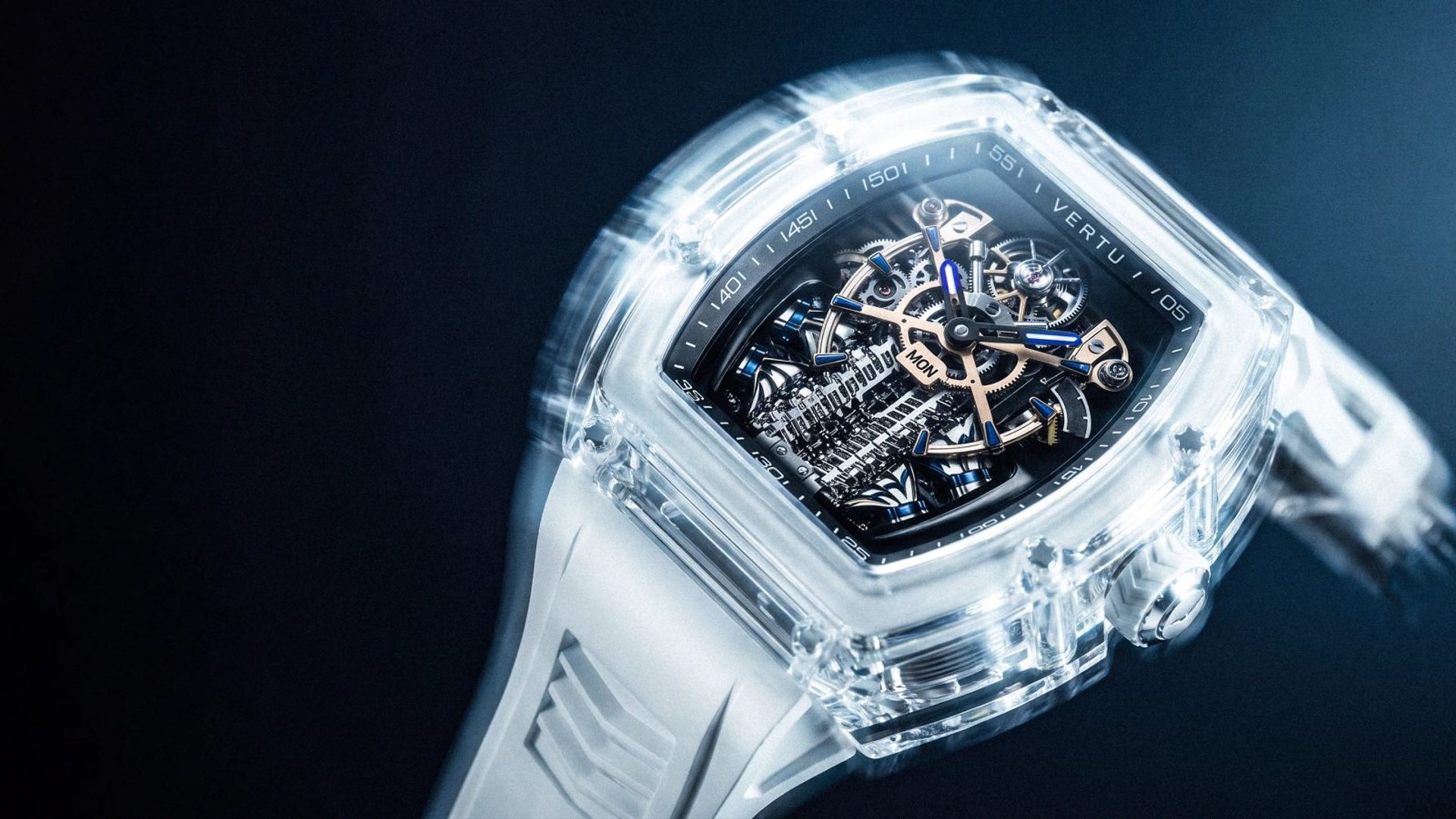
The VERTU Agent Watch product page lists a 1.75-inch AMOLED screen with 390 × 450 resolution, alongside 27 three-dimensional digital watch faces. For someone choosing a watch partly for its dial design, the relevant question is how that specific combination looks and reads on the wrist, rather than whether AMOLED is fashionable.
Try a decorative face and a simpler layout, then open an ordinary message. Judge whether you prefer the dimensional presentation for daily use and whether you can still read the information you need. The face is digital: a mechanical-inspired animation should not be mistaken for a physical movement or a complication inside the watch.
The same listing describes a crystal case and a fluoroelastomer strap. Assess their physical presence separately from the screen. A display you enjoy looking at does not settle the fit question. Ask about available display modes and battery conditions for the selected Agent Watch configuration; do not import an always-on capability or runtime from another manufacturer's example above.
When should AMOLED influence the purchase?
Give it more weight when the experience of looking at the dial is central to your choice. That might mean enjoying a particular digital face, reading notifications during the day, or checking an activity display. Give equal attention to the actual interface and physical fit so that the panel specification supports a useful watch rather than becoming the whole argument.
If your priority is a particular work or travel routine, begin with that routine instead. Ask whether you can read what you need without an awkward gesture, whether the required phone connection works, and whether the charging arrangement is practical. Keep an unresolved requirement on the buying note until the retailer demonstrates it or supplies the relevant documentation.
For broader questions about selecting and owning connected devices, explore the VERTU guides. Keep this display comparison focused: it should help you understand one part of a watch, rather than imply that screen technology determines the quality of every other component.
If you want a model shortlist after understanding these display questions, the separate AMOLED smartwatch buying guide provides that next step. Recheck the chosen model's current specification before purchasing.
Frequently Asked Questions
Does AMOLED guarantee better battery life?
No. Compare the complete watch and the manufacturer's stated operating conditions. Panel technology alone is insufficient to predict the interval between charges.
Does every AMOLED watch have an always-on display?
No universal capability follows from the label. Check the exact watch's settings and documentation, including what an idle face displays.
Does AMOLED tell me the lens material?
No. Ask for the panel specification and the protective-cover specification separately, and avoid inferring durability from either name alone.
Conclusion
Choose a smartwatch with AMOLED display technology because the particular screen, interface and dial presentation work for you. Read real text, test the wake behaviour and compare battery figures under stated conditions. The useful result is a watch you can comfortably read and live with, supported by specifications you understand.