Key Takeaways
- Choose a book-style foldable for frequent document comparison and two-app work; choose a flip when compact carry and quick single-app tasks dominate.
- Test your actual workflow closed, open and offline before relying on a foldable during travel.
- Confirm carrier support, SIM or eSIM eligibility, repair terms and a backup route for essential documents for the exact model and destination.
- Product features and enterprise services vary by edition, region, software and authorisation; verify the offer you can actually buy.
The best foldable phone for work and travel is the one that completes your real tasks across an airport, a journey and an unfamiliar destination. A larger inner screen can help you review a document beside a message, while a flip can make a capable phone easier to carry. Neither benefit matters if your essential app restarts when you fold the device, your carrier cannot activate it abroad, or repairs leave you without access to work. Use the tests below to choose on evidence rather than screen size alone.
Start with three tasks you must finish on a trip
Before comparing models, write down one task for each stage of a normal journey. At departure, perhaps you need a boarding pass and a calendar change. In transit, you may read a contract and draft a response. After arrival, you may need to message a colleague, locate a reservation and join a call. These examples are an editorial scenario, not a customer account. Substitute your own apps, documents and organisation rules.
For each task, note the screen, data connection and typing it needs. If almost everything happens in one app for a few seconds, an expansive display may add little. If you routinely need a source beside a response, a book-style screen may earn its place.
Compare this with VERTU's broader business foldable evaluation if your primary concern is the general executive ownership case. The present checklist focuses on cross-border use and recovery when you cannot return to your usual support network.
Book-style fold or compact flip: choose by working posture
A book-style device opens horizontally into a wider work surface. It is most relevant to people who review PDFs, compare an itinerary with a calendar, or keep a reference beside a draft. A clamshell flip folds vertically to reduce its closed footprint. It suits quick replies, calls and simple travel tasks when pocket or small-bag carry is a priority. The difference is an interaction pattern, not a guarantee that every app will use the display well.
First, retrieve a booking, type a response and find a contact without unfolding. Then open the device for a task that needs more space. If the document remains cramped or the app has a poor layout, the larger screen has not helped. A laptop may remain better for long writing and complex spreadsheets.
Run the closed, open and offline test
This is the most useful pre-purchase test because it reproduces the transitions a specification sheet cannot show. Ask to use a demonstration unit or a return window that permits realistic testing. If work data cannot be loaded on a shop device, use non-sensitive sample files with the same formats and app types.
- Closed: open a travel document, find a booking and write a short message on the cover display. Check readability and typing comfort without relying on a salesperson's prepared demo.
- Open: keep a document and your notes or message side by side. Resize the panes and confirm that text remains usable. Repeat with the exact apps you rely on.
- Transition: begin a draft on one screen, fold or unfold, then check whether the draft and your place in the document survive. Repeat during a call or navigation session if those are essential to you.
- Offline: turn off data temporarily and retrieve downloaded documents, reservations, maps and emergency contacts. Confirm which actions require a connection or a fresh sign-in.
App behaviour varies. Samsung's current foldable display guidance says some apps may not fully support continuity, and its Multi window instructions note that some apps do not support split screen. Treat those as examples of what to test, not as promises about a different manufacturer's phone. Even within one model line, a software update or app version can change behaviour.
Verify connectivity for each destination
International reliability requires more than a claim of global coverage. Record the exact model number and edition, then ask your home carrier whether it is unlocked or can be unlocked, which physical SIM or eSIM options it supports, and what roaming arrangements apply to your destination. Ask the destination carrier or travel eSIM provider to confirm compatibility with that exact device. Network bands, activation rules and supported services can vary by market, carrier and software.
Check your organisation's policy too. A work profile, authentication app or managed eSIM may need IT approval before transfer. If a one-time sign-in code goes to the home number, a local data plan alone may not solve the problem. Plan how you will receive essential authentication messages, and keep recovery codes only in an approved secure location. Do not assume that copying a SIM makes a managed work account usable.
Google's carrier compatibility guidance illustrates why an unlocked device and the chosen network must both be checked. Its details concern Pixel phones; use your seller and network provider as the final source for the foldable you are considering.
Test battery, charging and the working day
Battery capacity alone does not predict a travel day. Large-screen work, video calls, weak signal and navigation change the result. Test a realistic sequence of outer-screen use, document review, navigation and a call. Note the remaining charge and charging time with the accessories you will carry.
Check plug standards and your airline's current rules for spare batteries and power banks before departure. Keep a cable that matches your charging setup, and avoid depending on a single socket during a connection. The aim is to know whether the phone covers your day with a margin, not to extrapolate a laboratory battery claim into an uninterrupted business trip.
Plan for a damaged screen or a lost phone
Ask the seller for written answers before buying: who repairs the inner display, whether coverage applies abroad, where the nearest service centre is, what turnaround to expect, and whether any loan device is available. Check exclusions, deductibles and shipping arrangements. Do not interpret general warranty language as a promise of immediate overseas repair.
Make two separate fallback plans. A device backup should let you set up a replacement phone and sign back in. A document backup should let you reach the particular boarding pass, contact, contract or approval record you need even before a full restore. Test that access on another approved device. If your employer manages the phone, follow its security and remote-wipe procedures. A spare phone or other authorised device may be more valuable on a long trip than one more accessory.
Decide which notifications appear on the cover screen, avoid exposing sensitive files in crowds, and know how to lock a missing device. A security claim cannot protect a visible screen or mishandled account.
Use VERTU's two forms as bounded examples
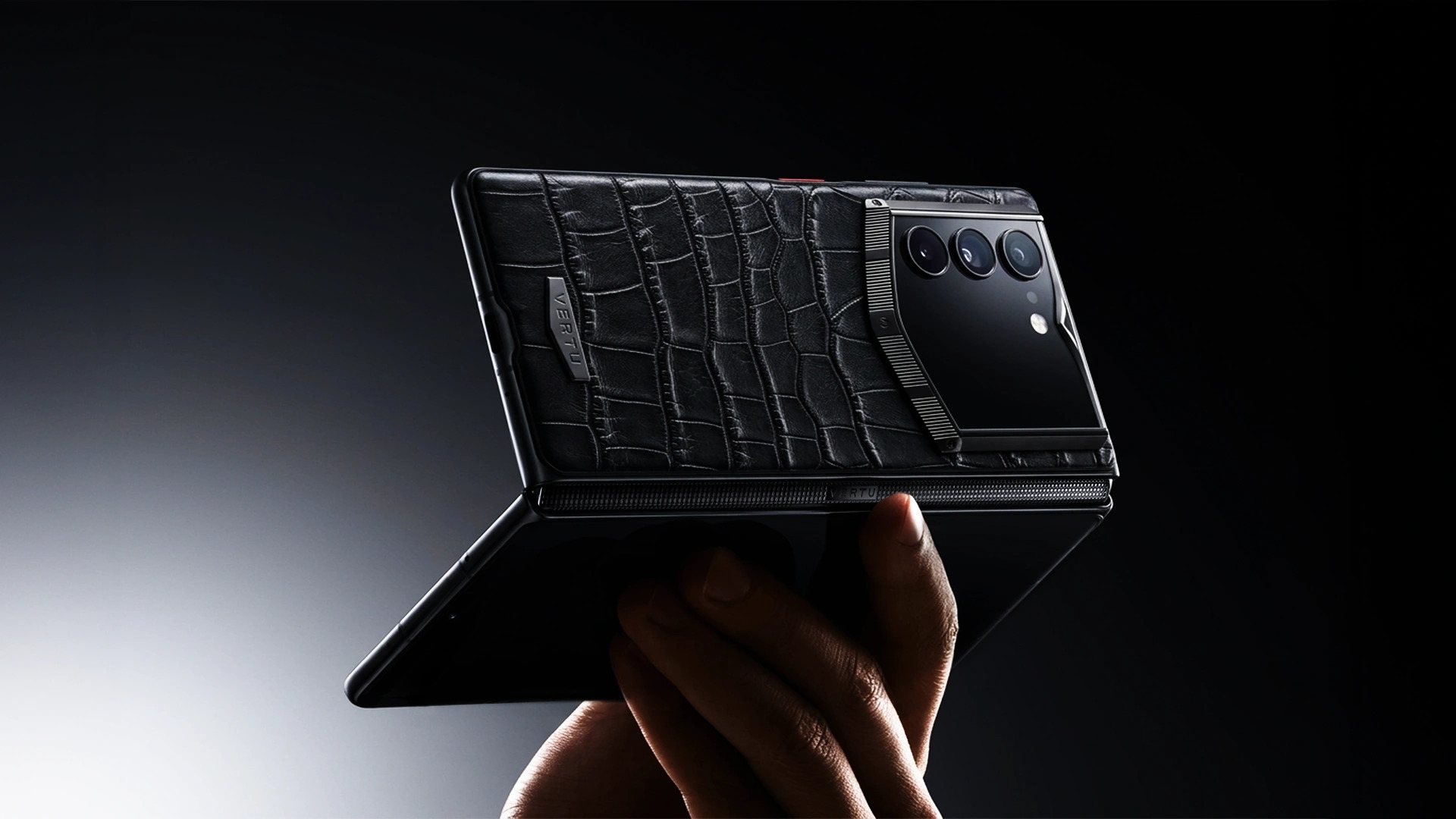
VERTU ALPHAFOLD illustrates the book-style choice. The current official page and VERTU product knowledge base describe a 6.53-inch outer display and an 8.05-inch inner display. Quantum Flip illustrates the shorter clamshell carry pattern. These are form-factor examples, not a ranking or a claim that either will support every overseas network or app.
ALPHAFOLD's enterprise ERP-style capabilities are for authorised clients and require whitelist approval, data authorisation, private deployment and professional configuration. They should not be counted as ready-to-use features in a retail purchase. Hermes Agent actions depend on supported apps and services, user authorisation and availability. Check the exact edition's current specifications, price, service terms and network compatibility with VERTU and your carrier. VERTU's product knowledge base revision 427 was checked for this article; live market details can change.
FAQ
Should I choose a book-style foldable or a flip for work travel?
Choose the book-style format if frequent two-app work or document review justifies the wider display. Choose a flip if compact carry and brief single-app actions dominate. Test both with your own tasks.
Will my foldable work with a local SIM or eSIM abroad?
Only the exact model, lock status, carrier and destination can answer that. Confirm activation and service with the seller, home carrier and destination provider before you travel.
How can I test my work apps before buying?
Open sample documents in the apps you use, try split screen, switch between cover and inner displays and repeat offline. Check with IT before loading any confidential material on a demonstration device.
What if the inner screen fails during a trip?
Use your prepared backup route for accounts and essential documents, then follow the manufacturer's service process. Verify repair coverage and turnaround before purchase; do not rely on an assumed same-day replacement.
Can a foldable replace my laptop?
It may cover short reviews, messages and decisions, but long writing, complex spreadsheets and specialist tools may still require a laptop. Let your actual workload decide.
Conclusion
Choose a foldable for work and travel only after it passes the tasks you will repeat, the network you will use and the recovery plan you can execute away from home. Start with the closed, open and offline test; then collect written carrier and service answers for the exact edition. That gives you a dependable travel choice, whether the answer is a book-style fold, a compact flip or your current phone.