


Introduction
If you’re standardizing a foldable phone for an executive, you’re not buying a gadget. You’re buying a controlled environment for meetings, travel, deal flow, and sensitive communications—often under time pressure.
This guide distills what matters most for executive privacy in 2026: hardware-rooted security, long and predictable updates, and the Android Enterprise controls your UEM/MDM can actually enforce.
You’ll see US-ready picks and deployment steps you can act on—whether you’re rolling out COPE devices or letting leaders keep a personal side with a managed work profile.
Key TakeawayThe best foldable phone for executive privacy is the one you can patch quickly, enroll cleanly, and lock down consistently—every time.
What matters for privacy
Hardware‑rooted security
Executive privacy starts below the OS. The goal is simple: even if an app misbehaves—or someone gets physical access—your device should still resist tampering and keep encryption keys out of reach.
What to prioritize:
A hardware-backed chain of trust (secure boot and verified integrity). If the phone can’t prove it booted a trusted OS, every “secure” feature becomes negotiable.
Hardware-backed key protection for device encryption and credential material. You want keys tied to hardware, not exportable artifacts.
Strong biometric gating for sensitive spaces (for example, a secure folder or a managed container), with clear lockout behavior.
On the enterprise side, baseline controls matter as much as silicon. Google’s managed-Android capability baseline includes practical protections like remote wipe, USB file-transfer restrictions, certificate deployment, and always-on VPN. See Google’s Android Enterprise feature list.
Updates and policy
For executives, patch discipline is a privacy control.
A foldable is often a primary device: it holds MFA tokens, corporate email, messaging, meeting artifacts, and travel identity. If update cadence slips, your exposure window widens.
What to compare when selecting the best foldable phone for executive privacy:
- Support horizonyears of OS upgrades and years of security updates.
- Operational realityhow you stage updates, verify compliance, and handle exceptions.
- Policy enforcementwhat happens when a device is out of compliance (restricted access, work profile quarantine, etc.).
The best foldable phone for executive privacy is not the one with the longest feature list—it’s the one whose update policy you can operationalize.
On‑device AI & data
AI features can be productive—and risky—depending on where processing happens.
For executive privacy, treat AI as a data-routing decision:
Where is the content processed (on device, in the cloud, or a hybrid)?
What is retained (prompts, transcripts, summaries, attachments) and for how long?
What can admins control (disable features, restrict certain assistants, enforce safe browsing/network protections)?
Your posture should be explicit. If your organization cannot tolerate cloud processing for specific classes of material, define that boundary and enforce it at the device, app, and network layers.
2026 executive picks
Samsung Galaxy Z Fold6
The Z Fold6 remains the most “executive-native” form factor: a pocket device that opens into a working canvas. For executive privacy, the more important story is Samsung’s security and support posture.
Knox security foundation: Samsung describes Knox as a multilayer security platform built into devices at manufacture, combining hardware, firmware, and extensions to enterprise controls—providing both hardware and software authentication and chip-level isolation for sensitive data (see Samsung’s explanation of Knox).
Lifecycle predictability: Samsung states Z Fold6 (and Z Flip6) are supported with seven generations of OS upgrades and seven years of security updates from the global launch date (see Samsung Newsroom’s Z Fold6/Flip6 announcement (2024)).
How to think about it: choose the Fold6 when you want maximum screen real estate for secure workflows (document review, annotated meetings, split-view work) and you’re committed to policy-driven rollout: enrollment, patch compliance, and a hardened travel profile.
Samsung Galaxy Z Flip6
The Flip6 is a different executive proposition: it’s smaller, faster to pocket, and easier to live with during travel days. The privacy calculus is less about “more screen” and more about “less exposure.”
Same update commitment as Fold6: Samsung states Z Flip6 is supported with seven generations of OS upgrades and seven years of security updates (same Samsung Newsroom announcement cited above).
Knox positioning: the same Knox security architecture underpins Samsung’s enterprise posture (same Knox reference cited above).
How to think about it: choose the Flip6 when your executive values a foldable that disappears into the day—without giving up a modern security stack and long support window.
Motorola razr+ (2025)
Motorola’s razr+ (2025) is a strong option if you want a clamshell foldable that’s enterprise-manageable without committing fully to one vendor’s enterprise ecosystem.
For executive privacy, the decision point is lifecycle discipline:
Support horizon (reported): reputable sources report the razr (2025) family receives 3 major OS updates and 4 years of security updates (see Android Central on Razr 2025 update support (2025) and Notebookcheck’s Razr 2025 update coverage (2026)).
In practice, this model suits teams that can compensate for a shorter support window with tighter operations: stricter compliance rules, faster deprovisioning, and a planned refresh cycle.
VERTU context (non-promotional): Bespoke personalization and discreet, human-led support can complement a managed device rollout—especially for travel, scheduling, and high-sensitivity logistics.
Deploy & travel best practices
Android Enterprise setup
Treat deployment as a repeatable system, not an IT “one-off.” For executives, the goal is predictable privacy under stress.
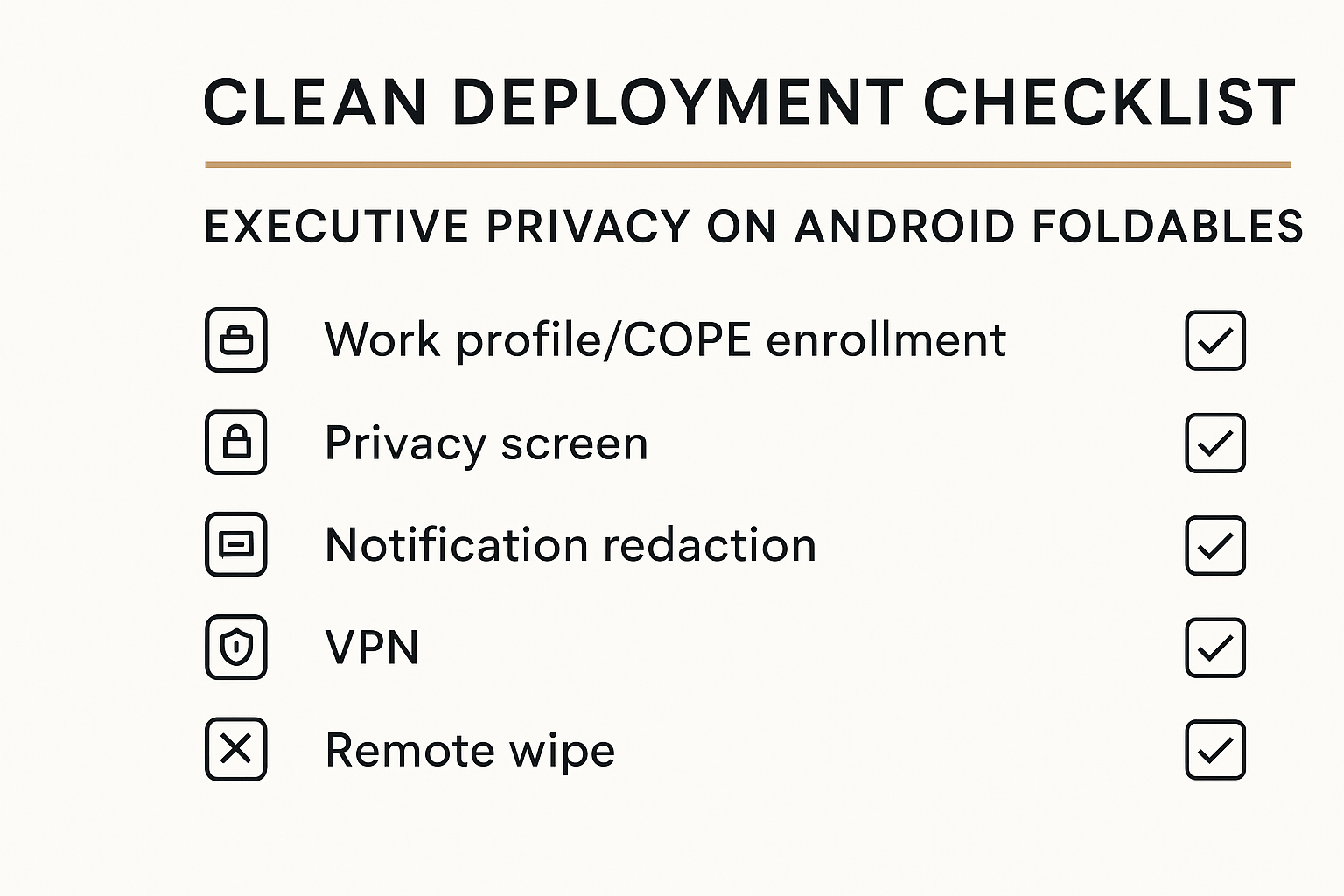
Start with a decision: work profile (on BYOD or COPE) or fully managed. Then standardize the essentials your UEM/MDM can enforce.
Controls worth hardening (see Google’s Android Enterprise feature list):
Work/personal separation: provision a work profile (including a separate work challenge where appropriate) and prevent cross-profile leakage.
Remote response: ensure you can remote lock and remote wipe (work profile wipe for employee-owned; full wipe for corporate-owned when required).
Certificates + network posture: deploy identity certificates and enforce VPN where sensitive apps require it.
Screen capture and camera controls: restrict screen capture for managed apps; disable camera where policy requires.
USB and external media restrictions: block file transfer over USB and prevent mounting external media—especially for travel.
How to verify: In your UEM, test the executive profile end-to-end: enrollment → policy application → compliance violation → remediation → wipe/re-enroll.
Foldable‑specific controls
Foldables introduce two practical privacy risks: display exposure and multi-window leakage.
Mitigations that actually work:
Notification redaction on lock screen: executives lose privacy most often through lock-screen previews in cars, lounges, and hotel lobbies.
Privacy screen discipline: require a physical privacy screen protector if the travel profile includes open-air work (airports, conferences). Low-tech, effective.
Split-screen guardrails: multi-window is productive—but also enables accidental cross-app exposure (copy/paste, screenshot, screen-share mishaps). Restrict clipboard sharing and screen capture for managed apps where possible.
Work-only “meeting mode”: before sensitive meetings, close personal apps, switch to work context, and confirm screen-share settings.
eSIM & identity
Executives travel. Their identity travels with them.
A practical 2026 posture:
Prefer eSIM where your carrier and UEM support it so you can manage provisioning and removal more cleanly.
Control roaming and radios based on travel risk (for some teams, limiting roaming or tethering is a privacy control, not a cost control).
Plan for loss and confiscation scenarios: decide what happens if a phone is lost at an airport—or held at a border. Your response should be scripted: revoke sessions, wipe work data, rotate tokens, and issue a replacement.
When travel is complex, reduce ad-hoc decisions. A structured support layer—such as a vetted travel desk or concierge workflow—can materially lower exposure.

Conclusion
Prioritize hardware security, long updates, and managed enrollment.
Pick the model that fits your privacy posture and travel reality.
Enforce policies and verify carriers/UEMs before executive rollout.
If you want a discreet ownership layer around your rollout, VERTU’s pages on bespoke luxury smartphone and 24/7 concierge service provide useful context on personalization and service boundaries.
Disclosure: This article references VERTU pages. Editorial judgment remains the priority.



![Top 10 Tourbillon Watches for Men [2026 Latest]](https://cdn.sanity.io/images/e0gp1l2g/production/8cb6bc45133cf9453382fc7d074465af588bb610-1800x1080.webp?w=800&h=450&q=82&auto=format&fit=crop)