Key Takeaways
- A strong high-value phone display balances visibility, accurate product presentation, customer access and the retailer’s security controls.
- Plan the viewing angle and lighting around the actual device and materials; test reflections and colour in the store rather than rely on generic settings.
- Security fixtures, staff procedures and demonstration access should be agreed with the retailer’s risk team and any applicable brand requirements.
- Do not treat this general checklist as VERTU’s official display specification or as proof that a device is theft-proof.
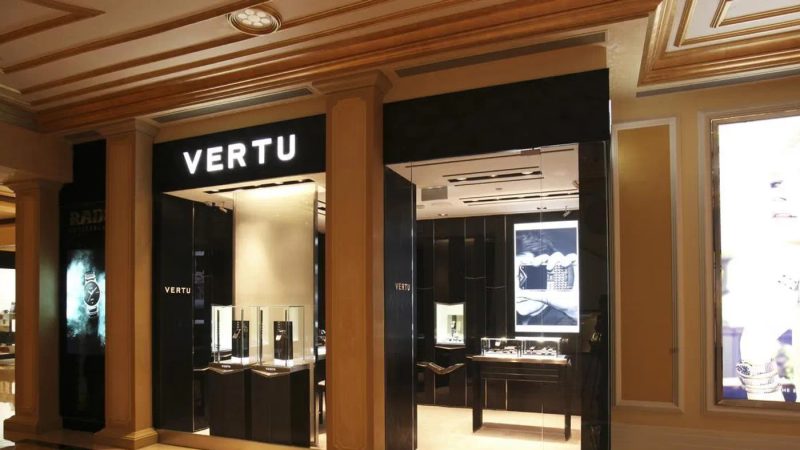
Displaying high-value phones well means making the product easy to see and discuss while managing access, handling and loss risk. Retailers should choose a display format, lighting arrangement and security approach together, then test the setup from the customer’s point of view. A single phone, a paired presentation or a shared cabinet with watches can each work in the right context; none is automatically best. This is general store-planning guidance, not an official VERTU fixture or security standard. For retailers considering a branded in-store format, VERTU’s Shop-in-Shop overview describes one public partnership format; exact display requirements must be confirmed for the specific arrangement.
Choose the display format for the customer task
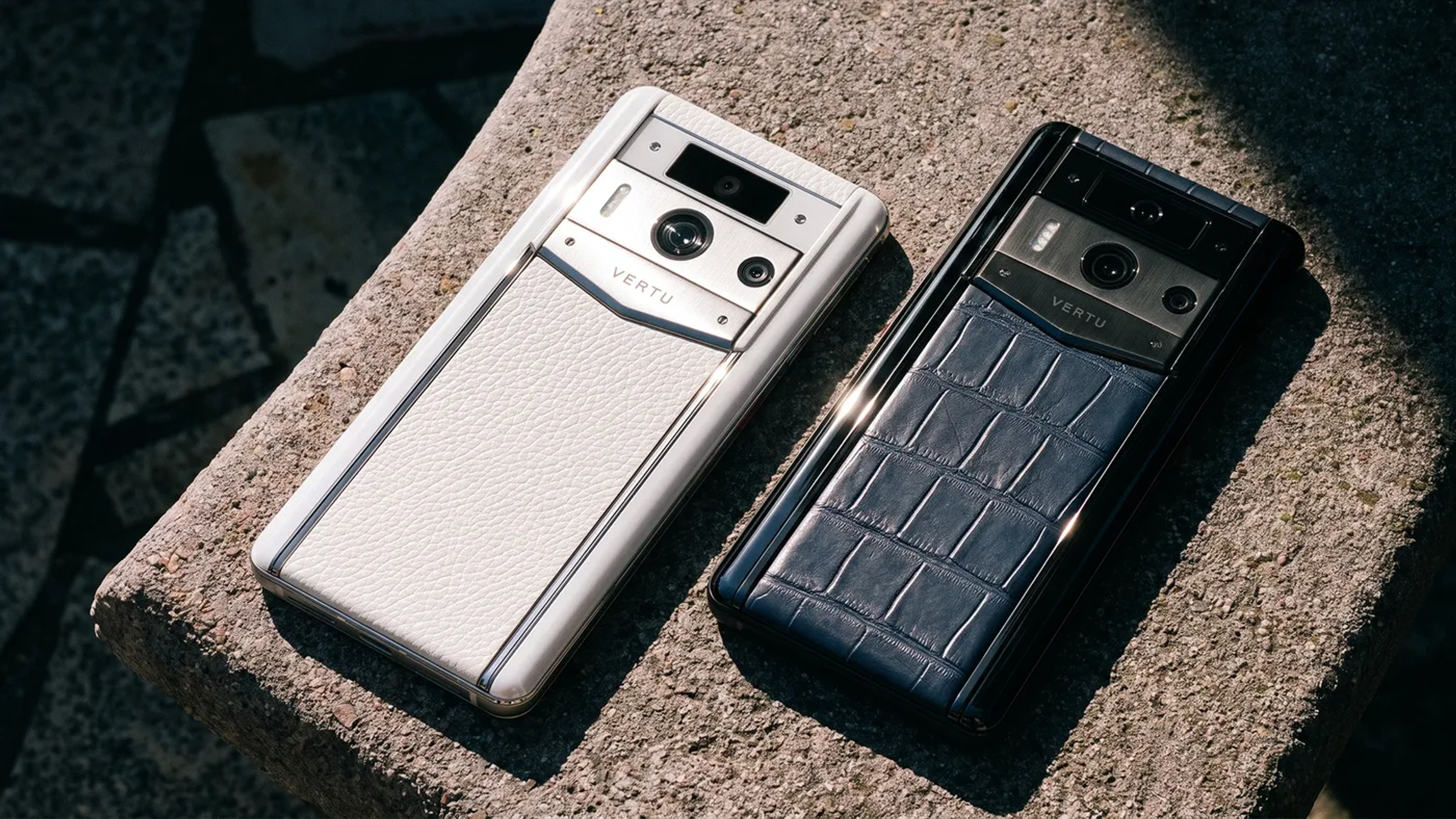
Start by deciding what the customer should understand or do at the display. A single-device presentation can focus attention and allow staff to introduce one product clearly. A two-device layout can support a direct comparison when the models or finishes are genuinely different and the comparison is accurate. A shared jewellery or watch cabinet can place the phone in an adjacent category, but it may also make the product harder to distinguish or access.
Use a simple decision rule: show one device when the story is singular; show two when the contrast helps a real choice; share a cabinet only when the neighbouring products and customer journey make sense together. Avoid adding units solely to make the display look full. Keep labels concise and ensure every displayed claim is current and approved.
Check the display at normal standing and seated viewing heights, from the entrance and from the consultation position. A product hidden by glare, signage or reflections is not effectively presented. Confirm that the customer can understand whether the device is a demonstration unit or a sale item and how to request assistance.
How should lighting be planned?
Lighting should reveal the device without creating distracting reflections or changing how its finishes appear. Phones combine glass screens, polished surfaces, textured backs and camera areas; a light source that works for one element may produce glare on another. Test the actual product under the proposed fittings, including the room’s general light and daylight at different times.
Use ambient light for the overall space and carefully aimed accent light for the display. Check the image from several customer positions and watch for hotspots on the screen, reflected ceiling fixtures, deep shadows around controls and colour casts on the finish. Adjust angle, distance or diffusion before increasing brightness. If multiple device finishes are shown, verify that each still looks true under the same setup.
Do not prescribe one colour temperature or illuminance value for every boutique. The right specification depends on the room, materials, product and applicable lighting design requirements. A qualified lighting designer can measure the installation and advise on glare, colour rendering, energy use and local codes. A visual check is useful but is not a technical compliance assessment.
How can a display balance access and security?
Security should be designed around the store’s risk assessment, insurer requirements, local rules and any confirmed brand guidance. Potential measures may include staff-controlled demonstrations, tethering, locked fixtures, monitored zones or stock stored separately, but their suitability varies. This article does not certify any device, fixture or approach as theft-proof. Retailers assessing the staff and service capabilities behind a partnership can also review VERTU’s public partner capability profile; it does not set display specifications.
Discuss how a customer requests a demonstration, who supervises it, how the device is returned to its display position and what staff do if an alarm or attachment is disturbed. Keep the process discreet and consistent so customers are not surprised by restrictions midway through an interaction. If an open-handling experience is not practical, consider a staff-led demonstration and explain the next step clearly.
Do not improvise attachments, adhesives or fixtures that might damage the device or interfere with its operation. Confirm that any demonstration unit, mount or security accessory is approved for use and does not obstruct the controls or product information being shown. Document who checks the fixture and how faults are reported.
Should phones share a case with watches or jewellery?
A shared cabinet can make sense when the retailer wants to explain a coherent range of considered products and can keep each item clearly presented. It can be a poor choice when the phone is visually crowded, reflections multiply across glass or customers cannot handle the device without disturbing other stock. The decision should reflect display dimensions, staff workflow, security controls and the story the store intends to tell.
Before combining categories, mock up the arrangement with the actual objects and labels. Check sightlines, spacing, access for cleaning, cable routing, light reflections and the path a staff member takes to assist a customer. Keep high-value items separated enough that one demonstration does not expose or disrupt another. Do not assume that products can share power, fixtures or security systems without checking compatibility with the relevant suppliers.
Make the display maintainable
A display succeeds only if it remains accurate and presentable after opening. Assign a named owner for daily checks: product position, screen state, surface condition, label accuracy, fixture security and lighting. Define who replaces a damaged label, who approves updated content and how an unavailable or withdrawn product is removed from view. For broader channel context, the VERTU article on luxury brand positioning as channels grow discusses the importance of consistent presentation across retail touchpoints.
Test the customer journey with a colleague: approach, view the phone, ask for a demonstration, compare available information and return the product. Note friction points such as a glare hotspot, a cable that blocks handling, a label that cannot be read or a process that depends on one staff member. Correct the problem and repeat the walk-through.
After launch, review customer questions, requests for demonstrations, staff observations and maintenance issues. These are operational signals, not universal benchmarks or proof of sales performance. Use them to refine placement and staff guidance within the approved display rules.
Display and security checklist
| Area | Check | Owner or dependency |
|---|---|---|
| Format | Single, paired or shared display supports a clear customer task | Retail/visual merchandising lead |
| Visibility | Product and labels can be seen from key approach angles | Store team |
| Lighting | Glare, shadow and colour appearance checked on actual devices | Lighting specialist where needed |
| Access | Demonstration steps and supervision are clear | Store operations |
| Security | Fixtures and procedures align with risk review and approvals | Security/risk owner |
| Maintenance | Checks, content updates and fault reporting have named owners | Display owner |
Frequently asked questions
How many phones should a luxury retailer display?
Display only enough units to support the intended choice. One is often clearer for a single-product presentation; two can help when the difference is meaningful.
What lighting is best for a phone display?
Use lighting that reveals the device while controlling screen glare and finish distortion. Test the actual products and consult a qualified designer for technical specifications.
Should a high-value phone be kept behind glass?
That depends on the store’s risk assessment, insurer requirements, customer experience and approved brand guidance. There is no universal answer in this checklist.
Can a phone be displayed beside watches or jewellery?
Yes, if the combined presentation remains clear, accessible and operationally workable. Test spacing, lighting, handling and security with the actual products.
Does a tether make a phone theft-proof?
No. A tether is only one possible control and does not eliminate risk. Select controls through the retailer’s own security review.
Conclusion
A high-value phone display should make the product legible, the customer interaction straightforward and the security process manageable for staff. Choose the layout for a clear customer task, test lighting on the real device, and approve fixtures and handling procedures through the retailer’s normal controls. For information on discussing VERTU retail partnership formats, visit VERTU’s partner information page.

Previous article
Should Fine Watch and Jewellery Retailers Add Luxury Phones?
TOP-Rated Vertu Products
Alphafold
ALPHAFOLD is the world’s first Hermes Agent phone, combining AI assistance and mobile ERP for smarter task execution, workflow control, and business management.
Explore moreAgent Q
World’s first AI agent phone: A paradigm shift from Apps to Agents. It thinks, plans, and executes, all while securing your privacy.
Explore moreMetavertu Max
Metavertu Max: Luxury tech with Second Brain AI and a triple system for 4x WhatsApp. Opulence meets intelligence.
Explore more