Document management system software organises a document from creation through review, approval, use and eventual retention or disposal. A shared drive can store files, but a dependable document system also answers which version is official, who may change it and why a particular document was used for a decision. This guide offers a practical selection and implementation framework for business teams.
Key Takeaways
- Define document types, owners and lifecycle stages before buying software.
- Test metadata, search, version history, approval and access with real files.
- Keep draft collaboration separate from an approved record.
- Verify retention and export with the responsible policy and legal teams.
What a document management system needs to solve
Teams often start with folders and filenames. That works until several people edit the same proposal, a policy is revised while an older copy remains in circulation or a decision depends on a document whose approval status is unclear. The problem is not simply that files are hard to find. It is that people need to know which document is current and whether they are authorised to use or change it.
Microsoft's document management overview describes decisions about document types, templates, metadata, storage, access and movement through creation, review, approval and disposition. These are useful evaluation questions regardless of vendor. The right configuration depends on the organisation's process and obligations.
How should document management follow the file lifecycle?
Create and classify
Name the document types that matter: contracts, proposals, policies, meeting decisions, customer records or project deliverables. For each, define a minimal set of metadata such as owner, business process, status, date and retention class. Avoid asking users to fill in a long taxonomy that nobody maintains. A small number of reliable fields is more useful than hundreds of inconsistent tags.
Draft and collaborate
Decide whether colleagues may co-author, comment or only review. Keep a clear distinction between a working draft and an approved document. If the product offers check-in, check-out or co-authoring, test the behaviour with the file formats the team actually uses. A version number should make change history easier to understand, not become a substitute for review.
Approve and publish
Specify who may approve a document, what evidence they need and which audience sees the approved version. If a policy changes, test whether readers continue to find the previous approved version until the replacement is authorised. Microsoft documents how versioning and approval can govern publication in SharePoint Server; the exact behaviour of another product must be demonstrated rather than assumed. See Microsoft's versioning and approval guidance.
Retain and dispose
Retention rules depend on document type, jurisdiction and company policy. Involve the people responsible for those rules before configuring deletion or archive settings. Test whether the system can hold records, export them and show who changed a rule. Do not equate a backup or an old version with a complete retention policy.

Which document management tests belong in a buyer demonstration?
- Findability: Ask a user who did not upload the file to locate the current approved version using the information they would know.
- Provenance: Open the file and identify its owner, source, approval status and last meaningful change.
- Version recovery: Make an incorrect edit, locate the earlier version and restore it with the appropriate rights.
- Access boundary: Repeat a search as a person who should not see the document. Confirm that search results and previews respect permissions.
- External sharing: Invite a permitted external reviewer and check expiry, download rights and revocation.
- Approval: Route a draft to a reviewer, reject it with a reason, revise it and publish only the authorised version.
- Integration: Link the document to a task or customer case and verify that users reach the source rather than an untracked copy.
- Exit: Export documents with usable metadata and version information, then assess what would be lost during migration.
Choose architecture to match the work
A general collaboration suite may be enough when teams mainly create and share working files. A more specialised system may be justified for controlled document types, complex approvals or retention. A connected workspace may make authorised documents easier to use in a business decision without replacing their official repository. The key question is which system owns the approved document and how every other tool reaches it.
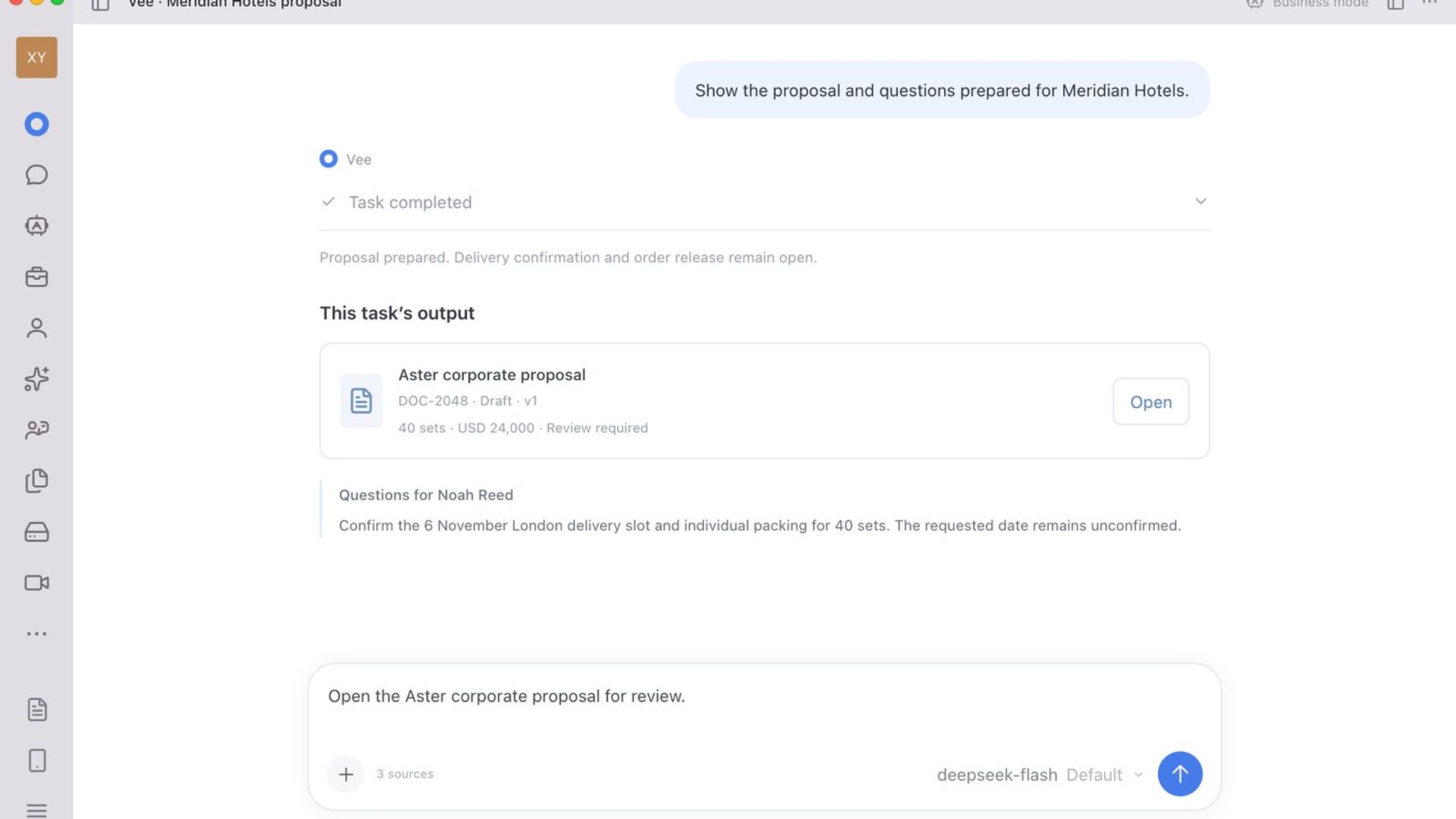
The VERTU VPS page presents document management, knowledge and business workflows within its AI-native interface. That makes VPS relevant when a leader needs context from authorised documents while reviewing work. The page alone does not establish its retention settings, every supported file format or a specific organisation's access model. Verify those in the proposed configuration and keep the official document repository and approval path explicit.

How can document management migration preserve trust?
Make search explainable
Search quality depends on more than a search box. Test a document by title, owner, business process and a phrase inside the file. Ask whether the result shows status and date clearly enough to avoid opening five near-identical copies. If the system offers AI-assisted retrieval, check whether the answer cites the underlying document and whether a user without permission sees neither the text nor a revealing summary. Missing results should be investigated as a possible classification, access or indexing problem rather than treated as proof that the document does not exist.
Separate collaboration from records governance
A team may need a flexible draft area and a tightly controlled published area. Define how a document moves between them and which metadata travels with it. A reviewer should be able to send a draft back without accidentally publishing it. A later revision should not silently replace the version used for an earlier decision. The governing process should specify whether previous approved versions remain accessible and to whom, according to the organisation's retention obligations.
Do not begin by moving every file. Inventory the document classes, owners, duplicates and access groups. Choose a small sample containing a draft, an approved document, a restricted file and an obsolete version. Map metadata and permissions to the new system, import the sample and ask users to complete a normal search and approval task. Compare file counts and version history with the source. Preserve an export and define when the old location becomes read-only.
After launch, measure whether people find the approved version faster, how often they request clarification, how many documents lack an owner and how much time reviewers spend chasing context. A successful system should reduce uncertainty, not merely centralise storage. Maintain a process for correcting misclassified files and retiring outdated material.
How do capacity and price tiers affect document management?
Storage allowance and per-user price can change the shortlist before workflow testing. As a concrete capacity example, Google Workspace’s business edition guide lists 30 GB of pooled storage per user for Business Starter, 2 TB for Business Standard and 5 TB for Business Plus. These are storage allowances, not evidence that the tiers provide the approval, retention and records controls required by this guide. As a dated, non-VPS price example, Google Workspace’s business-edition guide listed US annual/fixed-term rates of $7, $14 and $22 per user per month for Starter, Standard and Plus, respectively, when checked on 18 November 2026. Its flexible-plan rates were $8.40, $16.80 and $26.40. Those figures illustrate how the 30 GB, 2 TB and 5 TB capacity tiers align with billing choices; they are not prices for a dedicated document-management system or a VERTU service. Check the live vendor price page, taxes, discounts, retention, version history and export costs before budgeting.
FAQ
Is a document management system the same as cloud storage?
No. Storage is one component. Document management also defines metadata, permissions, lifecycle stages, version control and the relationship between drafts and approved records.
Does version history prove a document was approved?
No. It shows changes according to the product's settings. Approval needs a defined reviewer and a recorded decision. Test how the system separates the two.
Should AI answers be treated as official documents?
No. An AI response can help locate or summarise authorised material, but users should be able to open the source and confirm that it is the current approved version before acting.
Conclusion
Choose document management system software by testing one complete document lifecycle: creation, search, review, approval, use and retention. Keep ownership and the approved source clear, prove that permissions and version recovery work for real users, and expand only when the system makes documents easier to trust in daily decisions.