

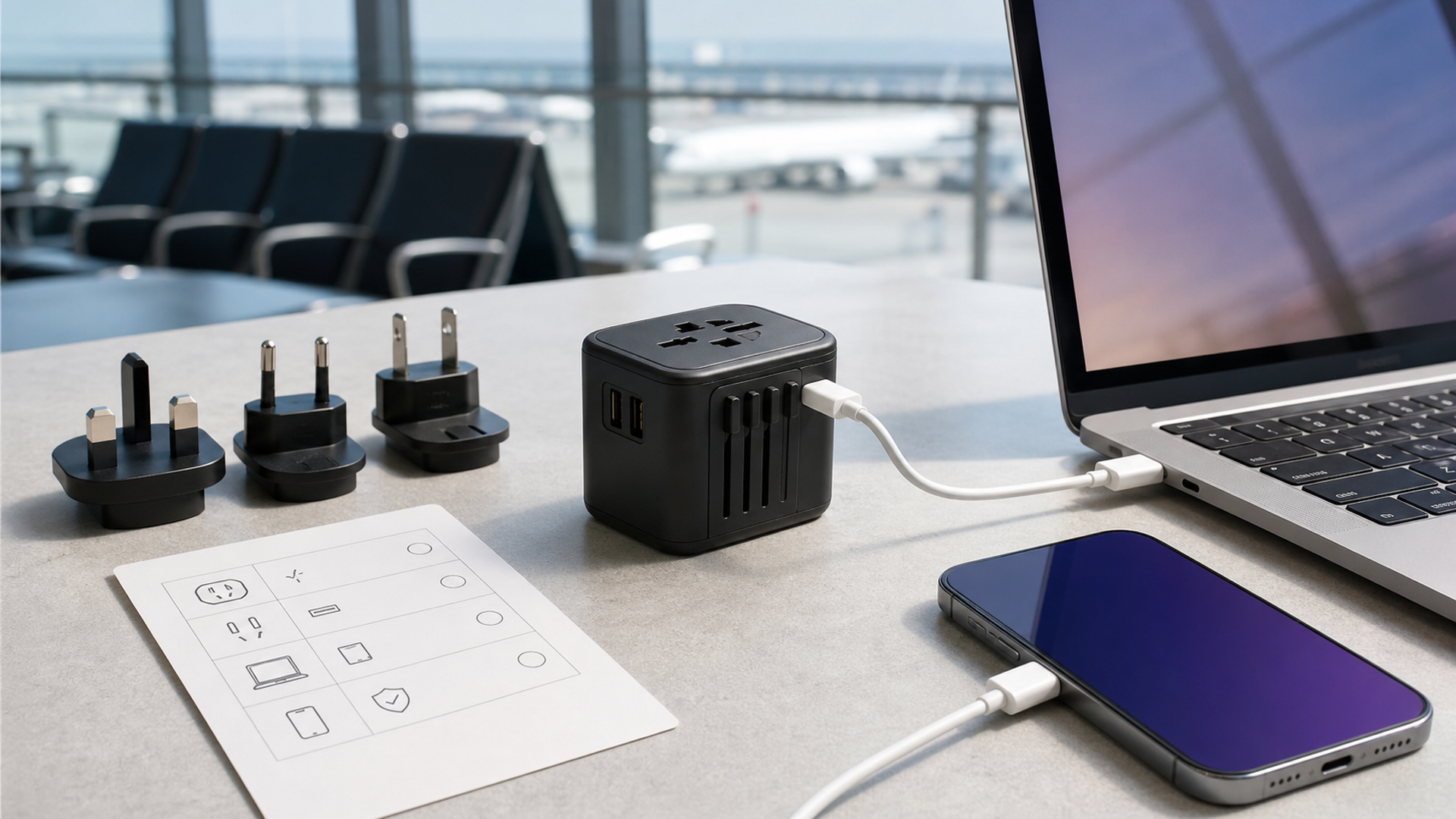
The best universal travel adapter does three things well: it physically fits the destination socket, preserves the electrical protections your device expects and supplies enough USB power without overheating. It does not automatically convert voltage. A small cube with many sliding pins can be convenient, but convenience is not the same as compatibility.
Before buying, check every device label for input voltage and wattage. Most modern phone and laptop chargers accept 100–240V at 50/60Hz and need only a plug-shape adapter. Appliances with heaters or motors—hair tools, coffee devices and some grooming equipment—can be single-voltage and may need a proper transformer or a destination-specific replacement. Plugging a 120V-only appliance into 230V through a passive adapter can destroy it or create a fire risk.
This guide provides a decision framework. Follow the device manufacturer, local electrical rules and the adapter’s rated limits. If a product label is missing or unclear, do not test it by plugging in.
Adapter, charger and converter: three different jobs
| Device | Job | What it cannot be assumed to do |
|---|---|---|
| Plug adapter | Changes the physical pin arrangement so a plug can enter a different socket | Convert 230V to 120V, add earthing, or increase circuit capacity |
| USB charger | Converts mains electricity to low-voltage USB output such as USB-C Power Delivery | Power every laptop unless its voltage profiles and wattage are supported |
| Voltage converter or transformer | Changes mains voltage for compatible loads | Safely operate every electronic, motor or heat appliance; type and wattage still matter |
A universal product may combine the first two. Very few compact travel cubes are true high-power voltage converters. Treat any vague “worldwide” claim as a request to read the electrical label.
The travel-adapter decision matrix
| Check | Minimum acceptable evidence | Reject when |
|---|---|---|
| Destination plug | Explicit list of supported plug types and countries, checked against an authoritative source | “Works everywhere” with no pin or country detail |
| Input voltage | Adapter or charger marked for the destination voltage and frequency | Rating excludes the local mains supply |
| Load rating | Maximum current and watts stated for the mains socket and USB outputs | Only total USB watts are shown; AC pass-through limit is absent |
| Earthing | Ground path explicitly supported for the plug modes you need | Three-pin input is accepted but output is described as ungrounded or double-insulated only |
| Overcurrent protection | Replaceable fuse or documented protective system appropriate to the design | No protective information, inaccessible fuse with no replacement specification |
| USB-C PD | Output profiles, port sharing and cable requirement published | One large “total watts” number hides per-port limits |
| Safety conformity | Traceable model, manufacturer and relevant test or certification markings for sale region | Marks are misspelled, unverifiable or applied to packaging only |
| Mechanical safety | Shutters, firm pins, no exposed live metal and no adapter stacking | Loose sliders, sparking, heat, cracking or advice to chain adapters |
The IEC’s standard for travel adaptors covers adaptors within defined voltage and current limits and specifically warns against inserting one adaptor into another. A standard number on a sales page is not proof that the exact model was tested; ask for traceable documentation.
Step one: map the countries, not the continents
Europe does not use one universal socket. Type C plugs fit many destinations, while earthed systems such as E, F, G, J, K and L differ. The United Kingdom, Ireland, Hong Kong, Singapore and several other markets use Type G. The United States, Canada and Japan commonly use related flat-pin systems, but voltage and grounding details vary. Australia and New Zealand use Type I.
Use the IEC World Plugs reference or the destination’s official electrical guidance. Check airport transit and secondary destinations too. A hotel may provide an international convenience socket, but it should not be your electrical plan.
Universal sliding adapters usually cover the most common A/B, C, G and I families. They may not fit recessed sockets, specialised earthed forms or countries outside that group. A compact destination-specific adapter can be safer and mechanically stronger for a long stay.
Step two: read the device input label
Look for “Input: 100–240V ~ 50/60Hz”. That indicates a wide-range power supply. The symbol and wording can vary, so use the manufacturer manual if the print is tiny. Phone, tablet, camera and USB-C laptop chargers commonly support the range; never assume.
A label reading only 120V should not be connected to a 230V supply through a passive adapter. A dual-voltage hair tool may have a physical selector that must be set before connection. High-power heat appliances can exceed a travel adapter’s current limit even when voltage matches. Hotel bathrooms may use low-power shaver outlets that are not ordinary sockets.
Add the load of devices connected to the AC socket. The adapter rating is not a suggestion. A 10A adapter at 250V has a theoretical maximum under defined conditions, but the local circuit, plug mode and manufacturer may impose a lower practical limit. Avoid extension leads or multiway boards unless the adapter maker explicitly supports the configuration.
Step three: preserve earthing
A grounded laptop charger uses an earth connection for safety and sometimes to reduce leakage sensation or electrical noise. A universal adapter that accepts a three-pin plug may not carry earth through every destination mode. The holes on the front do not prove internal continuity.
Check the manual for grounded and ungrounded operation. If the device requires protective earth, use a grounded adapter designed for the destination. Do not remove an earth pin, use a “cheater” adapter or assume double insulation. Devices marked with the double-square Class II symbol are designed differently, but the original manufacturer instructions still govern.
Mechanical fit matters. Heavy cubes can sag from a wall socket, partly exposing pins. Use a short, certified lead or destination charger where permitted rather than supporting a laptop charger and several cables from one loose wall connection.
Step four: understand USB-C power sharing
“100W” can mean one USB-C port reaches 100W when every other port is empty. Connecting a phone may reduce the laptop port to 65W or interrupt power while the charger renegotiates. Read the output table for each port combination.
Match three components: charger profile, cable rating and device requirement. A laptop may need 20V at 5A for 100W, which requires an electronically marked 5A cable. A 60W cable can limit output even when charger and laptop support more. Some gaming or workstation laptops use proprietary adapters beyond normal USB-C power.
Calculate your travel load. A phone may need 20–30W, a tablet 30–45W and a thin laptop 45–100W depending on model. Simultaneous charging does not always require the sum because devices taper as batteries fill, but the adapter must remain within its published allocation. For overnight use, lower heat and reliable sharing are more valuable than maximum headline power.
Step five: treat heat as a warning
Compact gallium-nitride chargers can safely run warm, but painful heat, odour, buzzing, discolouration or intermittent output requires disconnection. Do not cover an adapter with bedding, use it inside a closed bag or place it on a soft surface that traps heat. Keep it away from water and inspect pins after rough baggage handling.
The mains pass-through and USB charger generate heat in the same enclosure. Running a high-power hair tool through the AC socket while charging a laptop can stress a small cube even if individual labels look plausible. A destination appliance and dedicated USB-C charger are often the better solution.
Do not leave an unfamiliar adapter energised while the room is unattended. If hotel power cycles, verify that connected devices resume safely and that no damaged power bank is being charged. Our 2026 flight-safe charging guide covers battery transport; an adapter does not change airline lithium-battery rules.
A four-device packing plan
For a typical phone, tablet, watch and USB-C laptop, start with one reputable multiport USB-C charger rated for the laptop’s required profile. Add a grounded destination adapter if the charger uses a grounded input; otherwise use the manufacturer’s destination lead where available. Carry two cables capable of the necessary laptop power and shorter cables for small devices.
Use the universal cube for short multi-country trips. For a month in one country, purchase or carry a certified local power lead. Reducing mechanical transitions reduces failure points. Label the adapter with its maximum rating and keep a photograph of the output table in your offline travel folder.
For an executive carrying sensitive equipment, separate power from data. Avoid unknown public USB ports; use your own mains charger or a charge-only data blocker where appropriate. A wall adapter cannot guarantee that a public cable is safe.
Pre-flight and hotel checklist
Before departure:
List countries and plug types.
Photograph every power-brick input label.
Remove single-voltage appliances or pack the correct engineered solution.
Test the adapter at home without exceeding its rating.
Confirm USB-C port-sharing combinations.
Pack a spare compatible cable and the specified fuse if user-replaceable.
Save manuals offline.
At the hotel, inspect the socket and adapter before insertion. Stop if the outlet is cracked, scorched or loose. Insert with the switch off where local design provides one. Connect the adapter first, then the device; remove the device before withdrawing the adapter. Never chain two adapters to reach a recessed or unusual socket.
For connectivity planning alongside power, see our eSIM, local SIM and roaming decision guide. Power and network redundancy should be planned together, but they are separate systems.
Verdict
The best universal travel adapter is not the smallest cube with the most ports. It is a traceable model that supports the exact destination pins, voltage, earthing and load, and publishes honest USB-C profiles. Wide-range electronics normally need plug adaptation; single-voltage heat or motor appliances may need a correctly engineered converter or should stay home.
Buy from the labels outward: device input, destination supply, adapter rating, earth path, USB allocation and test evidence. If any link is unclear, the safe answer is not a more powerful adapter—it is a different power plan.


