The standing-desk debate is often framed as a contest that one posture must win. Ergonomic guidance points to a more useful objective: fit the workstation to the person, reduce awkward positions and change posture before discomfort becomes the schedule. Rising search interest shows continued demand, but a desk cannot fix a workday built around uninterrupted meetings. The best setup supports movement without making concentration or recovery harder.
Rising searches for standing desk vs sitting desk reflect a practical problem: neither posture is comfortable or productive for an entire executive day. The useful decision is how to alternate positions without disrupting focused work, calls or recovery.
The short answer on standing desk vs sitting desk
Do not replace all sitting with all standing. Use a stable adjustable desk when it makes posture changes easy, set monitor and input height correctly in both positions, and alternate according to task and comfort. Begin with short standing intervals and normal movement breaks. Persistent pain, dizziness or other symptoms require appropriate professional advice rather than a more aggressive desk schedule.
Choose a workstation for movement quality, not for a promise that standing is automatically healthier. Stability, height range, monitor placement and the ease of changing position determine whether the desk changes behaviour after the first week.
standing desk vs sitting desk decision matrix
| Decision factor | Seated focus | Standing interval | Movement away from desk |
|---|---|---|---|
| Good task fit | Long writing, analysis and fine control | Calls, reviews and short administrative work | Walking meetings and recovery breaks |
| Primary setup | Chair, feet and input devices supported | Desk and monitor raised without shoulder lift | Clear route and realistic calendar space |
| Fatigue signal | Slumping or pressure | Leaning, locked knees or sore feet | Breathlessness or inability to disengage |
| Adjustment | Seat, lumbar support and keyboard position | Mat, footwear and shorter interval | Change pace and duration |
| Monitor | Top and distance suit seated eye line | Screen rises with the work surface | No screen required when possible |
| Meeting effect | Stable for detailed note-taking | Useful for shorter energetic calls | Best when attention does not depend on a screen |
| Main risk | Remaining still too long | Treating discomfort as virtue | Turning every break into another task |
| Success measure | Comfort and sustained precision | Easy posture variation | Return with less stiffness and clearer attention |
The workday matrix assigns posture to task and duration rather than treating sitting and standing as opposing lifestyles. It makes transition frequency, fatigue and equipment fit visible before a desk is ordered.
Evidence checked for standing desk vs sitting desk
Verified point 1. OSHA's computer-workstation guidance focuses on neutral posture, suitable monitor and input placement and adjustment to the individual.
Verified point 2. Ergonomic workstation design does not require one posture to be maintained for an entire day.
Verified point 3. An adjustable desk changes work-surface height, but chair fit, monitor position, input devices, footwear and work pattern remain separate variables.
Reader-visible sources:
osha.gov current source —
https://www.osha.gov/etools/computer-workstationspubmed.ncbi.nlm.nih.gov current source —
https://pubmed.ncbi.nlm.nih.gov/27599117/
The cited ergonomics and workplace-health material supports regular movement and neutral setup. It does not prescribe a single standing duration for every person; pain, disability or medical concerns require individual professional advice.
How to read the E08 matrix
standing desk vs sitting desk: good task fit test 1
The Seated focus route is supported only when long writing, analysis and fine control. The alternative Standing interval route means calls, reviews and short administrative work. For Movement away from desk, the relevant control is that walking meetings and recovery breaks. Resolve this good task fit row with the exact product, account, room, service or schedule in front of the reader. If a decisive fact remains unavailable, preserve the least irreversible option and set a dated recheck; the E08-1 comparison is not permission to convert an unknown into a favourable assumption.
standing desk vs sitting desk: primary setup test 2
The Seated focus route is supported only when chair, feet and input devices supported. The alternative Standing interval route means desk and monitor raised without shoulder lift. For Movement away from desk, the relevant control is that clear route and realistic calendar space. Resolve this primary setup row with the exact product, account, room, service or schedule in front of the reader. If a decisive fact remains unavailable, preserve the least irreversible option and set a dated recheck; the E08-2 comparison is not permission to convert an unknown into a favourable assumption.
standing desk vs sitting desk: fatigue signal test 3
The Seated focus route is supported only when slumping or pressure. The alternative Standing interval route means leaning, locked knees or sore feet. For Movement away from desk, the relevant control is that breathlessness or inability to disengage. Resolve this fatigue signal row with the exact product, account, room, service or schedule in front of the reader. If a decisive fact remains unavailable, preserve the least irreversible option and set a dated recheck; the E08-3 comparison is not permission to convert an unknown into a favourable assumption.
standing desk vs sitting desk: adjustment test 4
The Seated focus route is supported only when seat, lumbar support and keyboard position. The alternative Standing interval route means mat, footwear and shorter interval. For Movement away from desk, the relevant control is that change pace and duration. Resolve this adjustment row with the exact product, account, room, service or schedule in front of the reader. If a decisive fact remains unavailable, preserve the least irreversible option and set a dated recheck; the E08-4 comparison is not permission to convert an unknown into a favourable assumption.
standing desk vs sitting desk: monitor test 5
The Seated focus route is supported only when top and distance suit seated eye line. The alternative Standing interval route means screen rises with the work surface. For Movement away from desk, the relevant control is that no screen required when possible. Resolve this monitor row with the exact product, account, room, service or schedule in front of the reader. If a decisive fact remains unavailable, preserve the least irreversible option and set a dated recheck; the E08-5 comparison is not permission to convert an unknown into a favourable assumption.
standing desk vs sitting desk: meeting effect test 6
The Seated focus route is supported only when stable for detailed note-taking. The alternative Standing interval route means useful for shorter energetic calls. For Movement away from desk, the relevant control is that best when attention does not depend on a screen. Resolve this meeting effect row with the exact product, account, room, service or schedule in front of the reader. If a decisive fact remains unavailable, preserve the least irreversible option and set a dated recheck; the E08-6 comparison is not permission to convert an unknown into a favourable assumption.
standing desk vs sitting desk: main risk test 7
The Seated focus route is supported only when remaining still too long. The alternative Standing interval route means treating discomfort as virtue. For Movement away from desk, the relevant control is that turning every break into another task. For the main-risk row, test whether fatigue, pain or unstable equipment appears during real tasks and shorten each posture interval accordingly. If a decisive fact remains unavailable, preserve the least irreversible option and set a dated recheck; the E08-7 comparison is not permission to convert an unknown into a favourable assumption.
standing desk vs sitting desk: success measure test 8
The Seated focus route is supported only when comfort and sustained precision. The alternative Standing interval route means easy posture variation. For Movement away from desk, the relevant control is that return with less stiffness and clearer attention. Resolve this success measure row with the exact product, account, room, service or schedule in front of the reader. If a decisive fact remains unavailable, preserve the least irreversible option and set a dated recheck; the E08-8 comparison is not permission to convert an unknown into a favourable assumption.
Set two complete positions
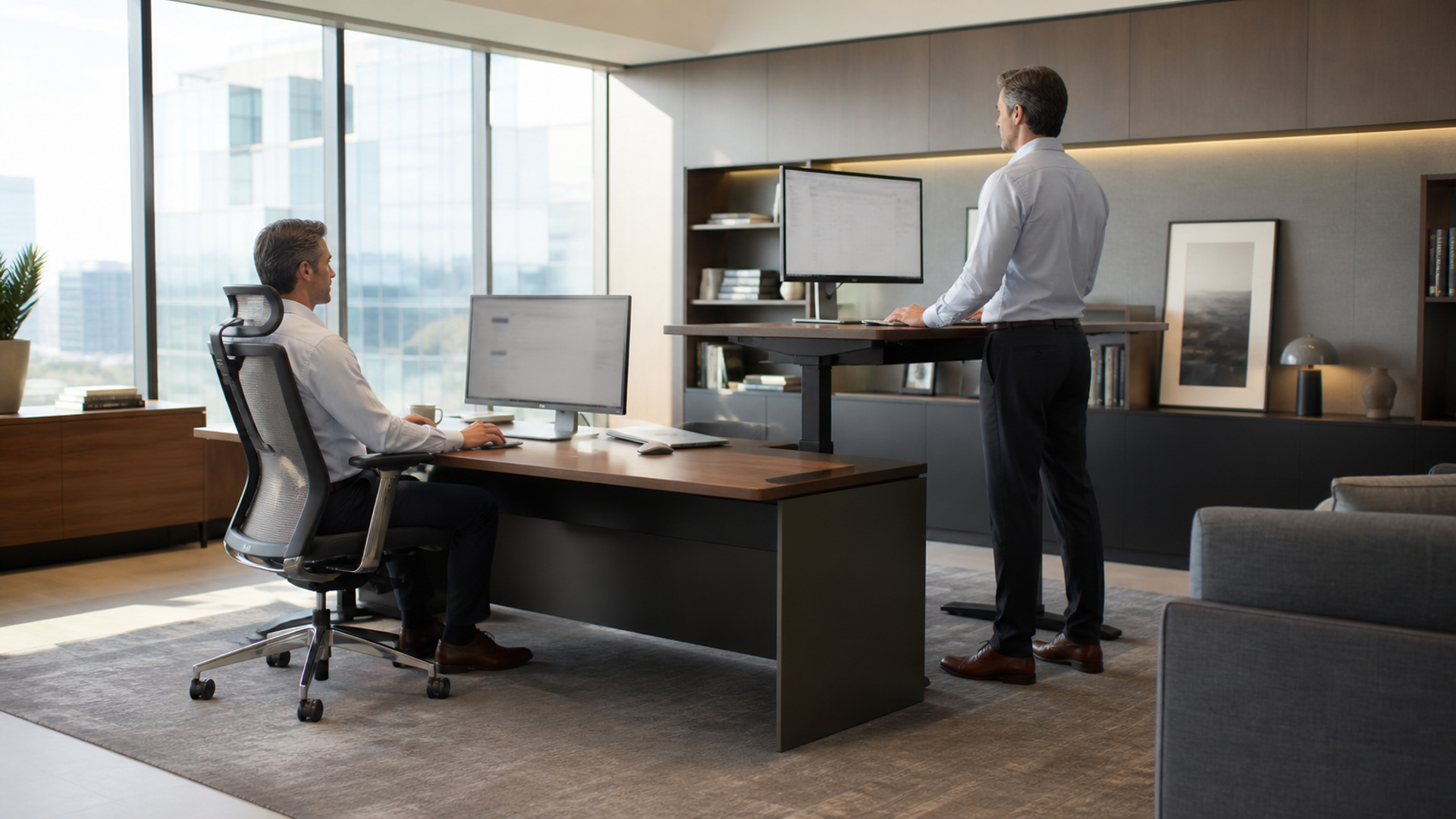
A sit-stand desk fails when only one position is ergonomic. Save the seated chair and desk heights, then save a standing height that keeps shoulders relaxed and wrists neutral. Move the monitor with the desk or use an adjustable arm. Photograph both positions from the side. If the keyboard, screen or cables do not transition cleanly, the user will stop changing posture after the novelty fades.
Use tasks as the switching cue
Time-based reminders can interrupt deep work. Link standing to predictable tasks such as short calls, inbox review or document reading, and keep precise mouse or writing work seated if that is more comfortable. Movement away from the desk should remain a third option. The goal is not to accumulate standing minutes; it is to prevent one static position from owning the day.
Introduce standing gradually
A new desk can create calf, foot or lower-back fatigue when the user doubles standing time immediately. Begin with brief intervals, wear supportive footwear and use an appropriate mat if it improves comfort without creating a trip edge. Reduce the interval when leaning or locked knees appear. Discomfort is feedback about setup or duration, not proof that the body is adapting correctly.
Design the calendar as well as the furniture
Back-to-back video calls can keep a person stationary even with excellent equipment. Protect small gaps, move suitable one-to-one conversations off screen and place water or printing far enough away to require a few steps. Executives should also make movement socially acceptable for their teams. A premium desk is useful when it supports a better operating rhythm, not when it becomes a symbolic purchase.
Three practical standing desk vs sitting desk scenarios
Deep individual work
Use the position that supports precision, then change posture at a natural task boundary instead of interrupting thought every few minutes. Record the fact that would reverse this choice and the date on which it must be checked.
Meeting-heavy day
Stand for selected short calls, sit for detailed decisions and create at least one genuine away-from-screen interval. Record the fact that would reverse this choice and the date on which it must be checked.
Shared office
Store individual height presets, manage cables and agree on acoustic and camera framing before frequent desk movement begins. Record the fact that would reverse this choice and the date on which it must be checked.
Verification checklist for standing desk vs sitting desk
Set chair and feet first.
Set standing elbow height.
Align monitor in both modes.
Check wrist position.
Start with short intervals.
Use task-based switching.
Keep a movement break.
Watch for leaning and locked knees.
Tidy moving cables.
Seek appropriate help for persistent symptoms.
Test keyboard and screen height in both positions, then schedule short transitions around natural breaks. If changing height is noisy, slow or destabilises equipment, the desk will not support the intended routine regardless of its feature list.
Related VERTU context for standing desk vs sitting desk
The VERTU productivity material is included as adjacent executive-workflow context. It is not medical evidence and does not replace ergonomic assessment.
Verdict on standing desk vs sitting desk
Do not replace all sitting with all standing. Use a stable adjustable desk when it makes posture changes easy, set monitor and input height correctly in both positions, and alternate according to task and comfort. Begin with short standing intervals and normal movement breaks. Persistent pain, dizziness or other symptoms require appropriate professional advice rather than a more aggressive desk schedule.
For most executive workdays, the winning setup is a stable sit-stand desk used to vary posture. The behavioural system—good fit, easy transitions and regular movement—matters more than maximising hours in either position.