

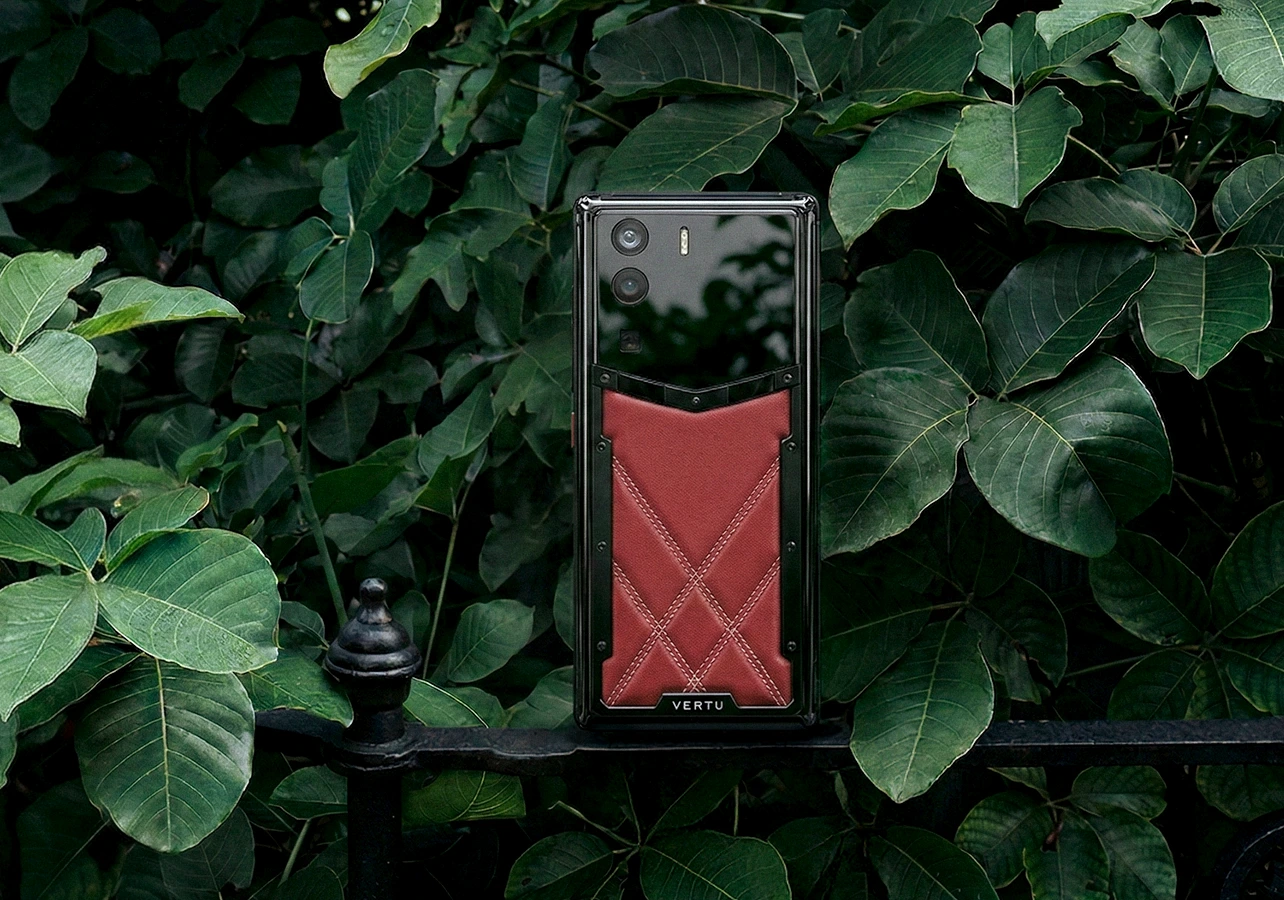
If you’re searching for a secure luxury smartphone for executives, you’re already past the fear-mongering stage. You don’t need a lecture about “hackers.” You need a buying framework: what secure should mean, what luxury should mean, and what you can verify in minutes—before you carry your company’s most sensitive conversations in your pocket.
If you’ve also searched for terms like secure smartphone for executives or luxury smartphone for business executives, the criteria below will help you cut through the noise.
This guide is written for consideration-stage buyers: you’re evaluating options, building a shortlist, and trying to avoid two expensive mistakes—overpaying for buzzwords, or underestimating how executives actually get compromised.
What “secure luxury smartphone for executives” should mean in practice
A secure phone isn’t a vibe. It’s a set of controls you can explain to your security lead, your assistant, and yourself.
(And yes—many buyers frame this as looking for executive phone privacy features. That’s valid, as long as “privacy” translates into verifiable controls.)
A secure luxury smartphone for executives should deliver three things at once:
Security fundamentals that hold up under pressure (loss, travel, urgent resets, social engineering)
A daily experience you’ll actually use (reliable, fast, low-friction)
Luxury that’s more than decoration (materials, craft, and—ideally—service)
Key TakeawayThe biggest executive risk is rarely “the phone” alone—it’s the phone plus weak account recovery, weak carrier protections, and rushed decisions.
A 5-minute needs assessment (before you compare models)
Answer these quickly. Your responses determine what’s “must-have” vs “nice-to-have.”
1) What’s your real threat model?
You’re mostly worried about opportunistic theft and everyday phishing.
You’re worried about targeted account takeover (number-based recovery, SIM swap, impersonation).
You’re worried about high-end targeted surveillance (rare, but the consequences are severe).
You don’t need to be paranoid. You need to be specific.
2) How much of your life depends on your phone number?
If your primary email, banking, or admin accounts still fall back to SMS codes, your “secure phone” decision is incomplete. The U.S. Federal Trade Commission has warned that SIM swap scams can let criminals intercept text-message codes; their guidance emphasizes using authentication apps or security keys and adding protections to your mobile account (like a PIN) in FTC guidance on “SIM swap scams” (2019).
3) Who touches your digital life besides you?
Executives often have assistants, EAs, and family members who help with travel, scheduling, and account access. That changes your requirements:
you may need cleaner separation between work and personal contexts
you may need simpler recovery workflows that don’t rely on one person being reachable
4) Are you buying as an individual or inside a managed environment?
If you have IT support, device management policies matter. If you don’t, you need a phone that is secure by default and maintainable without a full-time admin.
The evaluation criteria that actually matter
This is where most “secure phone” articles fail: they list features, but they don’t tell you what to check.
1) Update policy and patch speed
A secure smartphone is one that keeps getting patched.
What to verify
How long the manufacturer commits to OS/security updates
How quickly patches arrive after critical vulnerabilities
2) Strong device lock and encryption (baseline, non-negotiable)
At minimum, your phone should support strong lock-screen security and encryption at rest.
What to verify
You can enforce a strong passcode
The phone encrypts data by default and uses hardware protections where available
3) Account security that doesn’t collapse into SMS
This is the “executive tax”: if someone can move your number, they can often move your life.
What to verify
Your key accounts support authenticator apps, passkeys, or security keys
Your carrier supports anti–SIM-swap protections and account locks
For carrier-level safeguards, CTIA (the U.S. wireless industry association) outlines steps for protecting accounts from SIM swap fraud in CTIA guidance on protecting against SIM swap fraud (2024).
How to verifyCall your carrier and ask for an account PIN, port-out/transfer protection, and a note requiring in-person or high-assurance verification for number changes. Do this before you change phones.
4) Separation of contexts (work vs personal)
Executives don’t just need “privacy.” They need separation: what’s on the screen in a car, at an airport lounge, or during a board meeting.
What to verify
Whether the platform supports managed profiles / supervised modes / enterprise management
Whether sensitive apps can be isolated from casual installs
5) Privacy posture you can live with
Security is technical. Privacy is behavioral.
What to verify
You can audit app permissions without friction
You can reduce unnecessary data exposure
For a high-level view of how a mainstream platform frames multi-layered protection, see Android’s mobile security and data protection overview.
6) The luxury question: craftsmanship and service
For executives, “luxury” isn’t just precious materials. It’s ownership quality:
dependable daily performance
thoughtful design
and, ideally, access to human support when you don’t have time to troubleshoot
This is where a luxury phone with concierge service can be a rational choice—not just an aesthetic one.
Red flags (what to walk away from)
These are the patterns that look impressive in marketing and fail in real life.
Red flag 1: Absolute security promises
If you see “unhackable” or “can’t be hacked,” treat it as a credibility problem.
Red flag 2: No clear update/support commitment
If the manufacturer can’t clearly explain update timelines, don’t make it your primary device.
Red flag 3: “Secure phone” that still relies on number-based recovery
If the plan is still “text me a code,” you’re not solving the executive problem.
A concise, readable explanation of how SIM swapping works—and why it’s dangerous for number-based recovery—appears in Proofpoint’s SIM swapping threat reference.
Red flag 4: Security that requires you to become your own IT team
A secure phone that you won’t maintain is not secure.
How to shortlist options without falling for buzzwords
Here’s a simple shortlist method you can run in 15 minutes.
Write down your must-haves (updates, lock/encryption, MFA options, separation of contexts).
Decide your carrier posture (PIN + transfer lock; reduce SMS dependence).
materials and craft
service and support
privacy-forward design choices
Pick two mainstream baselines (iOS/Android flagships) and compare everything else against the baseline on update policy and usability.
If you’re evaluating “encrypted phones” as a category, VERTU’s own framework is useful as a starting point—just keep your verification lens on: see VERTU’s guide to encrypted phones for executives (2025).
A discreet option to explore if you value privacy and service
If your definition of luxury includes craftsmanship and an ownership experience (not just specs), it can be worth looking at curated luxury categories—especially if they position privacy as part of the experience.
For example, VERTU Agent Q phones are positioned as an “AI agent phone for entrepreneurs,” described as a shift from apps to agents, and explicitly framed around privacy-forward use. You can browse the range and editions here: VERTU Agent Q phones.
A note of discipline: the category page is light on technical security specifics. Treat it as a shortlist candidate if the craftsmanship + privacy-led positioning fit your needs, and then verify the fundamentals (updates, lock, account posture, and recovery) with the same rigor you’d apply to any device.
Key takeaways
A secure luxury smartphone for executives is defined by patching, strong lock/encryption, and account security—not by slogans.
If your life depends on your phone number, SIM swap risk is part of your buying decision. Use carrier protections and reduce SMS-based recovery.
Separate contexts (work/personal) and disciplined app behavior matter as much as hardware.
Luxury for executives should include service and ownership quality—not just materials.
FAQ
Is a “secure smartphone” the same thing as an “encrypted phone”?
Not always. “Encrypted” is often used loosely. What matters is the combination of encryption, secure authentication, timely updates, and a realistic recovery/incident plan.
What’s the fastest single upgrade I can make today?
Stop using SMS as your default factor for high-value accounts where possible, and add strong carrier account protections. The FTC’s consumer guidance on SIM swap scams is a practical starting point (see the FTC link earlier in this article).
Should executives use two phones?
Sometimes. A separate “travel/communications” device can reduce blast radius, especially if you travel frequently or handle highly sensitive work. The trade-off is management overhead—two devices only help if both stay updated and controlled.
Next steps
If you want a practical way to move from “research” to “shortlist,” do this:
Write your must-haves (updates, encryption/lock, MFA, separation).
Call your carrier to set an account PIN and transfer protections.
Shortlist 2–4 devices and validate them against the criteria above.
If craftsmanship and a privacy-forward ownership experience are part of your decision, you can review the current editions under VERTU Agent Q phones (linked earlier in this article).
Disclosure: This article references VERTU pages. Editorial judgment remains the priority.


