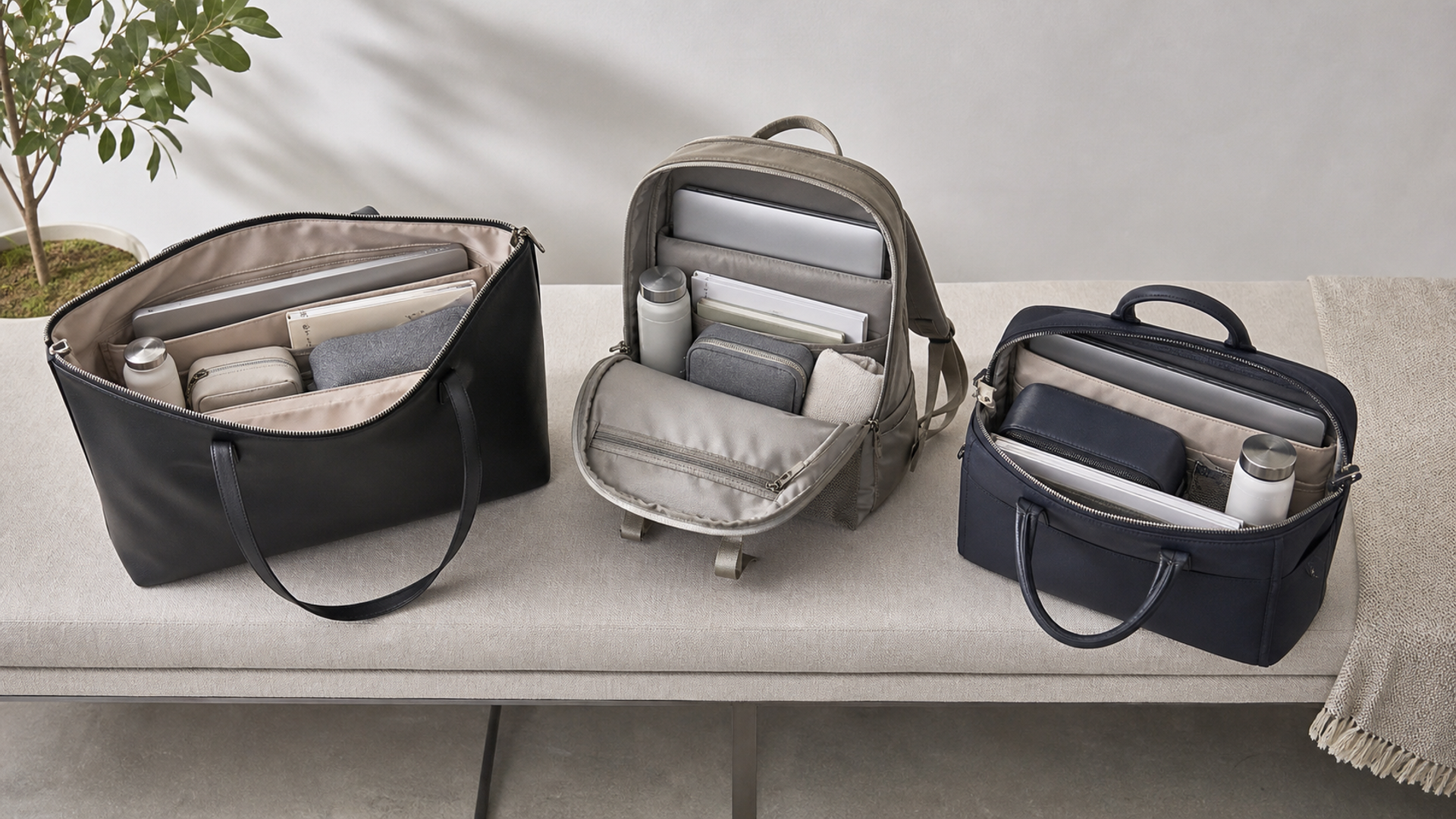
The best work bag for a woman who carries a laptop is not determined by a logo or a generic “fits 15-inch” label. It is the bag whose internal dimensions match the actual computer, whose loaded weight sits comfortably on the body, whose opening works in real transport and whose material can tolerate the intended climate and care routine.
For light urban commuting, a structured zip-top tote with a suspended laptop sleeve is the most versatile starting point. For heavier loads or long walking transfers, a refined backpack distributes weight better. For frequent flights, a work bag with a secure luggage pass-through, protected bottle position and one-handed document access usually outperforms a beautiful but open, unstructured tote.
Start with the computer, not the advertised screen size
Laptop screen size is measured diagonally; it does not define the machine's width, depth or thickness. Two “14-inch” computers can fit differently because of bezels and chassis design. Measure the device or read its official dimensions, then add room for a protective sleeve and the bag's internal seams.
A sleeve should hold the computer firmly without forcing the zip. Padding should protect the lower corners, and the sleeve should be raised from the bag floor so the laptop does not strike the ground when the bag is set down. If the charger shares the compartment, it should not press against the screen.
Take the actual computer to a fitting. A retailer's optimistic capacity statement is less reliable than closing the bag yourself.
The five work-bag formats
| Format | Best for | Main advantage | Main compromise |
|---|---|---|---|
| Structured zip tote | Light-to-medium commute | Professional access and shape | Weight on one shoulder |
| Soft tote with insert | Flexible daily load | Low empty weight and adaptable space | Can collapse and expose contents |
| Convertible tote/backpack | Mixed commute and travel | Changes carrying mode | More hardware and straps |
| Refined backpack | Heavy laptop load or long walking | Balanced weight distribution | Less formal in some settings |
| Compact brief/shoulder bag | Minimal kit and meetings | Precise organisation | Limited room for clothing or bottle |
Choose the format before choosing the leather, colour or brand. The wrong geometry cannot be corrected by better materials.
Loaded weight determines comfort
Weigh the normal kit: laptop, charger, notebook, bottle, cosmetics, glasses, umbrella, keys and travel documents. The result is often several kilograms before the bag itself is added. A heavy leather tote can look elegant empty and become punishing after a station transfer.
Shoulder straps need enough width and drop to sit over a coat without cutting into the neck. Handles should not be so long that the bag hits the thigh. A backpack should place the computer close to the spine and offer straps that do not slip from smooth clothing.
Walk for ten minutes with the realistic load. Sit, climb stairs and take the bag on and off. Comfort judged in front of a mirror is incomplete.
Body fit changes the ideal dimensions
A petite user may find a very wide tote visually and physically unwieldy, particularly on crowded transport. A tall user may need more handle drop and a longer backpack harness. Neither observation is a style rule; it is a matter of movement and leverage.
Check whether the bag clears the hip when carried by hand and whether it stays close to the body on an escalator. For shoulder carry, the top edge should not block the arm. For cross-body carry, confirm the strap attaches at points that keep a laptop from tipping the bag forward.
The best-looking proportion is the one that remains controlled while moving.
Opening and security
An open tote gives quick access but leaves documents and devices visible. A full zip is more secure in airports and taxis, though an overfilled zip can become difficult to close. A flap adds elegance but may require two hands. Magnetic closures can interfere with neither modern laptops nor cards in ordinary use, but they do not create meaningful theft protection.
Look for a discreet pocket for passport and phone that can be reached without opening the main compartment. Avoid placing valuables in an exposed outer pocket. Zips should run smoothly around the laptop's corners and should not scratch a device as it is removed.
If the bag will pass through security screening, the laptop compartment should open without emptying every personal item.
Material scorecard
| Material | Empty weight | Weather tolerance | Structure | Ageing character | Care burden |
|---|---|---|---|---|---|
| Full-grain leather | High | Moderate; finish-dependent | Strong | Develops individual patina | Regular material-specific care |
| Corrected leather | Medium-high | Often more uniform initially | Strong | More even surface change | Wipe and condition as specified |
| Coated canvas | Medium | Good for everyday splashes | Medium-strong | Less expressive patina | Usually practical |
| Ballistic nylon | Low-medium | Good practical resistance | Soft to medium | Functional wear | Low |
| Fine textile | Low | Highly fabric-dependent | Often soft | Can show abrasion | Specialist cleaning may be needed |
Material names do not prove construction quality. Inspect edge paint, stitch density, reinforcement at handle bases, lining attachment and zip installation. The Leather Working Group terminology resources help separate material language from vague marketing.
Organisation without overengineering
Too many fitted pockets can make a bag heavy and prevent it from adapting to a different laptop or charger. Too few allow hard objects to collide. A useful layout has a protected laptop sleeve, one secure pocket, one quick-access pocket and enough open space for pouches.
Keep liquids away from electronics. A bottle pocket should be upright, easy to inspect and preferably separated from the computer. Cables and power banks belong in a soft pouch so connectors do not mark the lining or screen.
Organisation should make a security check faster. If every item has to be unpacked to reach the laptop, the layout is not working.
Travel fit and luggage pass-through
For frequent flights, confirm the bag fits beneath the seat on the airlines and aircraft you use. IATA provides general baggage guidance, but carriers set their own dimensions and weight limits. A very rigid bag can waste usable volume and may not compress under a low seat.
A luggage sleeve should be wide enough for the suitcase handle and positioned so the loaded bag does not rotate. Test it on your actual case. If there is no sleeve, a secure strap may work, but loose handles can slide during fast transfers.
Place travel documents where they are reachable while the bag is on the suitcase, not trapped against the handle.
Climate and care
Rain, summer humidity, winter salt and aircraft-floor grime affect materials differently. Pale suede and unfinished leather require more caution than coated canvas or technical nylon. A luxury bag used daily should have a care plan that fits the owner's real tolerance, not an idealised ritual.
Follow the maker's instructions. Test products on a hidden area and avoid household wipes, alcohol or unverified waterproofing sprays. Store the bag clean, dry and supported, with straps arranged to avoid creasing. VERTU's guide to storing a luxury handbag in heat and humidity covers the high-risk seasonal details.
For a material-and-construction comparison, the premium leather tote durability guide shows why finish, reinforcement and use matter more than leather terminology alone.
The bag that ages best is often the one whose finish suits the environment from the outset.
A 12-point fitting checklist
Measure the laptop and sleeve.
Weigh the everyday load.
Confirm the base protects the laptop corners.
Close the bag without forcing it.
Wear it over the thickest normal coat.
Walk for ten minutes.
Reach passport and phone with one hand.
Put the bottle in its intended position.
Test the bag on the suitcase handle.
Sit with it under a chair or aircraft seat.
Inspect handle anchors, edges, lining and zip.
Read the care and warranty terms.
This checklist is deliberately independent of price. An expensive bag can fail the test; a restrained design can pass it beautifully.
Best format by scenario
Choose a structured zip tote when the daily load is moderate, meetings are formal and access matters. Choose a refined backpack when the laptop is heavy, the commute involves walking or the body needs balanced support. Choose a convertible when the itinerary genuinely changes carrying modes, but test the hardware and loose straps carefully.
For air travel, prioritise closure, luggage attachment and protected organisation. For car-to-office use, a more sculptural tote may be reasonable. For hot, wet climates, material resilience may matter more than a pristine pale finish.
The “best work bag” is therefore a fit decision: device, load, body, journey and maintenance.
Cost per wear and repairability
Purchase price alone says little about value. Estimate how often the bag will be used, then consider the parts most likely to require service: handles, strap glazing, base corners, zip, lining and hardware. Ask whether the maker offers repair, whether replacement parts are available and whether a local leather specialist can work on the construction without damaging proprietary finishes.
A bag used 180 days a year can justify a higher initial cost if it remains comfortable, presentable and repairable. A delicate bag carried only when conditions are perfect may have a different role, but it should not be mistaken for the practical workhorse. Keep receipts, care instructions and service records; they make responsible maintenance easier and help a future owner understand what has been changed.