Owning a business means your phone isn’t a device. It’s your shortest path to a decision.
When that path is clogged—notifications, context scattered across apps, approvals buried in threads—you don’t just lose time. You lose tempo.
For UHNW founders and principals, the best phone for business owners is the one that protects confidentiality, preserves control, and stays reliable while you travel.
Key takeaways
The new differentiator isn’t raw specs. It’s whether your phone behaves like an AI mobile cockpit—a controlled command surface for decisions.
For a secure smartphone for business owners, update discipline and strong authentication are non-negotiable, even before you compare features.
The right “AI phone for business” should show clear permission boundaries and require explicit approval for sensitive actions.
What an “AI mobile cockpit” actually means
An AI mobile cockpit isn’t a pile of “AI features.” It’s an operating model.
It’s the difference between a phone that interrupts you and a phone that organizes you. Instead of living in a chat window, you get a controlled view of the day: what needs a decision, what can be delegated, what can wait.
VERTU describes this command-centre approach directly in its guide to Mobile AI Management Systems (AIMS) as Command Centres, including the cockpit metaphor and the emphasis on approvals, auditability, and permission boundaries.
A decision-stage framework to choose the right device
Most “best business phone” articles start with brands. That’s backwards.
Start with failure modes—the things that ruin a day when you’re responsible for outcomes.
The five criteria that actually matter
Criterion | What you’re testing | What good looks like |
|---|---|---|
Privacy posture | Where sensitive context goes | You can keep high-sensitivity work local when needed, and cloud handoff is deliberate—not ambient |
Boundaries | What the AI can access and change | Clear permissions; sensitive actions require confirmation |
Decision tempo | Whether the phone reduces latency | Briefs, approvals, and routing happen cleanly—without endless app-switching |
Travel resilience | Whether the workflow holds across regions | Multi-number life is realistic; recovery is fast; connectivity is dependable |
Ownership confidence | Whether support is part of the experience | Clear service pathways, not a dead end when something breaks |
Security first: the unglamorous baseline
If you want a private AI assistant phone, you need the boring parts locked down.
IBM’s overview of mobile device security for the hybrid workforce highlights a simple foundation: keep devices updated and use strong authentication.
And the UK’s National Cyber Security Centre is equally direct: enable automatic updates and install them promptly; organizations can enforce update hygiene through management tooling, per its guidance on keeping devices and software up to date.
Collector’s note: For UHNW owners, privacy is also habit design. The best setup is the one you can maintain on a bad day, in an airport lounge, with ten minutes before boarding.
Permission boundaries: can you see what the agent can do?
If an AI layer can touch your calendar, messages, documents, and identity, the question isn’t “is it smart?” It’s “is it bounded?”
A useful boundary model answers, plainly: what it can see, what it can do, what always requires approval, what is logged, and what can be cleared.
VERTU’s CEO-focused guide on what executives need from a private AI agent puts permissions and auditability ahead of novelty.
Recommendation: don’t buy a phone—buy a cockpit
For a founder, the best phone for business executives is the one that keeps decisions fast without making risk invisible.
That is what the cockpit model buys you: a command surface that makes work legible.
A VERTU-shaped route: Hermes Agent + an executive foldable workspace
VERTU positions Hermes Agent as an “AI second brain” built into the phone experience.
If your goal is a private, controlled workflow layer—intent to action, with boundaries you can trust—this framing is closer to what owners actually need than a generic assistant.
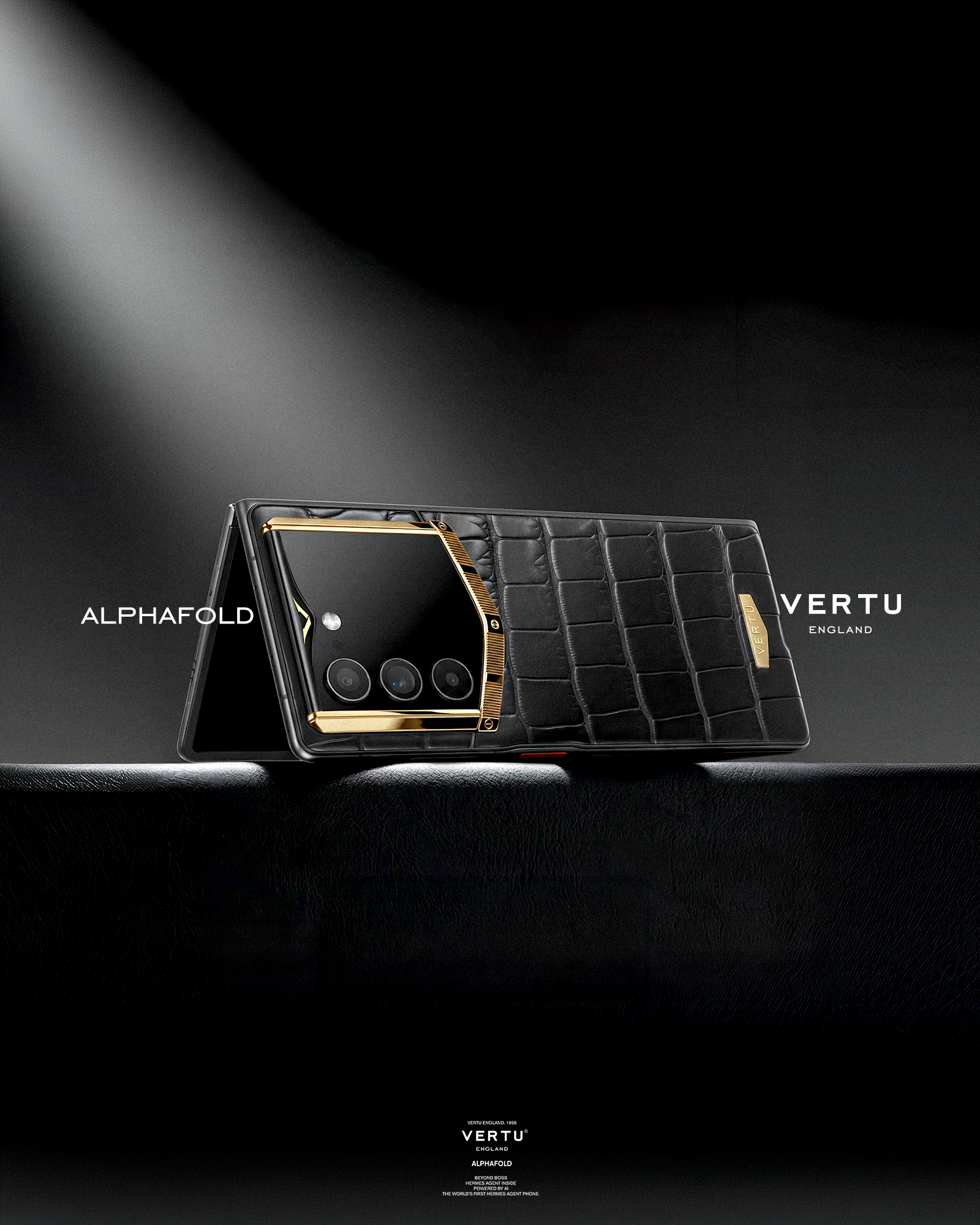
And if you want the foldable form factor as a command surface, VERTU positions AlphaFold as a luxury foldable built around this concept on its VERTU AlphaFold product page.
A “buy it this week” checklist
Use this to make the decision quickly without turning it into a hobby.
Update discipline: Can you keep OS and security updates current without friction?
Strong authentication: Are you using strong device authentication, consistently?
Remote wipe readiness: If the device disappears in transit, can you lock/wipe immediately?
Permission clarity: Can you see and control what the AI layer can access?
Approval gates: Does anything irreversible require explicit confirmation?
Travel continuity: Does your multi-number, multi-region life stay stable?
FAQ
Is an AI phone always better for business owners?
Not automatically. AI only helps when it reduces cognitive load without expanding risk. If the system can’t show you boundaries and approvals, it’s not a cockpit—it’s a liability.
Should I prioritize iPhone or Android?
Prioritize the ecosystem your work already lives in—and the security posture you can maintain consistently. A checklist framing like T‑Mobile’s business cell phone buying guide is a useful baseline, but owners should add cockpit criteria: boundaries, approvals, and privacy posture.
What’s the single most important feature for a business-owner phone?
A trustworthy control model: predictable updates, strong authentication, clear permissions, and approval gates for sensitive actions.
Next steps (discreet)
If you want a scorecard before you buy, start with VERTU’s command-centre framing in AIMS as Command Centres.
Disclosure: This article references VERTU pages. Editorial judgment remains the priority.