

Introduction
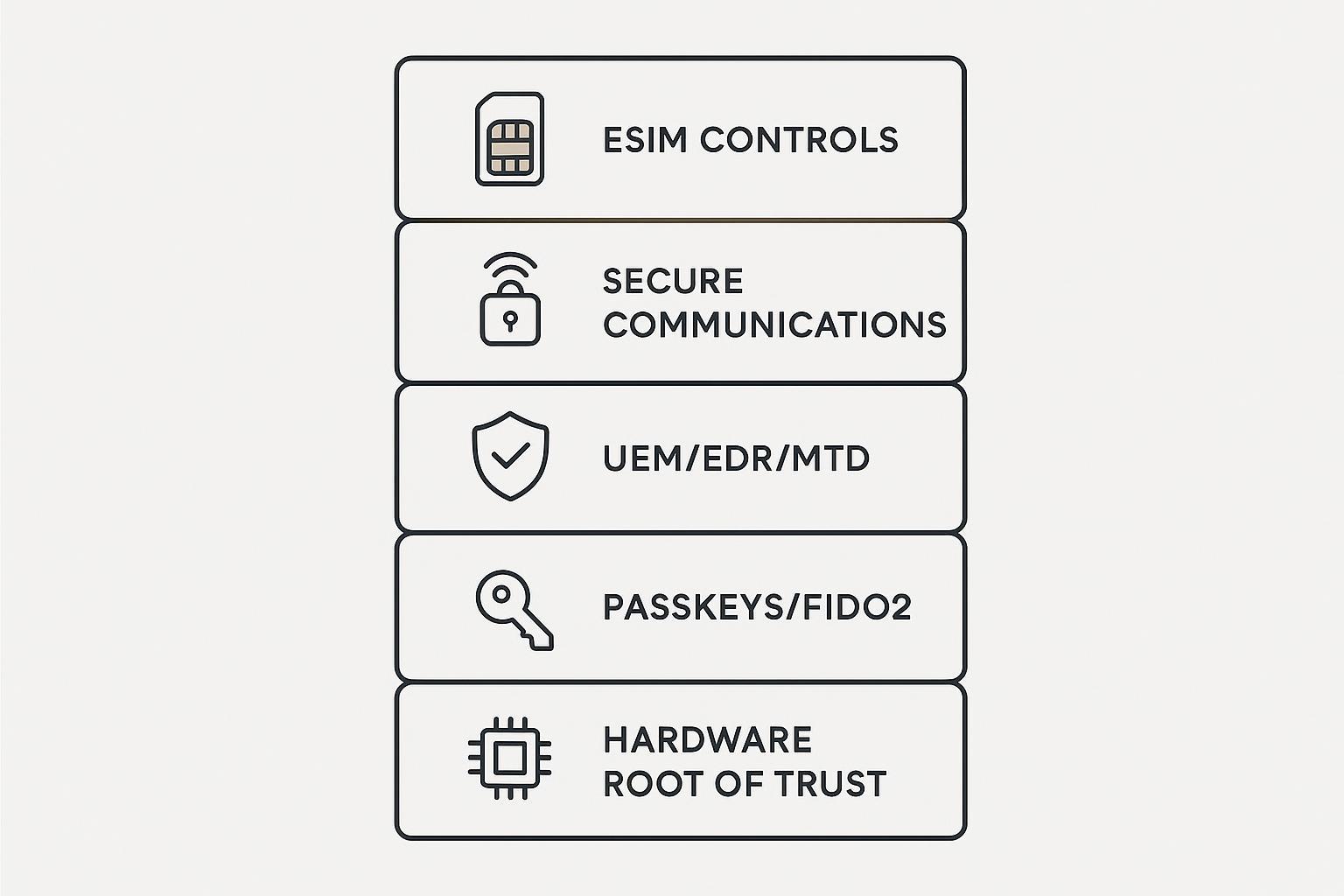
In 2026, a “secure device for corporate executives” is not just a hardened handset or a locked-down laptop. It’s an end-to-end program: hardware-backed trust, phishing-resistant identity, managed posture, continuous detection, and an operating model that assumes targeted attacks will happen.
This guide is written for CISOs, security architects, executive protection teams, and C‑suite stakeholders who need a defensible standard for executive cohorts—before rolling controls out to the broader workforce.
Scope: executive-ready device features, the 2025–2026 threat landscape, a practical implementation blueprint, U.S. governance frameworks, and platform-specific baselines for Apple, Android, and Windows.
Key TakeawayTreat executive devices as a managed program (hardware trust + phishing-resistant identity + enforced posture + rapid response), not a shopping decision.
How to use this: scan the H3s as checklists. Start by applying the controls to your highest-risk executive cohort first (C‑suite, CFO staff, M&A, board communications), then expand.
Executive-ready device features
For most organizations, the fastest way to standardize a secure device for corporate executives is to specify a small set of non-negotiable capabilities—then let OS choice follow the risk profile and operating model.
Hardware-backed trust and encryption
If you can’t prove the device is genuine and booting a known-good state, everything above it is negotiable.
Look for hardware-backed security primitives and make them part of procurement language:
Secure boot and measured boot signals (or equivalent platform attestation)
Hardware-backed key storage (e.g., TPM, Secure Enclave, TEE-backed keystore)
Strong, default encryption for data at rest with keys tied to the hardware and user unlock
For executives, “encryption enabled” is table stakes. The differentiator is whether keys are hardware-backed, whether boot state can be attested, and whether your team can enforce that posture before granting access.
Phishing-resistant MFA and identity
In 2025–2026, identity attacks increasingly bypass passwords and even “MFA” as most teams define it. Session hijacking, adversary-in-the-middle kits, and push fatigue attacks are designed to win even after a user “does the right thing.”
For executive cohorts, treat phishing-resistant authentication as a baseline requirement:
Prefer FIDO2/WebAuthn passkeys or hardware security keys for primary accounts
Remove SMS OTP from executive auth paths (including account recovery)
Bind access to device posture (conditional access / risk-based access)
How to verify: If an “MFA” method can be relayed in real time (SMS, TOTP codes, most push approvals), assume it will be relayed against executives. Origin-bound FIDO authentication materially changes that equation.
UEM/EDR/MTD integration
Executives need the same security stack as everyone else—plus tighter policy and faster response.
Treat UEM (MDM), EDR, and MTD as a single control plane:
UEM enforces configuration and compliance (enrollment, encryption, OS version, risky settings)
EDR provides endpoint telemetry and detection on laptops/desktops
MTD covers mobile-specific threats (phishing overlays, malicious profiles, risky networks)
Your “secure executive device” standard should specify:
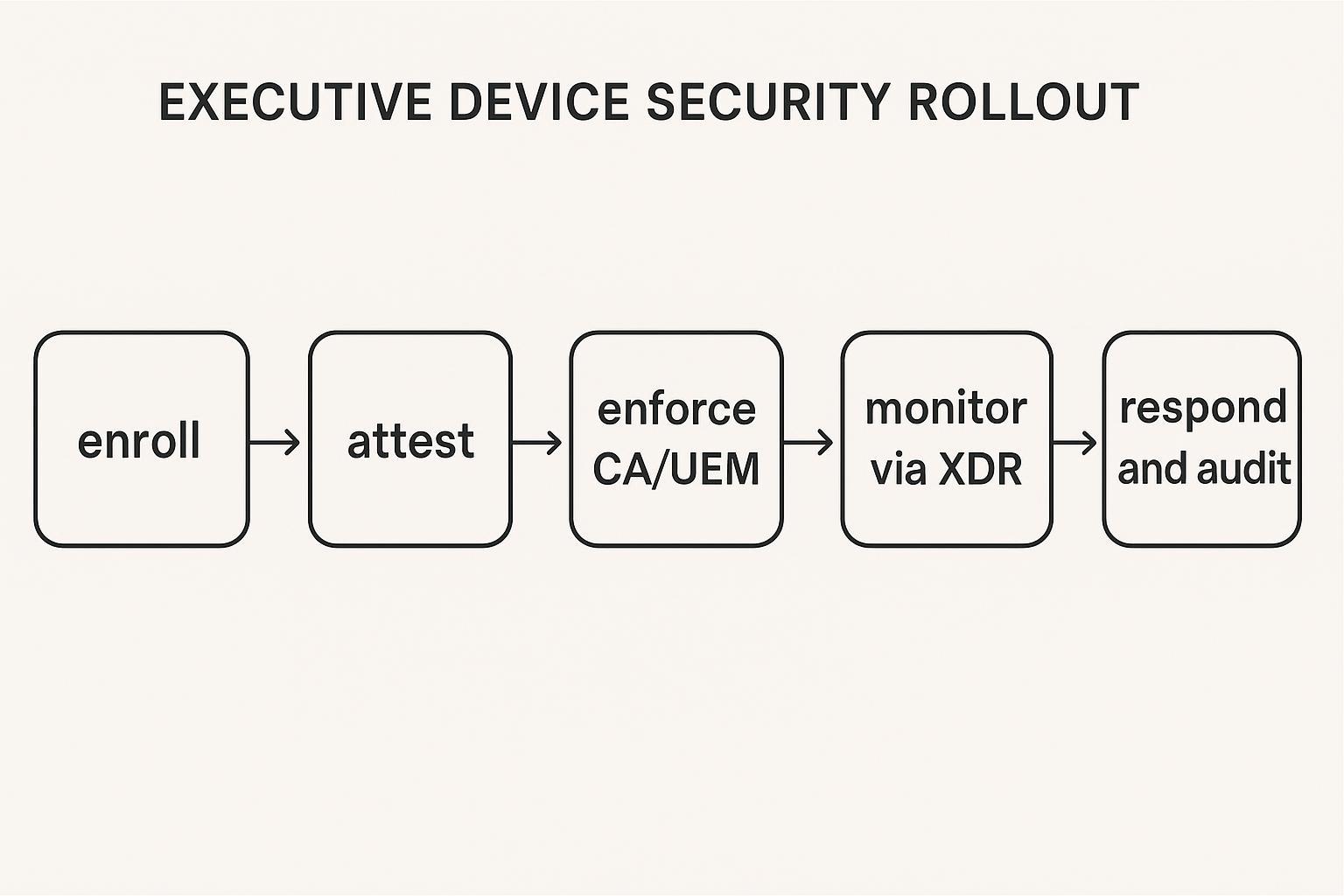
A compliance gate (device posture required for SSO/VPN/ZTNA)
Central logging to SIEM/XDR
Automated containment actions (session revocation, device quarantine, remote wipe) tied to severity
Executive threat landscape 2025–2026
BEC, whaling, and deepfakes
BEC and whaling remain dominant because they exploit authority, urgency, and trust—exactly the executive attack surface. What’s changed is quality and speed: deepfake voice and video can now simulate “executive intent” convincingly enough to pressure staff into exceptions.
Mitigations that actually hold up under pressure:
Make verification procedural, not personal (two-person rule for transfers, call-backs to known numbers)
Pre-register “high-risk requests” (wire changes, vendor bank updates, M&A document sharing) with mandatory verification steps
Train executive assistants and finance teams on deepfake-specific red flags and escalation paths
SIM-swap and MFA bypass
Carrier-layer attacks are still a practical route to executive compromise because too many critical accounts rely on phone numbers for authentication and recovery.
Treat phone-number compromise as inevitable unless you design around it:
Remove SMS as an authentication factor for executives
Harden account recovery (hardware keys where possible; helpdesk identity proofing)
Monitor for sudden SIM/eSIM changes and unexpected carrier events
⚠️ Warning: The most damaging executive compromises are often “clean.” No malware. Just stolen sessions, new SIMs, and legitimate logins from unfamiliar contexts.
Zero-click exploits and OAuth/token theft
High-end exploits can compromise devices without taps, links, or attachments. In parallel, token theft and OAuth abuse can bypass credentials entirely by reusing valid sessions.
What helps at the program level:
Aggressive patch SLAs for executive cohorts (faster than general population)
Reduce attack surface (limit risky apps, messaging exposure, unmanaged profiles)
Identity telemetry: detect impossible travel, unusual device registrations, abnormal token issuance
Session revocation playbooks that work across email, collaboration, and IdP quickly
Implementation blueprint
This implementation blueprint is intended for anyone standardizing a secure device for corporate executives cohort first (before expanding to the general employee population).
Identity and access policies
Start with identity because it’s the common dependency across devices, apps, and data.
Baseline policies for executive cohorts:
Require phishing-resistant MFA for primary accounts and privileged access
Enforce conditional access based on device compliance and risk
Reduce token lifetimes and require re-auth when posture changes
Protect helpdesk flows (strong identity proofing; audited break-glass procedures)
Anchor your design in Zero Trust principles from NIST Special Publication 800-207, Zero Trust Architecture (2020): per-request verification, least privilege, and continuous evaluation.
Device baselines and travel posture
Executives travel. Your baseline must survive airports, conferences, hotel Wi‑Fi, and temporary devices.
A practical travel posture:
Separate “home” and “travel” baselines (more restrictive profile for high-risk travel)
Pre-stage secure connectivity (VPN/ZTNA), and block unknown networks where feasible
Disable or restrict high-risk features in travel mode (USB accessory prompts, wireless sharing)
Treat repair and replacement as chain-of-custody workflows (loaners, wipe, re-enrollment)
Hardware trust and concierge response
Hardware trust is only valuable if you can operationalize it.
Build a workflow that treats executive device anomalies as executive-protection events:
Enrollment + attestation: confirm the device meets hardware-backed trust requirements before granting access
Rapid containment: session revocation, device quarantine, remote wipe when thresholds are met
Concierge-grade response: executives need a 24/7 path to human support that can coordinate IT, security operations, and executive protection without friction
This is one place a brand like VERTU can fit into an executive device program without changing your architecture: the device posture can be designed around hardware trust assumptions, while a 24/7 concierge operating model can function as a high-availability intake channel—helping executives report suspicious prompts, SIM anomalies, or lost-device events immediately, and triggering your internal response playbooks.
If you want a neutral starting point for executive-specific privacy criteria and red flags, this guide on privacy phone for executives: what to buy and why is a useful checklist-style read.

U.S. frameworks and governance
NIST SP 800-207/53 and CISA Zero Trust
Use three documents together:
ZTA architecture: NIST SP 800-207 (final) defines the concepts and logical components.
Control evidence: NIST SP 800-53 Rev. 5 security and privacy controls gives a catalog you can map to policies, baselines, logging, and audit artifacts.
Maturity benchmarking: in CISA’s updated Zero Trust Maturity Model (2023), the pillars (Identity, Devices, Network, Data, Applications and Workloads) provide a practical way to show progress over time.
FIDO guidance and authenticator assurance
For executives, “passwordless” is not the goal. Phishing resistance is.
Use FIDO resources to validate what’s real in the market:
The FIDO Alliance Passkeys Directory shows where passkeys are already implemented for consumer and workforce contexts.
When you document authenticator assurance for audits, be explicit about:
Whether passkeys are device-bound or synced
Recovery flows (what happens if a device is lost)
Administrative controls for enrollment and revocation
SEC disclosure and audit readiness
If you’re a public company, governance isn’t optional—and neither is evidence.
The SEC’s rules summarized in SEC Press Release 2023-139 on cybersecurity risk management and incident disclosure require material incident disclosure (generally within four business days of determining materiality) and annual disclosures around risk management, strategy, and governance.
For executive device programs, audit readiness means you can show:
Executive cohort inventory and enrollment evidence
Approved baselines and exceptions process
Detection/response metrics (MTTD/MTTR) specific to executive incidents
Evidence of tabletop exercises that include executive scenarios (deepfake BEC, lost phone abroad, token theft)
Platform-specific baselines
Apple (iOS, macOS)
Apple platforms are strong by default, but executive posture requires enforceability.
Baseline controls:
UEM/MDM enrollment with supervision where applicable
Encryption enforced (iOS Data Protection; macOS FileVault)
Strong passcode policies; protect cloud accounts with phishing-resistant MFA
Lock down risky sharing surfaces (wireless sharing, unmanaged backups) based on your threat model
Where you need an always-current patch view, Apple maintains Apple security releases.
Android Enterprise
Android can be highly defensible when it’s managed properly. The key is controlled models and integrity signals.
Baseline controls:
Prefer fully managed or work-profile models under Android Enterprise
Enforce OS currency and security patch SLAs for executive cohorts
Require hardware-backed key storage and verified boot
Use device integrity/attestation signals to gate access
For integrity signals and attestation mechanics, start with Android Developers: Play Integrity API overview.
Windows 11
Windows 11 executive endpoints should be built around hardware trust and eliminating password-based auth where possible.
Baseline controls:
BitLocker + TPM (data at rest and boot integrity)
Windows Hello for Business / passkeys where supported
Defender for Endpoint and baseline hardening via Intune
Credential Guard and application control to reduce credential theft and malware execution
Microsoft’s baseline guidance lives in Intune documentation such as Manage endpoint security in Microsoft Intune.
Conclusion
A secure executive device program in 2026 isn’t one control. It’s a resilient stack: hardware-backed trust, phishing-resistant MFA, and enforced posture through UEM plus detection via EDR/MTD.
Immediate actions:
Enable passkeys (or hardware keys) for executive primary accounts
Enforce device compliance gates for SSO and remote access
Disable SMS and reduce push-based approvals for executive cohorts
Metrics that matter:
Device compliance rate (executive cohort)
FIDO/passkey coverage (executive accounts)
MTTD/MTTR for executive incidents and suspicious-auth events
Next steps: pilot with the C‑suite, expand to staff, and align evidence to audits.
Disclosure: This article references VERTU pages. Editorial judgment remains the priority.


