Key Takeaways
- Clean the device and lens, stabilise the camera and decide which material detail each frame must communicate.
- Use broad, diffused light to reveal polished metal through controlled gradients rather than distracting glare.
- Photograph sapphire and reflective finishes from several angles; do not rely on one image to represent every property.
- Check colour against the physical item and keep edits faithful to the actual finish and configuration.
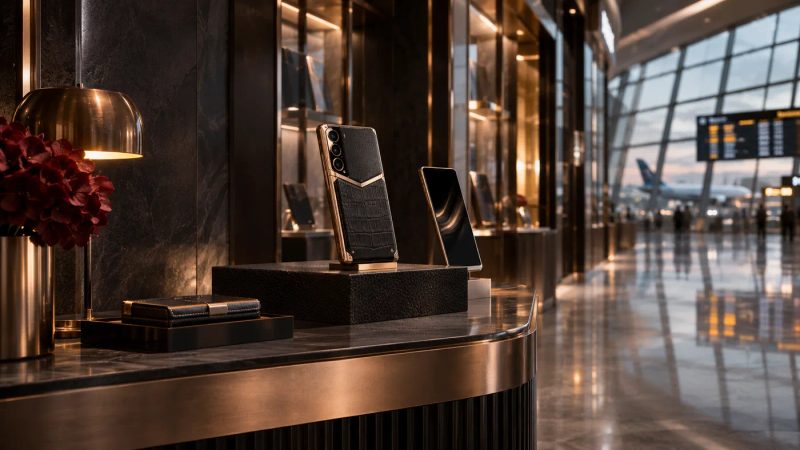
Good luxury phone photography shows the materials clearly without making them look different from the object a customer will receive. The practical method is to clean and stabilise the device, shape reflections with soft light, capture both overall form and close detail, then verify colour and finish before publishing. This is especially important for sapphire, polished metal and textured leather, which respond differently to light and viewing angle. A clear photographic workflow helps a retail or content team distinguish a useful mood image from a faithful product record. The VERTU Signature S+ page describes sapphire crystal in the screen; use current product information to confirm which material belongs to the exact model being photographed.
Start with the image’s job
Before arranging lights, decide what a viewer needs to understand: the silhouette, a control, a material transition, a texture or the relationship between components. A hero image should establish the object and its proportions. Supporting images can then isolate a surface or construction detail. This prevents a sequence of attractive but repetitive photographs that never answers a buyer’s practical questions.
For commerce, include a faithful view of the actual configuration and finish. For editorial work, a more atmospheric frame can support the story, but it should not substitute for an accurate product view where a specific feature or material claim is made.
Prepare the device and camera
Remove distractions before shooting
Dust, fingerprints and small marks become prominent in close-up images. Handle the device carefully, clean it with an appropriate soft cloth and check the lens. Do not use cleaning liquids or tools unless they are suitable for the relevant material and approved care instructions.
Stabilise and focus
Use a tripod or stable support and focus on the feature the frame is meant to show. For close details, take several frames at slightly different focus points and review them at full size. A remote shutter or timer can reduce movement. If using a phone camera, keep the device level and avoid digital zoom when it degrades detail; move the camera or use a suitable optical or macro setup instead.
Control reflections on polished metal
Highly polished surfaces reflect the room, light source and camera. A bare point light can create hard highlights that obscure shape. The Gemological Institute of America’s guidance on gem and jewellery photography recommends diffused light for polished metal and gemstones because it can produce softer tonal transitions. The same lighting principle is useful when photographing reflective phone surfaces.
Place a large diffuser between the light and the product, then use white or dark cards to create deliberate bands of reflection. Move the card or light rather than increasing brightness indiscriminately. Watch how the highlight travels across an edge: a controlled gradient can describe curvature, while a blown-out patch hides it. Keep the camera and any bright studio equipment out of the reflection where possible.
For metal with a brushed, engraved or faceted finish, use a light direction that reveals the texture without exaggerating it. Record a neutral reference frame and compare it with the physical device. Avoid retouching that removes real seams, changes the apparent finish or makes a surface look more uniform than it is.
Show sapphire and other transparent details carefully
What Should a Product Photo Show About Sapphire and Precious Metal?
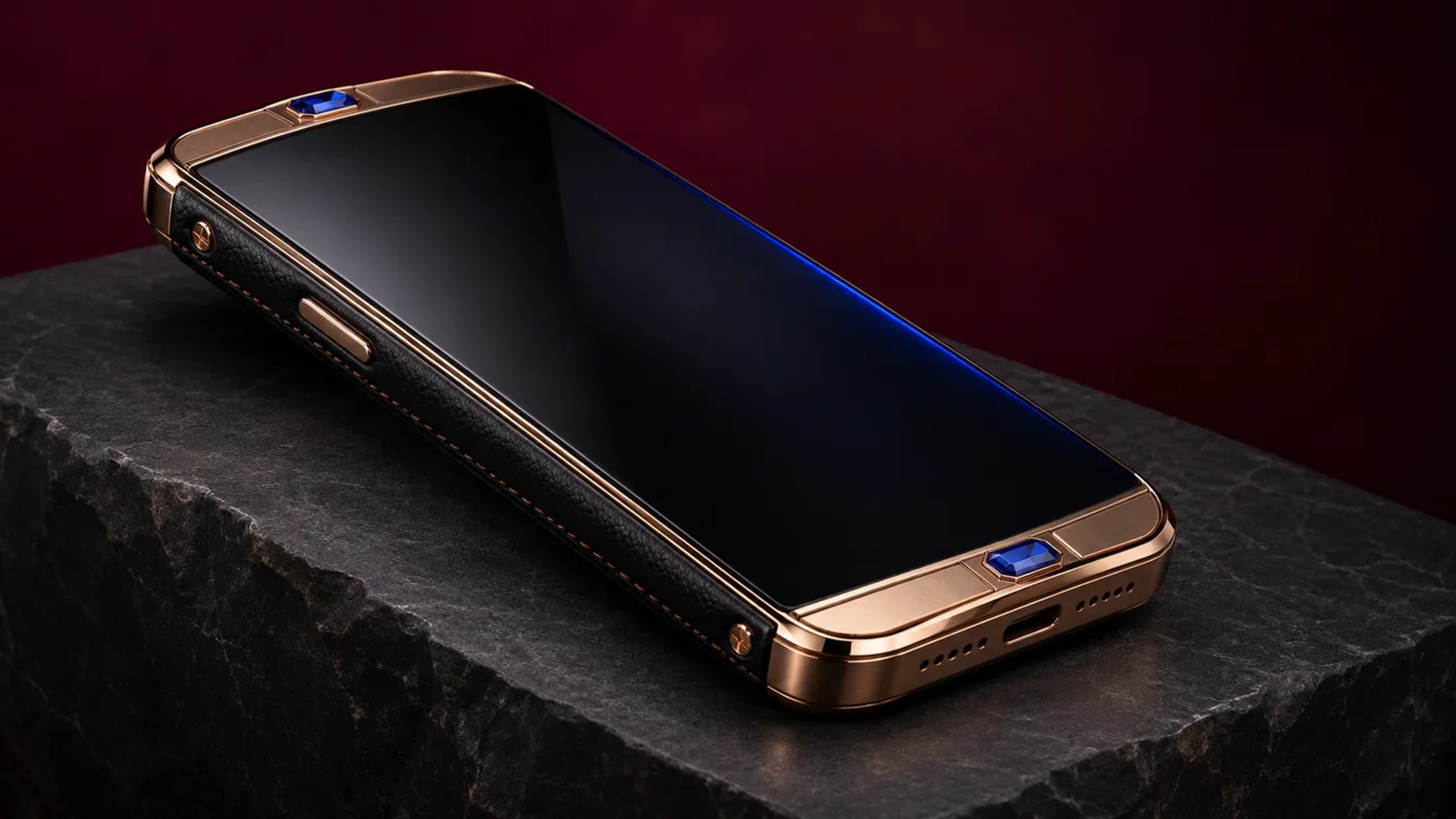
A useful image should make the visible material boundary, finish and position on the device easy to understand. Pair an overall product view with a close detail, and caption what the frame actually shows. Sapphire can reflect its surroundings, while polished metal can mirror the studio; neither appearance alone verifies a technical property. Keep claims about hardness, scratch resistance or impact performance tied to product documentation for the exact model. If a feature is partly hidden by glare, take another angle instead of relying on retouching to imply detail that the photograph did not capture.
Transparent or highly reflective details can produce glare, dark patches or colour shifts. Use a broad source and adjust the angle of the light, camera and product in small increments. A subtle edge reflection can help define a transparent surface; a large direct reflection may conceal it. Photograph the device from several angles and select frames that show the real appearance rather than implying that a material has properties the image cannot verify.
Do not describe scratch-proofness, impact resistance or optical performance based on a photograph. Those are product claims that require authoritative evidence for the exact model. Keep captions and alt text descriptive: identify the visible view or detail without turning visual description into a specification claim.
Capture leather texture and construction
How Can Retailers Keep Material Colours Accurate Across Images?
Use a consistent light source and white balance across the image set, then compare the edited file with the physical device under neutral light. Mixed colour temperatures can make one metal look warmer or a sapphire edge look tinted. Keep a reference frame for each configuration and record which finish it represents. Make restrained exposure and colour corrections, but do not recolour a product to match a campaign palette or make two distinct finishes appear identical. When several materials meet, include one frame that shows their relationship on the same device.
Leather texture is easiest to read when light grazes the surface from the side. A low, diffused source can reveal grain and stitching while preserving softer transitions. Include a context frame that shows where the material sits on the device, then a close-up that shows its texture. Avoid excessive sharpening, saturation or contrast that changes the apparent grain or colour.
When the product has multiple finishes, photograph each one separately and label the images accurately. Never imply that a pictured finish is included with every model or configuration unless the current product listing confirms it.
Choose angles and backgrounds for clarity
Which Angles Help Customers Assess a Luxury Phone?
A straight-on view helps readers understand layout and proportion; a three-quarter view shows depth and edge construction; a close detail can clarify texture or a material transition. Choose angles that answer a specific customer question, and keep the camera distance and crop consistent when comparing configurations. Avoid perspective that makes a standard component appear unusually large or a curved edge appear flat. For commerce, include a faithful view of the exact finish being sold. Atmospheric images can support editorial storytelling, but should not replace the product views needed to assess configuration and visible condition.
A straight-on frame is useful for documenting layout and proportion. A three-quarter angle can show depth and edge construction. A macro frame should isolate one detail and remain sharp enough to communicate it. Keep enough negative space for the object to read clearly, but choose a background whose tone does not contaminate the perceived product colour.
Dark stone, charcoal, deep burgundy or a muted neutral can suit a dramatic editorial image, provided the object remains legible. For catalogue imagery, consistency and faithful colour may matter more than atmosphere. Avoid patterned surfaces that compete with fine details or reflective backgrounds that create confusing duplicate edges.
Review colour, edits and image delivery
Set a consistent white balance and avoid mixing light sources with visibly different colour temperatures. Compare the edited image with the real object under neutral viewing light. Make restrained adjustments to exposure, crop and colour balance; do not change the product’s finish, shape, material appearance or included features.
Export at a resolution appropriate to the destination and inspect the final file on both desktop and mobile. Check that compression has not removed fine texture, that highlights are not clipped and that the crop does not hide the feature named in the caption. Use alt text to describe what is actually visible, for example, “Close-up of the polished edge and leather surface of a luxury phone.”
For retail teams, coordinate the photographic sequence with the display and lighting checklist for high-value phones, so online imagery and in-store presentation communicate a consistent, accurate product view.
Frequently asked questions
How do you photograph polished metal without glare?
Use a large diffused light source and shape the reflection with cards or flags. Adjust the source, camera and object position until highlights describe the surface without covering important details.
What lighting works for photographing sapphire?
Start with broad, diffused light and test small changes in angle. A controlled edge reflection can define the surface, while direct light may produce distracting hotspots. Verify the exact effect on the item being photographed.
Is a macro lens necessary for luxury phone photography?
Not always. A suitable close-focusing lens or camera mode can capture detail, but stability, focus and lighting matter just as much. Check the image at full size before using it to support a material description.
Can editing make a product finish look more vivid?
Edits should improve clarity while preserving the real colour and finish. Do not alter appearance in a way that could mislead a buyer about the product configuration.
Conclusion
Approach luxury phone photography as both visual craft and product documentation. Control reflections, capture purposeful angles, preserve texture and verify every image against the real item and current product details. For approved partnership enquiries about VERTU products, visit VERTU Partners.
Previous article
Duty-Free and Travel Retail: A Different Buyer for Luxury Phones
TOP-Rated Vertu Products
Alphafold
ALPHAFOLD is the world’s first Hermes Agent phone, combining AI assistance and mobile ERP for smarter task execution, workflow control, and business management.
Explore moreAgent Q
World’s first AI agent phone: A paradigm shift from Apps to Agents. It thinks, plans, and executes, all while securing your privacy.
Explore moreMetavertu Max
Metavertu Max: Luxury tech with Second Brain AI and a triple system for 4x WhatsApp. Opulence meets intelligence.
Explore more