
| Type of Threat | Percentage of Affected Users |
|---|---|
| Trojans | 31.69% |
| Mobile Banking Trojans | 42,220 |
| Mobile Ransomware Trojans | 695 |
Image Source: pexels
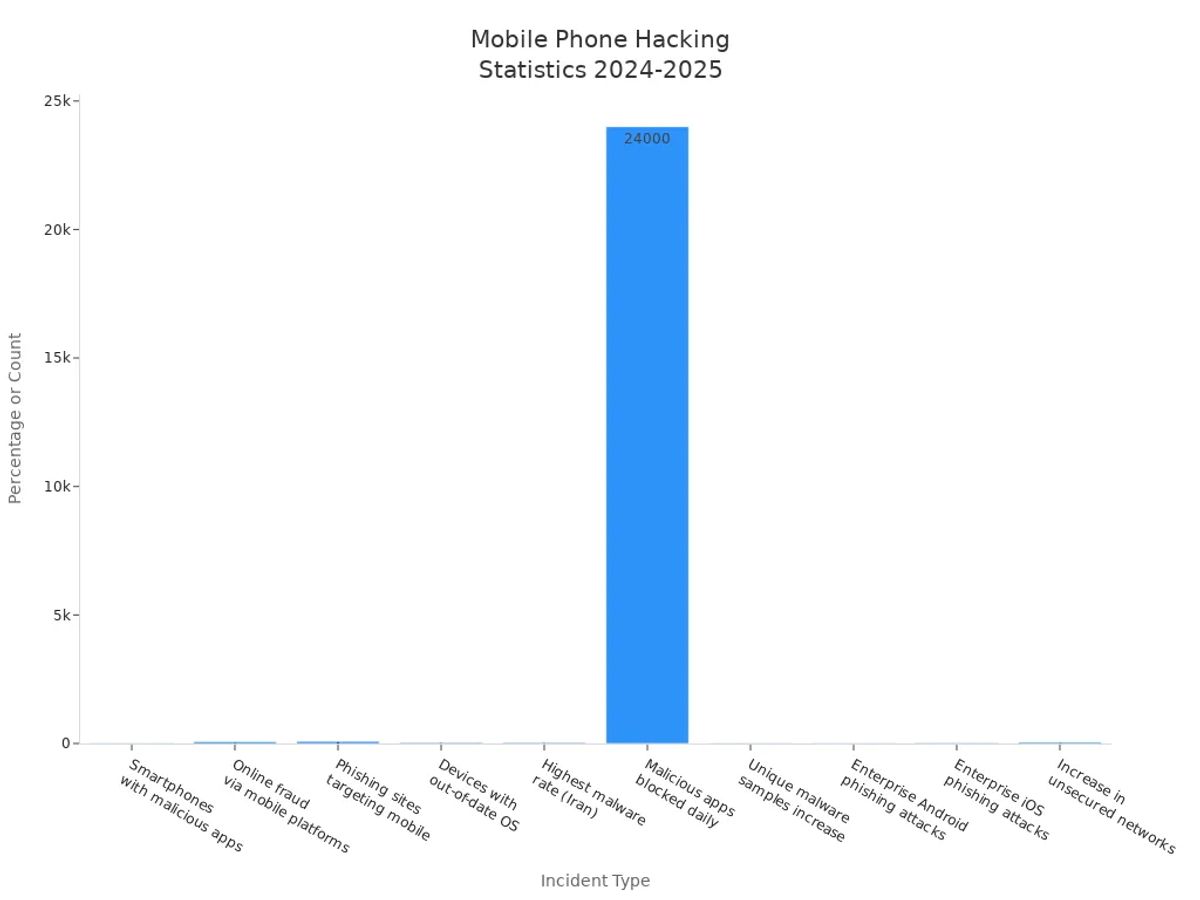
You want to know how to protect phone data from hackers in 2025. The risks are real—just look at the numbers below. These steps are simple and work for everyone. Your data matters, so don’t wait. Advanced phones like VERTU Agent Q now blend luxury, AI, and privacy for ultimate peace of mind.
Key Takeaways
- Use strong passwords and biometric locks to keep your phone safe. Make passwords at least eight characters long with letters, numbers, and symbols.
- Always update your phone's software and apps. Turn on automatic updates to protect against new threats.
- Be cautious with links and apps. Only download from trusted sources and check app permissions to protect your data.
How to Protect Phone Data from Hackers
Secure Your Phone with Strong Passwords and Biometrics
You want to keep hackers away from your phone data. Start with simple steps . Always lock your phone when you are not using it. Make a password with letters, numbers, and symbols. Your password should be at least eight characters . Use at least one capital letter in your password. Do not use the same password for different accounts. Each app or service needs its own password. This keeps your information safer.
Biometric locks help protect your phone even more. You can use facial recognition, but some systems are not perfect. Sometimes, photos can trick facial recognition. Fingerprint sensors work well. Ultrasonic fingerprint ID is even stronger. It scans your finger in 3D. This makes it harder for hackers to break in. The VERTU Agent Q uses advanced biometric locks and hardware encryption. This gives you the best protection for your phone.
Tip: Do not use pattern-based authentication. Patterns are easy to guess or see.
Keep Software and Apps Updated
Hackers look for old software to attack. If you do not update your software, hackers can get in. Many people use their phones for work. Old apps can put your data and your company at risk. Update your software when you get a notification. Turn on automatic updates for your system and apps. This way, you get new security patches without worry.
Watch for important updates. If you cannot update everything, start with the most important ones. Read security news to learn about new threats. The VERTU Agent Q’s VAOS system updates itself. You do not have to worry about missing patches.
Avoid Suspicious Links and Apps
Hackers use fake apps and links to steal your information. In 2025, threats like Pegasus spyware and fake NFC card scanner apps are common. These can steal your credit card data or take over your phone. Trojans and ransomware are also big problems.
To keep your phone safe, do these things:
- Read app reviews for warning signs.
- Look for grammar mistakes in app descriptions.
- Check how many times the app was downloaded.
- Find out who made the app.
- Check when the app was released.
- Read the permission agreement.
- See how often the app gets updated.
- Look at the app icon for anything strange.
Never click links from people you do not know. If something feels wrong, trust yourself and skip it.
Manage App Permissions
Apps sometimes ask for more permissions than needed. If you give too much access, your data can leak . You might get tracked or break privacy laws. Check your app permissions often. Only allow what is needed.
For Android: Go to Settings > Apps & Notifications > Pick the app > Tap Permissions > Change settings. For iPhone: Go to Settings > Privacy & Security > Pick category > Change app permissions.
Turn off permissions you do not need. Limit background access. This helps keep your phone and information safe.
Use Two-Factor Authentication
Two-factor authentication is a great way to protect your phone and accounts. In 2024, about 52% of people used it . More people use it every year. Two-factor authentication stops bot attacks and many cyberattacks.
The safest methods use something you know, something you have, and something you are. Biometric authentication is easy and safe. Many phones, like the VERTU Agent Q, use advanced biometric systems for two-factor authentication.
Secure Connections with VPN and Wi-Fi Settings
Public Wi-Fi is not safe. Hackers can steal your data or your identity. Do not use public Wi-Fi for banking or shopping. If you must use it, turn on a VPN. VPNs hide your data and keep it safe. Services like NordVPN also protect you from malware and identity theft.
Most people use public Wi-Fi for work, but it is risky. Always use strong passwords and two-factor authentication. Update your software and security apps often.
Enable Port-Out and SIM Protection
SIM swap and port-out attacks are happening more often. In 2024, cases went up by over 1,000% in the UK. Hackers use these tricks to steal your phone number and get into your accounts. New SIM cards use tamper-resistant features and encrypted IDs. This makes it harder for hackers.
To protect your phone, ask your carrier for a port-out lock. Set up a PIN or password with your carrier. Check often to make sure your protection is working. The VERTU Agent Q uses advanced SIM security. Your mobile identity stays safe.
Install Antivirus and Backup Data
Antivirus apps help keep your phone safe. They find malware that your phone might miss. Keep your antivirus updated to fight new threats. Back up your data often. If you get hacked, you can restore your phone and not lose files.
For best results, back up your data often. Use backups that cannot be changed or deleted. Keep some backups offline for extra safety. Fast recovery means you get back to work quickly after a breach.
Note: The VERTU Agent Q uses on-device AI and a triple-system architecture to keep your data safe and private. It is a top choice for people who care about privacy.
If you want to keep your phone data safe from hackers, follow these steps every day. Use strong passwords, biometric locks, updates, and smart habits. You can feel safe knowing your information is protected.
Warning Signs and What to Do If Hacked

Image Source: pexels
How Phones Get Hacked
You face new threats every year. In 2025, hackers use smarter tricks. Here’s how they get in:
- AI-powered cyberattacks are up by 45% . Hackers use deepfake scams to fool you.
- Social engineering tricks, like vishing and smishing, are everywhere. Vishing attacks jumped 442% last year. Smishing now makes up 39% of mobile threats.
- Attackers send fake emails or texts that look real. Some malware infects your phone without you clicking anything.
- With more 5G and smart devices, 75% of breaches involve IoT gadgets.
Signs Your Phone Is Compromised
You can spot trouble if you know what to look for. Here are the top warning signs:
| Warning Sign | What It Means |
|---|---|
| Camera/mic lights turn on | Someone may be spying on you |
| Battery drains fast | Malware could be running |
| Unusual calls or texts | Hackers might control your phone |
| Unwanted verification codes | Someone tries to access your accounts |
| Phone overheats | Malware works in the background |
| Storage runs out quickly | Hidden files may be installed |
| Unexpected pop-ups | Adware could be present |
| High data usage | Malware sends info to hackers |
| Phone runs slowly | Malicious software uses resources |
| Unfamiliar apps | Hackers may have installed them |
Steps to Protect Your Phone After a Hack
If you think your phone is hacked, act fast:
- Remove suspicious apps with a trusted security tool.
- Change all your passwords using a trusted security tool.
- Alert your contacts so they know to ignore strange messages.
- Disable call forwarding and check your settings.
- Install a trusted security tool to scan for threats.
- Contact your carrier for help.
- If nothing works, reset your phone to factory settings.
Tip: Always keep backups and update your device to stay safe.
You can keep your phone safe by making strong passwords. Update your apps often and check what permissions they have. Always watch out because new threats appear all the time. Here are some important facts for 2025 :
| Key Insight | Description |
|---|---|
| Evolving Threats | AI-powered attacks are growing, so you need better security. |
| Human Error | Simple mistakes can help hackers get into your phone. |
| MDM Benefits | Companies using device management have stronger protection. |
| Training Investment | More training helps everyone avoid more risks. |
| To keep your data safe, use runtime protection and a zero trust layer. Dynamic management lets you fix problems quickly. If you want more privacy, try a device like VERTU Agent Q. |
FAQ
How often should you update your phone?
You should check for updates every week. Turn on automatic updates if you can. This keeps your phone safe from new threats.
What is the safest way to back up your phone data?
Use cloud backup and an external hard drive. This way, you always have a copy if something goes wrong.
Can a luxury phone like VERTU Agent Q really keep your data safer?
Yes! VERTU Agent Q uses on-device AI, hardware encryption, and a triple-system setup. These features give you stronger privacy and security.