| What you need to prepare | Relevant KitNelo tools | What deserves your attention |
|---|---|---|
| Photographs for sharing | Image compression, conversion and resizing | Detail, composition and destination requirements |
| A document pack | PDF merging and page editing | Reading order, completeness and legibility |
| Text captured in an image | OCR and text tools | Names, dates, figures and recognition errors |
| A recurring digital task | AI resource discovery | Suitability, setup requirements and review needs |
A photograph needs to be smaller before it can be shared. A proposal arrives in separate documents. An address sits inside a screenshot when it needs to become editable text.
Each task is small. Together, they interrupt the rhythm of a day.
KitNelo brings browser-based tools for images, PDFs, spreadsheets and text into one place, alongside a directory of AI resources. Its practical appeal is the ability to begin with a specific task and work towards a usable result.
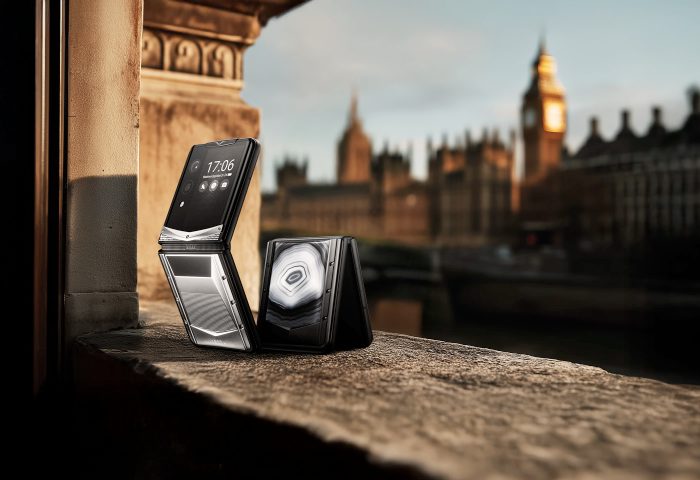
For VERTU owners, this invites a familiar consideration: attention to detail should extend from the device in your hand to the experiences you create with it. A carefully prepared photograph or document carries that consideration forward.
Craftsmanship Extends to How We Work
Craftsmanship is expressed through individual decisions: how a surface is finished, how a component fits and how an object feels in use.
The official VERTU Agent Q product page describes more than 320 hand-assembled components and its distinctive Falcon-wing SIM chamber. These details contribute to the experience of the finished device.
A digital routine benefits from similar care.
A proposal arranged in a clear sequence is easier to follow. A photograph prepared for its destination is easier to appreciate. An accurate set of notes is easier to act upon.
KitNelo offers tools for handling the practical preparation behind those outcomes. The starting point is the work itself.
These capabilities appear across KitNelo's tool directory. Choose the function that serves the immediate task, then assess the result in its intended setting.
Give Photographs a Considered Finish
A photograph is often worth sharing because of something specific: the texture of an object, the atmosphere of a room or a detail noticed during a journey.
That quality should guide its preparation.
Imagine sending a photograph of a watch to a fellow collector. The engraving and surface finish may matter more than the surrounding scene. A smaller file is convenient, but excessive compression can soften precisely the details the recipient wants to examine.
KitNelo's image compression tool offers quality settings and target file-size options, with preview and download functions. Proportional resizing is available in the target-size workflow when enabled.
Use the preview as a point of judgement. Examine fine lettering, edges and texture before accepting the export. Then open the downloaded file to confirm the result.
The destination should also influence the composition. A photograph for a presentation may need a different crop from one kept in a personal collection.
| Sharing situation | A considered approach | Detail to preserve |
|---|---|---|
| A collectible sent for discussion | Use a clear sharing copy and a closer detail image where useful | Engraving, texture and proportions |
| Travel photographs for friends | Select a coherent set and prepare manageable files | Atmosphere, framing and natural appearance |
| Images for a client presentation | Match the composition to the space available in the document | Readable labels and a clear focal point |
Keep the original separately. A sharing copy serves a particular moment; the original leaves room for another interpretation later.
Make Documents Easier to Receive
A well-prepared document respects the reader's attention.
Before a meeting, a recipient may need a proposal, an appendix and supporting material. Several attachments leave them to determine the sequence. One thoughtfully assembled document can make the intended reading order clear.
KitNelo's PDF tools support merging files in a chosen order. Page-editing functions provide more specific control when individual pages need adjustment, and the merge operation runs locally in the browser.
Consider a property viewing brief. An overview followed by floor plans and supporting notes offers a natural progression. The useful work is deciding which information belongs together and what the reader should encounter first.
Once assembled, read the document from the recipient's perspective. Check the opening, the transition between sections and the clarity of the supporting material.
Preserve signed source documents. Merging or rewriting a PDF can affect digital signatures, so confirm the appropriate delivery format when signature validation matters.
Turn Captured Information into Useful Material
A phone makes it easy to collect information. Turning that collection into something useful requires another step.
An invitation may contain an address needed for an itinerary. A photographed page may hold a passage worth keeping. Several reference images may need to become a single document.
KitNelo's document and OCR guides cover extracting text from images and preparing scanned material. OCR can provide editable text, but its output still needs comparison with the source.
An extracted address, for example, is useful only if the building number and postcode are correct. A meeting note becomes dependable when the names, dates and actions have been checked.
The same distinction applies to image-based documents. Combining photographs into a PDF can make them easier to browse, but it does not automatically create searchable text.
Choose the result you need first. Then use the appropriate tool to prepare it.
Explore AI with a Specific Outcome in Mind
A growing choice of AI services brings opportunity, but also another set of decisions.
KitNelo's AI resource guide distinguishes between web applications, agents, reusable skills, connectors and development frameworks. It encourages users to consider requirements, costs and setup before starting.
Begin with a concrete outcome: organising research for a meeting, drafting a document or finding a repeatable way to prepare a report.
Then consider what the resource requires, what it produces and which parts of the result need human review. A resource listed in a directory may still require its own account, installation or configuration.
For a VERTU owner building a personal collection of digital tools, familiarity has value. A few well-understood resources can be easier to incorporate into daily life than a long list of services used only once.
Discretion Is Part of Good Preparation
File handling deserves the same care as presentation.
KitNelo identifies tools that process files locally in the browser and distinguishes them from features that use external services. Check the processing information for the particular function before adding personal or business material.
The finished content also deserves inspection. A photograph may reveal an address in the background. A document may contain an appendix intended for internal use.
A short final review can make the difference between a completed task and a well-prepared delivery.
| Before you share | What to check | Why it matters |
|---|---|---|
| Open the exported file | Appearance, readability and successful opening | The recipient will use the export, not the preview |
| Review the content | Relevant pages, images and supporting information | Unnecessary material can distract or disclose too much |
| Confirm the destination requirements | Accepted format, file size and dimensions | A prepared file still needs to work where it is sent |
| Retain the source | Original photographs and documents | Future changes should begin with the best available material |
Frequently Asked Questions
Is KitNelo only an image converter?
No. Image conversion is one part of a broader platform that includes document, spreadsheet, text and other everyday tools, along with AI resource discovery.
Can I use KitNelo on a VERTU phone?
KitNelo supports mobile browser access. Camera input, file selection and downloads depend on the individual tool and browser. Try a small sample on your device before beginning a larger task.
Are KitNelo's tools free?
KitNelo states that its available local PDF, image, spreadsheet, text and developer functions are free without a KitNelo account. External services and linked AI resources may have separate fees, quotas or setup requirements.
Leave the Details in Good Order
A considered digital routine is built through repeatable choices: preserving an original, arranging a document clearly, checking extracted text and selecting a tool for a specific purpose.
KitNelo provides a practical place to handle many of those tasks. For VERTU owners, the connection is an appreciation of detail, extending from the device they choose to the work and personal moments they share.
Before the next photograph, proposal or reference document leaves your hands, take a moment to view it as its recipient will. That final consideration is often what makes it ready.