

A foldable phone stand looks like a minor accessory—until you’re in a 30-minute video call from a hotel desk, juggling a calendar change, a message thread, and a last-minute briefing.
If you want a setup that feels controlled (not improvised), the right stand does three things: it steadies the device, puts the camera at a flattering, eye-level angle, and folds away without becoming yet another fragile travel gadget.
Key Takeaway: The “best” foldable phone stand is the one that matches your main use case—desk calls, constant travel, or heavier foldables—without wobble, awkward angles, or blocked charging.
Key takeaways
Start with stability. A stand that shifts under a single tap becomes useless in real work.
For video calls, aim to place the camera at eye level (or slightly above), then fine-tune the tilt.
If you use a heavier foldable device, base width and hinge firmness matter more than “ultra-thin” portability.
Prefer designs that keep the charging port accessible—especially for long calls and back-to-back meetings.
How to choose a foldable phone stand (the 2-minute checklist)
Most “best stand” lists skip the part you actually need: a quick way to rule out the wrong options.
1) Stability under touch
You’ll tap to mute, unmute, take notes, share links, and adjust framing. Choose a stand that stays planted when you do.
TechGearLab’s testing framework puts real weight on stability and versatility in its rankings of phone stands, including foldable models like the Nulaxy A4 Foldable and travel-friendly Lamicall and UGreen options. See TechGearLab’s tested phone stand rankings for how they score stability, portability, and ease of use.
2) Angle control for video calls
A stand isn’t just a holder—it’s your on-camera posture.
A reliable rule: set the phone so the camera is at eye level (or slightly above) to reduce neck strain and avoid awkward “looking up” framing. For a simple explanation, see Ulanzi’s guidance on placing the camera at eye level.
Pro Tip: If you can’t reach eye level with your stand, raise the stand (books, a slim case, a laptop riser) rather than craning your neck down to the phone.
3) Port access while charging
If the charging port is blocked, your “hands-free” setup becomes a battery countdown. Confirm you can plug in a cable without bending it at a harsh angle.
4) Fold-flat portability that survives travel
A travel stand should fold flat enough to disappear into a briefcase—and sturdy enough not to feel disposable.
Even manufacturers describe the value plainly: a stand that folds flat is easier to carry and use on desks and travel surfaces; see ProClip’s fold-flat desk stand description.
5) A note for foldable phones
If you use a foldable device (especially book-style foldables), you’re dealing with different weight distribution.
Prioritize:
a wider base
firmer hinge tension
enough clearance that the stand doesn’t press awkwardly against the device’s hinge area
Best foldable phone stands by scenario
Rather than naming one “winner” for everyone, these are pragmatic picks by the situation you’re actually in.
Best for a clean desk setup: a sturdy adjustable aluminum stand
If your stand lives on your desk, choose stability and angle control over extreme portability.
What to look for:
metal build (often aluminum)
rubber contact points
firm hinge
space to charge
This is the category where many people who originally searched for a phone stand foldable end up: something that can still fold away, but behaves like a proper desktop tool.
Best for frequent travel: a compact foldable cell phone stand
For airports, hotel desks, and dinner-table calls, compactness matters—but only if the stand still holds position.
TechGearLab highlights compact foldable options (including models like the Lamicall Adjustable Foldable and ultra-compact UGreen Portable) as travel-friendly choices—use their foldable-stand sections as a quick sanity check when you’re narrowing options.
When you shop this category, the keyword you’ll often see is foldable cell phone stand. Translate that into two non-negotiables:
it must fold flat enough to pack daily
it must not flex under light touch
Best for long video calls: prioritize height and eye-line
For calls longer than 10 minutes, the best stand is the one that gets the camera to eye level without turning your posture into a compromise.
What to look for:
a stand that offers height adjustment (or gets tall enough with your desk setup)
smooth angle adjustment (you’ll fine-tune it)
a base that doesn’t slide as you interact with the screen
If you search cell phone stand foldable for video calls, avoid “too light to stay still.” Lightweight is only an advantage if stability stays intact.
Best for heavier foldables: stability first, portability second
Heavier phones and foldables punish weak hinges. If you want the best foldable phone stand for a larger device, choose:
a broader footprint
hinge tension you can feel
a cradle area that supports without forcing pressure at an odd point
A simple executive workflow: hands-free briefs, cleaner meetings
A stand is most valuable when it turns your phone into a small, reliable workstation.
Here’s a workflow that matches how executives actually work—brief → meeting → follow-up—without holding the device for any of it:
Step 1: Dock your phone for an AI briefing
Before the meeting, you want the briefing visible, stable, and private.
VERTU frames its AI approach around compressing complex work into a concise output. One published example on the brand’s own AI tools page describes an AI orchestration flow where response time dropped from 47 seconds to 8.6 seconds for a multi-step business request; see VERTU VPS AI Assistant.
Step 2: Set the camera at a composed angle
Your goal is simple: look straight ahead, not down.
If your stand allows it, set the camera at eye level. If not, lift the entire setup slightly and keep the tilt subtle.
Step 3: Turn the foldable into a desktop surface
A larger foldable display can behave more like a compact workspace: briefing on screen, meeting notes beside it, messages handled quickly without constant pickup.
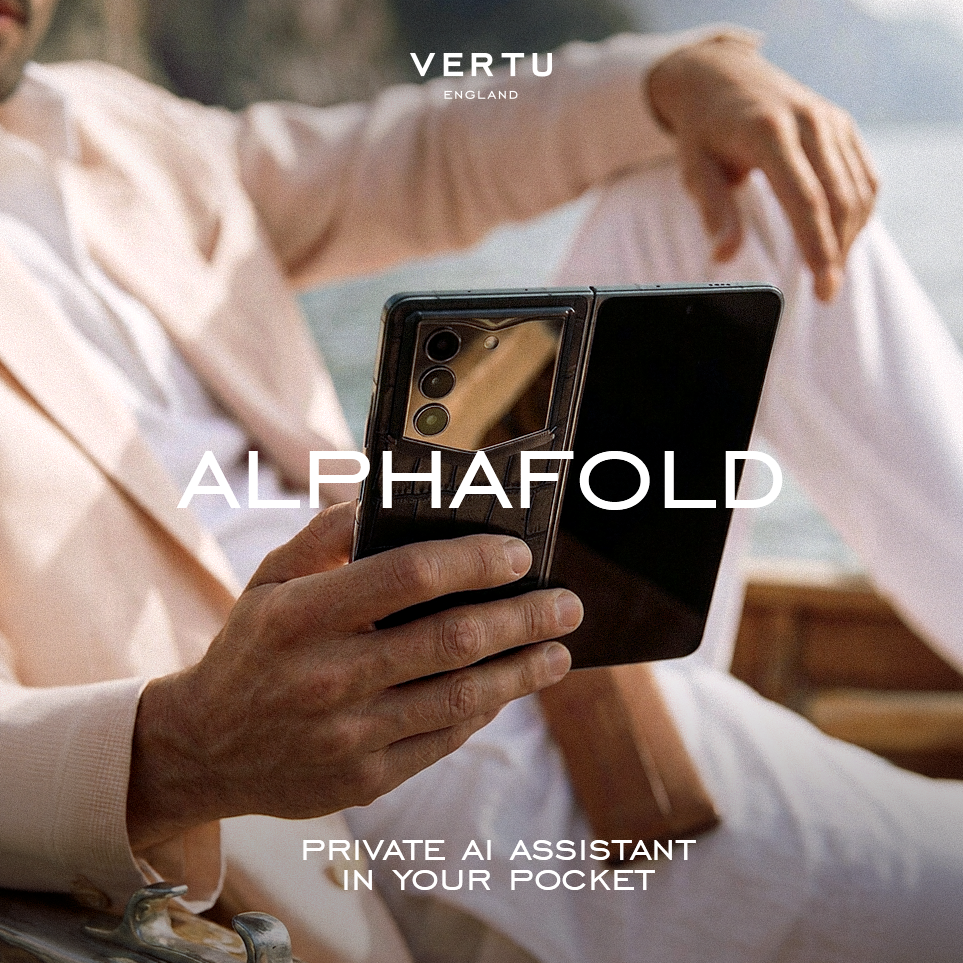
If you’re evaluating a foldable phone specifically for executive work, browse the official product positioning for VERTU ALPHAFOLD to understand how VERTU frames Hermes Agent, productivity, and privacy.
Where “Executive Stand” fits
If you’ve seen VERTU’s references to an “Executive Stand,” treat it as the philosophy you want from a stand: stable, discreet, and purpose-built for meetings and desk work.
If you want a stand that makes a foldable feel like a workstation, you’re not shopping for novelty—you’re shopping for a small piece of infrastructure.
Video: a practical look at a fold-flat stand
FAQ
What’s the difference between a foldable phone stand and a tripod?
A foldable phone stand is typically lower-profile, faster to deploy on a desk, and easier to live with day to day. Tripods can be better for full height and flexible positioning, but they’re often slower and bulkier for travel.
Will a foldable stand work for a foldable phone?
Often, yes—but don’t assume.
Foldables can be heavier and their balance can change depending on how they’re opened. Look for a wider base, firm hinge tension, and a cradle shape that doesn’t interfere with the hinge area.
Should I buy a MagSafe stand instead?
If you rely on magnetic mounting daily and your device supports it, a magnetic stand can be exceptionally convenient. But for travel and for heavier devices, evaluate stability carefully—especially if you’ll be tapping the screen during calls.
Next steps
If you want a stand choice that feels deliberate, do this:
Decide your primary scenario: desk-first, travel-first, or video-call-first.
Choose a stable stand in that category.
Test eye-line framing once, then keep the setup consistent.
For readers building an executive-grade mobile workspace, you can start with the broader VERTU ecosystem and explore the AlphaFold Collection as part of a desk-and-travel setup.
Disclosure: This article references VERTU pages. Editorial judgment remains the priority.


