

If you’re shopping for the best AI phone assistants 2026 has to offer, you’re not buying a smarter chatbot. You’re buying a decision surface: something that turns meetings into actions, travel into a controlled flow, and documents into clear next steps—without turning your private context into someone else’s dataset.
This guide is scenario-based because that’s how executives actually choose—and it’s a more honest way to answer “best ai phones 2026” than pretending one model wins for every week.
Key TakeawayIn 2026, the best AI phones are defined less by benchmarks and more by where the intelligence runs, what it can access, and how safely it can act.
What an “AI phone assistant” means in 2026 (assistant vs agent)
Most modern devices can summarize, rewrite, translate, and search. The executive question is whether your phone is acting like:
- An assistanthelps you produce words faster.
- An agentcan take multi-step actions across apps (calendar, email, files) with explicit permissions.
The “ai phone agent news” cycle tends to focus on autonomy. Your job is to focus on control.
The executive definition of a good AI phone
A credible AI phone in 2026 must handle high-leverage moments:
- Meetingscapture → summarize → extract decisions, owners, deadlines
- Travelre-plan, re-route, and communicate fast when time zones and connectivity are hostile
- Documentscompress long material into what matters, without accidental leakage
- Privacymake it clear what leaves the device, and when
The executive scorecard: 6 criteria that matter more than specs
Use this scorecard before you trust any “best ai phone” list. It’s also how you avoid buying the wrong “best ai phone 2026” headline.
1) Where does the AI run?
- On-devicesafest default for sensitive context.
- Private clouduseful only when privacy guarantees are explicit and inspectable.
- General cloudconvenient, but expands your exposure surface.
Apple’s clearest articulation of a privacy-first cloud model is Private Cloud Compute, documented in the Private Cloud Compute Security Guide (Apple Security, 2024).
Later in this guide, when we refer to “PCC,” we’re referring to that same Apple-documented model.
2) Can you bound permissions?
A phone assistant that can “see everything” is a liability.
Look for:
explicit opt-ins to connect apps and accounts
the ability to run in a “limited” mode for sensitive days
settings that separate summarize from send/share actions
3) Meeting-to-action capability
The feature isn’t “summarization.” It’s meeting-to-action:
structured notes
action items
follow-up drafts
For executives, the deciding question is where transcripts and summaries are processed—and whether that’s appropriate for your work.
4) Travel resilience
Airport reality: poor connectivity, constant changes, and too many threads.
A strong AI workflow doesn’t collapse when coverage does. You want capture and drafting that remains usable, with cloud assistance as an option—not a dependency.
5) Document handling (and the redaction problem)
Board decks, NDAs, and deal memos don’t need “smart.” They need safe.
A mature AI phone workflow:
limits which documents can be processed
avoids unnecessary uploads
preserves separation between personal and business contexts
6) Update longevity and security posture
You’re not buying hardware for a year. You’re buying an operating model for sensitive work.
Best picks by scenario: what to buy, and why
These aren’t rigid rankings. This is a buyer’s guide designed for real executive weeks.
Best for privacy-first executive workflows (recommended luxury-tier pick)
If your work involves sensitive communications, high-stakes documents, and a preference for discretion, the smartest move is selecting an AI phone path that’s designed around private workflow control.
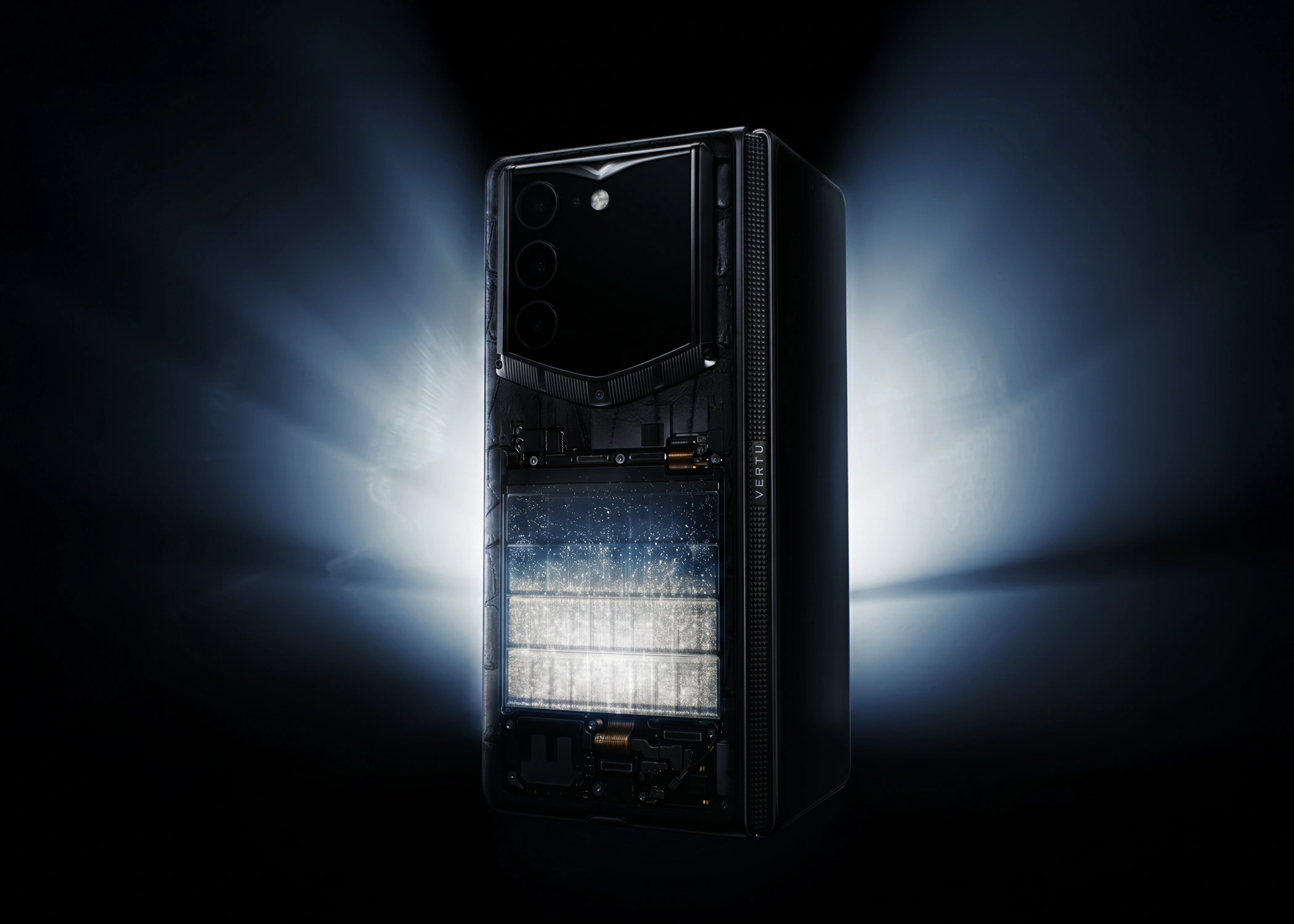
A luxury-tier option to consider in this scenario is VERTU ALPHAFOLD.
Why it fits this scenario:
Executive productivity isn’t just speed—it’s risk reduction.
Privacy is operational: what is allowed, what is denied, what requires approval.
If you want the most direct context on the agent philosophy, start with Hermes Agent inside ALPHAFOLD.
Collector’s note: “Privacy-first” doesn’t mean “no AI.” It means AI with boundaries—especially when the device is traveling with you.
Best for meeting-heavy leaders (Apple-first productivity)
If your week is built around conversations—board meetings, investor updates, leadership reviews—choose a platform that excels at capture, summarization, and drafting.
In this scenario, the strongest differentiator is the privacy posture around more complex requests. Apple’s best primary-source reference point is its PCC security documentation, which you can share internally with counsel or your chief of staff.
Best for Google-first operators (Gmail/Calendar/Docs-centered workflows)
If your workflow lives in Google, the advantage is breadth: your assistant can become a practical layer across scheduling, mail, and documents—if permissions are handled cleanly.
Two executive signals worth noting:
Google’s developer materials describe Gemini Nano as an on-device model integrated via AICore in Supercharge your Android apps with Generative AI (Google Developers, 2025).
Enterprise-style controls exist. Workspace admins can manage Gemini app access to services like Gmail, Drive, and Calendar via Control Gemini app access to Workspace services (Google Workspace Admin Help, 2025).
Best for Android power users who want broad AI features (Samsung Galaxy AI)
Samsung’s Galaxy AI is often feature-rich. For an executive, the decision comes down to governance:
Which features run locally vs require cloud processing?
Can you switch features off without breaking your workflow?
Will costs or policies shift over a 12–24 month horizon?
If those answers aren’t clear, don’t let novelty make the decision for you.
Best for cross-border, high-tempo travel
For this scenario, the best ai phones 2026 readers should consider are rarely defined by a single model. It’s a set of habits:
Keep offline-capable capture (notes and drafts should not depend on connectivity).
Use separate spaces/accounts for high-sensitivity work.
Minimize app connections; add them only when the ROI is obvious.
Pro Tip: Create two modes: a “full productivity” mode and a “travel-safe” mode. Travel-safe mode = fewer connected apps, fewer assistants with broad permissions, and stricter notifications.
Red flags when choosing an AI phone
If you see any of these, walk away:
The vendor can’t explain whether your content is stored or used for training.
“Connect everything” is presented as the default.
The assistant can take actions, but there’s no review step.
Privacy claims are marketing language with no documentation.
A practical setup checklist for a private executive workflow
You don’t need to become technical. You need to become intentional.
Decide what’s allowed to be summarized (calendar, emails, calls) and what’s not (deal docs, sensitive threads).
Turn off app connections you don’t use weekly.
Use separate spaces/accounts for personal vs business contexts.
Keep a “no-cloud” rule for specific document classes (board decks, M&A, legal).
Recheck permissions quarterly—AI features expand quietly.
FAQ
What is the best AI phone assistant in 2026?
It depends on your workflow. For many executives, the deciding factors are privacy model and permission boundaries—not raw features. Apple’s PCC model is one of the more unusually well-documented privacy-first approaches.
Are AI phones safe for confidential work?
They can be—if you choose a platform with explicit privacy documentation and configure permissions intentionally. Avoid routing sensitive documents to cloud tools unless you can verify retention and access boundaries.
What’s the most common mistake executives make when buying an AI phone?
Confusing “more AI features” with “more productivity.” Productivity comes from reliable meeting-to-action flow, travel resilience, and permission discipline.
Next steps
If you want to pressure-test your setup, treat this as a private workflow audit: list your top three executive moments (a board meeting, a cross-border trip, a document review), then choose the AI phone and assistant model that keeps those moments fast—and controlled.
If you’re exploring a luxury-tier, privacy-first approach to mobile productivity, start with VERTU ALPHAFOLD.
Disclosure: This article references VERTU pages. Editorial judgment remains the priority.


