

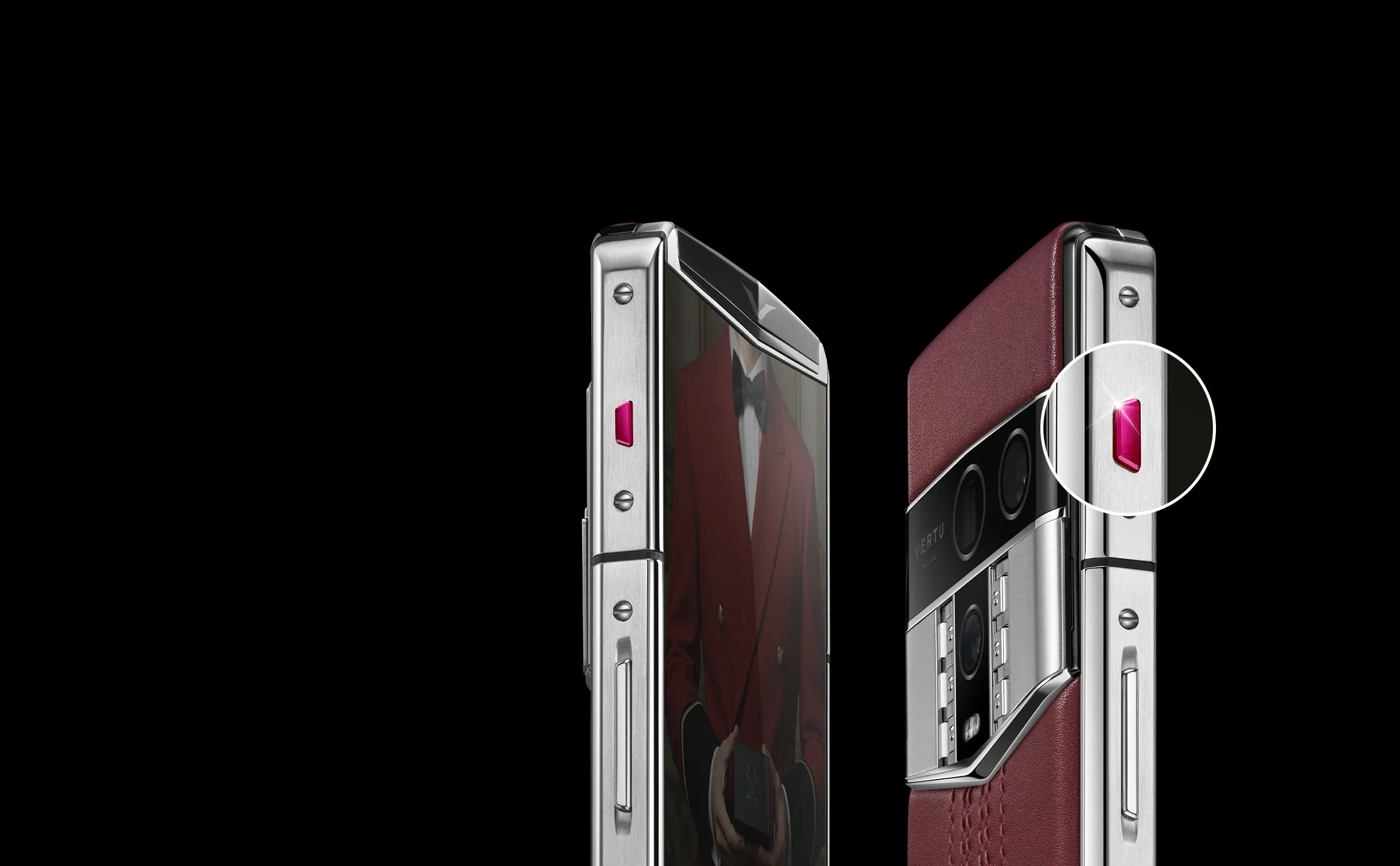
“AI phone” has become a label you’ll see on everything from midrange handsets to ultra-premium foldables. The problem is that most comparisons are either feature lists (“it can summarize”) or spec sheets (“it has X TOPS”). Neither tells you whether the phone will feel fast, private, and reliable when you actually use AI day to day.
This buyer-style guide focuses on the hardware foundations that most directly shape mobile AI performance: the chip, memory, display, battery/thermals, and the security chip. It’s written so you can compare phones across brands, including any Snapdragon AI phone, without getting trapped in marketing metrics.
Key takeaways
For on-device generative AI, memory bandwidth and thermals can matter as much as peak NPU claims.
A faster “TOPS” number can still disappoint if the phone throttles after two minutes or reloads models slowly.
Big screens don’t “make AI smarter,” but they can make AI workflows more useful by letting you review, edit, and act in context.
A security chip (secure element / hardware-backed security) is a first-class AI feature, because AI increases the value of what your phone knows.
Quick comparison: what matters most for AI phone hardware
Hardware feature | What it changes for AI | What to look for (buyer language) | Common way it gets oversold |
|---|---|---|---|
Chip (SoC + NPU) | Peak capability, latency, on-device support | Recent flagship-class platform, strong NPU support in the OS/app ecosystem | “TOPS” alone as the whole story |
Memory (RAM + bandwidth) | Whether models fit; how fast tokens/frames move | Enough RAM for multitasking + higher bandwidth for smoother generation | Big RAM number with slow bandwidth |
Display (size + brightness) | Workflow usability, battery/thermal headroom | Large usable canvas for review-and-act; efficient panel | “Bigger display = better AI” |
Battery + thermals | Sustained performance and comfort | Capacity plus sustained performance reviews | Peak performance claims with no sustain |
Security chip | Trust, key storage, safer AI actions | Hardware-backed keys/attestation, secure storage | Treated as “payments only” |
1) Chip: what “AI phone hardware” really means in 2026
A phone’s AI capability starts with its system-on-chip (SoC). But “chip” is not just CPU speed. For AI tasks, you care about the whole package:
NPU / AI accelerator for neural inference
CPU/GPU for parts of the pipeline the NPU doesn’t run
Memory controller and cache behavior that feed the compute
Here’s the non-obvious point: even when a phone has an impressive NPU, some AI steps won’t get proportionally faster if the workload is waiting on memory. Research benchmarking on-device LLMs reports that different phases behave differently, with decoding often constrained by memory bandwidth and performance degrading under sustained load due to thermal/DVFS behavior, as shown in “Large Language Model Performance Benchmarking on Mobile Devices” (arXiv, 2024).
Snapdragon AI phone note: 3nm is helpful, but it’s not a promise
You asked to include Snapdragon 3nm. The clean way to think about it:
3nm-class chips can offer efficiency headroom. That can translate into longer sustained performance before throttling.
It doesn’t guarantee it. Sustained results depend on the device’s thermal design, memory subsystem, power management, and software.
So if you’re comparing a Snapdragon AI phone marketed as “3nm,” treat that as a plus for efficiency potential. Then validate with sustained-use reviews, not just peak claims.
2) Memory: the quiet bottleneck behind mobile AI performance
If you only remember one thing: memory is what makes on-device AI feel smooth or irritating.
You’ll see it in three places:
RAM capacity
RAM determines whether a model (and your apps) can stay resident. When RAM is tight, phones do more aggressive eviction and reloading, which is where “AI features” start to feel slow, inconsistent, or cloud-dependent.
Memory bandwidth
Bandwidth is the speed at which the chip can move model weights and activations. In on-device LLM testing, decode can become bandwidth-limited, which helps explain why “more TOPS” doesn’t always equal “more usable speed” in real generative workloads.
Storage and model load time
This one is rarely marketed, but it’s user-visible. If a phone takes a long time to cold-load a model, every “AI moment” starts with friction.
Pro TipWhen you’re comparing phones in person, run the same AI feature three times in a row. The first run exposes load time. The third run exposes thermals.
3) Display: why big screens matter for AI workflows (not for TOPS)
A big screen doesn’t add compute. What it does add is workflow surface area.
If your AI usage is mostly “one-shot” tasks (summarize a message, translate a menu), a standard slab phone is fine.
If your AI usage is “review-and-act,” the display matters a lot:
Summarize a contract, then scroll and verify details
Turn a meeting transcript into action items, then drag them into a task app
Generate a draft email, then edit with context visible
Translate, then compare the original and translated text side by side
Those are the moments where foldables and large displays can feel less like a gimmick and more like a small mobile workstation.
For a luxury example: VERTU has a useful way of framing the intersection of foldables, AI, and privacy if you’re evaluating the category, not just a device.
4) Battery and thermals: the difference between “demo fast” and “all-day usable”
AI features are power-hungry. Not always instantly, but steadily.
Two phones can look similar on paper, then diverge sharply when you run AI continuously:
One stays stable and comfortable.
One throttles, drains, and gets hot enough that you stop using the feature.
Thermal behavior is especially important for:
On-device transcription during long meetings
Real-time translation during travel
Generative photo/video features
Voice-agent workflows that keep listening and responding
The buyer takeaway is simple: don’t just compare battery capacity. Compare sustained performance under repeated AI use.
Key TakeawayPeak performance sells phones. Sustained performance makes you keep them.
5) Security chip: the AI feature most spec sheets bury
As AI gets more capable, your phone becomes a denser store of sensitive material: identity, conversations, travel plans, contacts, business documents, and increasingly “AI outputs” that reveal what you’re doing and thinking.
That’s why a security chip (secure element and related hardware-backed security) belongs in any AI phone hardware comparison.
Here are the buyer-relevant jobs it does:
Hardware-backed keys (so secrets aren’t just “files”)
Android’s platform documentation describes how Android’s hardware-backed keystore (AOSP) is designed for storing and using cryptographic keys with hardware support.
For you, this matters because AI features often rely on credentials: passkeys, account tokens, encrypted vault keys, and enterprise access keys.
Attestation (proving the device is in a trustworthy state)
Hardware-backed systems can support attestation, which is one of the foundations for enterprise trust decisions: “Is this device in a secure state before we allow access?” That matters more when AI features can touch more data, faster.
Tamper resistance via secure element design
NXP describes a secure element as a separate microchip designed specifically for security. This extra isolation is one reason secure elements are used for especially sensitive domains.
If you’re shopping in the ultra-premium segment, it’s reasonable to treat security architecture as part of the “hardware craftsmanship.” For example, VERTU luxury folding phone features positions security as part of the foldable story.
6) How to compare AI phone hardware without falling for “TOPS” marketing
TOPS is everywhere now, so you should know what it is.
Qualcomm defines TOPS as a potential peak metric in “A guide to AI TOPS and NPU performance metrics” (Qualcomm, 2024). Qualcomm also explains why dense vs. sparse reporting can change the headline number in “Dense TOPS vs. sparse TOPS: What’s the difference?” (Qualcomm, 2025).
The buyer-friendly interpretation:
TOPS is a “ceiling,” not your day-to-day speed.
Two phones can advertise similar TOPS and still feel different because memory and thermals dominate sustained use.
Make sure you’re not comparing dense TOPS on one phone to sparse TOPS on another.
If you want a quick explainer on why AI benchmarking is tricky, this video is a solid companion:
7) AI workflows checklist: match your use to the right hardware
Use this as your buying filter. Pick the workflows you actually do.
Workflow: offline summarization and writing
Hardware priorities: memory bandwidth, sustained thermals, NPU support
Failure mode: it works once, then slows down or shifts to cloud
Workflow: real-time translation during travel
Hardware priorities: efficiency, battery stability, microphone quality, sustained thermals
Failure mode: it heats up, drains quickly, or lags
Workflow: generative photo editing
Hardware priorities: GPU/NPU pipeline, memory bandwidth, thermals
Failure mode: fast preview, slow export
Workflow: voice agent and “AI workflows” across apps
Hardware priorities: low-latency on-device inference, secure storage for tokens/keys, battery stability
Failure mode: permission sprawl and trust issues more than raw speed
If you’re using a big-screen foldable for work, consider whether you want the phone to act like a mini command center.
Who should choose which kind of AI phone?
Choose a “peak NPU” phone if you mostly do short, bursty AI tasks and care about demo-speed.
Choose a “sustained performance” phone if you run AI for minutes at a time (meetings, travel, long docs). This is where thermals and efficiency decide satisfaction.
Choose a “big-screen workflow” phone if your AI use includes editing, reviewing, and multitasking. The display changes what’s practical.
Choose a “security-first” phone if your AI touches sensitive business or identity data. Hardware-backed trust is not optional.
Next steps: a 2-minute test you can do before buying
When you’re comparing two phones in a store or during a return window:
Run the same AI feature once (cold start).
Run it again immediately (warm run).
Then run it a third time after 5 minutes of normal use.
You’re looking for heat, lag, and consistency. That’s where hardware differences show up.
Disclosure: This article references VERTU pages. Editorial judgment remains the priority.


