| Phone Model | Key Hardware Features |
|---|---|
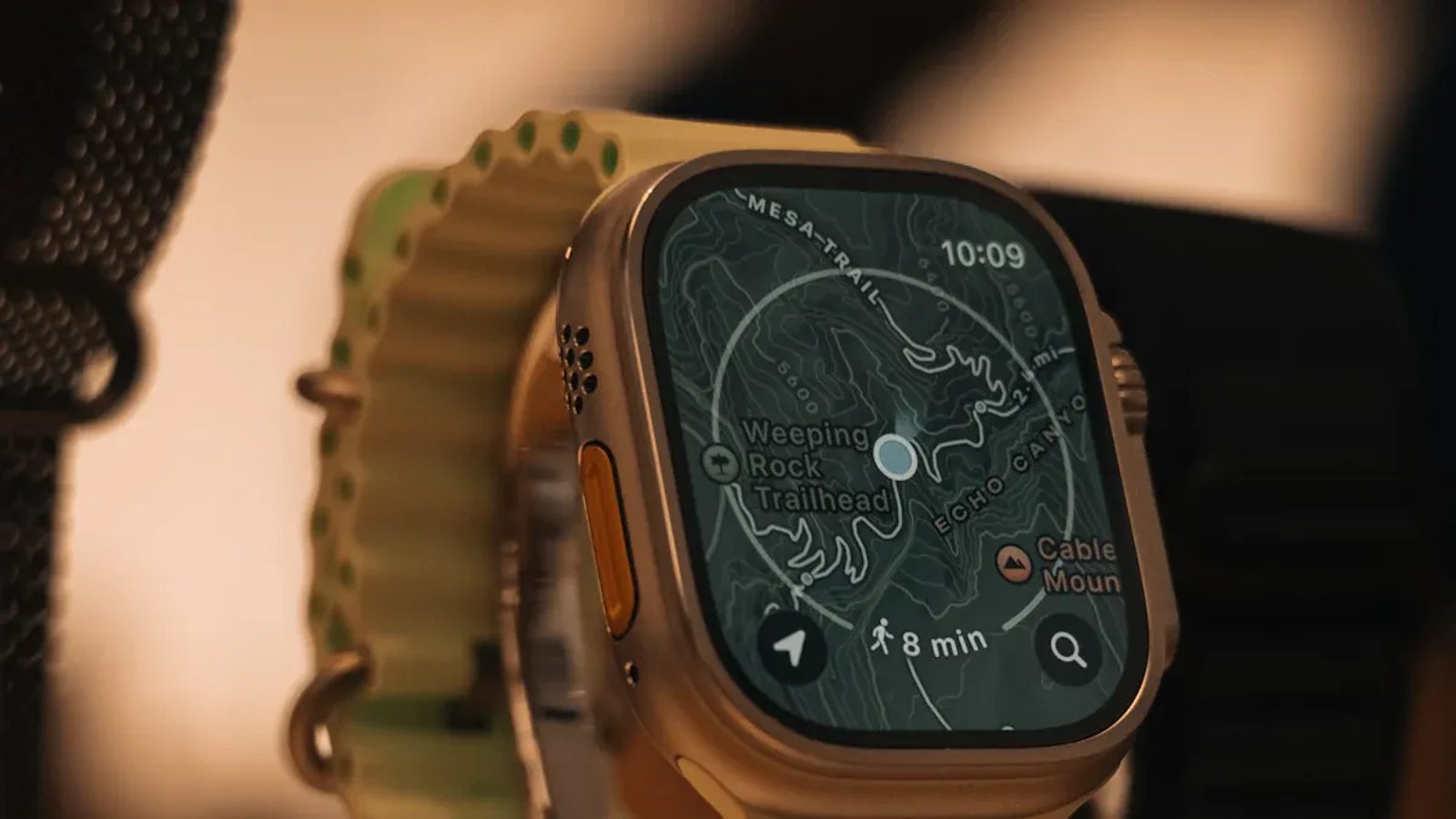
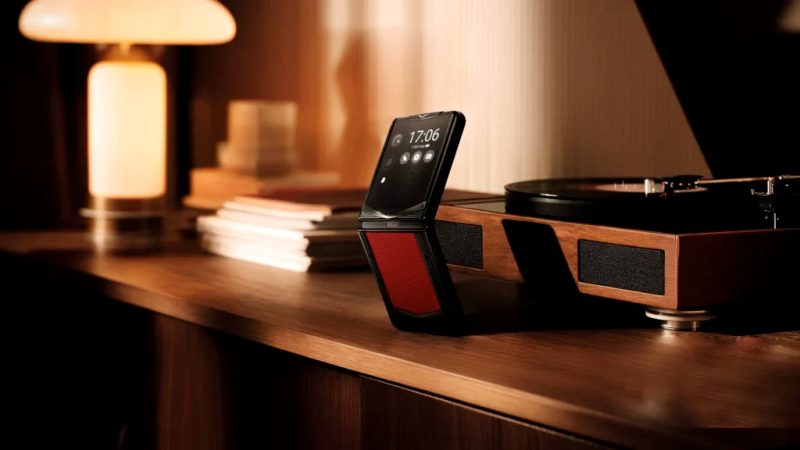
| Bittium Tough Mobile 2C | Tamper-proof secure element, Privacy Mode button, dual-boot system, certified for NATO Restricted communication. |
| Above Phone (Pixel With GrapheneOS) | Titan M2 secure element, hardened Android, sandboxed Google Play, exploit mitigations. |
| Google Pixel 9 Pro With GrapheneOS | Titan M2 secure chip, Tensor G4 processor, hardened GrapheneOS kernel, sandboxed Google Play. |
Image Source: pexels
Are you searching for the safest phones in 2025? You can pick from Blackphone PRIVY 2.0, Google Pixel 9 Pro XL with Graphene OS, Purism Librem 5, Liberty Phone, and iPhone 17 Pro Max. These phones are special because they focus on privacy and safety. They use strong encryption, safe operating systems, and smart privacy controls. Many people want secure phones now. They care about privacy and want real safety from dangers.
- The secure phone market might reach $25.5 billion in 2025.
- More people want privacy and better security every year.
- Government and military buyers help this market grow.
If you wonder, "Which phone has the highest level of security?" these phones are top choices for privacy and safe talking every day.
Key Takeaways
- Pick phones that have hardware kill switches for more privacy.
- Check if the phone gets regular software updates to stay safe.
- Think about open-source operating systems for more security and openness.
- Special secure phones give strong protection, but popular phones are easier to use.
- Figure out your privacy needs to choose the best phone for you.
Which Phone Has the Highest Level of Security?
Do you want to know which phone is safest? Many people ask this when they shop for secure smartphones. You need a phone that keeps your data safe. It should protect your chats and block dangers. Let’s look at the top secure smartphones in 2025 and see why they are special.
Top Secure Phones in 2025
There are many phones, but only a few are best for security. Here are the most secure cell phones you can pick:
- Blackphone PRIVY 2.0 This phone uses strong encryption. It has hardware kill switches for the camera and microphone. You decide what apps can use.
- Google Pixel 9 Pro XL with Graphene OS This phone runs on Graphene OS. It has the Titan M2 secure chip and a strong kernel. You get updates often.
- Purism Librem 5 This phone has hardware kill switches. It uses a special operating system. You can turn off sensors with a switch.
- Liberty Phone This phone uses strong encryption and privacy controls. It is made for people who want to control their data.
- iPhone 17 Pro Max Apple’s newest phone has a trusted execution environment. It uses biometric authentication and military-grade encryption. You get security updates often.
- Bittium Tough Mobile 2C This phone is certified for NATO Restricted communication. It has a tamper-proof secure element and a privacy mode button.
- Above Phone (Pixel With GrapheneOS) This phone has a Titan M2 secure element and exploit protections. It uses a hardened version of Android.
Here is a table showing some hardware security features:
These secure android phones use special chips and privacy buttons. They protect you from hackers and snoops.
Why These Phones Lead in Security
Why are these phones the best secure smartphones? They give you more than strong passwords. You get advanced encryption , hardware kill switches, and trusted execution environments. These features keep your data safe from smart attacks and malware.
Tip: If you want the safest phone, pick one with hardware kill switches and a security-focused operating system.
Here are some special security technologies in the most secure cell phones:
- Advanced encryption protects your data. You control your information.
- Special operating systems like GrapheneOS lower risks. You get fewer problems.
- Hardware kill switches let you turn off the camera and microphone. You get privacy when you want.
- Trusted execution environments keep your biometric data and encryption keys safe.
- Strong encryption methods protect your files with military-grade security.
You also want to know which phone is safest for software protection. Tests show Bitdefender, Avast, AVG, Avira, and Norton protect more than 99.9% . Google’s own security scores 98.8%. These solutions have fewer false alarms.
| Mobile Security Product | Protection Rate | False Positives |
|---|---|---|
| Bitdefender | 100% | 0 |
| Avast, AVG, Avira, Norton | 99.9% | 0 |
| Kaspersky | 99.8% | 0 |
| ESET | 99.6% | 0 |
| Securion | 99.5% | 7 |
| G DATA | 99.5% | 10 |
| 98.8% | 10 |
The best secure smartphones use both hardware and software security. You get updates, strong encryption, and privacy controls. You also get protection from new dangers.
You want a phone that keeps you safe. You want a device that blocks hackers and protects your privacy. You need to ask, which phone has the highest level of security? The answer depends on what you need, but these security-focused cell phones give you the best protection in 2025.
Privacy and Security Features to Consider
Hardware Security Essentials
You want a phone that is very hard to hack . Hardware security is very important. Some phones use special chips to keep your data safe. These chips use hardware-level encryption and secure enclave technology. Here are some top choices:
- Apple iPhone 15 Pro has hardware-based encryption and secure enclave technology .
- Google Pixel 8 also uses hardware-based encryption and secure enclave technology.
These features help stop attacks on your device. You get strong encryption for your files and messages. Choosing a phone with these features keeps your privacy safe .
Tip: Look for hardware kill switches and privacy tools. These let you control your camera and microphone.
Secure Operating Systems
The operating system is important for privacy and safety. You need an operating system that blocks threats and keeps your chats safe. Here are the most secure choices in 2025:
- GrapheneOS
- LineageOS
- CalyxOS
- PureOS
GrapheneOS is great for privacy and security . It uses advanced sandboxing and blocks more attacks. LineageOS gives you updates often and works on many phones. CalyxOS replaces weak parts of Android and lets you use encrypted messages. PureOS is based on Linux and keeps your online privacy safe.
Check out this table to compare open-source and closed-source systems:
| Feature | Android (Open-source) | iOS (Closed-source) |
|---|---|---|
| Availability | On many devices from different brands | Only on Apple devices |
| Market Share | Big in developing countries | Only on expensive devices |
| Security Control | Changes by brand | Tighter control because it is closed |
| Biometric Authentication | Fingerprint recognition | Touch ID and Face ID |
| Data Encryption | Used for user data protection | Used for user data protection |
Regular Updates and Support
You need updates to keep your phone safe. Phones like Google Pixel and Samsung flagships get seven years of updates. iPhones also get updates for a long time. Here’s a quick look :
| Device Type | Update Duration |
|---|---|
| iPhones | 5-7 years |
| Google Pixel | 7 years |
| Samsung Flagships | 7 years |
| Mainstream Devices | Usually less than 5 years |
Google Pixel 8 and newer get at least seven years of updates. This keeps your phone safe and your data protected for longer.
Privacy Controls and Permissions
Privacy controls help you manage your data . You get system protections that block apps from seeing other apps’ data. Google Play Protect finds new threats and updates often. You can control app permissions and use privacy dashboards to see which apps used your data.
- System protections stop unwanted data sharing .
- Google Play Protect keeps your device safe from malware.
- App permission controls let you give access only when needed.
- Privacy dashboards show what apps do with your data.
Here’s how secure phones compare to regular smartphones :
| Feature | Secure Phones | Mainstream Smartphones |
|---|---|---|
| Privacy-native OS | Yes | Usually No |
| Data minimization | Yes | Usually No |
| Encryption | Strong end-to-end | Changes |
| Maximum user control | High | Limited |
| App permission controls | Many | Basic |
| Regular system updates | Frequent | Changes |
These features give you privacy, safe chats, and encrypted messages. Your phone becomes a privacy fortress and gives you peace of mind.
Best Encrypted Phones Reviewed
Blackphone PRIVY 2.0
If you want a phone that keeps your secrets safe, Blackphone PRIVY 2.0 is a good choice. It has tools that protect your privacy every day. The Silent Phone app lets you make private calls and send secret messages. You can decide what apps are allowed to do with special settings. Apps are kept apart, so they cannot steal your data. If you lose your phone, you can erase it from far away. The phone is built to stop hackers from breaking in.
Here’s a simple look at the security features:
| Feature | Description |
|---|---|
| Pre-installed Silent Phone app | Calls and messages are private. No one can track or log your IP. |
| Advanced app permission controls | You choose what data apps can collect. |
| App sandboxing | Apps are kept apart to stop problems. |
| Remote wipe | You can erase your phone if it is lost or stolen. |
| Always-On Protection | Security works all the time in the background. |
| Tamper-Proof Design | Hard for hackers to mess with. May clean itself if attacked. |
| Encrypted Calls | Your voice is scrambled so no one can listen in. |
| Secret Messaging | Only you and the person you text can read your messages. |
You get strong security but the phone is still easy to use. It feels like a normal Android phone. You get fast security updates and quick performance. Some people think the design is plain and the cameras are not great. The Wi-Fi can be slow, and the phone costs a lot.
| Pros | Cons |
|---|---|
| Security is easy to use | Plain design |
| Different levels of security | Cameras are not strong |
| Feels like regular Android | Costs a lot |
| Private phone calls | Wi-Fi can be slow |
| Fast performance | |
| Quick security updates |
If you want a phone for private calls and texts, this is a top choice. It is one of the best encrypted phones for people who care about privacy.
Google Pixel 9 Pro XL with Graphene OS
If you want a phone that is very safe, Google Pixel 9 Pro XL with Graphene OS is a strong pick. This phone does not have Google apps, so your data is not tracked. The system is tough and only lets trusted code run. You can control what apps can see and do. Your location is only saved for 15 minutes. The phone checks for updates every six hours to keep you safe.
| Feature | Description |
|---|---|
| Removal of Google Services | No Google apps or tracking. |
| System Hardening | Extra safety and a strong system. |
| Verified Boot | Only safe code runs, so malware is blocked. |
| Permission Control | You decide what apps can see. |
| Location Privacy | Location saved for a short time. |
| Regular Updates | Updates happen every six hours. |
You get a phone with open-source software for more privacy. Graphene OS gives you more control. You need to make sure your phone is not locked by your carrier. Some phones are locked, so you cannot install Graphene OS. You need a phone with an unlocked bootloader. Mobile networks can still be risky, like SIM swaps or network spying.
Tip: Check if your phone is unlocked before you try to install Graphene OS. Locked phones can stop you from using the best encrypted phones.
If you want a phone with open-source privacy, this is a great choice for tech fans and people who care about privacy.
Purism Librem 5 and Liberty Phone
If you want phones that keep your privacy safe, Purism Librem 5 and Liberty Phone are good picks. These phones keep the modem and CPU apart, so hackers have a harder time. You get switches to turn off Wi-Fi, Bluetooth, camera, and microphone. Both phones use open-source software, so anyone can check for problems. The design does not collect your data and gives you fast security updates.
| Feature | Description |
|---|---|
| Hardware Isolation | Modem and CPU are kept apart for safety. |
| Kill Switches | You can turn off wireless and sensors with switches. |
| Open-Source Software | Runs PureOS, so you can check the code. |
| Privacy by Design | Collects less data and does not share it. |
| Security Updates | Gets updates quickly to fix problems. |
Who should use these phones? CTOs and tech fans like Liberty Phone because they can check the code. Parents feel safe knowing their kids are not tracked. Developers like having control over software and hardware. Businesses use these phones to keep important data safe.
| User Profile | Reason for Suitability |
|---|---|
| CTOs & Tech Enthusiasts | Can check the code and use with work setups. |
| Parents | Kids are not tracked or at risk. |
| Developers | Full control over software and hardware. |
| Enterprises & Businesses | Keeps important data and ideas safe. |
If you want phones with open-source help, these are perfect for you.
iPhone 17 Pro Max
If you like Apple phones, iPhone 17 Pro Max has strong security . Memory Integrity Enforcement keeps your device safe from spyware. The new A19 chips make security even better. You get privacy tools in iOS, like app tracking transparency. Apple gives you regular updates and strong privacy controls.
| Feature Name | Description |
|---|---|
| Memory Integrity Enforcement (MIE) | Keeps memory safe from spyware all the time. |
| Supported Chips | A19 chips give better security. |
| Privacy Measures | iOS features protect your data. |
You have to trust Apple because you cannot use other operating systems. You must get apps from the App Store. The iPhone 17 Pro Max is safe because Apple controls updates and the system. You cannot change much because it is not open-source. If you want privacy and easy updates, this phone is a good pick.
- The iPhone is good for privacy, depending on what you need.
- You must trust Apple, since you cannot use other systems.
- App tracking transparency lets you control your data.
If you want a phone that is easy to use and very safe, iPhone 17 Pro Max is a top choice.
Sony Xperia and Nexus Devices
Sony Xperia and Nexus phones are also good for privacy. These phones get regular updates and security fixes. Your data is kept safe with encryption. You can use a lock screen with PINs, patterns, fingerprints, or face recognition. If you lose your phone, you can use Find My Device to erase your data and find your phone. You decide what apps can do by setting permissions.
- Software Updates: Regular fixes for problems.
- Security Patches: Quick fixes for safety issues.
- Data Encryption: Scrambles your data to keep it safe.
- Secure Lock Screen: Use PINs, patterns, fingerprints, or face recognition.
- Find My Device: Erase data and find lost phones.
- Separate App Permissions: You choose what apps can do.
If you want phones with easy security, Sony Xperia and Nexus are good options. You get a phone that keeps your privacy safe and is easy to use.
Note: Open-source systems like Graphene OS and PureOS give you more control. You can check the code and trust the system. Closed-source phones like iPhone are safe but you have to trust the company.
You have many choices for safe phones in 2025. Pick the phone that fits your privacy needs and how you live.
Secure Phone Comparison Table
Picking a secure phone can be hard. You want good privacy and safety. This table shows top secure phones for 2025. It helps you see which features are important for you.
| Phone Model | Hardware Kill Switches | Secure OS | Regular Updates | Encryption Level | Privacy Controls | Open-Source Option |
|---|---|---|---|---|---|---|
| Blackphone PRIVY 2.0 | Yes | Custom Android | Yes | End-to-end | Advanced | No |
| Pixel 9 Pro XL (GrapheneOS) | No | GrapheneOS | Yes | Strong | High | Yes |
| Purism Librem 5 | Yes | PureOS | Yes | Strong | High | Yes |
| Liberty Phone | Yes | Custom Android | Yes | End-to-end | Advanced | Yes |
| iPhone 17 Pro Max | No | iOS | Yes | Military-grade | High | No |
| Bittium Tough Mobile 2C | Yes | Hardened Android | Yes | Military-grade | Advanced | No |
| Sony Xperia | No | Android | Yes | Standard | Basic | No |
Tip: Phones with hardware kill switches and secure operating systems are best. These features help you keep your data safe and control your privacy.
You may ask what makes a phone really safe. Phones with open-source operating systems let you check the code. You can see if there are any hidden problems. Phones that get updates often are safer. You get fixes for new dangers quickly.
Here is a simple checklist for picking a secure phone:
- Does it have hardware kill switches?
- Is the operating system made for security?
- Do you get updates often?
- Is the encryption strong?
- Can you change privacy settings?
- Is there an open-source option?
You do not need to be a tech expert to pick a secure phone. Just look for these features. You will get better safety and feel more relaxed.
How to Choose a Secure Phone
Assessing Your Privacy Needs
Start by thinking about what you want to protect. Do you worry about hackers, or do you just want to keep your messages private? Maybe you travel a lot or work with sensitive information. Your needs will help you pick the right phone.
- If you want the highest privacy, look for phones with hardware kill switches and open-source software.
- If you just want to keep your social media and photos safe, a mainstream phone with strong encryption might work for you.
Tip: Make a list of what matters most to you. This helps you focus on the features you really need.
Balancing Security and Usability
You want a phone that keeps you safe but also feels easy to use. Some secure phones have lots of privacy tools, but they might feel tricky if you are used to regular smartphones. Others, like iPhones, offer strong security and feel familiar.
Ask yourself:
- Do you want full control, or do you prefer something simple?
- Are you okay with learning new settings, or do you want everything to work out of the box?
| Security Level | Usability | Best For |
|---|---|---|
| Very High (Open-source OS, kill switches) | Medium | Tech fans, privacy pros |
| High (Mainstream with strong security) | High | Most users |
Budget and Ecosystem Considerations
Secure phones come in many price ranges. Some, like the Purism Librem 5, cost more because of special hardware. Others, like Google Pixel with GrapheneOS, give you strong security at a lower price.
Think about these points:
- How much do you want to spend?
- Do you want to use certain apps or services?
- Does the phone work with your other devices?
Remember, you do not need to spend the most to get good security. Pick a phone that fits your life and your wallet.
Tips to Enhance Phone Security
Image Source: unsplash
Essential Security Practices
You want your phone to stay safe, right? Try these smart habits every day. They help you block hackers and keep your data private.
- Lock Your Phone Like You Lock Your House Use a strong passcode or your fingerprint. Face unlock works too. This stops strangers from getting in.
- Keep Your Software Up to Date Updates fix problems and add new security. Turn on automatic updates so you never miss one.
- Be Smart with Public Wi-Fi Use a VPN when you connect to public Wi-Fi. Avoid shopping or banking on open networks.
- Download Apps with Care Only get apps from trusted stores. Read reviews before you install anything.
- Back Up Your Data Regularly Save your photos and contacts to the cloud or a computer. You can get them back if you lose your phone.
- Enable Two-Factor Authentication (2FA) Add an extra step to log in. This keeps your accounts safer.
- Protect Yourself Against Phishing Watch out for strange messages or links. Don’t tap anything that looks odd.
- Use Mobile Security Software Install an antivirus app. It finds and blocks threats.
- Know What to Do If Your Phone is Lost or Stolen Learn how to lock or erase your phone fast.
- Educate Yourself and Others Stay curious. Share tips with friends and family.
Tip: You can make your phone much safer with these simple steps. Try one new habit each week!
Privacy Tools and Apps
You can boost your privacy with the right apps. Security experts recommend these tools for 2025:
- Brave Browser : Blocks ads and trackers. You browse faster and safer.
- DuckDuckGo : Keeps your searches private. No tracking.
- Proton : Offers private email, VPN, and storage. Your messages and files stay encrypted.
- Venice : Lets you chat with AI privately. It does not save your data.
- Signal : Sends encrypted messages. Only you and your friends can read them.
- Password Managers : Try 1Password or Bitwarden. They keep your passwords safe and easy to manage.
- Two-Factor Authentication (2FA) : Adds extra security to your accounts.
- Virtual Private Networks (VPNs) : Encrypts your internet connection. You stay private on public Wi-Fi.
These apps help you control your data and keep your phone secure. You get peace of mind knowing your information is protected.
You have lots of choices for secure phones in 2025 . Blackphone PRIVY 2.0, Pixel 9 Pro XL with GrapheneOS, Purism Librem 5, Liberty Phone, and iPhone 17 Pro Max all stand out. If you want more control, open-source phones let you check the code. Mainstream options balance safety and ease of use. Here are some key takeaways:
- Updates keep your phone safe .
- Hardware features boost protection.
- Open-source systems build trust.
- Specialized phones offer top security, but mainstream picks work well for most people.
Stay alert and keep your privacy strong!
FAQ
What makes a phone truly secure?
You need a phone with strong encryption. It should get updates often. Privacy controls help you protect your data. Hardware kill switches give extra safety. Open-source operating systems add more protection. These things keep hackers and snoops away from your information.
Can you install GrapheneOS on any phone?
No, you cannot use GrapheneOS on every phone. You need a Google Pixel with an unlocked bootloader. Most phones do not work with GrapheneOS. Always check if your phone is compatible before you try.
Do secure phones cost more than regular phones?
Secure phones usually cost more money. They have special hardware and privacy features. Here is a simple price comparison:
| Type | Price Range |
|---|---|
| Secure Phones | $600 – $1,500 |
| Regular Phones | $300 – $1,200 |
How often should you update your phone for security?
You should update your phone when new updates come out. Most secure phones have automatic updates. Keeping your phone updated blocks new threats and keeps you safe.
Tip: Turn on automatic updates. This way, you never miss important security fixes!