Key Takeaways
- A keypad phone prioritises physical buttons, calls and basic messaging; a smartphone adds broad access to apps and online services.
- Choose based on the tasks you rely on, not assumptions that every keypad phone is simpler, safer or longer-lasting.
- Keypad phones still exist, but features and network compatibility vary by model and market.
- Before buying, check network bands, VoLTE support, SIM compatibility and carrier approval.
- A smartphone with fewer notifications—or a keypad phone as a second device—can be a practical middle ground.
In a keypad phone vs smartphone comparison, neither type is automatically better for calls and texts. A keypad phone makes basic communication straightforward with physical buttons and fewer digital features; a smartphone is more versatile, supporting messaging apps, video calls, navigation and online services. Your best choice depends on which functions you rely on—and whether the specific phone is compatible with your mobile network.
Keypad Phone vs Smartphone: What Is the Difference?
A keypad phone is a mobile phone operated mainly with physical keys. Many are feature phones: they prioritise calls and text messages, with a simpler operating system and fewer apps than a smartphone. A smartphone typically uses a touchscreen and an operating system designed to run a broad range of apps and internet services.
The categories are not defined by the keyboard alone. Some feature phones include 4G, basic web access, a camera or selected apps. Conversely, a smartphone may have physical buttons alongside its touchscreen. For this comparison, “keypad phone” means a conventional button-led feature phone, not every device that happens to include a keypad. For a concise category overview, see T-Mobile’s guide to feature phones.
| What matters | Keypad phone | Smartphone |
|---|---|---|
| Calling | Direct access to calls; physical keys can feel familiar and easy to locate. | Calls plus video, internet-based calling and contact integrations, depending on apps and service. |
| Texting | Usually supports SMS; typing may use T9 or another button-based method. | Supports a range of keyboards, messaging apps, group chats, media and voice input. |
| Apps and internet | Limited and model-dependent; some have basic connectivity, others do not. | Broad access to apps, browsers, maps, email and online services. |
| Interface | Physical buttons and generally simpler menus. | Large touchscreen with more settings, features and customisation. |
| Battery and charging | Often uses less power, but actual battery life depends on the model, signal and use. | More demanding screen and apps can mean more frequent charging, though capacity varies widely. |
| Network compatibility | Must be checked carefully; older models may rely on networks that are being retired. | Current models commonly support modern networks, but bands and carrier compatibility still vary. |
When a Keypad Phone Is the Better Choice
A keypad phone can suit people who want a device centred on calls and basic texts. Its physical controls make it possible to dial or navigate without relying entirely on a touchscreen. For someone who already prefers buttons, that familiar interaction may matter more than having access to a large app catalogue.
You Mainly Call and Send SMS
If your daily routine consists mostly of voice calls and ordinary text messages, a simpler phone may cover the essentials without asking you to manage a long list of apps. Button-based text entry can be slower than a touchscreen for long messages, so it is worth trying the keypad before committing—particularly if you text frequently.
You Want Fewer App-Based Interruptions
Many feature phones do not provide the same access to social media, games and push notifications as smartphones. That can make them useful as a deliberately limited device. It is a trade-off, not a guaranteed improvement in focus: some keypad phones still offer internet features, and people can also reduce smartphone interruptions through notification settings, focus modes or app limits.
You Prefer Physical Controls
Physical keys provide a distinct tactile interaction that some users find more comfortable than tapping a touchscreen. However, button size, spacing, screen contrast, menu design and accessibility features differ by model. Anyone choosing a phone for ease of use should check those details in person where possible rather than assuming every keypad phone is automatically easier to operate.
When a Smartphone Is the Better Choice
A smartphone is usually the practical option when communication extends beyond calls and SMS. It can combine messaging, maps, email, video calls, work tools and online accounts in one device. That flexibility is useful, but it also means there are more settings, apps and notifications to manage.
You Rely on Messaging Apps and Group Chats
Smartphones support app-based services that may be essential for family, work or community groups. A keypad phone’s app support varies, and some models will not run the services you use. Check compatibility before switching: “can make calls” does not necessarily mean “can receive the messages and media I need”.
You Need Navigation, Email or Online Services
Turn-by-turn directions, mobile banking, email, travel tickets, work applications and photo sharing are generally easier to access on a smartphone. If these tools are part of your day, moving to a basic phone may mean carrying a second device or using a computer for tasks you currently complete on the go.
You Need Richer Accessibility Options
Smartphones can offer adjustable text size, screen readers, voice control, hearing-device support and other accessibility settings, depending on the operating system and model. A keypad phone may still be preferable for some users, but accessibility is not a simple “buttons versus touchscreen” decision. Consider the specific features and test the phone with the tasks you perform most.
For families weighing a basic phone against a smartphone, Internet Matters’ comparison guide also considers online access and the needs of younger users.
Do Keypad Phones Still Exist?
Yes. Keypad phones are still sold in many markets, including basic feature phones and button-led flip phones. Their availability, software and network support vary by country and model. Some newer devices support 4G, while others offer a narrower set of features; the word “keypad” alone does not tell you which services a phone can use.
Network compatibility deserves special attention. Older 2G or 3G-only phones may not work where those networks have been retired or are scheduled to close. Before buying, confirm the phone’s supported network bands, voice-over-LTE (VoLTE) capability where required, SIM format and carrier certification. If you are bringing your own device, ask the carrier to check the exact model number—not just the brand. The T-Mobile feature-phone guide outlines the kinds of basic functions and trade-offs buyers may encounter; availability and compatibility will differ by carrier and country.
How to Choose Between a Keypad Phone and a Smartphone
Start with the tasks you cannot afford to lose. Make a short list of the services you use in a typical week, then check whether the specific keypad model supports them.
- List essential communication: calls, SMS, group messaging, video calls or work chat.
- Check everyday tools: maps, email, banking, transport apps, authentication and camera use.
- Try the interface: test dialing, saving a contact, reading a message and adjusting settings.
- Confirm network support: verify 4G/VoLTE, supported bands, SIM and carrier compatibility for your location.
- Consider a gradual switch: keep a smartphone for essential apps and use a keypad phone as a secondary device, or simplify your smartphone with notification and app controls.
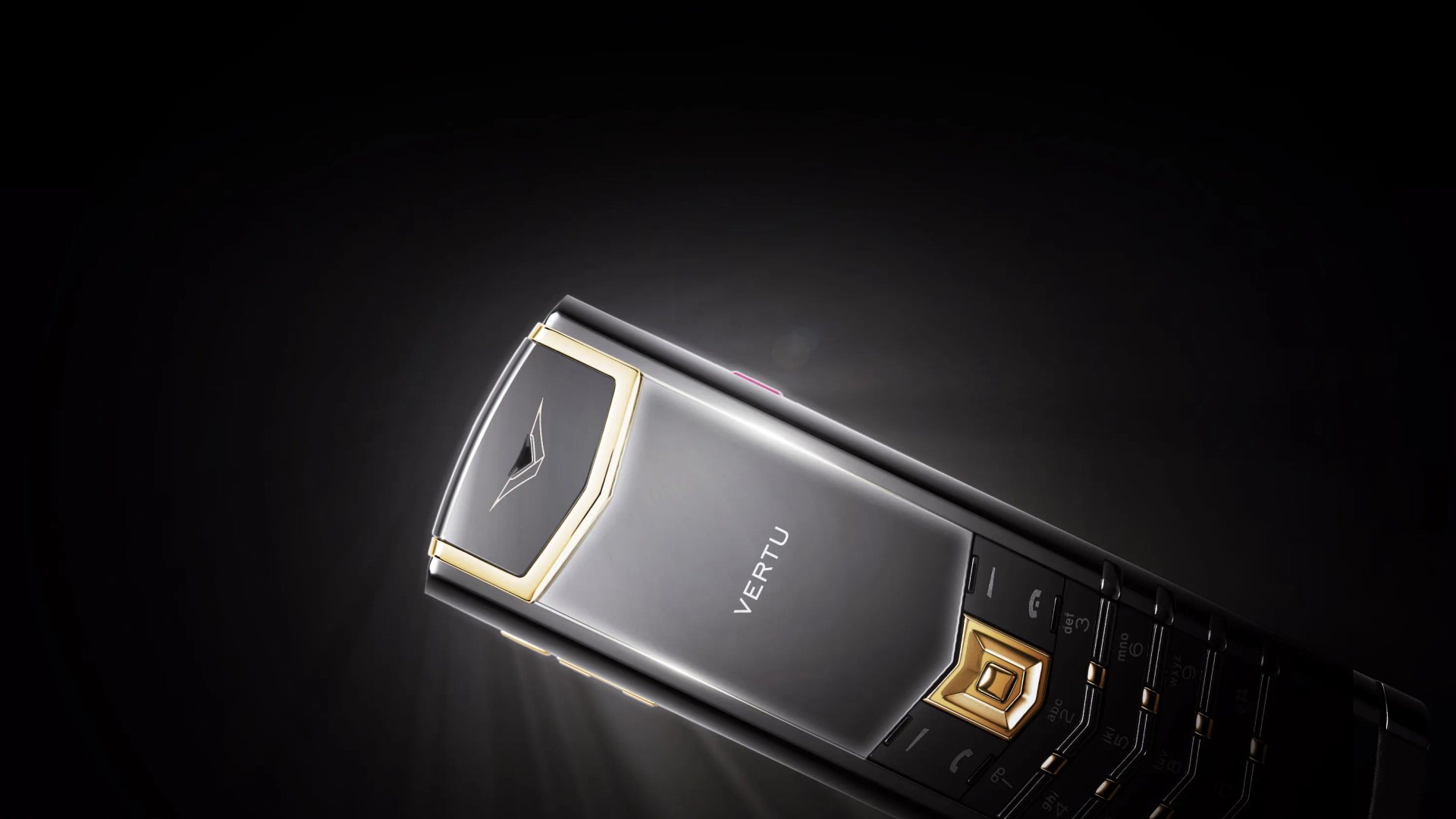
If you decide that app access and a touchscreen are essential, compare the models in the VERTU phone collection and review each device’s specifications before purchase. This is a smartphone-oriented alternative, not a recommendation for a classic keypad feature phone.
Frequently Asked Questions
Do Keypad Phones Still Exist?
Yes. Keypad feature phones are still sold in many regions. Check the exact model’s availability and confirm that it works with your carrier’s current network before buying.
Can a Keypad Phone Use WhatsApp?
Some keypad phones may support selected apps, but many do not support WhatsApp or its current features. App availability depends on the phone’s operating system, model and region, so verify compatibility directly before switching.
Are Keypad Phones Better for Calls and Texts?
They can be a better fit if you value physical buttons and mainly use voice calls and SMS. They are not automatically clearer or more reliable: call quality and coverage depend on the handset, carrier, network and location.
Do Keypad Phones Have Better Battery Life?
Some keypad phones last longer between charges because they have simpler software and smaller displays, but battery life varies by model and usage. Check manufacturer-rated standby and talk time, and remember that weak signal can affect any phone’s battery.
Is a Keypad Phone More Private Than a Smartphone?
It may collect less app-related data if it has fewer connected services, but a keypad phone is not automatically private or secure. It still connects to a mobile network, and its software and manufacturer update practices matter. Review the device’s features and privacy information rather than relying on the category label.
Conclusion
The keypad phone vs smartphone decision comes down to communication habits, not nostalgia or a claim that one type is universally superior. A keypad phone can make calls and basic SMS the priority; a smartphone is better suited to app-based communication and online tasks. Check network compatibility and essential services first, then choose the device whose limits you can comfortably live with.