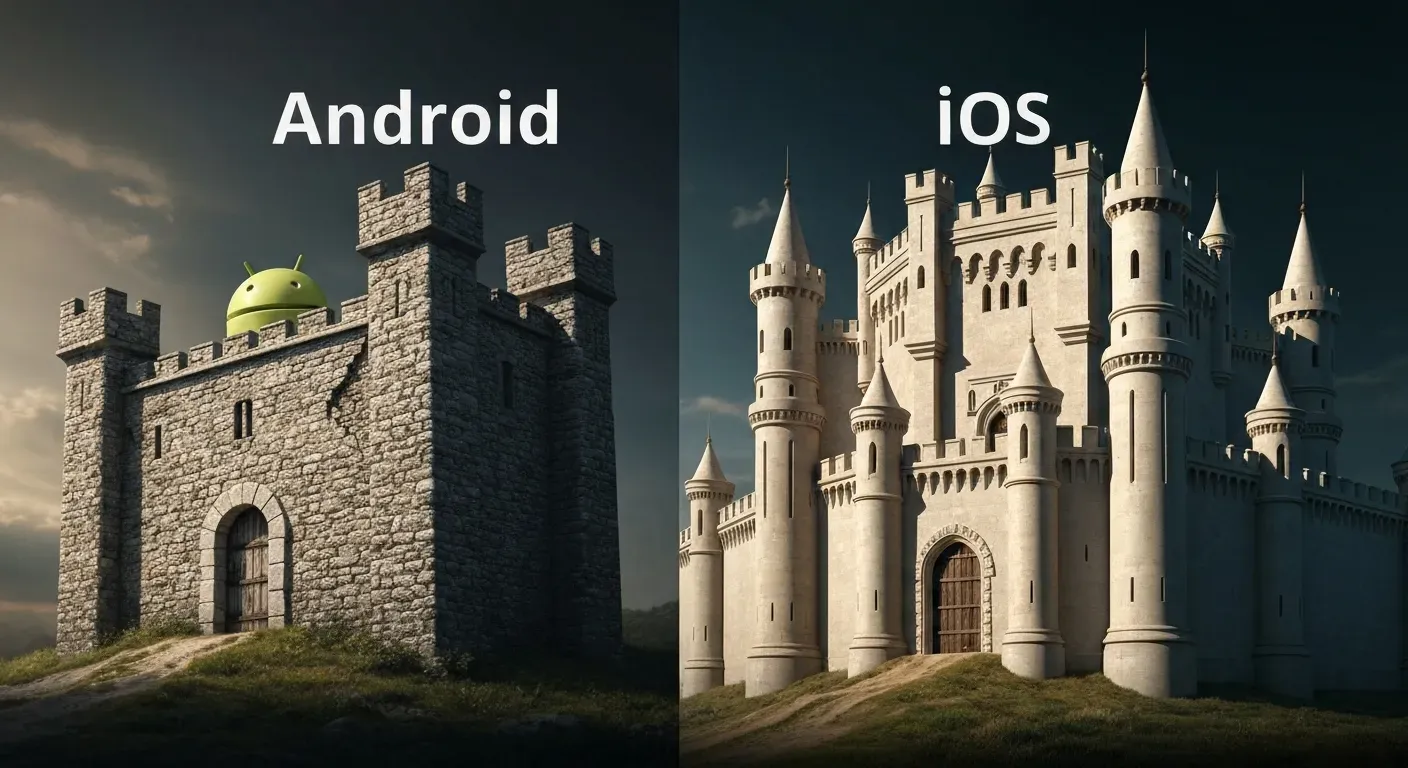
| Feature | Android | iOS (General Comparison) |
|---|---|---|
| Permission Control | Granular, user-managed, auto-reset option | App-specific, user-prompted |
| App Scanning | Google Play Protect (proactive) | App Store review process (pre-launch) |
| System Updates | Play System Updates, manufacturer dependent | Centralized, Apple-controlled |
| Source Code | Open-source core (AOSP) | Closed-source |
| Bootloader | Often unlockable | Locked |
In the rapidly evolving digital frontier of 2026, your smartphone is more than just a device; it's a vault for your most sensitive information. As cyber threats grow increasingly cunning, understanding the strengths and weaknesses of your mobile platform is no longer optional – it’s essential for your digital safety.
The perennial debate of android security vs. iOS security is more critical than ever. With both operating systems constantly innovating, discerning which platform truly offers superior data protection requires a deep dive into their core architectures and ongoing defenses.
This comprehensive analysis will equip you with the knowledge to make an informed choice. We’ll explore their distinct security features, examine the impact of updates and vulnerabilities, and dissect how each handles emerging threats and malware, ultimately revealing which platform reigns supreme in safeguarding your digital life.
Android Security Features: User Control and Broad Accessibility
Android security prioritizes user control and broad accessibility. Features like the Privacy Dashboard offer insight into app data usage. Granular permission controls allow users to grant one-time access or set permissions to auto-reset. This flexibility contrasts with more locked-down systems, impacting how android security vs. iOS is perceived.
Key Android Security Features
Google Play Protect scans over 100 billion apps daily for malware. Play System Updates deliver critical security patches efficiently to devices. The open-source core (AOSP) allows for deep customization. However, this openness, coupled with unlockable bootloaders, requires diligent management to prevent vulnerabilities.
Wide hardware compatibility presents a challenge for consistent security update delivery. Android's market share, projected at 72.55% globally in 2026, highlights its reach, especially in emerging markets. This broad adoption necessitates robust security measures across diverse hardware.
Android Ecosystem & Development Flexibility
Android's development flexibility supports a vast range of screen sizes and multiple OS versions. This caters to mass adoption and diverse user needs. The Google Play developer fee is a one-time $25, making market entry cost-effective.
This fragmented ecosystem can extend Quality Assurance (QA) cycles. Development strategies often focus on maximizing reach. The platform's suitability for ad-supported or freemium models stems from its extensive user base. This contrasts with the tighter ecosystem control often seen in android security vs. iOS discussions.
Android's open nature offers immense customization. Users can tailor their experience extensively. However, this requires users to be aware of security implications. Diligent management of app permissions and system updates remains crucial for maintaining a secure device.
iOS Security Features: A Controlled Ecosystem for Data Protection
iOS security prioritizes user data protection through a controlled ecosystem. Apple integrates hardware and software for consistent security. This approach contrasts with the more open nature of other platforms, impacting the overall user experience and developer landscape.
Key iOS Security Features
Apple implements several features to safeguard user privacy. App Tracking Transparency requires apps to ask permission before tracking users across other companies' apps and websites. Hide My Email creates unique, random email addresses that forward to a personal inbox, preventing spam. Private Relay encrypts internet traffic, sending it through two separate internet relays. Mail Privacy Protection prevents email senders from knowing if and when you open their emails.
These features leverage on-device data processing, minimizing the need to send sensitive information to the cloud. The Secure Enclave, a dedicated coprocessor, handles sensitive data like biometric information and encryption keys. Face ID and Touch ID provide secure authentication methods. End-to-end encryption protects communications by default.
Comparison of Privacy Features: iOS vs. Android
| Feature | iOS Implementation | General Android Approach (Varies by Manufacturer) |
|---|---|---|
| App Tracking | App Tracking Transparency (opt-in required) | Varies; often relies on app developer discretion |
| Email Privacy | Mail Privacy Protection (hides open/forwarding data) | Not a standard OS-level feature |
| Anonymous Email | Hide My Email (unique forwarding addresses) | Requires third-party apps or manual setup |
| Internet Traffic | Private Relay (encrypts and masks IP) | Relies on VPNs or browser incognito modes |
| On-Device Processing | Emphasized for sensitive data | Varies; cloud processing is more common |
iOS Ecosystem & Development: The Walled Garden Approach
iOS operates within a tightly controlled "walled garden" ecosystem. This closed system, combined with mandatory code signing and a locked secure boot chain, ensures consistent security updates and seamless hardware-software integration. This strict control facilitates faster Minimum Viable Product (MVP) validation for developers.
The App Store developer fee is $99 per year. Development for iOS often targets a premium user segment. This user base shows a higher willingness to pay for applications and subscriptions. This allows developers to focus on refined user experiences and advanced features, potentially leading to higher conversion rates for paid applications. When considering android security vs. iOS, the iOS ecosystem's controlled nature contributes to its robust security posture.
Comparing Data Protection: Android vs. iOS in 2026
In 2026, the landscape of mobile data protection presents distinct approaches between Android and iOS. Their fundamental differences stem from core philosophies. iOS prioritizes a secure-by-default, closed ecosystem. It emphasizes user privacy through stringent controls and on-device data processing. Android offers greater flexibility. It empowers users with more tools for security and privacy management. This openness can lead to varied security implementations across its diverse hardware.
Core Security Philosophies: Control vs. Customization
iOS operates on a principle of tightly controlled hardware and software integration. Apple designs both the chips and the operating system. This allows for deep security integration. Users receive a consistent, high level of protection. Android, developed by Google, utilizes an open-source model. This allows manufacturers significant customization. This flexibility benefits user choice. However, it can also create security inconsistencies. The android security vs. iOS debate often centers on this fundamental architectural difference.
| Feature | iOS (2026) | Android (2026) |
|---|---|---|
| Ecosystem | Closed, tightly integrated | Open, diverse hardware and software |
| Control | Centralized by Apple | Distributed among manufacturers and Google |
| Customization | Limited | Extensive |
| Default Security | High, consistent across all devices | Varies by manufacturer and device |
| User Empowerment | Guided by Apple's privacy features | Extensive tools for user-driven management |
Updates and Vulnerabilities: Consistency is Key
The consistency of security updates remains a key differentiator. iOS devices receive rapid, uniform software rollouts. Apple pushes updates directly to all compatible devices simultaneously. This minimizes the window for exploiting known vulnerabilities. Android's update process shows improvement. Initiatives like Play System Updates streamline some security patches. However, updates can still be inconsistent. This depends on manufacturers and specific device models. Some Android smartphones may remain exposed to emerging threats and malware longer.
Privacy Controls and Transparency: Enhanced User Insight
Both platforms enhance privacy controls significantly. iOS's App Tracking Transparency (ATT) and Mail Privacy Protection set high standards. These features limit data collection by third-party applications. ATT requires apps to ask permission before tracking users across other apps. Android's Privacy Dashboard offers granular permissions. It provides users detailed insights into app data access. Users can review and revoke permissions easily. The effectiveness of these controls ultimately depends on user engagement and understanding.
The Role of AI in Security: Proactive Threat Detection
Artificial Intelligence (AI) plays an increasing role in mobile security in 2026. Both Google and Apple leverage AI for threat detection. They use AI for malware analysis and anomaly identification within their operating systems. AI helps proactively identify and mitigate potential vulnerabilities. This enhances the overall security posture for both platforms. Machine learning algorithms analyze device behavior. They can flag unusual activity indicative of a compromise. This proactive approach strengthens android security vs. iOS defenses.
By 2026, both Android and iOS offer robust data protection. The choice often reflects user priorities: controlled security versus customizable freedom. Understanding each platform's strengths and weaknesses empowers users to make informed decisions about their digital safety.
Enhancing Mobile App Security Beyond the OS
Mobile applications in 2026 benefit from robust native security features on both Android and iOS. However, cyber threats evolve rapidly. Sophisticated attacks increasingly target the communication layer between apps and backend services. This complexity demands advanced security solutions to protect sensitive data and ensure application integrity. Native OS security alone may not suffice against these advanced threats.
The Need for Advanced Security Solutions
The increasing complexity of cyber threats, particularly API attacks, necessitates advanced solutions. These solutions go beyond the inherent security of Android and iOS. They address vulnerabilities that native protections might not cover. Protecting sensitive data and ensuring application integrity requires a multi-layered approach. This is crucial for maintaining user trust and business continuity.
How Approov Strengthens API Security
Approov fortifies mobile apps and their APIs. It cryptographically verifies every API request's authenticity and runtime integrity. This process distinguishes legitimate app instances from impostors. It establishes critical device trust. Approov enables just-in-time delivery of secrets and tokens. This significantly reduces the attack surface.
The platform's per-request validation and server-controlled policies allow dynamic security adjustments. This enables rapid threat mitigation without app redeployments. This contrasts with traditional methods that often require app store updates.
Zero Trust Principles in Mobile Security
Approov extends Zero Trust principles to the mobile layer. It verifies app and device authenticity at each API interaction. This ensures only trusted applications on legitimate devices access sensitive data. This cross-platform, app-store-independent approach complements native OS defenses. It provides over-the-air updates for security policies and solutions. This continuous reinforcement is vital in the face of evolving threats, regardless of whether the app runs on android security vs. iOS.
| Security Control | Native OS (2026) | Approov |
|---|---|---|
| API Request Verification | Basic | Cryptographic |
| Device Trust | Limited | Verified |
| Secret Management | OS-dependent | Just-in-time |
| Policy Updates | OS updates | Over-the-air |
FAQ (Frequently Asked Questions)
Q1: Which operating system is more secure for banking apps in 2026?
A1: For banking apps in 2026, iOS generally offers a more consistently secure environment. Its controlled ecosystem and uniform security updates reduce the attack surface. Android also implements robust security measures. However, user behavior remains a critical factor in overall security for both platforms.
Q2: How does encryption differ between Android and iOS?
A2: Encryption on both Android and iOS in 2026 typically employs file-based or full-disk protection for data at rest. iOS offers end-to-end encryption for iMessage and FaceTime by default. Android supports strong encryption standards, with Google Play Protect aiding data safeguarding. The primary difference lies in implementation and ecosystem control.
Q3: Can AI truly make mobile security foolproof by 2026?
A3: While AI significantly enhances mobile security in 2026 by improving threat detection, it cannot make security entirely foolproof. Sophisticated new threats continue to emerge. A multi-layered approach, including AI, user education, and proactive security practices, remains essential.
Q4: What are the biggest threats to smartphone data protection today?
A4: The biggest threats to smartphone data protection in 2026 include sophisticated malware and phishing attacks. Insecure public Wi-Fi networks pose risks. Vulnerabilities in app development and increasingly, AI-powered attacks, also threaten data. The open nature of some platforms presents unique challenges.
Q5: Is app development more secure on Android or iOS?
A5: App development security on Android and iOS involves different considerations. iOS's strict App Store review process and closed ecosystem lead to a more controlled environment. This potentially reduces malicious app risks. Android's flexibility allows broader reach but requires developers and users to be more vigilant. Vigilance about app sources and permissions mitigates risks.
Conclusion
In 2026, the landscape of android security vs. iOS security remains nuanced, with both platforms offering formidable data protection tailored to distinct user needs. iOS excels in delivering a secure-by-default experience for those valuing simplicity and immediate privacy, while Android empowers users with unparalleled customization and control, demanding greater vigilance. Understanding these core strengths is paramount for safeguarding your digital life.
To ensure superior data protection, actively assess your personal priorities. If ease of use and out-of-the-box privacy are key, iOS may be your ideal choice. Conversely, if granular control and customization are paramount, Android offers that power, but remember to stay informed about updates, exercise caution with app downloads, and consistently enable two-factor authentication.
Make an informed decision that best suits your individual security requirements and embrace the power of informed choice. By staying vigilant and leveraging the unique strengths of either Android or iOS, you can confidently navigate the digital world with robust data protection. Your proactive approach is the ultimate guardian of your information!