Key Takeaways
- Check the exact METAVERTU MAX edition and exposed surface before choosing a cleaning method; materials vary across the range.
- For routine care, begin with a clean, soft, dry lint-free cloth and light pressure.
- Do not transfer alcohol-wipe, water-resistance or cleaner advice from another phone brand to a VERTU finish without confirmation.
- Keep liquids away from openings and contact VERTU if a liquid enters, the finish changes or a component behaves abnormally.
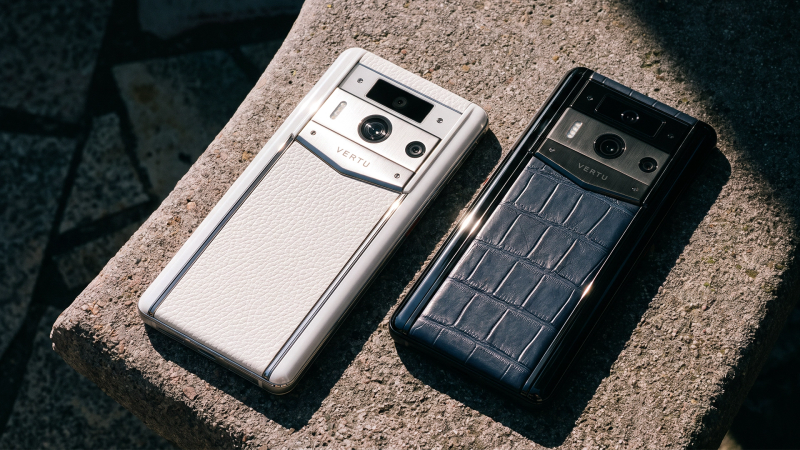
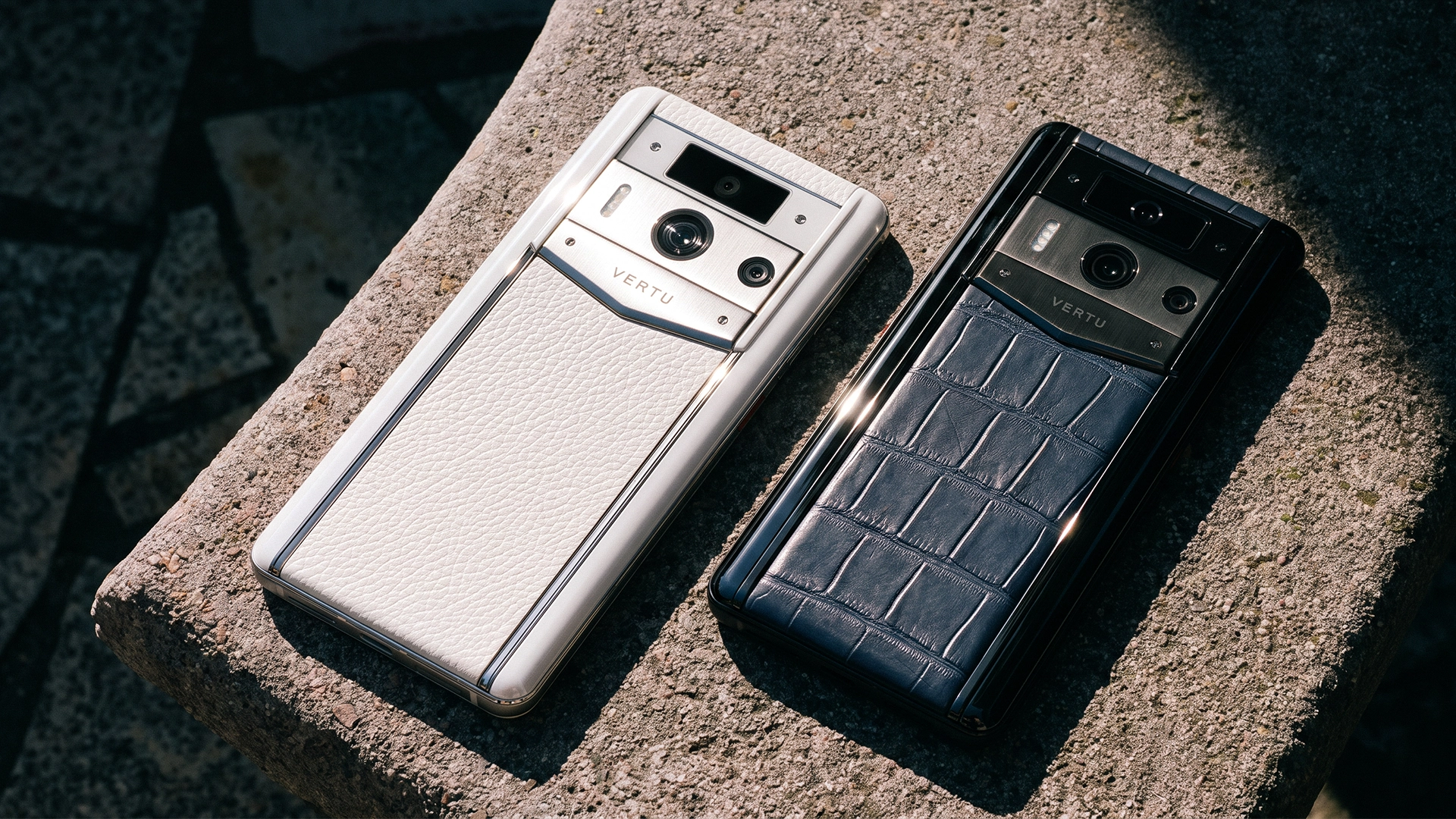
The safest way to care for a METAVERTU MAX is to identify the exact edition and surface before cleaning it. The VERTU product knowledge base describes the series with 316L stainless steel, ceramic and a sapphire lens cover, while the range also includes different finishes and materials. A cleaning method suited to one surface may be unsuitable for another. For routine dust or fingerprints, start with a clean, soft, dry cloth and avoid applying liquid until VERTU confirms the method for your specific configuration.
Start by identifying your METAVERTU MAX edition
Use your order confirmation, product name and current VERTU listing to identify the exact configuration. The METAVERTU MAX collection includes multiple editions; the materials and exterior details are not identical across the range. A family-level product page does not prove that your phone has every material mentioned in the series description.
Before cleaning, identify the area you intend to wipe: the display or lens cover, a ceramic or metal element, a leather panel, or a bespoke surface. If the exact material is not clear, pause and ask VERTU. Avoid inferring a finish from colour alone. A gold appearance does not by itself establish whether a part is plated, coated, polished or made from a particular material.
The current METAVERTU MAX collection helps identify the available product names and editions. For exact material composition and care instructions, use the page and documentation for the SKU you own rather than a general collection description.
A conservative daily cleaning routine
- Power down and unplug. Disconnect charging cables and accessories before wiping the device.
- Use a clean, soft, dry cloth. A lint-free microfibre cloth can lift ordinary dust and fingerprints with light pressure.
- Work gently around openings. Avoid pushing debris into the charging port, seams, buttons, speakers or camera openings.
- Stop if the mark remains. Do not escalate to liquid, solvent or abrasive material without care instructions for that exact surface.
- Store it thoughtfully. Keep the phone away from keys, grit, cosmetics and other items that may scratch or stain it. Use only a case or pouch confirmed to fit the edition.
These are cautious handling steps, not a product-specific cleaning certification or warranty promise. Samsung and Apple publish cleaning recommendations for their own devices. Samsung's Galaxy cleaning guide, for example, recommends powering down and using a soft cloth, but expressly scopes its instructions to Samsung devices and surfaces. Apple's iPhone cleaning instructions are likewise model-specific. Neither page authorises using the same liquids or disinfectants on a METAVERTU MAX.
Why cleaner advice does not transfer between materials
A phone cleaner can affect more than visible dirt. Liquids may reach openings; solvents or abrasive cloths may affect a coating, adhesive, leather treatment or bespoke finish. Even instructions that are safe for a particular glass and metal device may not be safe for a phone with a leather panel. “Microfibre” also describes a cloth, not a guarantee that every cleaning liquid is compatible.
For metal, ceramic or sapphire areas, begin with the dry-cloth routine and check the model's care guide before considering moisture. For calfskin, alligator or another leather surface, do not use the disinfectant guidance written for another manufacturer's glass and metal phone. Ask VERTU which products and method, if any, are suitable for your particular finish. Do not apply household cleaner, alcohol, perfume, hand sanitiser, polish or leather conditioner unless VERTU confirms it for the exact SKU.
The same caution applies to stubborn marks. A smudge may be removable; a colour change, scratch, coating variation or material transfer may need professional assessment. Repeated rubbing can make a surface change more visible. Stop and take a clear photograph in good light before contacting support.
Protect ports, seams and the charging area
Do not spray or pour liquid directly onto the phone. Keep moisture away from openings and do not insert cotton swabs, metal picks or other objects into a port. Avoid compressed air unless VERTU specifically instructs you to use it; airflow can force debris or moisture further inside. If a port is dirty or a cable does not connect normally, ask support how to proceed for your model.
If liquid enters an opening, disconnect power if it is safe to do so, stop charging and contact VERTU for instructions. Do not use heat, place the phone on a radiator or try to open the case. The knowledge base facts reviewed for this article do not establish a water-resistance rating for every METAVERTU MAX edition, so do not rinse or submerge it based on another model's claims.
Handle the finish and hardware with care
Keep the phone separate from keys, coins, grit and jewellery when carrying it. Fine particles can mark exposed surfaces, and loose objects can press against the camera area or controls. Place it on a clean, stable surface rather than directly on sand, stone dust or a damp countertop. When travelling, use a fitted pouch or case only if it is designed for the exact model and does not press against the finish.
Avoid dropping, bending or placing heavy objects on the handset. If the phone takes an impact, check for changes in the frame, display, camera cover, buttons or charging port. Do not press a loose component back into place or attempt a home repair. Record the circumstances and contact official service if operation or appearance has changed.
For more about the current range and product variants, visit VERTU's METAVERTU MAX product page. Confirm the edition's included materials and service terms before relying on a care instruction for another configuration.
When to contact VERTU service
Ask VERTU for guidance if liquid entered the device, a surface becomes cloudy or discoloured, a seam or panel appears loose, a port behaves unusually, the display or camera changes, or a mark remains after a gentle dry wipe. Stop charging if the phone or cable behaves abnormally. Do not dismantle the handset or send it to an unauthorised repairer before checking the current service route and warranty terms.
When you contact support, provide the exact edition or order details, describe the affected surface, explain what happened and when, and include clear photographs. Say which cleaning products, if any, have already touched the phone. This gives the service team useful context and avoids repeating an unsuitable cleaning attempt.
VERTU's repair and warranty information can help you find the current support route. Review the terms for your purchase market and edition; coverage and service handling depend on the applicable policy.
FAQ
What cloth should I use on a METAVERTU MAX?
For routine dry wiping, use a clean, soft, lint-free cloth with light pressure. Check VERTU's instructions before using moisture on a particular finish.
Can I use alcohol wipes or household cleaner?
Do not use them unless VERTU confirms they are suitable for the exact edition and surface. Cleaning advice for another phone brand does not establish compatibility with VERTU materials.
How should I clean a leather edition?
Do not apply a generic phone disinfectant or leather conditioner. Identify the specific leather finish and ask VERTU for its care instructions.
Can I rinse the phone or use compressed air?
Do not rinse or submerge it based on an assumed water rating. Avoid compressed air unless VERTU directs you to use it for your model.
When should I contact VERTU service?
Contact support if liquid enters, a finish changes, a component is loose, a port or function behaves abnormally, or a mark remains after gentle dry wiping.
Conclusion
Identify the exact METAVERTU MAX edition, begin with gentle dry wiping and keep liquids and improvised cleaners away until VERTU confirms they suit the surface. If the phone has been exposed to liquid, impacted or changed in appearance or operation, stop experimenting and contact official service. Edition-specific instructions are the right guide for preserving its materials and finish.