| Security Feature | Primary Protective Action |
|---|---|
| App Permissions | Restricts app access to your camera, microphone, and location. |
| Google Play Protect | Scans apps and devices for harmful behavior. |
| Enhanced Safe Browsing | Identifies and blocks dangerous websites and downloads. |
| Lockdown Mode | Disables biometrics and notifications on the lock screen instantly. |
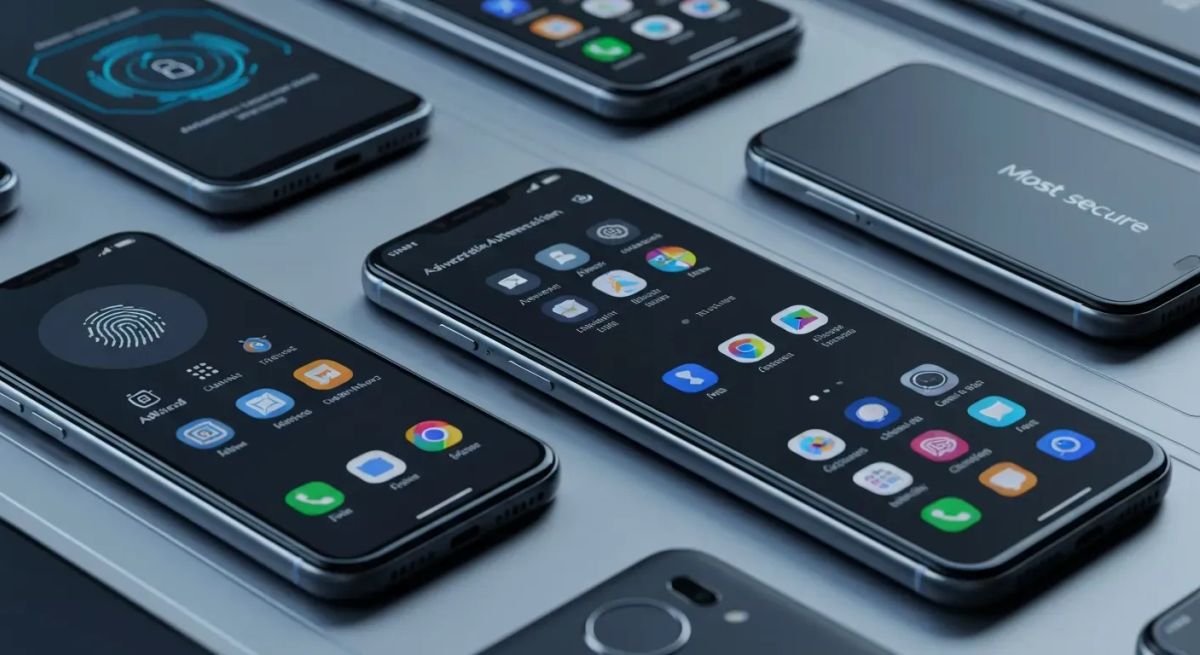
In the hyper-connected world of 2026, your Android phone is more than a device; it's your digital vault, holding everything from financial data to personal memories. But with sophisticated cyber threats evolving daily, how can you be sure that vault is truly impenetrable? The answer lies in a fundamental battle for control: the physical chip versus the digital code. This isn't just a technical debate; it's the core question you must answer when searching for the most secure android phones . Understanding the difference between a hardware-based secure enclave and a robust, updated operating system is critical. Each provides a distinct, essential shield for your personal data and privacy. This article dissects both sides of the security coin, from hardware-backed biometrics to crucial software settings. We will explore the roles they play in robust data protection and best practices for app security. By the end, you'll understand which element is more vital for safeguarding your device in 2026.
The Crucial Role of Android Security Settings in 2026
In 2026, optimizing your Android's built-in settings is a foundational step for mobile device security. These native tools give you direct control over your personal data without needing third-party apps. Proper configuration is your first line of defense against evolving digital threats and privacy intrusions.
Optimizing Your Android Security Settings
You can achieve stronger security through several key actions. Start with granular app permissions management , deciding precisely what data each app can access. Meanwhile, Google Play Protect works in the background, consistently performing malware scans on your apps and device. For web safety, Enhanced Safe Browsing works within your browser to block phishing attempts and warn against deceptive apps.
Key Android Security Features to Enable
Controlling lock screen notifications is a simple but powerful way to prevent sensitive information from being exposed at a glance. Enabling two-factor authentication (2FA) for your Google account is vital, as it protects your entire digital identity, not just your phone. Additionally, features like Lockdown mode and app pinning offer situational security for specific scenarios, such as crossing a border or handing your phone to a child. These integrated tools help create the most secure android phones by giving you direct command over your device's integrity.
Mobile Device Security Best Practices for 2026
Securing your mobile device in 2026 requires a multi-faceted approach, especially with the rise of remote work. Users must adopt core practices to defend against an ever-changing threat landscape. These habits form the foundation of digital safety on all mobile platforms, ensuring your sensitive data remains secure.
Essential Mobile Device Security Practices
Strong user authentication is the gatekeeper to your device. Using a password manager Android app is highly recommended, as it creates and stores unique, complex passwords for each of your accounts. Equally important are regular OS updates. Applying an Android updates security patch as soon as it's available closes vulnerabilities that attackers could otherwise exploit. These fundamental steps are standard on the most secure android phones .
| Security Practice | Primary Function |
|---|---|
| User Authentication | Prevents unauthorized device access with strong PINs or passwords. |
| Password Manager | Generates and stores strong, unique passwords for apps and services. |
| OS Updates | Patches known security vulnerabilities to protect against threats. |
Key Security Habits for 2026
You must be cautious of public Wi-Fi security threats. Avoid unsecured networks whenever possible, and use a trusted VPN or your cellular data instead. Furthermore, enable remote wipe Android capabilities through Google's Find My Device. This allows you to erase all data on a lost or stolen device, protecting your information from falling into the wrong hands. For added peace of mind, implement regular cloud backups to recover your data after a device failure or wipe. For business use, Mobile Device Management (MDM) or Mobile Application Management (MAM) solutions are essential for enforcing company-wide security policies.
Biometric Authentication Android: Convenience Meets Security in 2026
In 2026, biometric authentication Android features provide a seamless and secure method to unlock your device and authorize transactions. This technology is central to the design of the most secure android phones , blending user-friendly access with robust data protection as a powerful alternative to traditional passcodes.
Advanced Biometric Authentication Methods
Modern biometric methods offer enhanced security over older systems. Ultrasonic in-display fingerprint sensors , for example, generate a detailed 3D image of your fingerprint, making them far more accurate and difficult to fool. While facial recognition offers speed, its security can vary. Advanced 3D-mapped systems are significantly more secure than the simple 2D photo-based recognition found on less protected devices.
Types of Biometrics for 2026
Android phones in 2026 feature several key biometric options. Capacitive fingerprint sensors remain a reliable and popular choice, providing low False Acceptance Rates (FARs). Each primary method offers distinct advantages for device security.
| Biometric Type | Technology | Key Advantage |
|---|---|---|
| Ultrasonic Fingerprint | 3D Sonic Imaging | Highly secure and accurate 3D map of your fingerprint. |
| Facial Recognition | 2D/3D Mapping | High convenience; security level varies by technology. |
| Capacitive Fingerprint | Electrical Current | Extremely reliable with very low False Acceptance Rates. |
Hardware-Level Security Features for Secure Android Devices in 2026
Certain hardware features provide an intrinsic, foundational layer of security for your device. These physical components offer a powerful defense against unauthorized access and complement software-based solutions for comprehensive protection—a key trait of the most secure android phones .
Intrinsic Hardware Security
Hardware-level security works by creating a Trusted Execution Environment (TEE) , a secure area that is completely separate from the main operating system. This physical separation prevents compromised software from accessing secure processes, such as biometric authentication or data encryption keys. This is the digital equivalent of a bank vault inside your phone.
| Security Layer | Standard Environment | Hardware-Isolated Space (TEE) |
|---|---|---|
| Data Access | Shared Kernel | Separate, Partitioned, and Protected |
| Encryption | App-dependent | Hardware-backed and Enforced |
| Isolation | Limited (Sandbox) | Complete (Virtual Separation) |
Samsung Secure Folder: A Practical Example
Samsung's Secure Folder is an excellent example of hardware security in action. It creates an encrypted, isolated space on Galaxy devices, leveraging the hardware-partitioned security of the Knox platform. This technology effectively separates work and personal data streams, making it a powerful tool against unauthorized access and a key component of sensitive data security.
Mobile App Security Best Practices for 2026
Even the most secure android phones can be compromised by a poorly coded application. While device security provides the foundation, securing the applications themselves is paramount for protecting user privacy in 2026. Developers must implement specific practices to create a layered defense against modern threats.
Securing Applications on Android
Protecting data at rest is a critical first step. This involves strong file encryption for all sensitive information stored on the device. Developers should use Android's Keystore system for secure key-value storage. This hardware-backed system manages cryptographic keys, making it extremely difficult for other apps or attackers to access them, which is crucial for data protection Android .
Key App Security Measures for 2026
A multi-layered strategy is vital for building secure mobile apps. This includes end-to-end encryption for all communications and strict API access controls. Proactive measures like Static Application Security Testing (SAST) and code obfuscation help prevent reverse engineering and identify vulnerabilities before an app is ever released.
| Security Measure | Primary Function |
|---|---|
| HTTPS/SSL Pinning | Prevents man-in-the-middle network attacks. |
| Code Obfuscation | Makes source code difficult for attackers to read and analyze. |
| Secure Logging | Avoids leaking sensitive user data in system logs. |
| API Access Control | Ensures only authorized users and apps can access data. |
Hardware vs. Software Security: Which is More Crucial for Your Android in 2026?
So, where should you place your trust? In the silicon chip or the lines of code? The truth is that hardware and software security are two sides of the same coin—deeply interconnected and mutually dependent.
The Interplay of Hardware and Software Security
Hardware provides the foundational security architecture for a device. It establishes a "root of trust" and creates isolated environments to protect your most critical data, like encryption keys and biometric information. Software then implements and manages security protocols on top of that foundation. It handles system updates, app permissions, and real-time threat detection. The two layers must work in tandem for comprehensive protection.
| Security Layer | Role in Protection |
|---|---|
| Hardware | Establishes a root of trust; isolates critical data and processes. |
| Software | Manages updates, app permissions, and active threat detection. |
The Verdict for 2026
While both are indispensable, software security often has a more direct impact on your daily safety . It defends against the most common threats you face, such as malware, phishing, and insecure apps delivered through web browsing and app stores. However, without a strong hardware foundation, even the best software can be undermined. For this reason, the most secure android phones in 2026 will always feature deep integration of both hardware and software layers, creating a unified defense for effective data protection.
FAQ (Frequently Asked Questions)
Q1: Is hardware security truly more important than software for Android in 2026?
A1: Not necessarily. Hardware security provides a vital, unchangeable baseline for device protection. However, software security is arguably more crucial for the everyday user in 2026, as it directly manages active threats and user interactions. The most secure android phones integrate both, using hardware for core encryption and software for ongoing threat defense. Optimal protection requires a combination of both.
Q2: How can I improve my Android security settings in 2026?
A2: You can significantly improve your Android security with a few key actions. Regularly review app permissions to limit data access. Enable two-factor authentication on your Google account for an essential extra defense layer. Finally, always utilize Google Play Protect to scan for harmful apps and keep your operating system updated with the latest security patches.
Q3: What are the best biometric authentication methods for Android in 2026?
A3: Ultrasonic in-display fingerprint sensors offer the highest level of security and accuracy. Capacitive fingerprint sensors are also an extremely reliable option. The security level of facial recognition can vary significantly between devices, so it's important to choose a phone with advanced 3D-mapping technology if you plan to use it as your primary method.
Q4: Are secure mobile apps essential for overall Android security?
A4: Absolutely. Secure mobile apps are essential for overall Android security in 2026. An insecure application can introduce vulnerabilities that malware can exploit, potentially compromising your personal data even on a secure device. Choosing well-vetted, secure apps from trusted sources directly contributes to your device's data protection and overall safety.
Q5: Does updating my Android regularly improve security in 2026?
A5: Yes, this is one of the most critical things you can do. Regularly updating your Android device is vital for security. These updates often contain patches for newly discovered vulnerabilities. Installing them as soon as they become available significantly enhances your device's defense against current cyber threats, making it a simple yet powerful security practice.
Conclusion
In the hardware versus software debate, the ultimate conclusion is that one cannot be effective without the other . Achieving comprehensive protection in 2026 requires a unified strategy, combining advanced hardware features with diligent software management. This synergistic defense is the defining characteristic of the most secure android phones , ensuring your digital life is shielded from every angle.
Take immediate action to fortify your device:
Optimize your Android security settings.
Enable strong biometric authentication.
Install Android security updates promptly to patch vulnerabilities.
Remain vigilant about app permissions and public Wi-Fi security.
Now is the time to take control of your digital safety and transform your device into a secure fortress. Use this knowledge to proactively manage your settings and stay informed about emerging threats. By embracing a holistic security mindset, you can confidently protect your digital world in 2026 and beyond.