| Check | What to confirm |
|---|---|
| Relevance | Does the product address a recurring activity in the recipient’s life? |
| Compatibility | Does it work with their devices, operating system and preferred workflow? |
| Data expectations | What information may be involved, and where can the current privacy terms be reviewed? |
| Consent | Could recording or other AI functions affect people around the recipient? |
| Setup | What apps, accounts, permissions or updates are required? |
| Flexibility | Are the return, exchange and warranty terms suitable for a gift? |
An AI-enabled device can be a considered gift, but it is more personal than a conventional high-end accessory. Its usefulness may depend on the recipient’s phone, preferred apps, comfort with voice interfaces and expectations about recordings or data. Before choosing one, check whether it fits the person’s existing setup, how its AI features work, what information they involve, and whether the recipient would welcome those features at all.
That makes the central question less “Which AI device is most impressive?” and more “What should I confirm before giving someone an AI device?” A little preparation can help avoid a gift that is difficult to set up, unsuitable for the recipient’s routine or uncomfortable to use in their work and social settings.
1. Begin with the recipient’s routine—not the product
A product category is not a reliable guide to someone’s needs. Start with the situations in which the recipient might use the device: taking meeting notes, listening while travelling, communicating across languages, or using a phone for work and personal tasks. This user-first approach is consistent with the principles in Google’s People + AI Guidebook, which encourages designers to begin with real user needs rather than adding AI for its own sake.
Then consider how they currently manage that activity. If they already have a well-established workflow, a new AI tool may need to fit into it rather than replace it. If you do not know enough about their routine, discreetly asking about preferences—or choosing a gift with a straightforward exchange or return option—may be wiser than guessing.
Before buying, ask:
- Does the person regularly encounter the situation this device is designed for?
- Do they already use a phone, app or service for the same task?
- Would the new product complement their routine, or require them to change it?
- Would they feel comfortable using it around other people?
AI features are not automatically useful simply because they are available. Their value depends on the recipient’s willingness to use them and the context in which they would do so.
2. Check device and workflow compatibility
Compatibility means more than whether a device can connect to a phone. It can include operating-system requirements, app availability, account setup, regional support, charging and the way information moves between devices or services.
For a pair of earbuds, confirm that the connection and controls suit the recipient’s phone and listening habits. For a recording or writing tool, check how the recordings or notes are accessed and organised, and whether that process fits the person’s preferred devices. For an AI phone, consider whether the recipient is willing to use a different interface or learn a new way of interacting with their device.
Do not assume that “AI-powered” means the product works independently of other devices or services. Look at the current official product information for any stated requirements. If an important detail is unclear—such as operating-system support, whether a feature requires an account, or which functions work in the recipient’s region—confirm it with the seller before purchase.
3. Treat privacy as a conversation, not a promise
AI features can involve sensitive information: spoken requests, meeting discussions, messages, contacts or personal preferences. The exact information involved varies by product and feature. A product description alone may not explain where information is processed, how long it is retained, whether it is shared with third parties or what controls the owner has.
Before gifting an AI device, review its current privacy information and identify the questions that matter for the recipient. For a work-related device, also consider whether their employer or professional environment has rules about recording, external services or handling confidential material.
Useful checks include:
- What information does the feature need to perform its task?
- Does it require a connection to an app, account or online service?
- Are there settings to control permissions or disable features?
- How can recordings, transcripts or other generated content be reviewed and deleted?
- Are there workplace or local rules the recipient should consider?
If those answers are not clear, do not imply that the device is private, secure or appropriate for confidential use. Treat privacy terms and product settings as matters to verify, not assumptions to attach to a gift.
4. Consider consent and social context
A device that can record or process speech affects more than its owner. A recording feature may be welcome in a personal note-taking routine but inappropriate in a meeting or conversation where other people have not agreed to be recorded. The recipient should understand when the feature is active and what is being captured.
This is especially relevant when considering a recording pen such as VERTU The Scribe. VERTU’s official page describes The Scribe as combining writing with audio recording and AI-powered transcription and organisation. Those capabilities may be relevant to someone who often works with notes or recorded discussions, but they do not establish that recording is suitable in every context. The owner should understand the product’s operation and follow the expectations and rules of the people and organisations around them.
If you are unsure how the recipient would feel about a recording-capable device, ask before buying. A technically capable gift is not thoughtful if it puts the recipient in an awkward position.
5. Make setup part of the gift
Some technology gifts arrive ready to use; others require charging, pairing, an app, permissions, an account or a software update. The setup experience can shape whether the recipient uses the product at all.
Check what the first-use process involves and decide how much help the recipient is likely to want. You could offer to assist with setup, but avoid creating an account, enabling permissions or importing personal information on someone else’s behalf without their consent. The recipient should make those choices themselves.
It can also help to include a short, neutral note explaining what the product does and where to find its official setup and privacy information. Avoid promising a particular result, such as effortless productivity or guaranteed accuracy. AI features can have limits, and the recipient should be able to assess them directly.
6. Match the product example to the question it raises
VERTU products illustrate why AI gifting calls for more than a style or feature comparison.
- The Scribe can prompt practical questions about recording, transcription, setup and whether the recipient has a suitable note-taking workflow. See the official The Scribe page for current product details.
- Phantom Series OWS AI Earbuds are listed by VERTU as OWS Bluetooth earphones, with AI functions described on the official product page. Before gifting earbuds, check device compatibility, comfort preferences and which features the recipient actually expects to use. See Phantom Series OWS AI Earbuds.
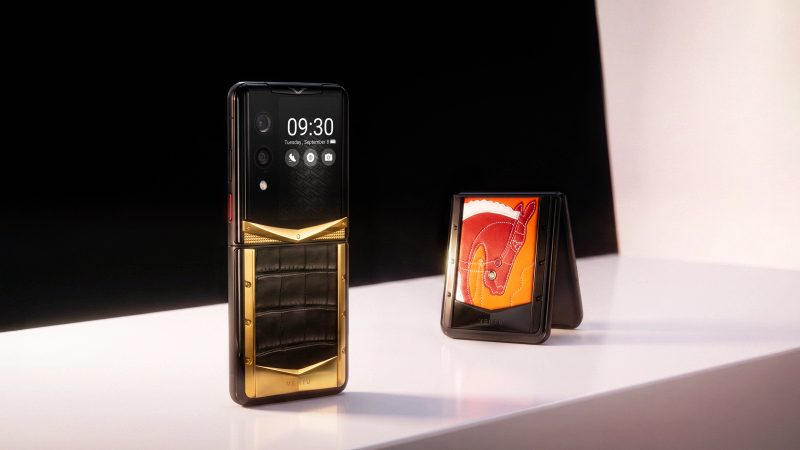
- Agent Q is presented by VERTU as an AI Agent Phone. As a phone, it raises a broader set of questions: whether the recipient wants to change devices, how its AI functions fit their existing habits, and which current product and service details they should review before purchase. See VERTU Agent Q.
These examples are not a recommendation ranking. The right choice depends on what the recipient already uses, what they are comfortable adopting and which product details can be verified for the configuration and market in question.
7. A pre-purchase checklist
Before choosing an AI-enabled gift, work through these questions:
Product configurations, feature availability, policies and regional support can change. Confirm details on the current official product page and applicable market terms before purchasing.
FAQ
What should I check before gifting an AI device?
Check whether it fits the recipient’s routine and devices, what setup it requires, and what data or permissions its AI functions may involve. For recording-capable products, also consider consent and the recipient’s work or social context.
Is it appropriate to gift someone a device that records conversations?
It depends on the recipient and how they intend to use it. Make sure they understand when recording is active, and that they can follow applicable workplace rules and the expectations of other people present.
Do AI earbuds or pens need a specific phone or app?
Requirements vary by product and feature. Check the current official product information for operating-system, app, account, connection and regional requirements rather than assuming universal compatibility.
Should I set up an AI device before giving it?
Usually, let the recipient control setup, permissions and accounts themselves. You can offer help, but do not enable features or enter personal information without their agreement.
How can I check an AI device’s privacy practices?
Read the current privacy information and product documentation. Look for details on what information is processed, connected services, available controls and how content can be managed. If the answers are unclear, do not make privacy assurances on the product’s behalf.
Conclusion
An AI-enabled gift is most considerate when it respects the recipient’s routines and choices. Before buying, confirm compatibility, understand the product’s setup and data requirements, and consider whether features such as recording would feel appropriate in the recipient’s everyday settings.
The product should be the final step, not the starting point. First understand what the person would welcome; then choose an AI phone, pen or earbuds only if its role and requirements are clear.