A connected watch should be chosen for the phone you actually own, not for a generic promise of Bluetooth support. Verify the exact watch model, phone model, operating-system version, companion app and region before comparing style or battery life. Pairing is only the first step: calls, messages, health features, payments and voice workflows may have separate requirements. A good match is one whose essential functions work within your existing phone setup.
Key Takeaways
- Check the watch's official compatibility list for your exact phone and operating-system version.
- Distinguish basic pairing from individual features and third-party app support.
- Confirm regional service, subscriptions, data permissions and repair routes.
- VERTU Agent Watch lists iOS 13.0+ and Android 9.0+; its Agent requests use a paired phone, subject to the supported software and service.
What is a connected watch?
A connected watch links to a phone, usually through an official app, to display information or extend certain tasks to the wrist. Depending on the model, it may handle notifications, calls, activity records, location, music controls or a voice request. The exact combination is product-specific. Some watches require a phone for initial setup and normal use; others offer selected functions independently after setup. Do not infer independence from an LTE label without checking the relevant carrier and regional terms.
The word “connected” also says little about how much of the phone's data is shared. A watch can pair over Bluetooth yet need permissions for notifications, contacts, location or health records. Review which permissions are essential and which are optional. If you are buying for work, ask whether your organization's phone management policy permits the wearable and its companion app. Convenience is useful only when it fits your privacy and security requirements.
How do you check phone and OS compatibility?
Write down your phone model and current operating-system version, then open the official compatibility page for the exact watch. Do not rely on a retailer's broad “iOS and Android” badge. An app may support the phone family but require a minimum software version, particular services or a regional store listing. If you plan to keep the watch longer than the phone, consider whether the watch's support path makes a future phone switch realistic.
Apple's watch compatibility table lists iPhone and iOS requirements by Apple Watch generation. These requirements change across generations, so an older article about a previous watch cannot decide whether a new model works with your phone. Samsung's Galaxy Watch compatibility guide likewise distinguishes older watches that supported some iPhones from newer Wear OS models that do not support iOS. “Galaxy Watch” is a family name, not one compatibility rule.
| Check | Where to verify | Common mistake |
|---|---|---|
| Phone model | Manufacturer's exact watch compatibility list | Assuming all phones in one brand are supported |
| OS version | Phone settings and current watch documentation | Reading an old minimum version |
| Companion app | Official app store and regional listing | Assuming Bluetooth pairing replaces the app |
| Feature scope | Model-specific support and service terms | Equating connection with full function |
Does Bluetooth pairing mean all watch features will work?
No. Basic connection is only a transport layer. Notifications may require specific permissions; replies may depend on the phone OS; mobile payments may require a supported service and region; cellular calling may require a carrier plan; health features may require a compatible app or account. Ask the seller to demonstrate your top three tasks with a phone like yours, or find a current official support page that names them.
A practical test is to define the task before shopping. If you want to answer a call from the wrist, ask whether the watch has its own microphone and speaker, whether the feature works while paired to your phone, and what happens when the phone is out of range. If you want to start a voice workflow, ask which part runs on the watch and which on the phone. If you only need glanceable reminders, a simpler watch may be sufficient.
What should iPhone owners check?
Begin with the exact iPhone and iOS version. Apple Watch has generation-specific iPhone requirements published by Apple; other watch brands may support iOS but offer a narrower feature set. Check whether the companion app is listed in your App Store region, whether notifications and health data can be transferred as intended, and whether setup needs a separate account. Do not assume that an Android-first watch will provide the same replies, payments or voice assistant on an iPhone.
Samsung's current US guide offers a clear example of why model names matter: it lists older Galaxy Watch and Gear devices that can work with certain iPhones, but identifies newer Galaxy Watch4 and later models as incompatible with iOS. A buyer who remembers using one older Galaxy Watch with an iPhone should not generalize that experience to a new generation. The official compatibility chart should take precedence over memory.
What should Android owners check?
Android support also varies. A watch may need a particular Android version, memory amount, Google services, manufacturer app or phone brand for selected features. Samsung lists distinct requirements for several Galaxy Watch generations and notes that a Samsung phone offers the broadest integration for its own wearables. A non-Samsung Android phone may pair while leaving some functions unavailable. Confirm the exact model and feature, especially if you depend on payment, ECG, message replies or enterprise policy.
Check whether your phone's battery settings restrict the companion app in the background. An app that is suspended may delay notifications or syncing even when the hardware is compatible. Use the maker's setup guidance rather than disabling all battery protections blindly. If a corporate phone blocks app installation, ask IT before purchasing a watch that depends on that app.
How does VERTU Agent Watch connect to a phone?
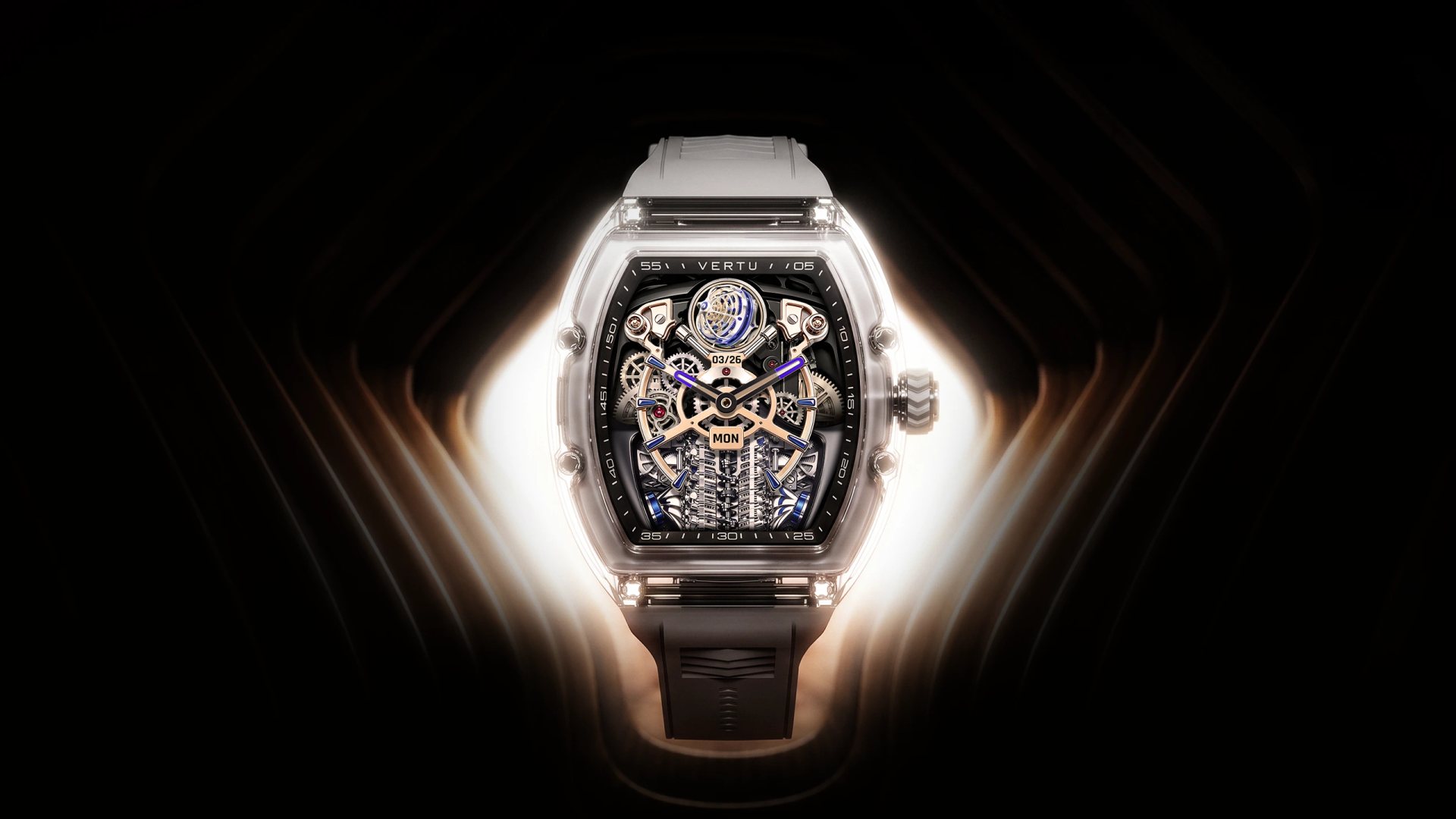
The current VERTU Agent Watch product page lists compatibility with iOS 13.0 or later and Android 9.0 or later. It describes a phone-linked Agent workflow: the watch captures a request, the paired phone executes it and confirmation returns to the watch. That is a concrete design distinction from a claim that the watch independently runs all Agent tasks. Confirm the required app, account, language, region and phone model for the workflows you intend to use.
The product page also describes a 1.75-inch AMOLED display, a 300 mAh battery and more than eight days of typical use, with actual results varying by settings and use. These figures belong to the named Agent Watch listing; they are not a promise for every VERTU watch or every usage pattern. If style matters, inspect the current crystal colour and strap option as carefully as the software requirements. A connected watch is both a physical object on the wrist and a service relationship with the phone.
Which measurements and services matter most?
List the functions you will use weekly rather than every possible feature. A person who wants calendar notifications may not need a cellular plan. A traveller who needs location and calls should check satellite positioning, network dependency and battery effects. A wellness-focused buyer should examine what signals are directly measured, what the app estimates and how long records are retained. Consumer wellness insights are not medical diagnosis, and urgent symptoms should be addressed through qualified care.
Service details can become decisive after purchase. Ask how software updates arrive, what happens when you change phones, whether watch data can be exported, and where a damaged screen or battery can be serviced. If a feature requires a subscription, note its current cost and what remains when it expires. If an app is discontinued, the watch's hardware may still function while connected features change; read the provider's support commitments where available.
How should you compare battery claims?
Compare the conditions behind each number. Always-on display, GPS, voice interaction, calls, sleep tracking and notification volume can change runtime. “Typical use” from two manufacturers may not mean the same pattern. Ask for charging time and charger availability as well as battery duration. A watch that lasts several days but needs a proprietary charger during travel may be less convenient than a shorter-lived model whose charging routine fits your desk setup.
Do not use battery capacity alone as a ranking. A larger milliamp-hour figure does not establish longer runtime across different displays and software. The sensible test is whether the watch can finish your normal day, including the functions you actually use, and whether you can charge it without disrupting overnight data collection. Return and warranty terms matter if real use differs sharply from the advertised scenario.
What fit and design checks should you perform?
Measure your wrist, then inspect the case diameter, thickness, weight and strap adjustment range of the exact edition. A connected watch with a bright screen may be easy to read but may not sit comfortably under a tight cuff. Try the side buttons while wearing it on your preferred wrist. Check whether the strap can be replaced, whether a decorative finish needs special care, and whether the sensor sits against the skin without pressure.
For formal use, consider what the watch shows when idle. A restrained face or screen-off mode may work better than a constantly bright display, but read the battery implications. For exercise, check water and sweat guidance for the named model rather than assuming all connected watches have the same rating. Materials and design affect ownership, not just the first impression in a product photo.
What is a five-step compatibility test before purchase?
- Record the exact phone model, OS version and country.
- Find the watch maker's current compatibility listing for the exact edition.
- Check the official companion app and permissions in your app store.
- Verify the three functions you care about most, including any plan or carrier condition.
- Review fit, charging, update, repair and return terms before checkout.
If one answer remains unclear, ask the seller for a written confirmation specific to your setup. Save the response with your order. A vague statement that the watch “works with phones” is weaker than a compatibility matrix naming your model and software. This short check can prevent an expensive mismatch while leaving room to choose a design you genuinely enjoy wearing.
Frequently asked questions
Will any connected watch work with an iPhone?
No. Compatibility depends on the exact watch generation, iPhone and iOS version; some Android-focused watches do not support iOS.
Can I use a watch without its companion app?
It depends on the model. Some basic functions may remain, but setup, syncing and connected features often require the official app.
Does VERTU Agent Watch run Agent requests by itself?
The published workflow uses a paired phone to execute requests. Confirm current app and service availability for your intended tasks.
What should I check before changing phones?
Confirm that the new phone and OS are supported, back up or transfer watch data as instructed, and review any account or pairing reset requirements.
Conclusion
A connected watch fits your phone when the exact hardware, operating system, app and essential features work together in your market. Begin with compatibility, then assess comfort, battery, services and design. VERTU Agent Watch provides a specific phone-linked Agent example; judge it by its documented requirements and the tasks you will actually use rather than a broad compatibility badge.