If you’re buying a foldable for work, you’re not shopping for a bigger screen. You’re shopping for a pocket workstation.
A good foldable should let you run your day on the move: email on one side, calendar on the other, a document open in the background, and a Teams call that doesn’t kill your notes. The best ones do that without turning into an IT headache.
This guide is built for decision-stage buyers. You’ll get a quick verdict, a tight comparison table, and the criteria that matter when the phone is part of your job.
Quick verdict (who should buy what)
- Best overall for business multitasking: Samsung Galaxy Z Fold series (strongest multitasking layer and “phone-to-tablet” workflow).
- Best for a clean Google-first experience: Google Pixel Fold line (great Google ecosystem; less power-user multitasking than Samsung).
- Best value for big-screen productivity: OnePlus Open (strong large-screen usability, typically fewer enterprise extras).
- Best “thin and light” hardware bet: HONOR Magic V series (compelling hardware profile; enterprise depth varies by market).
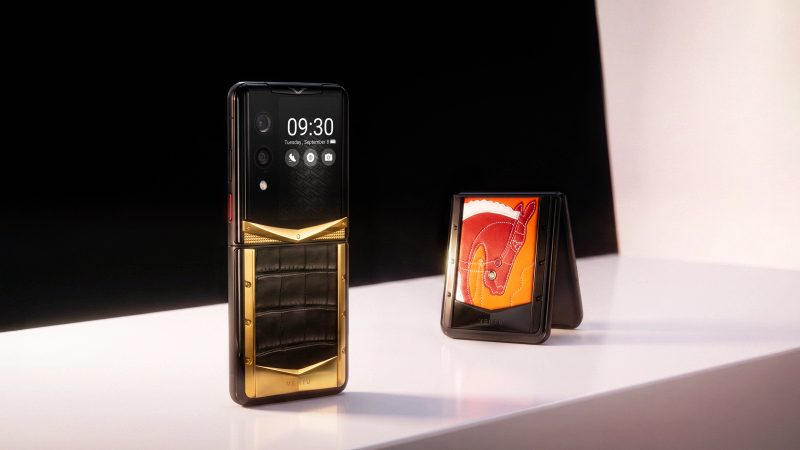
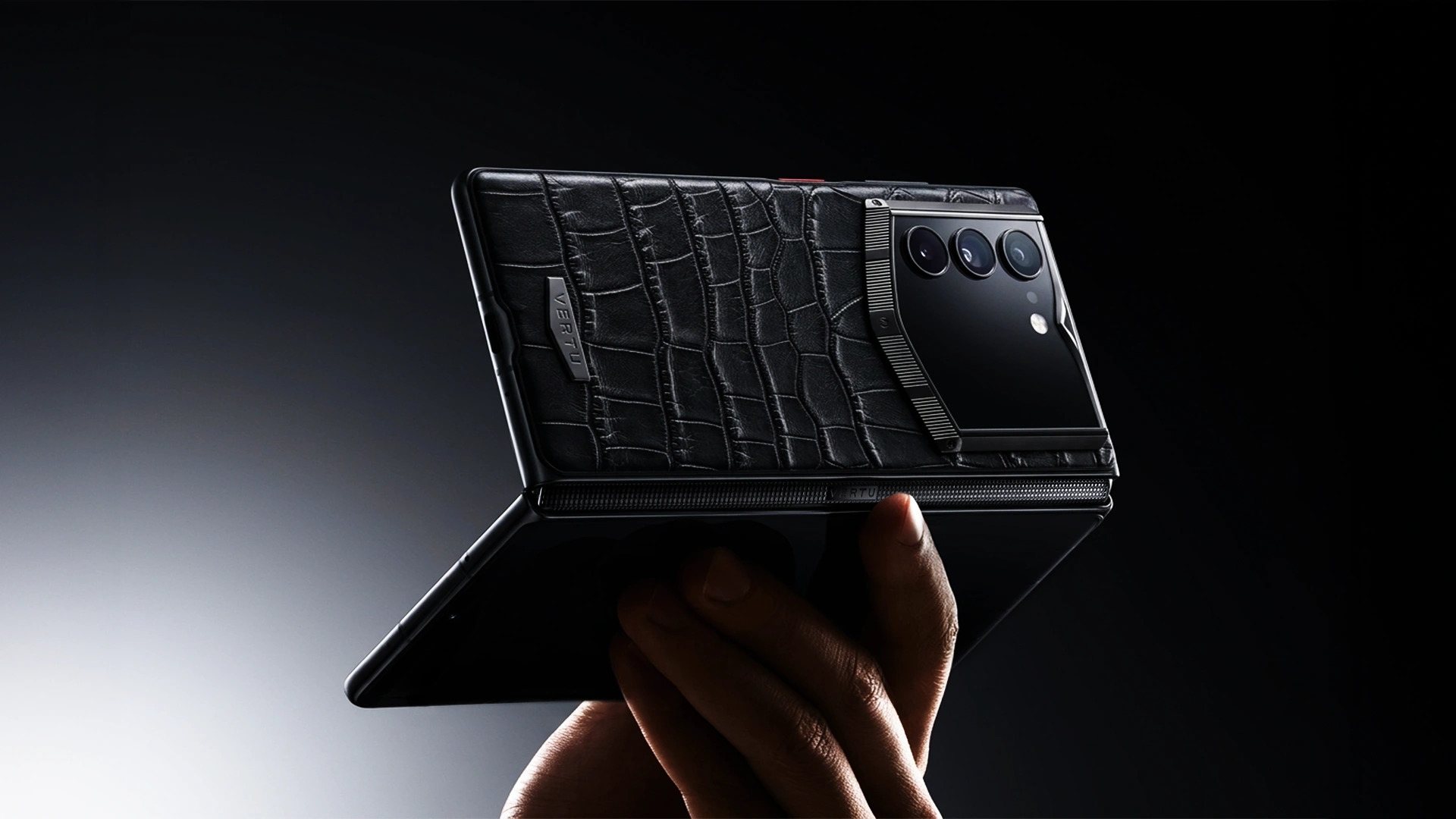
- Luxury executive lane: Vertu AlphaFold (premium materials + agent-forward positioning for high-stakes users).
What makes an Android foldable phone a real business smartphone
A foldable earns its place in your bag when it does three things consistently:
- Multi-window that actually saves time. On a big inner display, switching between apps is not the same as working across apps.
- Business app compatibility on a larger canvas. Your workflow lives in Microsoft 365, Google Workspace, Slack/Teams, Zoom, Salesforce, and PDFs. A foldable has to handle resizing, continuity, and input without breaking.
- Security and manageability you can trust. That means reliable updates, strong device encryption, and the ability to separate work and personal data.
Google’s own documentation on foldables emphasizes that these devices span “compact phone-sized screens and expansive tablet-like displays,” which is exactly why app adaptability matters for day-to-day work apps, not just entertainment apps. See Google’s foldables guidance for adaptive apps for the official view.
The decision framework: how to pick the best android phone foldable for work
1) Multitasking that fits your actual workflow
Ask yourself one blunt question: Do you regularly need two apps at the same time?
If you live in “email + calendar,” “Teams call + notes,” or “CRM + doc review,” the inner display isn’t a luxury. It’s a way to stop context switching.
Samsung’s foldable UI layer is widely cited as the most mature for multitasking. Their own Fold guidance shows split-screen and pop-up multi-tasking modes, which is a practical indicator that the software is designed around running multiple apps at once. (See Samsung’s support guidance referenced in the broader multitasking discussion in this article’s sources.)
2) App continuity and large-screen layouts
Foldables expose weak app design fast. The best experience happens when apps scale cleanly across postures.
If you want the most “future-proof” bet, prioritize devices and ecosystems that track Android’s large-screen guidance. Google’s “learn about foldables” documentation is a useful sanity check for what modern foldable app behavior is supposed to look like.
3) Security, updates, and IT compatibility
If this is a work phone, you need to think beyond “does it have a fingerprint sensor?”
For buyers in managed environments, the simplest screen is whether a device line is consistently treated as enterprise-grade. One signal is Android Enterprise Recommended (AER), Google’s validation program for enterprise-focused devices and partners. If you want a clear explanation of what it is and why it matters, read Android Enterprise Recommended explained (Bayton, 2023).
4) Durability and downtime risk
Foldables are better than they were, but they’re still not a slab phone. Your decision should reflect the cost of repair and the cost of being without your device.
If you travel constantly or treat your phone as a primary computer, durability matters as much as benchmarks. PCMag’s testing-oriented roundup is a useful reference point here: see PCMag’s best foldable phones list (2026).
5) Battery life under real multitasking
Multi-window + 5G + a big inner screen will find the limits of any battery.
Ignore single-number claims and look for real testing notes in reviews. Business usage is uneven: short bursts on the cover screen, then long sessions on the inner display.
Quick comparison table (business-first)
Pick
Best for
Multitasking depth
Security/enterprise signals
Main tradeoff
Samsung Galaxy Z Fold series
heavy multi-window work
strongest (UI layer built for it)
strong enterprise story (varies by model/region)
cost, and some models trade stylus features for thinness
Google Pixel Fold line
Google ecosystem + simplicity
solid, more “stock” feel
strong baseline Android security; enterprise depth varies
fewer power-user multitasking shortcuts than Samsung
OnePlus Open
big-screen value
strong usability, good large-screen behavior
less enterprise-first messaging
durability/water resistance and long-term support vary
HONOR Magic V series
thin + light book-style hardware
varies by model/region
varies by market availability
enterprise features and updates depend on region
Vertu AlphaFold
executive luxury + agent-forward workflow
positioned as agentic execution across apps
privacy-forward positioning
niche category; not a mass-market value play
The best foldable android phone picks for business users
Samsung Galaxy Z Fold series (best for power multitasking)
If your workday includes constant context switching, Samsung’s book-style Fold line is usually the safest productivity choice. The reason isn’t just the display. It’s the software layer that makes multi-window feel intentional.
Based on the multitasking discussion in mainstream reviews, Samsung’s One UI foldable approach is consistently framed as more effective for tiling apps, switching quickly, and treating the inner display like a mini desktop. PCMag highlights Samsung’s productivity angle and multitasking tweaks in its testing-led coverage; see PCMag’s best foldable phones list (2026).
Who should buy it:
- You regularly run two or more apps at once.
- You want the widest “it just works” compatibility for mainstream business apps.
- You care about mature foldable ergonomics and shortcuts.
Main tradeoffs:
- Price.
- Some generations trade stylus support or other pro features for thinness.
Google Pixel Fold line (best for a clean Google-first business setup)
Pixel’s best argument is not that it’s the most customizable. It’s that it feels coherent.
If you live in Gmail/Calendar/Docs/Meet and prefer a clean Android feel, Pixel Fold devices can be a strong match, especially when you value a straightforward UI and Google-native features. The multitasking is generally capable, but it tends to be less “power user” than Samsung’s foldable UI layer.
Who should buy it:
- You want a foldable android phone that feels close to Google’s intended Android experience.
- You’re deep in Google Workspace.
- You want foldable benefits without a heavy OEM layer.
Main tradeoffs:
- Fewer foldable-specific multitasking shortcuts compared with Samsung’s approach.
OnePlus Open (best value for big-screen productivity)
OnePlus has repeatedly earned praise for making the large inner display feel usable in real apps, even when the app isn’t explicitly “foldable-first.”
For business buyers, the value is simple: a big canvas that works well for documents, email triage, and chat, without pushing you into the highest price tier by default.
Who should buy it:
- You want a large inner screen for reading and editing.
- You care about a smooth “tablet mode” experience.
- You’d rather put budget into storage, accessories, or insurance.
Main tradeoffs:
- Enterprise-first features and support vary.
HONOR Magic V series (best if thin-and-light is the priority)
Some business users don’t need the deepest multitasking stack. They need a foldable that’s comfortable to carry all day, every day.
That’s where thin-and-light book-style foldables can win. The caution is that availability, update policies, and enterprise tooling can vary by region, so treat this as a “hardware-led” choice.
Who should buy it:
- You want the foldable form factor, but refuse to carry a brick.
- You’re buying as an individual (not an IT-managed fleet) and can choose based on feel.
Main tradeoffs:
- Enterprise and long-term support details depend on your market.
Vertu AlphaFold (luxury executive lane: privacy-first positioning and agent-forward workflow)
If you’re a high-stakes user, your definition of “best” is different.
The mainstream conversation is mostly about multitasking and cameras. But there’s a separate lane where the priorities are privacy, discretion, and reducing decision fatigue through an agent-driven workflow.
Vertu positions AlphaFold as an ultra-luxury Android foldable with an 8.05-inch inner display and an Hermes Agent layer, framing it as a secure executive work device rather than a consumer gadget. See Vertu’s guide to the best Android foldable phone for business for the brand’s full positioning.
Who should buy it:
- You treat your phone as a portable boardroom.
- You want a luxury build and you’re paying for materials, craftsmanship, and privacy framing.
- You like the idea of agent-style execution across apps, not just an assistant.
Main tradeoffs:
- This isn’t a mass-market “spec-per-dollar” option. It’s an executive category.
Why Android openness matters for business foldables
iOS is consistent. Android is flexible.
For business users, Android’s openness matters in two practical ways:
- Workflow customization. You can tune launchers, automation, and app layouts around how you work.
- App availability across industries. Android’s ecosystem spans both everyday productivity and niche enterprise tools.
Android’s foldable guidance also pushes developers toward adaptive layouts that behave properly across device postures. When apps follow that guidance, a foldable stops feeling like a novelty and starts feeling like a tool.
Security and manageability: what to check before you commit
If you’re buying for yourself, you still need to think like IT for five minutes.
- Work/personal separation. Confirm you can keep work data inside a managed space.
- Update commitment. Don’t assume. Verify.
- MDM compatibility (if applicable). If your company uses device management, validate before purchase.
A simple way to reduce risk is to understand Android Enterprise Recommended and treat it as a shortlist filter when you have enterprise requirements. Start with Android Enterprise Recommended explained (Bayton, 2023).
Pro tip: If your “business apps” include confidential docs and approvals, build your test around one realistic flow: open a PDF contract on the right, keep your chat thread on the left, and try to copy/paste, annotate, and jump into a call without the UI collapsing. If that feels smooth, the device is probably a fit.
FAQ
Are foldables actually good for business, or is it just a bigger screen?
They’re good for business when multi-window saves time. If you spend your day moving information across apps, a book-style foldable reduces context switching.
What is the biggest risk when buying an android foldable phone for work?
Downtime. Foldables have more moving parts and a more complex display stack. Budget for protection and think about repair logistics.
Is Samsung still the default choice for business multitasking?
For many buyers, yes, because Samsung’s foldable software layer is consistently positioned as the most work-focused and mature for multi-window productivity. PCMag’s testing-led overview is a reasonable third-party baseline.
Do business apps actually work well on foldables?
Increasingly, yes. Apps that follow Android’s large-screen guidance scale better across folded and unfolded postures. Google documents the expected behavior in Google’s foldables guidance for adaptive apps.
What should I do if my company manages phones (MDM)?
Treat it like a procurement project: confirm the OS version policy, security patch cadence, and management compatibility. AER is a useful reference point for enterprise considerations.
Next steps
If you’re buying purely for productivity, start by deciding how you work on the go. Then choose the foldable that matches your multitasking reality.
If your priority is executive privacy and an agent-forward approach to work, it’s worth reading Vertu’s guide to the best Android foldable phone for business and the brand’s thinking on agent-driven interaction via Vertu’s Agent Q overview of Ruby Talk and AI agents.