


| Feature | Traditional Editing Tools | AI Pic Quality Enhancer |
|---|---|---|
| Resolution Method | Bicubic Interpolation (Stretches pixels) | Generative Reconstruction (Creates pixels) |
| Noise Reduction | Often blurs fine details | Removes noise while keeping texture |
| Workflow Efficiency | Manual, time-consuming adjustments | Automatic, instant batch processing |
| Output Quality | Limited by original source data | Can exceed original source clarity |
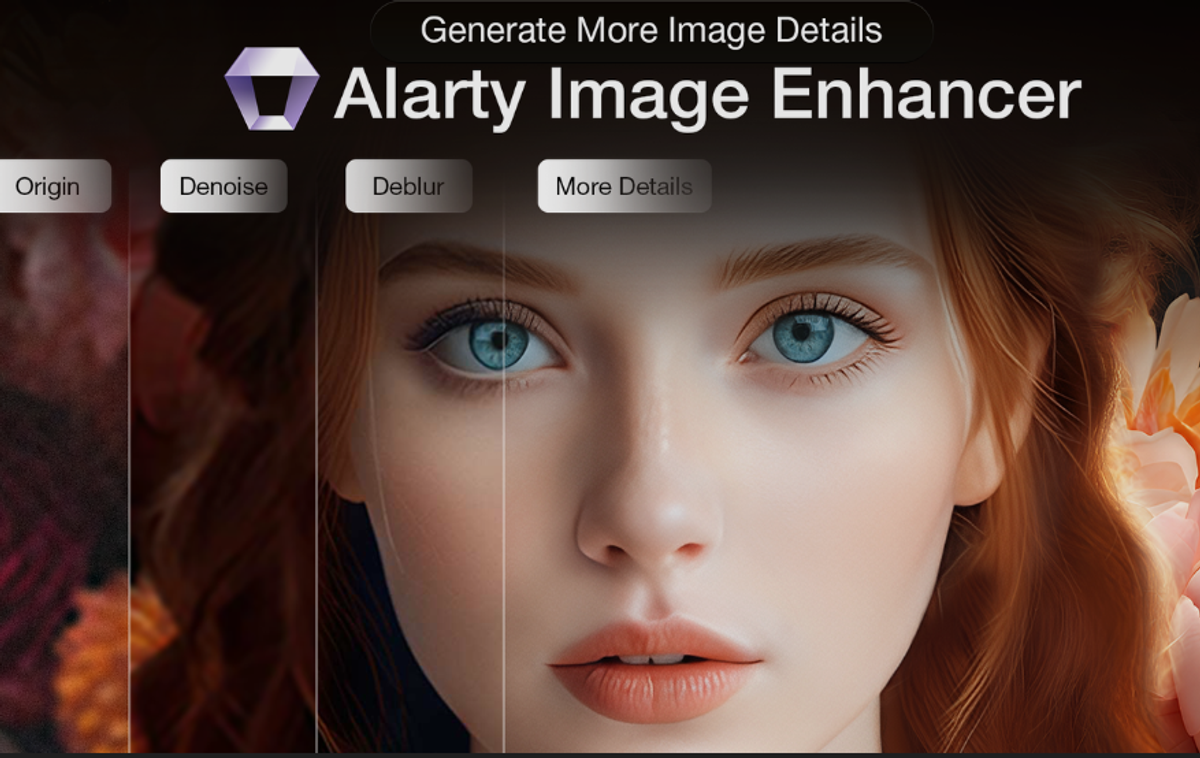
In 2025, stunning visuals are no longer just a luxury; they are an absolute necessity for capturing attention in a crowded digital world. Whether you are managing a high-traffic e-commerce store or curating a personal portfolio, the clarity of your images can make or break your success. Are you truly leveraging the full potential of artificial intelligence to make your photos shine?
Finding the right AI pic quality enhancer is the secret to transforming lackluster snapshots into professional-grade assets. However, not all tools are created equal. Knowing exactly what to look for is vital to avoid wasting time on inferior software.
With so many options available, identifying which software truly delivers on its promises can be overwhelming. This article guides you through the must-have functionalities that define a top-tier enhancer today. We will explore the ten critical features you need, discuss practical applications for various industries, and help you select the best tools for generating crystal-clear, high-resolution images. Read on to discover how to elevate your photography and ensure your visual content stands out in 2025.
The Role of AI Pic Quality Enhancers in the 2025 Digital Landscape
In the visually driven digital ecosystem of 2025, image clarity is no longer just an aesthetic preference—it is a functional necessity. As screen resolutions increase and consumer expectations rise, the technology behind image processing has evolved from simple editing tools to intelligent reconstruction systems.
What Exactly is an AI Pic Quality Enhancer?
An AI pic quality enhancer is sophisticated software that utilizes artificial intelligence—specifically deep learning neural networks—to automatically improve image resolution, clarity, and visual appeal.
Unlike traditional photo editors that simply adjust brightness or stretch pixels (often resulting in blur), AI enhancers analyze the semantic content of an image. They "understand" what a face, a texture, or a landscape should look like. By referencing vast datasets of high-definition imagery, they reconstruct missing details with remarkable accuracy.
"AI enhancement does not just enlarge an image; it intelligently reimagines it, filling in the gaps that traditional interpolation leaves blank."
The Growing Demand for High-Quality Visuals in the US Market
The United States has witnessed a sharp increase in the demand for pristine visuals, driven by three primary sectors:
E-commerce: With the dominance of mobile shopping, US consumers rely on zoom capabilities to inspect products. High-resolution images are directly correlated with higher conversion rates and lower return rates.
Digital Marketing: Algorithms on platforms like Instagram and LinkedIn prioritize high-definition content. Blurry visuals often signal low credibility to the modern American audience.
Content Creation: As 4K and 8K displays become standard in US homes and offices, low-resolution legacy content requires upscaling to remain viewable.
Key AI Enhancement Technologies Explained
To fully utilize an AI pic quality enhancer , it is essential to understand the core processes involved:
1. Upscaling: This process increases image resolution. AI predicts and inserts new pixels to create a larger image without losing sharpness.
2. Denoising: This removes "grain" or digital noise common in low-light photography, distinguishing between unwanted artifacts and essential textures.
3. Sharpening: This enhances the contrast along edges to correct focus issues, making soft images appear crisp.
Comparison: Traditional vs. AI Enhancement
By integrating these technologies, AI tools offer a seamless solution for transforming lackluster photos into professional-grade assets instantly.
10 Essential Features Every Top AI Pic Quality Enhancer Must Have
As digital media standards continue to rise, the demand for high-fidelity imagery has never been greater. In 2025, selecting the right AI pic quality enhancer requires looking beyond simple filters. The most effective tools combine generative adversarial networks (GANs) with user-centric design to transform low-resolution inputs into professional-grade assets.
Core Enhancement Capabilities: Upscaling, Denoising, and Sharpening
The foundation of any robust image software lies in three critical pillars:
1. Advanced AI Upscaling: Essential for increasing resolution (often up to 8K) without pixelation. The AI must predict and insert new pixels to maintain smooth edges.
2. Intelligent Noise Reduction: High-ISO grain and compression artifacts ruin image integrity. Top tools distinguish between essential texture and unwanted noise, resulting in cleaner images.
3. Smart Sharpening: This feature targets motion blur and soft focus, restoring clarity to edges and fine lines without creating unnatural "halos."
Insight: "The best enhancers don't just make images bigger; they reconstruct the reality of the scene by analyzing millions of data points to fill in missing details."
Specialized Features: Face Recovery and Low-Light Performance
Generic upscaling often fails when applied to organic subjects. Look for tools that excel in specific areas like Face Recovery . This feature detects facial landmarks (eyes, teeth, skin texture) and reconstructs them to rescue blurry portraits.
Similarly, improving Low-Light Photography is a non-negotiable feature in 2025. The AI must be capable of balancing exposure and recovering shadow details without introducing color noise, making night shots usable for professional print or web display.
User Experience: Batch Processing and Ease of Use
For professionals, time is currency. Batch Processing is crucial for efficiency, allowing users to apply complex enhancement models to hundreds of photos simultaneously. Whether you are processing an entire e-commerce catalog or a wedding album, the software must handle bulk data without crashing.
However, power must be balanced with accessibility. An Intuitive Interface ensures usability for all skill levels. The best tools offer "one-click" automatic enhancements for beginners, while retaining granular sliders for advanced users who require manual control over parameters.
Advanced Tools: Color Restoration and Detail Enhancement
To truly stand out, an AI pic quality enhancer must offer restorative capabilities. Color Restoration utilizes deep learning to correct color casts in vintage photos or revitalize faded prints.
Furthermore, Detailed Object Enhancement adds significant value by recognizing specific textures—such as animal fur, fabric weaves, or architectural elements—and rendering them with hyper-realistic precision.
| Feature Category | Standard Enhancer | Top-Tier AI Enhancer (2025) |
|---|---|---|
| Upscaling | Bicubic interpolation (blurry) | Generative AI (adds missing detail) |
| Face Recovery | Sharpening filter only | AI reconstruction of facial features |
| Workflow | Single image processing | GPU-accelerated Batch Processing |
| Restoration | Manual color sliders | Auto-Colorization & Scratch Removal |
By prioritizing these ten features—ranging from core upscaling to advanced restoration—users can ensure they are investing in a tool capable of meeting modern visual standards.
Top 10 AI Pic Quality Enhancer Tools Dominating 2025
As visual standards rise in 2025, selecting the right AI pic quality enhancer is essential for photographers, marketers, and archivists. The market has evolved from simple upscaling to complex, context-aware restoration. Below is a detailed analysis of ten leading tools defining the landscape this year.
Topaz Photo AI: Comprehensive Enhancement Powerhouse
Topaz Photo AI remains a market leader by integrating noise removal, sharpening, and resolution enlargement into a single workflow. Its standout feature is the Autopilot system, which analyzes images to automatically apply optimal corrections.
Best For: Professionals requiring batch processing to recover faces and sharpen details in high-volume workflows.
VideoProc Converter AI: Revitalizing Old and Low-Light Photos
While known for video, VideoProc excels at still image restoration. It is particularly adept at enhancing grainy, low-light shots and smoothing noise. Unique capabilities include fixing blemishes and adding color to black-and-white photos. Crucially, it works offline , ensuring data privacy during batch enhancement.
HitPaw FotorPea: Intelligent Multi-Model Enhancement
HitPaw FotorPea distinguishes itself by utilizing multiple specialized AI models. The software automatically selects the best model to fix blurry shots or restore old images, ensuring that upscaling resolution does not compromise texture fidelity.
| Tool | Primary Platform | Key Specialization | Best Use Case |
|---|---|---|---|
| Topaz Photo AI | Desktop (Win/Mac) | Autopilot Restoration | Professional Batch Editing |
| VideoProc Converter AI | Desktop (Win/Mac) | Low-Light/Restoration | Old Photo & Noise Fixes |
| LetsEnhance | Web-Based | Resolution Upscaling | Quick Online Enlargement |
| Imogen | Mobile (iOS) | Portrait Enhancement | Fast Selfie/Social Editing |
LetsEnhance: User-Friendly Web-Based Upscaling
For users needing fast processing without software installation, LetsEnhance offers a robust web interface. It specializes in increasing image resolution and sharpening pixelated or blurry photos, making it ideal for print preparation.
Imogen: One-Tap iPhone Enhancement
Optimized specifically for mobile workflows, Imogen delivers accurate enhancements for selfies and portraits. While it features a "one-tap" interface for speed, it retains optional manual controls for users who want to fine-tune the output directly on their iPhone.
Claid.AI: Optimized for Product Photography
Claid.AI targets the e-commerce sector. It is engineered to correct exposure, sharpness, and imperfections specifically in product images, ensuring consistent, high-quality visuals for online catalogs.
AdCreative.AI: Quick Enhancements for Social Media
Designed for marketers, AdCreative.AI focuses on reducing pixelation and enhancing color vibrancy. It provides quick and easy adjustments tailored for social media assets where visual impact is paramount.
Luminar Neo: Studio-Quality Results with Intuitive Controls
Luminar Neo bridges the gap between AI automation and creative freedom. It offers advanced tools for adjustable lighting, color, and warmth, delivering studio-quality results through an intuitive interface.
Dezgo: Futuristic Prompt-Based Editing
Dezgo introduces a unique approach with text-prompt editing. Users can guide the enhancement process using text descriptions, offering a futuristic and versatile set of free options for creative manipulation.
Phot.AI: Versatile Editing and Generation Tool
Going beyond basic enhancement, Phot.AI is a comprehensive web-based suite. It combines good quality upscaling with generative capabilities, such as background editing and object removal, serving as a versatile all-in-one tool.
Best Practices: Maximizing Your AI Pic Quality Enhancer
As image processing technology matures, simply applying a filter is no longer sufficient for professional results. Successfully utilizing an AI pic quality enhancer in 2025 requires a blend of strategic selection, technical understanding, and artistic restraint.
Choosing the Right AI Enhancer for Your Needs
Selecting the ideal tool depends heavily on your specific workflow, budget, and technical expertise. Casual users may prefer cloud-based simplicity, while professionals often require the granular control of local software.
| Feature | Cloud-Based Tools | Desktop Software |
|---|---|---|
| Best For | Quick social media fixes | High-volume professional workflows |
| Processing Power | Server-side (Internet required) | Local GPU (Hardware dependent) |
| Privacy | Images uploaded to cloud | Processed offline locally |
| Cost Model | Monthly Subscription | One-time License or Subscription |
Maximizing Results: Tips for Optimal Enhancement
Even the most advanced algorithms have limitations. To maximize quality, always begin with the highest resolution source file available. AI cannot magically invent details from a heavily pixelated 10px icon without guessing, which leads to hallucinations.
Pro Tip: "Garbage in, garbage out" still applies. AI works best when clarifying existing details rather than inventing new ones.
Pre-Processing: Lightly denoise or color-correct the image manually before feeding it into the AI.
Iterative Upscaling: Instead of jumping from 1x to 8x, try upscaling to 2x or 4x first to monitor artifact introduction.
Ethical Considerations and Avoiding Over-Processing
The most common pitfall in 2025 is over-processing, resulting in the dreaded "wax figure" effect where skin textures are smoothed into plastic. Ethical use involves maintaining the integrity of the original subject.
Be vigilant about AI artifacts —unnatural eyes, distorted text, or merging textures. An effective AI pic quality enhancer should remain invisible; if the viewer notices the AI's handiwork, the edit has failed. Always review the final output at 100% zoom to ensure that while the resolution has increased, the reality of the image remains grounded.
FAQ (Frequently Asked Questions)
Q1: Can an AI pic quality enhancer fix a completely blurry photo?
A1: While AI technology has advanced significantly, it has limitations. An AI pic quality enhancer can significantly improve motion blur or soft focus by reconstructing edges and details, but it cannot fully recover an image that is unrecognizable or completely out of focus. It works best when there is some underlying detail to reference.
Q2: Is online AI enhancement better than desktop software?
A2: It depends on your needs. Online tools are convenient for quick, single-image edits and require no installation. However, desktop software typically offers more power, privacy (since images aren't uploaded to a cloud), and the ability to batch process thousands of images at once, making it better for professionals.
Q3: Will using an AI enhancer make my photos look fake?
A3: If settings are pushed too high, AI can create a "waxy" or artificial look, especially on human skin. The best practice is to use a tool that offers adjustable sliders for denoising and sharpening. This allows you to dial back the effect to maintain a natural, organic appearance while still improving quality.
Q4: Does upscaling an image reduce its quality?
A4: No, modern AI upscaling is designed to increase resolution while maintaining or even improving quality. Unlike traditional "stretching," AI generates new pixels based on the surrounding data, resulting in a larger image that looks sharp and detailed, suitable for large prints or high-res displays.
Conclusion
As we navigate the visually driven landscape of 2025, the ability to produce crystal-clear imagery is no longer just an option—it is a necessity for standing out. Mastering a robust AI pic quality enhancer is the definitive key to unlocking professional-grade visuals that captivate audiences instantly. Throughout this guide, we have explored the ten non-negotiable features that define superior software, compared the top-performing tools, and shared essential best practices for achieving stunning results.
Now is the perfect moment to take full control of your creative output. Do not settle for mediocre resolution or digital noise. Evaluate your specific needs against the core features we have discussed and start experimenting with the tools that fit your workflow. Whether you are a seasoned professional or a social media enthusiast, testing these capabilities firsthand will reveal how effortlessly you can transform low-quality shots into high-definition masterpieces.
Ready to transform your visual content? Don't let blurry images hold you back any longer. Select one of the top-rated AI enhancers from our list above and start your free trial today to experience the power of professional-grade image restoration firsthand.



