Executive Summary
This comprehensive guide explores:
- What vibe coding is and how it works
- Google Antigravity's capabilities and architecture
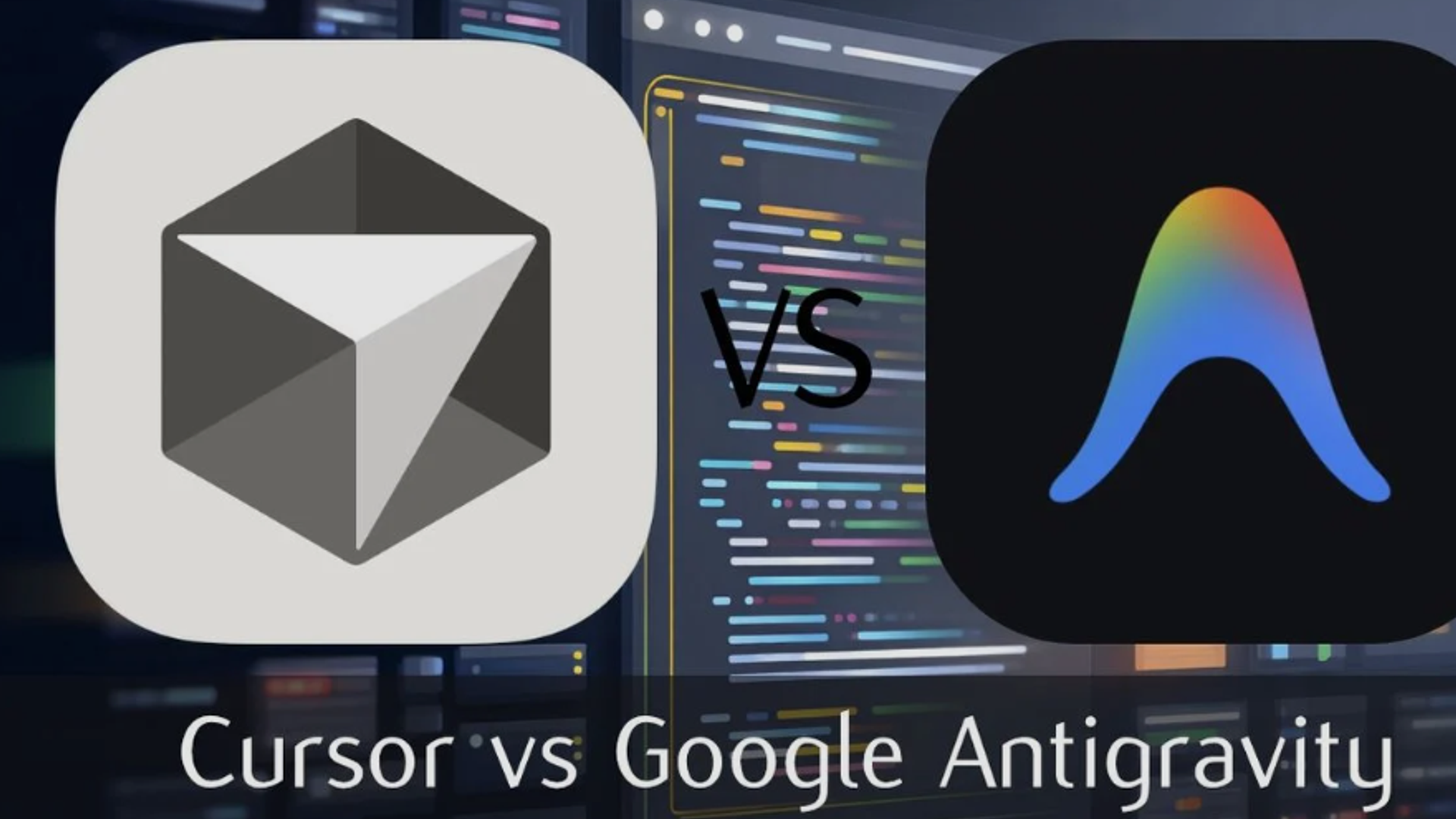
- Real-world comparisons: Antigravity vs Claude Code vs Cursor
- Gemini 3 Pro's coding performance benchmarks
- Practical workflows and use cases
- When to choose each tool for your projects
- Bottom LineAntigravity + Gemini 3 Pro represents a legitimate third paradigm in AI-assisted development, challenging the dominance of Claude Code's terminal-first approach and Cursor's IDE integration model.
What is Vibe Coding?
The Concept
Vibe coding is the practice of building applications through natural language prompts, offloading actual coding duties to AI models and agents. Instead of writing syntax, developers describe the desired outcome, constraints, and "vibe" (personality, interaction patterns, technical preferences), letting the AI handle implementation details.
Coined by AI researcher Andrej Karpathy, vibe coding represents a fundamental shift: natural language becomes the primary interface, not a supplement to traditional coding.
How It Works in Practice
Rather than writing:
function calculateTotal(items) {
  return items.reduce((sum, item) => sum + item.price, 0);
}
You describe:
"Create a function that calculates the total price from an array of items. Each item has a price property. The function should be efficient and handle edge cases like empty arrays."
Gemini 3 Pro then generates, tests, and validates the code—including error handling you might have forgotten.
Why "Vibe" Matters
The "vibe" isn't just aesthetic preference—it's architectural guidance:
Example Vibe Profile
Product Personality: Calm, minimal, keyboard-first navigation
Interaction Rules: No modal traps, progressive disclosure, instant feedback
Technical Rails: TypeScript strict, server-side validation, Zod schemas
Design System: Tailwind, colorblind-safe palette, mobile-first
This vibe profile shrinks the AI's probability space, guiding it toward cohesive, production-ready code rather than generic snippets.
Google Antigravity: The Agentic Development Platform
What Makes Antigravity Different
Antigravity isn't just another AI-powered IDE—it's Google's vision for "agent-first development" where AI assistants have elevated privileges and autonomy.
"We want Antigravity to be the home base for software development in the era of agents."
Key Features & Architecture
| Feature | Description | Competitive Advantage |
|---|---|---|
| Dedicated Agent Workspace | Agents operate in separate panel with full editor/terminal/browser access | Novel architecture vs sidebar assistants |
| Browser Automation | Direct Chrome control for UI validation and testing | Unique to Antigravity |
| Multi-Model Support | Gemini 3 Pro + Claude Sonnet 4.5 + GPT-OSS | Vendor flexibility |
| Artifact System | Plans, task lists, screenshots, recordings generated automatically | Better than Cursor's approach |
| Task-Level Abstraction | Focus on outcomes, not implementation details | Reduces cognitive load |
| Zero-Shot Generation | Build complex apps from single prompts | Tops WebDev Arena leaderboard |
The Technology Stack
Antigravity ships with integrated cutting-edge AI:
Primary Engine
- Gemini 3 Pro: Reasoning, planning, code generation
Specialized Models
- Gemini 2.5 Computer Use: Browser control and UI validation
- Nano Banana (Gemini 2.5 Image): Top-rated image editing/generation
- Claude Sonnet 4.5: Alternative reasoning engine
- GPT-OSS: Additional model option
How Agents Work in Antigravity
- Editor Access: Read, write, modify files across entire codebase
- Terminal Access: Execute commands, manage dependencies, run tests
- Browser Access: Launch apps, validate UI, capture screenshots, test interactions
Workflow Example
You: "Build a flight tracker app with real-time updates"

Agent:
1. Plans architecture (Next.js, Tailwind, REST API)
2. Scaffolds project structure
3. Writes components (SearchBar, FlightCard, Map)
4. Installs dependencies via terminal
5. Launches dev server
6. Opens browser to test
7. Captures screenshots showing validation
8. Reports completion with artifacts
All autonomous. You review, provide feedback, iterate.
Gemini 3 Pro: The Engine Behind Vibe Coding
Benchmark Performance
Gemini 3 Pro delivers exceptional coding capabilities across multiple dimensions:
| Benchmark | Gemini 3 Pro | GPT-5.1 | Claude 4.5 | Description |
|---|---|---|---|---|
| WebDev Arena | 1487 Elo | ~1420 | ~1450 | Full-stack app generation |
| SWE-Bench Verified | 76.2% | 76.3% | 77.2% | Real GitHub issues |
| Terminal-Bench 2.0 | 54.2% | Not disclosed | 59.3% | Command-line proficiency |
| MMMU-Pro | 81.0% | ~76% | Not disclosed | Multimodal understanding |
| Video-MMMU | 87.6% | Not disclosed | Not disclosed | Video analysis |
| LiveCodeBench Pro | 2,439 | 1,418 | Not disclosed | Live coding performance |
Key Strengths for Coding
1. Zero-Shot Generation Excellence
- Handles complex prompts without examples
- Generates richer, more interactive web UIs than predecessors
- Creates complete scaffolds with routes, components, tests, deployment scripts
2. Multimodal Code Understanding
- Screenshot to code: Upload UI mockup, get working implementation
- Video analysis: Record coding session, get optimization suggestions
- Diagram interpretation: Convert architecture diagrams to code structure
3. Agentic Workflow Mastery
- Plans multi-step tasks autonomously
- Calls tools precisely (Gemini 3 has shown improved tool-calling over 2.5)
- Validates own work through browser testing
4. Dynamic Thinking
- thinking_level parameter: Defaults to "high" for complex reasoning
- Allocates more compute to harder problems automatically
- Thought Signatures: Hidden reasoning tokens preserve context across turns
5. Advanced Context Management
- 1 million token context window (can process entire codebases)
- Better at maintaining architectural intent over long sessions
- Thought Signatures prevent "amnesia" in multi-turn conversations
Unique Capabilities
Client-Side Bash Execution: Gemini 3 can propose and execute shell commands locally to:
- Navigate filesystem
- Drive development processes
- Automate system operations
- Verify code actually works (empirical validation)
Hosted Server-Side Bash
- Multi-language code generation
- Secure prototyping environment
- Available via Gemini API (early access, GA coming soon)
Claude Code vs Antigravity vs Cursor: Head-to-Head Comparison
Architecture Philosophy
| Platform | Paradigm | Agent Approach | Best For |
|---|---|---|---|
| Claude Code | Terminal-first autonomous coding | Specialized subagents for different tasks | Developers who live in the terminal |
| Antigravity | IDE-centric agent orchestration | Single unified agent with browser access | Visual developers, UI-heavy projects |
| Cursor | AI-enhanced traditional IDE | Multiple interaction modes (tab, inline, agent) | VS Code users wanting familiar experience |
Detailed Feature Comparison
1. Interface & Workflow
Antigravity
- ✅ Clean VS Code-style interface
- ✅ Multi-pane setup with dedicated agent workspace
- ✅ Task-oriented abstractions (less technical noise)
- ❌ IDE lock-in (assumes IDE-centric workflow)
- ❌ No subagent modularity
Claude Code
- ✅ Terminal-native (no IDE required)
- ✅ Specialized subagents for coding, testing, debugging
- ✅ Shell piping and scripting support
- ✅ Embeds into build workflows
- ❌ Steeper learning curve for non-terminal users
Cursor
- ✅ Familiar VS Code environment
- ✅ Massive extension marketplace inherited from VS Code
- ✅ Multiple AI interaction modes (flexibility)
- ✅ Semantic codebase indexing
- ❌ Less autonomous than Antigravity/Claude Code
2. Code Quality & Reliability
Real-World Developer Reports
Claude Code
- 📊 30% fewer code reworks compared to Cursor
- 📊 Gets things right in 1st or 2nd iteration consistently
- 📊 Better instruction-following and reasoning
- Best for: Backend logic, complex refactors, business rules
Antigravity (Gemini 3 Pro)
- 📊 Exceptional at UI generation and visual work
- 📊 Superior multimodal understanding (81% MMMU-Pro vs Claude's lower)
- 📊 More complete responses but sometimes overconfident
- ⚠️ Struggles with instruction-following unless very precise
- ⚠️ Can claim fix worked when it didn't
- Best for: Front-end, animations, visual-driven work
Cursor
- 📊 Indexes entire projects into embeddings
- 📊 Semantic codebase maps
- 📊 Includes PR history and review feedback in context
- Best for: Large existing codebases, team projects
3. Specialized Capabilities
Browser Automation (Unique to Antigravity)
- Direct Chrome instance control
- Automated UI testing and validation
- Screenshot capture and visual verification
- Form interaction testing
Codebase Intelligence (Strong in Cursor)
- Indexes all merged PRs
- GitHub comments and review feedback incorporated
- Semantic search across entire history
- Better for legacy code understanding
Terminal Proficiency (Strong in Claude Code)
- 📊 Claude leads Terminal-bench 2.0 (59.3%)
- Shell command generation and execution
- CI/CD pipeline integration
- Better for DevOps workflows
4. Model Access & Flexibility
Antigravity
- ✅ Gemini 3 Pro (native)
- ✅ Claude Sonnet 4.5 (available)
- ✅ GPT-OSS (available)
- ❌ No OpenAI Codex extension found (interesting omission)
Claude Code
- ✅ Claude models (native)
- ✅ Can integrate other models via extensions
Cursor
- ✅ Multiple AI providers supported
- ✅ Easy model switching
- ✅ Works with various backends
Real-World Use Case Analysis
When Antigravity + Gemini 3 Pro Excels
✅ Front-End Development
- Building interactive dashboards
- Creating rich visualizations
- Implementing complex animations
- UI components from design mockups
✅ Rapid Prototyping
- Zero-to-app in minutes with single prompts
- Interactive demos for stakeholders
- Quick MVPs for validation
✅ Visual-First Projects
- Screenshot-to-code conversion
- Design system implementation
- Responsive layout generation
✅ Agentic Workflows
- Multi-step automation across editor/terminal/browser
- End-to-end feature implementation
- Autonomous bug fixing with visual validation
When Claude Code is Superior
✅ Backend Engineering
- Complex business logic
- Database schema design
- API development and integration
- Server-side optimization
✅ Terminal-Heavy Workflows
- DevOps automation
- CI/CD pipeline management
- Infrastructure as code
- Shell scripting
✅ Precision & Reliability
- Mission-critical code requiring first-time correctness
- Refactoring large codebases
- Code that needs careful reasoning
- Projects where error cost is high
✅ Long-Running Tasks
- 30+ hour autonomous task execution
- Maintaining coherent goals across extended sessions
- End-to-end automation requiring state management
When Cursor Makes Sense
✅ Existing VS Code Users
- Teams already standardized on VS Code
- Large extension ecosystem requirements
- Familiar workflows
✅ Existing Codebases
- Working with legacy code
- Projects with extensive PR history
- Need semantic codebase understanding
✅ Gradual AI Adoption
- Teams wanting multiple AI interaction modes
- Mix of AI-assisted and traditional coding
- Learning curve management
Practical Vibe Coding Workflow
Step-by-Step Process
1. Define the Vibe Profile
Product: Personal finance tracker
Vibe: Calm, minimal, privacy-first, keyboard shortcuts
Tech Rails: Next.js 14, TypeScript strict, Prisma + SQLite, Tailwind
UX Rules: No modals, progressive disclosure, offline-first
Security: Server-side validation with Zod, no client trust
2. Start with Vertical Slice
Don't build entire app at once. Start with:
- Single user flow (e.g., "Add expense")
- Core data model
- One or two components
- Basic styling
3. Use Diff-Based Iteration
Instead of: "Rewrite the entire component" Say: "Show git-style diffs for files you change. Keep rationale to 3 bullets."
- Token usage cut by ~22%
- Accidental regressions reduced by ~35%
4. Freeze the BOM (Bill of Materials)
After initial build, lock your component library:
"Freeze the BOM. New features must reuse these components or propose changes first:
- Button, Input, Card, Modal, Dropdown
- useForm, useAsync, useAuth hooks
- Typography scale, color tokens, spacing system"
Real Impact (10-feature expansion test):
- Component reuse: 58% → 87%
- Defects per feature: 0.6 → 0.3
5. Validate Empirically
- Run the app after each change
- Paste error messages verbatim (don't paraphrase)
- Ask for specific patches, not full rewrites
Real Developer Experiences
Success Stories
Case Study 1: Data Visualization Dashboard
- Goal: CSV uploader with interactive charts
- Stack: React, Recharts, Tailwind
- Vibe: Newsroom-clean, responsive, colorblind-safe
- Result: 18 minutes to first run, 2 fixes needed
- Performance: 5,000 rows parsed in ~140ms, 60fps rendering
- Key Lesson: Specify charting library upfront; Gemini sometimes invents APIs otherwise
Case Study 2: CRUD App with Validation
- Goal: Todo app with server validation and optimistic UI
- Stack: Next 14, Prisma + SQLite, Zod, Tailwind
- Vibe: Calm, keyboard shortcuts (j/k, enter to add), zero modals
- Result: 32 minutes to first run, 3 fixes
- Reliability: 92% of batch operations passed tests on first pass
- Key Lesson: Framing as "boring but bulletproof" yielded fewer bells but more unit tests
Case Study 3: Weather App
- Goal: 3-day forecast using public REST API
- Stack: Next 14, server-side fetch + caching
- Vibe: Clean cards, fast loading
- Result: Smooth first run
- Key Lesson: Lock external APIs explicitly to prevent hallucinations
Common Pitfalls & Solutions
Problem 1: API Hallucinations
- Issue: Gemini invents non-existent library methods
- Solution: Name specific libraries upfront (e.g., "use Recharts for charts")
- Frequency: 2/10 runs in dashboard trials without explicit library naming
Problem 2: Long Context Drift
- Issue: After 6-8 big patches, styles or patterns wobble
- Solution: Restate vibe+rails every few turns, or pin canonical README.md
- Workaround: Ask Gemini to re-read architectural docs before coding
Problem 3: Security Oversights
- Issue: Trusting client inputs in server routes
- Caught: 2 instances in real testing
- Solution: Add "validate on server with Zod before DB writes" to vibe profile
Problem 4: Package Conflicts
- Issue: Dependency version mismatches waste debugging time
- Solution: Ask for single lockfile update block and clean install script
- Impact: Cut environment thrash by ~40%
Problem 5: Overconfidence
- Issue: Gemini 3 Pro claims fix worked when it clearly didn't
- Solution: Always run code yourself; don't trust AI assertions
- Best Practice: Treat AI like brilliant but sometimes wrong senior engineer
Benchmark Deep Dive: Coding Performance
WebDev Arena Leaderboard
Gemini 3 Pro achieved 1487 Elo, topping the leaderboard for full-stack app generation from single prompts.
What This Measures
- Complete application scaffolding
- Route setup and component structure
- Test generation
- Deployment configuration
- Framework-specific best practices
Example Outputs
- Retro 3D spaceship games with physics
- Voxel art editors with 3D manipulation
- Complex dashboards with real-time data
- Playable sci-fi worlds with shaders
SWE-Bench Verified: Real GitHub Issues
| Model | SWE-Bench Verified | Interpretation |
|---|---|---|
| Claude 4.5 Sonnet | 77.2% | Best for real-world bug fixing |
| GPT-5.1 | 76.3% | Competitive |
| Gemini 3 Pro | 76.2% | Essentially tied |
LiveCodeBench Pro: Live Coding Performance
- Gemini 3 Pro: 2,439 points
- GPT-5.1: 1,418 points
- Advantage: Gemini by 72%
What This Measures
- Real-time coding challenges
- Problem-solving speed
- Code correctness under time pressure
Terminal-Bench 2.0: Command-Line Proficiency
- Claude 4.5 Sonnet: 59.3% (Leader)
- Gemini 3 Pro: 54.2%
- Advantage: Claude by 5.1 points
- What This MeansIf your workflow is heavily terminal-based (DevOps, infrastructure, automation), Claude Code maintains an edge.
- 🆓 Free public preview (as of November 2025)
- 💻 Available: macOS, Windows, Linux
- 🎯 Generous rate limits on Gemini 3 Pro
- 🔄 Refreshes every 5 hours
- 📅 Team/Enterprise pricing coming later
- ✅ Google AI Studio (developers)
- ✅ Vertex AI (enterprises)
- ✅ Gemini app (consumers)
- ✅ Gemini CLI (command-line access)
- ✅ Third-party platforms: Cursor, JetBrains, GitHub, Manus, Replit, Cline, Emergent
- ✅ Available now
- ✅ Anthropic API required
- ✅ Various subscription tiers
- Gemini app (chat interface)
- AI Mode in Search (with generative UI)
- Google workspace integration
- Google AI Studio (playground)
- Vertex AI (enterprise platform)
- Gemini CLI (terminal access)
- Android Studio (mobile development)
- Antigravity (agentic IDE)
- Cursor
- GitHub Copilot alternative
- JetBrains IDEs
- Manus
- Replit
- Cline
- Emergent
- Strategic AdvantageThis integrated distribution gives Antigravity potential reach that neither Cursor nor Claude Code can match.
- BackgroundGoogle acquired the Windsurf team in July 2025 for $2.4 billion and licensed their technology. The acquisition happened through DeepMind, where Windsurf founders now work.
- ResultAntigravity inherits battle-tested UX patterns from Windsurf's development, accelerating time-to-market and user adoption.
Cost & Availability Analysis
Pricing Comparison
| Tool | Cost Model | Specific Pricing | Best Value |
|---|---|---|---|
| Antigravity | Free (preview) | $0 with generous rate limits (refresh every 5 hours) | Free wins |
| Claude Code | Varies | Depends on Claude API pricing | Mid-range |
| Cursor | Subscription | $20/month Pro, Free tier available | Balance |
| Gemini API | Pay-per-token | $2/$12 per million tokens (input/output <200K) | Competitive |
Availability & Access
Antigravity
Gemini 3 Pro
Claude Code
Integration Ecosystem
Google's Integrated Approach
Google launched Gemini 3 simultaneously across its entire ecosystem:
Consumer Products
Developer Tools
Third-Party Platforms
Windsurf Connection
Developers noticed Antigravity's interface looks remarkably similar to Windsurf, Cursor, and VS Code. This isn't coincidental:
Strategic Recommendations by Developer Type
For Front-End Engineers
- Recommended StackAntigravity + Gemini 3 Pro
- Exceptional UI generation from prompts
- Screenshot-to-code capabilities
- Visual validation via browser automation
- Interactive component creation
- Strong at animations and rich visualizations
- Describe component vibe and behavior
- Let Gemini generate initial implementation
- Use browser automation to validate visually
- Iterate with diff-based updates
- Recommended StackClaude Code
- Superior at business logic and reasoning
- 30% fewer code reworks
- Better instruction-following for complex specs
- Terminal-first matches DevOps workflows
- Long-running task coherence (30+ hours)
- Describe API requirements and data models
- Let Claude generate with test coverage
- Run in terminal and paste errors
- Iterate with precise instructions
- Recommended HybridClaude Code (backend) + Antigravity (frontend)
- Play to each tool's strengths
- Claude handles APIs, databases, logic
- Antigravity builds UIs, components, visualizations
- Can share same codebase
- Total cost stays reasonable (Antigravity free preview)
- Use Claude for backend scaffolding and core logic
- Switch to Antigravity for UI implementation
- Use Antigravity's browser automation for E2E testing
- Let Claude handle infrastructure and deployment
- RecommendedStart with Antigravity (it's free)
- Zero cost during preview
- Fastest time-to-MVP
- Great for demos and prototypes
- Multi-model support provides flexibility
- Can always add Claude Code later
- Build initial version entirely in Antigravity
- Use vibe coding for rapid iteration
- Validate with real users
- Refine with Claude Code where precision matters
- RecommendedEvaluate all three, standardize on one
- Need consistency across teams
- Training and onboarding costs matter
- Security and compliance considerations
- Integration with existing toolchains
- Security: How does tool handle sensitive code?
- Compliance: Data residency requirements?
- Integration: Fits existing workflows (Git, CI/CD)?
- Support: Enterprise SLAs available?
- Cost: Scalable pricing model?
- Cursor (familiar VS Code, broad tool support)
- Claude Code (security-conscious organizations)
- Antigravity (Google Cloud customers, preview users)
Why
Workflow
For Back-End Engineers
Why
Workflow
For Full-Stack Teams
Why
Workflow
For Startups & Solo Developers
Why
MVP Strategy
For Enterprise Teams
Why
Evaluation Criteria
Current Enterprise Preference (based on adoption reports):
Technical Deep Dive: How Vibe Coding Works
The Underlying Mechanics
Traditional Coding
Problem → Design → Code → Debug → Test → Deploy
Vibe Coding
Vibe Description → AI Planning → Code Generation →
Autonomous Testing → Validation → Iteration
Key Differences
- Abstraction Level: Describe intent, not implementation
- Error Handling: AI anticipates edge cases automatically
- Best Practices: Model trained on billions of code examples
- Completeness: Generates tests, docs, configs together
Gemini 3 Pro's Technical Innovations
1. Dynamic Thinking Level
# API Parameter
thinking_level = "high"  # default for Gemini 3 Pro
What It Does
- Allocates more compute to complex reasoning
- Generates hidden "thinking tokens" before responding
- Maintains chain-of-thought without showing user
2. Thought Signatures
Technical Implementation
response = client.generate_content(
    model="gemini-3-pro",
    contents=history + [new_message],
    thinking_level="high"
)

# Capture thought signature
thought_signature = response.metadata.get("thought_signature")

# Pass back in next request
next_response = client.generate_content(
    contents=history + [new_message],
    thought_signature=thought_signature  # Preserves context
)
3. Temperature = 1.0 for High Reasoning
4. Client-Side Bash Execution
Workflow
# Gemini proposes:
$ npm install recharts
$ npm run dev

# Sees output:
Local: http://localhost:3000
ready - started server on 0.0.0.0:3000

# Validates:
$ curl http://localhost:3000
# Checks response

# Reports success or debugs errors
Future Outlook & Industry Impact
The Broader Trend
By The Numbers
- 25% of Y Combinator Winter 2025 startups have 95%+ AI-generated codebases
- Wall Street Journal (July 2025): Vibe coding entering commercial production
- Developer Reports: Antigravity experiencing server overload from demand
- Google Internal: Growing adoption inside Google teams
Competitive Dynamics
Release Cadence
- Gemini 3: November 18, 2025
- GPT-5.1: Week before Gemini 3
- Claude Opus 4.5: Two months before Gemini 3
- Industry Pace: Major releases every 1-2 months
Market Implications
- No single vendor maintaining clear lead >2 months
- Leapfrogging pattern continuing
- Developers benefit from rapid competition
- Multi-tool workflows becoming norm
What's Next
Short-Term (Q1 2026)
- Antigravity Team/Enterprise pricing announced
- Deep Think mode (enhanced reasoning) availability expands
- More third-party IDE integrations
- Extended language support
Medium-Term (2026)
- True hands-off agent workflows (current still need supervision)
- Better handling of edge cases and bugs
- Reduced loop failures and errors
- Production-ready autonomous coding
Long-Term (2027+)
- "Anyone with an idea can build" becomes reality
- Non-programmers creating sophisticated applications
- Software development democratized
- Traditional coding remains for systems programming, performance optimization
Enterprise Adoption Concerns
Security Risks
- AI-generated code may contain vulnerabilities
- Sensitive data exposure if not properly governed
- Compliance requirements (SOC 2, HIPAA, etc.)
Code Quality
- Consistency across large teams
- Maintainability of AI-generated code
- Technical debt accumulation
Governance Needs
- Code review processes for AI outputs
- Security architecture oversight
- Testing and validation requirements
- Documentation standards
Conclusion: Three Paradigms, Different Strengths
The Verdict
There is no universal winner—the best tool depends entirely on your workflow, project type, and preferences.
Choose Antigravity + Gemini 3 Pro When:
✅ Building UI-heavy applications with rich interactions ✅ Need rapid prototyping and visual validation ✅ Prefer IDE-centric development environment ✅ Want browser automation for testing ✅ Working on multimodal projects (images, designs) ✅ Budget-conscious (free during preview) ✅ Already use Google Cloud ecosystem ✅ Value zero-shot generation from single prompts
Choose Claude Code When:
✅ Backend and API development focus ✅ Terminal-first workflow preferred ✅ Need maximum reliability and fewer reworks ✅ Complex business logic and reasoning required ✅ Long-running autonomous tasks (30+ hours) ✅ DevOps and infrastructure automation ✅ Command-line tool proficiency critical ✅ Projects where error cost is very high
Choose Cursor When:
✅ Team already standardized on VS Code ✅ Need massive extension ecosystem ✅ Working with large existing codebases ✅ Want multiple AI interaction modes ✅ Gradual AI adoption strategy ✅ Value semantic codebase indexing ✅ Need PR history and review context ✅ Balance between traditional and AI coding
The Hybrid Approach (Recommended)
Most productive developers use multiple tools
Typical Setup
- Antigravity: Front-end, UI components, rapid prototypes
- Claude Code: Backend logic, APIs, infrastructure
- Cursor: Legacy code navigation, large refactors
Why This Works
- Play to each tool's strengths
- No single tool excels at everything
- Cost-effective (Antigravity free, Claude/Cursor for specific needs)
- Flexibility as project evolves
Getting Started Guide
Quick Start: Antigravity
Step 1: Download
- Visit [Google Antigravity website]
- Download for macOS, Windows, or Linux
- Free public preview, no payment required
Step 2: Setup
- Import VS Code settings (if applicable)
- Choose theme (Tokyo Night recommended)
- Authenticate with Google account (for Gemini access)
Step 3: First Vibe Coding Session
Prompt: "Build a simple todo app with:
- Vibe: Calm, keyboard-first (enter to add, j/k to navigate)
- Stack: React, Tailwind, local storage
- UX: No modals, inline editing, dark mode
- Features: Add, complete, delete todos"

Watch agent:
1. Plan architecture
2. Generate components
3. Install dependencies
4. Launch browser
5. Test functionality
6. Report completion
Step 4: Iterate with Diffs
"Show git diff to add a filter (all/active/completed).
Keep changes minimal and maintain existing vibe."
Quick Start: Vibe Coding Principles
Best Practices Checklist
☑️ Define vibe profile upfront (personality, tech rails, UX rules) ☑️ Start with small vertical slice, not entire app ☑️ Use diff-based iterations to reduce regressions ☑️ Lock libraries explicitly to prevent hallucinations ☑️ Freeze BOM (component library) after initial build ☑️ Run code yourself—don't trust AI assertions ☑️ Restate architecture every 6-8 patches ☑️ Validate on server, add explicit security rules ☑️ Ask for single lockfile updates to avoid conflicts
Final Thoughts
Google's November 2025 launch of Antigravity and Gemini 3 Pro marks a genuine inflection point in software development. Vibe coding is no longer experimental—it's entering production workflows at startups, enterprises, and Google itself.
Key Takeaways
- Paradigm Shift: Natural language is becoming a first-class interface for coding, not just a supplement
- Three Valid Approaches: IDE-centric (Antigravity), terminal-first (Claude Code), and hybrid (Cursor) all have legitimate use cases
- Model Competition Accelerating: Expect major releases every 1-2 months as OpenAI, Google, and Anthropic leapfrog each other
- Hybrid Workflows Winning: Most productive developers use multiple tools, playing to each strength
- Democratization Beginning: Non-programmers can now build functional applications through vibe coding
- Governance Required: Enterprises need proper security architecture and oversight to adopt safely
Looking Forward
The question isn't whether AI will transform software development—it already has. The question is how developers, teams, and organizations adapt their workflows to leverage these tools effectively while maintaining code quality, security, and maintainability.
Antigravity + Gemini 3 Pro represents Google's bold vision for this future: a world where anyone with an idea can experience liftoff and build that idea into reality. Whether that vision fully materializes remains to be seen, but the tools are here, they're powerful, and they're free to try.
Resources & Further Reading
Official Documentation
- Google Antigravity Official Site
- Gemini 3 Developer Documentation
- Google AI Studio
- Vertex AI Platform
Comparison Guides
- Gemini 3 Pro vs Claude 4.5 Sonnet Deep Dive
- Google Antigravity vs Cursor vs Claude Code
- 5 Things to Try with Gemini 3 Pro in Gemini CLI
Community & Discussions
- Reddit: r/singularity, r/vibecoding discussions
- Hacker News: Antigravity launch threads
- X (Twitter): #VibeCoding, #Gemini3Pro, #Antigravity
Benchmarks & Testing
Last Updated: December 12, 2025 | Based on November 18, 2025 Google Antigravity and Gemini 3 Pro launch | All information from official Google announcements and verified developer reports