| Security Feature | Description |
|---|---|
| Post-Quantum Cryptography | Protection against advanced quantum-based cyber attacks |
| Enhanced Knox Security | Defense-grade protection against malware and unauthorized access |
If you want a very safe smartphone in 2025, you should check out the Google Pixel 9 Pro with GrapheneOS. Security experts say this phone is special because it has strong security parts and good protection from hacks. When you choose a Smartphone With Advanced Encryption, you need to look for things like encryption, privacy tools, biometric security, hardware kill switches, and regular software updates .
- Experts look for these things: Encryption
- Privacy tools
- Biometric security
- Hardware kill switches
- Regular software updates
Key Takeaways
- Pick smartphones that have strong encryption like AES-256. This helps keep your data safe from hackers.
- Find privacy tools such as hardware kill switches. Also, check for app permissions to control your camera and microphone.
- Phones need regular software updates. Choose phones that get updates often to stay safe from new threats.
- Think about biometric security like fingerprint or facial recognition. These help you unlock your device quickly and safely.
- Look up and compare different models . This helps you find the best phone for your security and daily use.
Top 10 Most Secure Smartphones
If you want to keep your data safe, you need to know which phones are best. Here are the most secure smartphones you can buy in 2025. These phones use strong encryption and privacy tools. They also get regular updates. People who work in cybersecurity trust these phones.
Google Pixel 9 Pro with GrapheneOS
The Google Pixel 9 Pro with GrapheneOS is a top pick. Security experts say it is the best. It has memory protection that erases sensitive data after use. The phone blocks risky features by default. This makes it hard for hackers to break in. You can control what apps can do. You can choose which apps use your network or sensors. The Titan M2 chip and fast updates help keep your phone safe. You can check if someone has tried to mess with your phone. Most other phones do not let you do this.
Tip: The Pixel 9 Pro with GrapheneOS is a great choice if you want a phone that gets updates fast and lets you control your privacy.
Purism Librem 5
The Purism Librem 5 puts privacy first. It keeps the cellular modem away from the main CPU. This makes it harder for attackers to get your data. You get switches for WiFi, Bluetooth, camera, and microphone. You can turn off all connections with a switch. The phone uses PureOS, which is open-source. This means anyone can check for problems. Purism gives you security updates and does not collect your data.
- Physical kill switches for wireless, camera, and mic
- Open-source PureOS operating system
- Privacy-focused design with minimal data collection
Liberty Phone
The Liberty Phone is made in the United States. It is built to be open and honest. You can see where each part comes from. It has kill switches for the modem, WiFi, microphone, and camera. The phone uses PureOS, just like the Librem 5. It has a baseband modem that is separated from the rest of the phone. This adds more security. If you want a phone that is open and cares about privacy, this is a good choice.
Samsung Galaxy S25 Ultra
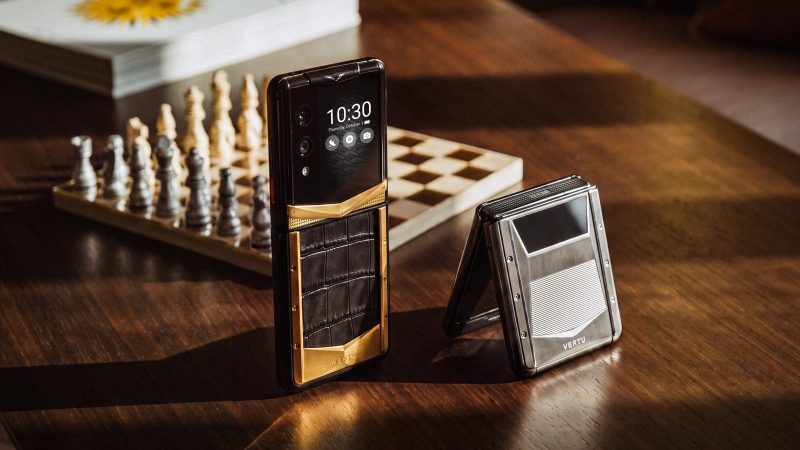
The Samsung Galaxy S25 Ultra is popular for its security and features. It uses post-quantum cryptography to protect you from future attacks. Samsung’s Knox Security protects you from malware and people trying to get in without permission. You get updates and biometric security, like fingerprint and face unlock.
Bittium Tough Mobile 2C
The Bittium Tough Mobile 2C is good for people who work in government or need strong security. It has a dual-boot system. This keeps personal and work stuff separate. The phone has a secure element that cannot be tampered with. There is a Privacy Mode button. The phone meets NATO standards. It has anti-tampering features and remote management. If you lose your phone, you can erase all data from far away.
- Isolates apps in separate containers
- Supports secure VPN tunnels for work and personal use
- Common Criteria and FIPS 140-2 certified
Sirin Labs Finney U1
If you use cryptocurrency, the Sirin Labs Finney U1 is a good choice. It uses blockchain technology to keep your data and transactions safe. Every transaction is recorded on a ledger that cannot be changed. The phone uses decentralized authentication and strong encryption to protect your digital identity.
- Blockchain-based security for transactions
- Decentralized authentication
- Advanced encryption for digital assets
Sirin Labs Solarin
The Solarin has a physical switch for privacy. You can turn off all unencrypted communications with one flip. The phone uses strong encryption for calls, texts, and emails. It has three-factor authentication. You can use the phone as a cold wallet for digital money. The switch makes storage safe from wireless attacks.
- Physical toggle switch for privacy
- Advanced encryption for all communications
- Three-factor authentication
Apple iPhone 16 Pro Max
The Apple iPhone 16 Pro Max is private and easy to use. Apple Intelligence uses AI but keeps your data private. Private Cloud Compute lets your phone use both the device and Apple’s secure servers. Apple uses new ways to keep your information safe.
| Feature | Description |
|---|---|
| Apple Intelligence | Advanced AI with privacy protection |
| Private Cloud Compute | Flexible processing between device and secure servers |
| Enhanced Data Security | Innovative methods to keep user data secure |
Vertu Aster P
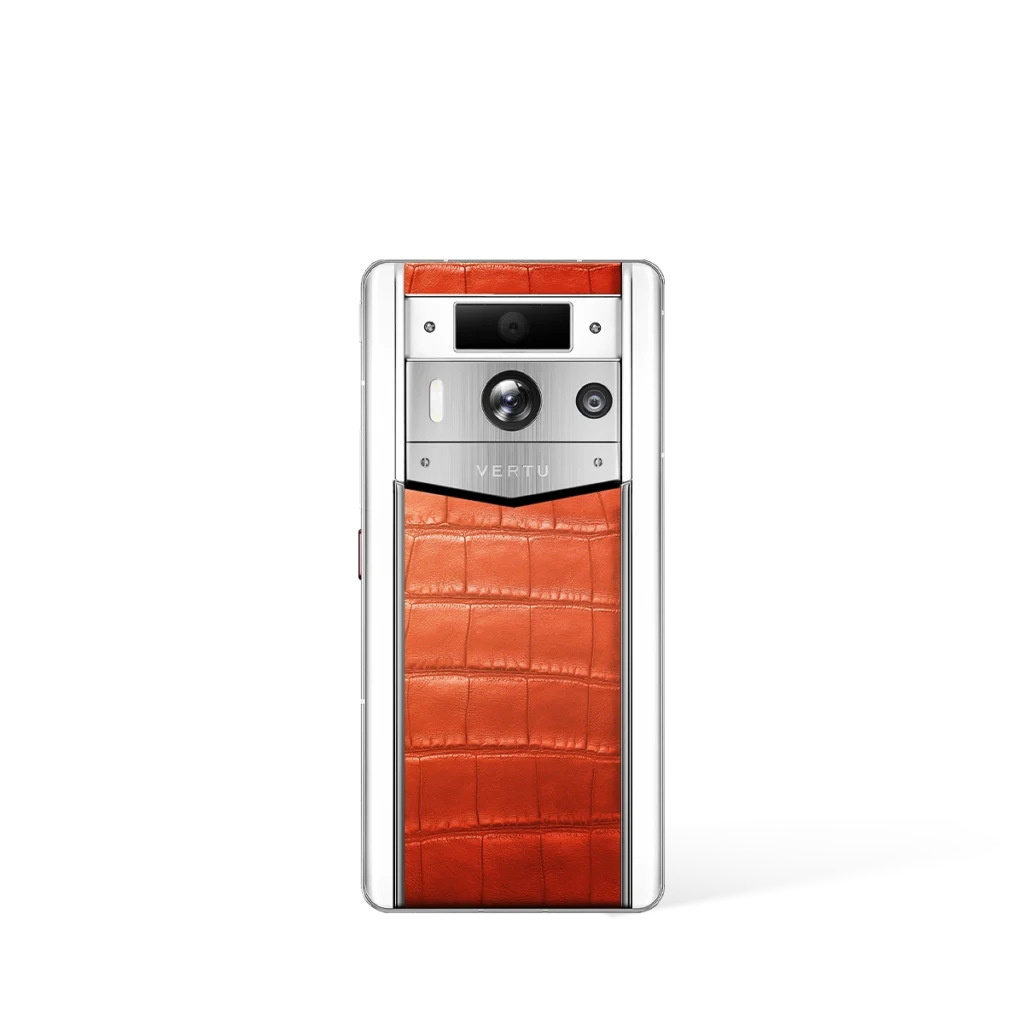
The Vertu Aster P is for people who want luxury and security. The phone uses biometric authentication and encrypted communication. Your information and privacy are protected. The phone looks fancy, but the security is strong.
Note: Vertu Aster P is a great choice if you want a secure phone that also looks and feels special.
Other Notable Secure Phone
There are other secure phones you should know about. The Above Phone is a Pixel with GrapheneOS. It has the Titan M2 chip, hardened Android, and sandboxed Google Play. The Katim R01 has a tough case and hardware cryptosystem. Murena 2 uses hardware kill switches and blocks trackers. Blackphone PRIVY 2.0 gives you encrypted calls and a subscription for more privacy.
| Smartphone Model | Key Features |
|---|---|
| Above Phone (Pixel With GrapheneOS) | Titan M2 secure element, hardened Android, sandboxed Google Play, exploit mitigations |
| Katim R01 | Military-grade casing, hardware cryptosystem, Shield Mode toggle |
| Murena 2 | Hardware kill switches, /e/OS with tracker blocking |
| Blackphone PRIVY 2.0 | Silent OS, ZRTP encrypted calls, subscription model |
You have many choices for secure smartphones. Each phone has special features. Pick the one that fits your needs best.
Smartphone with Advanced Encryption Features
If you want a phone that keeps your stuff safe, you should know what makes it secure. These phones use strong encryption to protect your messages, files, and calls. Hardware root of trust helps your phone check itself for problems every time it turns on. You can trust that your data is locked up tight with strong encryption.
Encryption Technologies
Strong encryption is used in many secure phones. Most phones use AES-256, which is a hard code for hackers to break. Some phones add post-quantum cryptography, so your data stays safe even if computers get smarter. Hardware-based encryption uses special chips to keep secrets safe. Secure boot checks your phone’s software before it starts, stopping bad programs. Trusted execution environments keep your private info away from risky apps.
Tip: For the best safety, pick a phone with hardware-based encryption and secure boot.
Privacy Tools
Privacy tools help you control who sees your data. Many phones let you choose which apps can use your camera or microphone. Some phones have hardware kill switches. You can flip a switch to turn off WiFi, Bluetooth, or the camera. Secure messaging apps use strong encryption to keep your chats private. VPNs help hide your location and block trackers. These privacy tools work with encryption to keep your information safe.
- You do not need to remember passwords or PINs.
- You avoid risks like shoulder-surfing or keylogging.
- You get instant access while keeping high security.
Biometric Security
You unlock your phone with biometric security . You can use fingerprint sensors, facial recognition, or iris scans. These ways are fast and safe. Some phones use liveness detection, so only a real person can unlock the phone. AI helps your phone know it is you and not someone else. Your biometric data is protected with strong encryption, so nobody can steal your identity.
| Biometric Method | Description | Advantages |
|---|---|---|
| Fingerprint sensors | Fast and common in secure phones | Quick access, easy to use |
| Facial recognition | Uses camera or infrared mapping | Convenient and user-friendly |
| Iris and retinal scans | Scans your eye for extra security | Very hard to trick, high security |
| Liveness Detection | Checks if you are a real person | Stops fraud attempts |
| AI integration | Makes biometrics smarter and more accurate | Reliable and efficient authentication |
| IoT Integration | Connects your phone to other smart devices | Easy and secure communication |
| Cloud-Based solutions | Stores biometric data safely | Fast and scalable authentication |
| Blockchain | Protects your biometric information | Keeps your data private and secure |
Note: Biometric security lets you unlock your phone quickly and keeps your phone safe with strong encryption.
Comparison Table: Most Secure Mobile Phones
Do you want to know which phones are safest? This table helps you compare the most secure smartphones. It shows their main security features, encryption types, and how often they get updates. This way, you can find the phone that works best for you.
Tip: Phones with more updates stay safer from new dangers. Try to pick brands that give updates for a long time.
| Smartphone | Key Security Features | Encryption Standard | Update Frequency |
|---|---|---|---|
| Pixel 9 Pro (GrapheneOS) | Titan M2 chip, app sandboxing, secure boot | AES-256, Verified Boot | Monthly, 5+ years |
| Purism Librem 5 | Hardware kill switches, PureOS, modem isolation | AES-256 | Regular, 3+ years |
| Liberty Phone | Kill switches, open-source OS, modem isolation | AES-256 | Regular, 3+ years |
| Galaxy S25 Ultra | Knox Security, post-quantum crypto, biometrics | AES-256, PQC | Monthly, 7 years |
| Bittium Tough Mobile 2C | Dual-boot, secure element, NATO standards | AES-256, FIPS 140-2 | Quarterly, 3+ years |
| Sirin Labs Finney U1 | Blockchain wallet, decentralized auth | AES-256, Blockchain | Regular, 2+ years |
| Sirin Labs Solarin | Privacy switch, three-factor authentication | AES-256 | Regular, 2+ years |
| iPhone 16 Pro Max | Secure enclave, Private Cloud Compute, biometrics | AES-256, Secure Enclave | Monthly, 6+ years |
| Vertu Aster P | Biometric auth, encrypted comms | AES-256 | Regular, 2+ years |
| Above Phone (GrapheneOS) | Titan M2, hardened OS, exploit mitigations | AES-256, Verified Boot | Monthly, 5+ years |
- Phones that get updates often are safer from new malware.
- Samsung now gives seven years of updates for the Galaxy S25 Ultra.
- If your phone gets updates for a long time, hackers have less chance to break in.
Some phones, like the Galaxy S25 Ultra and iPhone 16 Pro Max, get updates for many years. This keeps you safe from new threats as they come out. For the best safety, choose a phone with strong encryption and lots of updates.
Remember, security is not just about the phone’s parts. You also need updates to keep your phone safe and working well.
Common Threats to Most Secure Phones
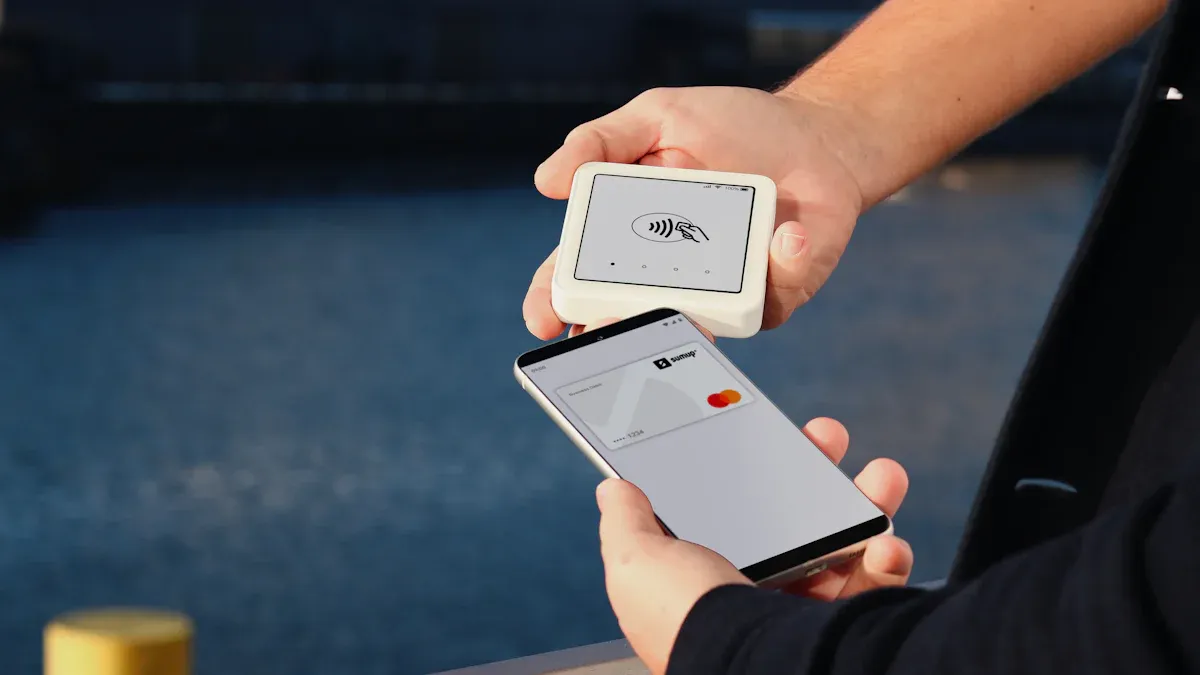
Image Source: unsplash
Even if you use the most secure smartphone , you still face some real threats. Hackers and scammers keep finding new ways to break in. Let’s look at the biggest dangers you need to watch out for.
Malware and Phishing
Malware and phishing attacks have become smarter in 2025. You might think your secure phone keeps you safe, but attackers use clever tricks to get around defenses.
- AI-generated phishing emails and scam messages look just like real ones from people or companies you trust.
- Some hackers use fake CEO voice calls to trick you into sending money or sharing private info.
- AI-generated videos can fool you with fake faces and voices, leading to identity fraud.
- Zero-click malware can infect your phone without you tapping anything. It sneaks in through messaging apps or browsers by using hidden software bugs.
- Phishing scams now show up in encrypted messaging apps, on websites that look real, and even through phone calls.
Tip: Always double-check messages and calls, even if they seem to come from someone you know. If something feels off, trust your gut.
Network Vulnerabilities
Your phone connects to many networks every day. Hackers often target these connections to steal your data or spy on you.
- Public WiFi networks can be risky. Attackers set up fake hotspots to capture your information.
- Weak or outdated encryption in mobile networks lets hackers listen in on your calls or texts.
- Some malware can spread through Bluetooth or NFC if you leave them on all the time.
You should use a VPN when you connect to public WiFi. Turn off Bluetooth and NFC when you don’t need them.
Physical Security Risks
Sometimes, the biggest threat is someone getting their hands on your phone.
- Thieves can steal your device and try to break into it.
- SIM swap attacks are on the rise. A hacker tricks your mobile carrier into moving your phone number to their SIM card. They can then use SMS-based codes to get into your accounts.
- Shoulder surfing happens when someone watches you enter your PIN or password.
Note: Set up strong biometrics and use hardware kill switches if your phone has them. This makes it much harder for anyone to access your data if your phone gets lost or stolen.
Practical Tips for Most Secure Smartphones
Encryption Setup
You want your phone to keep secrets safe. Turn on full-disk encryption first. This locks your files and messages. Only you can see them. Most phones have this feature ready. Check your settings to be sure. On Android, go to Settings. Tap Security. Choose Encrypt Phone. On iPhone, set up a passcode. Encryption turns on by itself. Your data stays safe, even if someone steals your phone.
Here’s a simple table to help you set up encryption:
| Step | Description |
|---|---|
| Activate Phone Encryption | Makes your data unreadable without your password or PIN. |
| Enable on Android | Go to Settings, then Security, and tap Encrypt Phone. |
| Enable on iPhone | Set a passcode and encryption works in the background. |
You can make security stronger with symmetric and asymmetric encryption. These features make it harder for hackers to get in.
Secure Messaging
You want to chat safely. Pick a secure app with end-to-end encryption . Only you and your friend can read your messages. Signal, WhatsApp, and Threema keep chats private. Silence and Session do not save your metadata or phone number. If you want more control, try Element for self-hosting. Wire is good for open-source protection.
| App Name | Key Security Features |
|---|---|
| Signal | End-to-End Encryption, Minimal Metadata, Open Source, Self-Destructing Messages |
| End-to-End Encryption, Disappearing Messages, Biometric and PIN Protection | |
| Threema | End-to-End Encryption, No Phone Number Required |
You can also use an encrypted suite for calls, texts, and files.
Tip: Always pick apps that update often and have strong privacy settings.
Software Updates
You keep your phone safe by updating it. Turn on automatic updates for easy protection. Old software can make your phone easy to hack. Download updates from your phone’s official site. Do not update on public WiFi. This keeps your system safe. Check your update settings every few months. Operating system hardening helps fight new threats.
- Turn on automatic updates for quick safety.
- Do not use unsupported apps or software.
- Download updates only from trusted places.
- Update on safe networks, not public WiFi.
Note: Regular updates help your phone stay strong against new attacks.
Choosing the Most Secure Smartphone
Assessing Needs
You want a phone that works for you. First, think about what you need to keep safe. If you talk about private things at work or with friends, you need strong security. Ask yourself how much personal or work stuff is on your phone. Some people need a phone for privacy at work. Others want a safe phone for daily life.
Here’s a table to help you decide what matters most:
| Factor | Description |
|---|---|
| Security Needs | Think about how private your data and messages are. |
| Vulnerabilities | Watch out for hacking, stealing, or unsafe WiFi. |
| Protection Features | Look for strong passwords, app locks, and ways to erase data from far away. |
| Research Phone Models | Check which phones have the best privacy tools for you. |
If you use your phone for work, you might want Mobile Device Management (MDM) to track devices. For personal use, Mobile Application Management (MAM) helps you control which apps see your info. Always make sure your data on other servers is safe.
Comparing Features
Now, look at what each privacy phone gives you. Some phones have hardware kill switches. Others use advanced encryption for private messages. You should find privacy tools that let you control your camera, mic, and network. Phones with regular updates stay safer from new problems.
- Make a list of features you want most.
- Check if the phone can erase data from far away.
- See if the phone uses fingerprint or face unlock.
- Look for phones that block trackers and keep your privacy safe.
Tip: Pick a phone that fits your daily life. If you travel a lot, choose one with strong network safety.
Balancing Security and Usability
You want your phone to be safe and easy to use. Too much security can make things hard. If a phone is too strict, you might try to get around it. This can put your data in danger. The best privacy phone protects you but does not slow you down.
Think about how you use privacy tools every day. If you need fast access to private messages, choose a phone with easy biometric unlock. If you want more control, pick a phone that lets you change security settings. Remember, privacy matters most when your phone is simple to use.
Note: The right balance keeps your data safe and makes your phone fun to use.
You can pick from many secure smartphones . The Pixel 9 Pro with GrapheneOS, Purism Librem 5, and Galaxy S25 Ultra are known for strong encryption. These phones also get updates often. Apple’s iPhone 16 Pro Max has privacy tools that are simple to use.
Remember, keeping your privacy safe is very important in 2025. Look at the comparison table and follow the tips to find the best phone for you. If you want more safety, turn on encryption. Use secure messaging apps. Make sure your software is always updated. You keep your data safe by learning about security.
FAQ
What is biometric authentication, and why should you use it?
Biometric authentication lets you unlock your phone with your fingerprint, face, or eyes. You do not have to remember any passwords. It gives you quick access and keeps your phone safe. Many privacy phones use biometric authentication for extra safety.
How does sim swap protection keep your phone safe?
Sim swap protection stops hackers from taking your phone number. You add extra steps, like using biometric authentication, before anyone can change your SIM card. This makes it much harder for someone to steal your accounts. Always turn on sim swap protection on your privacy phone.
Can you trust biometric authentication for all your apps?
You can use biometric authentication for many apps, like banking or messaging. It keeps your data locked up. Some phones let you use biometric authentication for each app. This adds more sim swap protection. You stay in charge of your privacy.
Why do secure phones talk about military-grade security?
Military-grade security means your phone uses very strong tools to protect your data. You get things like sim swap protection and biometric authentication. These tools help stop hackers. If you want the best, pick a privacy phone with military-grade security.
How often should you check your sim swap protection settings?
You should check your sim swap protection every month. Make sure your phone uses biometric authentication for changes. If you notice anything strange, fix it right away. This keeps your privacy phone safe from hackers who try to trick your carrier.
Tip: Use biometric authentication and sim swap protection together for the best safety.